Smartphone Repair in 2026: DIY or Professional – Which Path Should You Choose?
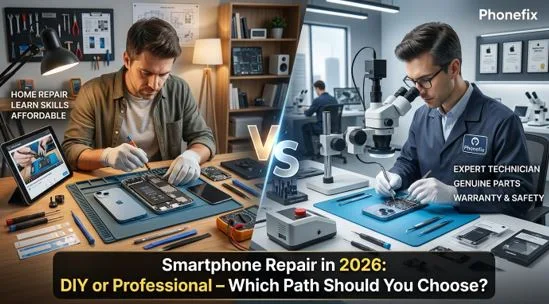
Smartphones have become indispensable in daily life, yet screen cracks, battery degradation, and charging port failures remain common headaches for users in 2026. Faced with rising official repair costs, many owners find themselves at a crossroads: should they attempt a DIY fix at home, or leave it to the professionals? This article breaks down the costs, risks, and practical considerations of both approaches, helping you make the smartest choice for your device and your wallet.
I. The 2026 Repair Landscape
The smartphone repair market has matured significantly by 2026. Users now have access to a wider range of choices than ever before, but more options also mean more confusion.
- On the DIY side, the ecosystem has expanded dramatically. Apple’s Self Service Repair program now offers genuine parts and professional-grade tool rentals in more regions. Meanwhile, third-party suppliers provide a vast selection of aftermarket components—from budget-friendly screens to high-quality salvaged genuine parts. Online tutorials have become more detailed and accessible, with step-by-step video guides available for nearly every model on the market.
- On the professional side, services have also diversified. Apple Stores and Authorized Service Providers continue to offer OEM repairs with full warranty protection. Independent repair shops have grown more sophisticated, often providing same-day service with warranties ranging from 30 days to a lifetime. Mobile on-site repair services have also gained traction, bringing technicians directly to the user’s location for maximum convenience—though typically at a premium price.
With so many paths available, how does an average user decide?
II. What You Actually Pay
When comparing DIY and professional repair, looking only at the parts price is misleading. A true cost comparison must include tools, consumables, time, and risk.
DIY Repair Costs:
- Parts: For an iPhone OLED Screen replacement, third-party aftermarket screens range from $30 to $150, while genuine Apple screens cost between $200 and $350. For batteries, quality third-party options run around $15–$40, compared to $70–$90 for official genuine batteries.
- Tools: First-time DIYers need basic tools. A starter kit—including a precision screwdriver set, heating pad, suction cup, and anti-static pry tools—costs $10–$30. For more advanced repairs involving micro-soldering or professional-grade modules, equipment costs can exceed $100.
- Consumables: Items like waterproof adhesive strips, thread-locking fluid, and isopropyl alcohol for cleaning add another $5–$20 per repair.
- Time: For a beginner, a standard screen or battery replacement typically takes 2 to 4 hours of active time, including studying tutorials and watching videos.
Professional Repair Costs:
- Official / Authorized: Without insurance, screen replacement costs $200–$400, and battery replacement runs $80–$100. With AppleCare+, screen repair drops to just $29, and other damage is covered for $99.
- Independent Shops: Screen replacement averages $80–$200, and battery replacement costs $40–$70. Repairs usually take 30 minutes to 2 hours, and most reputable shops offer warranties from 30 days to a lifetime.
At first glance, DIY appears significantly cheaper. But the numbers don’t tell the full story.
III. The Hidden Risks of DIY Repair
While DIY repairs can save money upfront, the highly integrated nature of modern smartphones means even a small mistake can turn a $50 repair into a $500 disaster.
- Warranty Voidance and Software Lockouts
Unauthorized disassembly immediately voids the device’s official limited warranty. Worse, iOS employs strict component pairing verification. Using uncertified third-party parts or skipping official system pairing can result in:
- Loss of True Tone functionality
- Complete failure of Face ID
- Persistent “Unable to Verify Genuine Part” pop-up warnings in Settings
- Physical Damage from Handling Errors
- Battery Safety: Using metal tools to pry out a battery risks puncturing the soft-pack cell, which can cause short circuits, overheating, or even fire.
- Ribbon Cable Tears: Improper force when lifting the screen or separating sensors can easily snap fragile cables for the touchscreen or ambient light sensor.
- “Long Screw” Damage: iPhones contain many screws of different lengths. Mixing them up and forcing a long screw into a short screw hole can pierce the motherboard’s printed circuitry—rendering the device completely irreparable.
- Loss of Water Resistance: Uneven application of waterproof adhesive or failure to thoroughly remove old residue will cause the phone to lose all water and dust resistance.
These risks are not theoretical—they happen frequently, even to experienced DIYers.
IV. How to Decide: A Practical Framework
To make the best decision, consider three key factors: your device’s value, the type of fault, and your own technical comfort level.
Choose DIY if:
- Your device is an older model with a residual value below $200
- The repair involves modular, easily replaceable parts like a standard battery or screen
- Your device is fully out of warranty with no AppleCare+ coverage
- You have prior experience with precision electronics and are comfortable using small tools
Choose Professional Repair if:
- Your device is a recent flagship valued over $500
- The fault involves logic board micro-soldering, liquid damage restoration, or Face ID module repair
- Your device is still under official warranty or covered by AppleCare+
- You lack hands-on experience and prioritize efficiency, success rate, and repair warranty
For most users, the safest approach is this: if your device is relatively new and expensive, leave it to the professionals. If you’re working on an older backup phone or a device you’re willing to risk, DIY can be a rewarding and cost-effective learning experience.
V. Final Thoughts
Both DIY and professional repairs have their place in 2026. For minor issues or repairs on older devices, DIY not only cuts costs but also builds valuable repair skills. For high-value equipment and complex faults, professional services better ensure safety, efficiency, and long-term reliability.
Whichever path you choose, always back up your data first, assess the risks honestly, and consider investing in quality Phone Repair Tools—they make all the difference between a smooth repair and a costly mistake.
If you’re planning to tackle a DIY repair, having the right equipment is half the battle, that make the repair process more efficient, precise, and reliable.