Sportzfy APK: Features, Compatibility and What Users Should Know
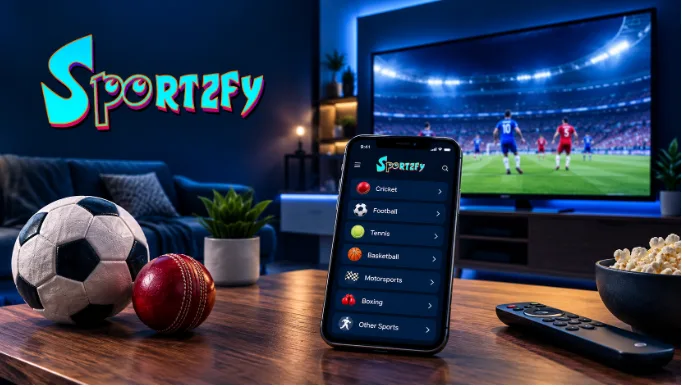
Watching a live sporting event should be simple, but finding the right platform can sometimes become a frustrating experience. Cricket fans may be following an international tournament while football supporters are looking for their team’s next match. Switching between different applications, checking channel availability, and dealing with device compatibility can make the experience unnecessarily complicated.
That is why sports-focused streaming applications have attracted attention among Android users. The Sportzfy APK is one option people explore when looking for an application that organizes multiple sports categories within a single interface.
Sportzfy focuses on cricket, football, and other sporting content, with support for compatible Android devices. However, before installing any third-party application, it is worth understanding its features, device requirements, limitations, and potential security considerations.
This guide examines what Sportzfy offers, how it compares with other viewing options, and what users should check before deciding whether it suits their needs.
What Is Sportzfy APK?
Sportzfy is an Android-based application designed to organize sports channels and related content into accessible categories. It is primarily intended for users who want to explore sporting events through a mobile-friendly interface.
The term APK stands for Android Package Kit. It refers to the file format Android uses to distribute and install applications.
Unlike applications installed directly through Google Play, an APK obtained from an external website may require manual installation. This process is commonly called sideloading, and it requires users to pay attention to the source of the file and the permissions requested during installation.
Sportzfy’s website describes features covering cricket, football, and several other sports. The actual availability of individual channels and events can change, so users should not assume that every listed competition will always be accessible.
Understanding this distinction helps set realistic expectations before installing the application.
What Are the Main Features of Sportzfy?
The usefulness of a sports application depends on more than the number of categories it advertises. Navigation, device compatibility, streaming availability, and security are all important considerations.
Here are the main features associated with Sportzfy.
1. Multiple Sports Categories
Sportzfy organizes its content around different sporting interests. Cricket and football are prominent categories, while other listed sports include tennis, basketball, motorsports, and combat sports.
This arrangement can make browsing more convenient for people who follow several competitions.
Instead of searching through unrelated entertainment categories, users can begin with the sport they want to explore.
However, category availability should not be confused with guaranteed access to every event. Channels, schedules, and streaming sources may change over time.
2. An Android-Focused Interface
Sportzfy is designed primarily for Android users. Its sports-oriented layout aims to make categories and available channels easier to navigate.
A straightforward interface can be helpful for people who prefer a simple browsing experience rather than complicated menus.
The experience may still differ between devices, particularly when comparing older smartphones with newer Android models.
3. Compatibility With Selected Television Devices
Some users prefer watching sports on a larger screen rather than holding a smartphone throughout a match.
Sportzfy lists support for compatible Android TV devices and certain Android-based television boxes.
However, compatibility depends on the specific device, its operating system, and the application’s current requirements. Users should verify these details before attempting installation.
4. Different Viewing Options
Streaming quality depends on the available source, network conditions, and device performance.
Where multiple video quality options are available, choosing a lower resolution can help reduce data consumption on slower connections.
Higher-quality video generally requires more bandwidth.
No application can guarantee uninterrupted playback under every network condition, and the quality of an original stream cannot be improved simply by selecting an HD setting.
5. A Free-to-Use Model
Sportzfy is described on its website as a free application that does not require a paid app subscription.
That may appeal to users who want to explore its interface without committing to a subscription.
However, free access does not establish whether particular sports broadcasts are licensed for distribution in every country. Users should consider the applicable broadcasting rights and prefer authorized sources for copyrighted events.
Sportzfy Compatibility at a Glance
Device compatibility is one of the most important factors to check before downloading an Android application.
The following table summarizes the general options users may encounter.
| Device | Compatibility | Important Consideration |
| Android smartphone | Intended platform | Check Android version and hardware requirements |
| Android tablet | Potentially compatible | Confirm the current app requirements |
| Android TV | Supported on compatible devices | Remote navigation and installation may vary |
| Android TV box | Device-dependent | Check operating system compatibility |
| Windows PC | Possible through an Android emulator | No conventional native Windows application is established here |
| Mac computer | May be possible through a compatible emulator | Performance depends on the Mac and emulator |
| iPhone or iPad | Android APK is not natively compatible | Do not install Android APK files as if they were iOS applications |
This comparison highlights an important distinction: being able to run Android applications through an emulator does not mean an application has a dedicated Windows or macOS version.
Similarly, Android TV compatibility does not guarantee that every television or streaming device will support the same installation process.
What Should Users Check Before Installing Sportzfy?
Installing an application from an external website requires more care than downloading one from a familiar app store.
A few checks can help users make a more informed decision.
Verify the Download Source
Multiple websites may offer files using the same application name. Some may distribute outdated versions, while others may provide modified or misleading installers.
Check the source domain, version information, file details, and destination of the download before proceeding.
A familiar logo or filename alone does not prove that an APK is authentic.
Review Requested Permissions
An application should request permissions that make sense for its functionality.
Internet access is understandable for a streaming application. Unexpected requests for contacts, messages, location, or unrelated personal information deserve closer examination.
Avoid granting permissions without understanding why they are needed.
Pay Attention to Security Warnings
Android may display warnings when an application is installed from outside an official app store.
Do not dismiss a warning simply because a website describes its download as safe. Review the warning, investigate the source, and avoid installation if you cannot establish that the file is trustworthy.
Consider Broadcasting Rights
Sports broadcasting rights vary by country and competition. A stream being accessible does not automatically mean it is authorized for distribution.
Before using a streaming application, consider whether the content is provided through legitimate channels and whether access complies with local rules.
These precautions apply to third-party APKs generally, not just Sportzfy.
How Does Sportzfy Compare With Other Sports Viewing Options?
Different viewing options serve different needs. Some focus on live broadcasts, while others specialize in scores, statistics, news, and match highlights.
The table below compares the main approaches without assuming that one application is suitable for everyone.
| Feature | Sportzfy | Official Broadcaster Apps | Sports News Apps |
| Main purpose | Explore sports channels and categories | Access licensed broadcasts and related content | Follow scores, news, and statistics |
| Live video | Depends on available streams | Depends on subscription and broadcasting rights | Usually not the primary function |
| Subscription | Described as free to use | May be free or paid | Often free, with possible premium features |
| Device support | Primarily Android | Varies by broadcaster | Varies by application |
| Content availability | Can change | Depends on regional rights and packages | Depends on the service |
| Installation | May require APK sideloading | Usually available through official distribution channels | Usually available through official distribution channels |
| Security considerations | Verify the APK and its source | Check the official publisher and app permissions | Check the official publisher and app permissions |
The most appropriate choice depends on the viewer’s priorities.
Someone who wants live access to a specific competition may prefer its licensed broadcaster. Someone who mainly follows scores may find a sports news application more useful.
Sportzfy’s appeal is its sports-focused interface, but users should evaluate security, compatibility, and legitimate content access alongside convenience.
How Can Users Improve Their Sports Streaming Experience?
A poor viewing experience does not always mean the application is responsible. Internet connectivity, available storage, device performance, and the streaming source can all affect playback.
A few practical steps can help identify common problems.
Check the connection. If videos repeatedly pause, test another reliable streaming service to determine whether the problem is related to the network.
Choose a suitable resolution. If the application offers quality settings, a lower resolution may work better on a slower connection.
Close unnecessary background applications. Devices with limited memory may perform better when fewer applications are running.
Maintain sufficient storage. Very limited free space can interfere with downloads, updates, and temporary files.
Keep the operating system updated. Supported updates may improve compatibility and security.
Verify application updates. Before installing a newer APK, compare its source and release information rather than relying solely on a version number.
These steps can improve troubleshooting, although they cannot guarantee uninterrupted playback.
Is Sportzfy Suitable for Every Sports Fan?
No single application is the right choice for everyone.
Sportzfy may interest Android users who prefer browsing several sports categories through one interface. Its advertised television compatibility may also appeal to people who want to explore options beyond their smartphones.
However, users who prioritize predictable access to specific competitions may prefer an officially licensed streaming service.
People who primarily follow scores, fixtures, and statistics may not need a live-streaming application at all.
The decision should take account of device compatibility, content availability, security, and broadcasting rights rather than relying only on advertised features.
Readers who want to examine the application’s current requirements and published installation information can consult the Sportzfy website before making a decision.
Frequently Asked Questions About Sportzfy APK
1. What is Sportzfy APK?
Sportzfy APK is the Android installation package for Sportzfy, an application focused on sports channels and categories. Its advertised content includes cricket, football, and other sporting interests. Actual channel availability may change.
2. Is Sportzfy APK free to download?
Sportzfy is described on its website as a free-to-use application. However, users should verify current terms and remember that free access does not guarantee that every broadcast is authorized or available in their region.
3. Can Sportzfy run on Android TV?
Sportzfy lists support for compatible Android TV devices. Whether it installs and operates correctly depends on the device, operating system, and current application requirements.
4. Can I install Sportzfy on a Windows PC?
Sportzfy is primarily an Android application rather than a conventional native Windows program. Running an Android version through an emulator may be possible, but compatibility and performance depend on the emulator and computer.
5. Is Sportzfy compatible with iPhone?
An Android APK cannot be installed natively on an iPhone or iPad. Users should not trust websites claiming that an Android APK can be installed directly as a standard iOS application.
6. Is it safe to install Sportzfy APK?
Safety depends on the authenticity of the file, its source, the permissions it requests, and its behavior. No download page’s assurance alone proves that an APK is harmless. Users should investigate security warnings and avoid unverified or modified files.
7. Why might Sportzfy stop buffering or fail to play a stream?
Playback problems can result from an unstable internet connection, an unavailable streaming source, device limitations, or application compatibility issues. Checking the connection and available quality settings can help identify the cause, but not every problem can be resolved by changing device settings.
8. Does Sportzfy provide every cricket and football match?
Not necessarily. Sports categories and tournament references do not guarantee access to every match. Availability can change, and broadcasting rights differ between competitions and countries.
9. Does Sportzfy require an Android APK installation?
The Android version is distributed as an APK according to the application’s website. Manual installation may be necessary, so users should verify the download source and follow their device’s security guidance.
10. What should I check before downloading Sportzfy?
Check the source domain, current release information, file details, Android compatibility, and requested permissions. Also consider whether the content is provided through authorized sources. Avoid modified installers and never ignore security warnings without investigating them.
Final Thoughts
Choosing a sports streaming application involves more than finding a long list of channels.
A useful application should be compatible with the device, straightforward to navigate, and transparent enough for users to make informed decisions about installation and security.
Sportzfy offers an Android-focused approach to browsing multiple sports categories, including cricket and football. Its usefulness ultimately depends on the content available, the device being used, and the user’s expectations.
Before installing any third-party application, check its current requirements, verify the source, review permissions, and consider the legitimacy of the available broadcasts.
Taking these steps can help sports fans make a more informed decision instead of relying entirely on promotional claims.