Stop Asking Users What They Want (And Start Watching What They Do)
Stop Hiding Behind Your Spreadsheet
Let’s be real. When someone tells you to do “user interviews,” your palms probably get sweaty. It feels awkward, forced, and users often just tell you what they think you want to hear (usually a new feature they’ll never actually use).
I used to hate it. I’d send out a boring Google Form survey and call it a day. But those surveys only told me what people thought. They never told me why my app was frustrating them.
The truth is, genuine user research isn’t about lengthy interviews or complicated forms. It’s about watching what they do, not listening to what they say.
Here are my three favorite, low-stress methods for getting deep, actionable insights that I use before I write the first line of code for a new feature.
1. The 5-Second Test: Is Your Message Crystal Clear?
Before you even worry about features, you have to worry about first impressions. If a user can’t grasp your core value instantly, they’re gone.
The Method: The 5-Second Test.
Your Action: Find someone—a colleague, a friend, a person in a coffee shop (if you’re brave)—who fits your target audience. Show them your app’s icon, main screenshot, or the first line of your App Store description for exactly five seconds. Then, hide it.
The Question: Ask them simply: “What does this app do, and what problem does it solve for you?”
The Insight: Their immediate answer validates your entire marketing strategy. If they say, “It’s a to-do list,” but your app is actually a habit tracker, your messaging is fundamentally broken. The solution isn’t adding a feature; it’s fixing your sales pitch.
2. The Silent Task Master: Find the Real Friction
This is the most valuable research you can do, and it requires you to shut up.
The Method: Observational Usability Testing.
Your Action: Give the user a complex, specific task to complete in your app (or even a competitor’s app). For example: “I need you to find the budget entry from last Tuesday and categorize it as ‘Gifts.'”
The Golden Rule: You must be completely silent. You cannot guide them. You only watch where they hesitate, tap the wrong button, or get visibly frustrated.
The Insight: Users don’t lie with their taps. They will literally show you the friction points (the UI flow that makes no sense) and the missing links (the button they expect to be there, but isn’t). This instantly tells you what to simplify or rename in your next update.
Indie Tip: I discovered my settings icon was causing confusion. Users expected a gear, but I used three dots. The silent observation was worth 100 surveys.
3. The Competitor Switch: The Pain Point Deep Dive
Instead of asking users what they want you to build, ask them why they are about to leave the app they already use. This taps into deep, emotional pain points.
The Method: The Competitor Switch Question.
Your Action: After they complete a task, ask them about the competitor they currently use (or used recently).
The Question: “What’s the one thing you absolutely HATE about that app that would make you consider switching to something new?” (Don’t mention your app yet.)
The Insight: When a user expresses “hate,” it’s usually tied to a flaw in the competitor’s core philosophy (e.g., “I hate that their app forces me into a subscription” or “I hate how cluttered it looks”). These “hated” elements are your biggest opportunities for differentiation. Your unique selling point is the direct solution to their most hated competitor flaw.
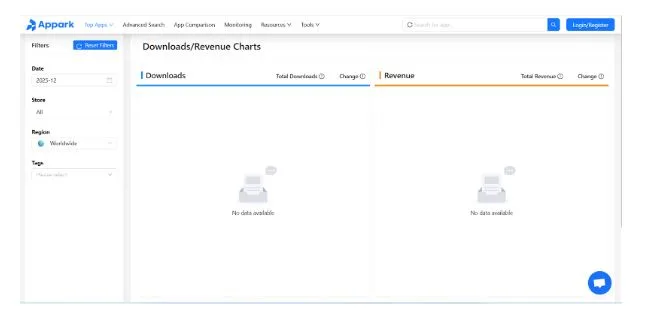
Pro Tip: Once you identify this flaw, you can use Appark Downloads/Revenue Charts to check if that competitor’s revenue or growth is actually being impacted by this pain point you just discovered.
Final Thoughts: Get Out of the Code Editor
Your best insights don’t come from staring at code or spreadsheets. They come from watching a real person struggle for 30 seconds.
Data tells you where the churn is (Metric #3 from the last post), but these three methods tell you the human reason why it’s happening.
Your Next Step: Find one person who fits your target audience today, and run the 5-Second Test on them. It takes 60 seconds and could save you weeks of wasted development.