The Evolution of Document Management: Why Every Professional Needs an Efficient Online PDF to Word Converter
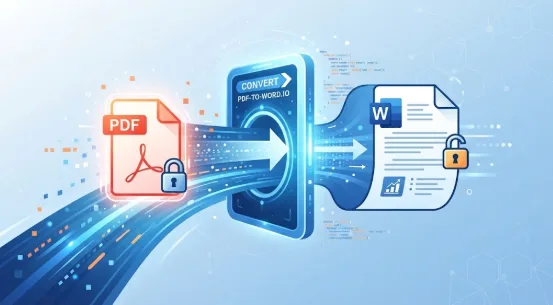
In the modern digital workspace, documents form the core of daily operations. From corporate contracts and financial spreadsheets to academic research papers and legal forms, information moves constantly between teams, clients, and partners. Despite the emergence of countless file formats, the Portable Document Format (PDF) has remained the undisputed global standard for sharing finalized documents. Its primary strength lies in its consistency: a PDF looks identical whether it is opened on a Windows PC, a Mac, an iPhone, or a Linux workstation.
However, this structural rigidity—the very feature that makes PDFs ideal for viewing and printing—becomes a major bottleneck when content needs editing. When a crucial report contains an outdated statistic, a contract requires a sudden clause update, or a research team wants to repurpose text from an archival study, a locked PDF brings workflow to a grinding halt.
This is where document agility becomes essential. Relying on an online pdf to word converter has transitioned from a handy office trick into an indispensable productivity strategy for professionals worldwide.
The Persistent Challenge of Locked Layouts
When Adobe introduced the PDF format decades ago, its goal was to freeze documents in a reliable layout. It achieved this brilliantly. Under the hood, however, a PDF does not inherently understand paragraphs, sentences, or flowing text blocks the way a word processor does. Instead, it views a page as a collection of precise coordinates, placing vector lines, images, and character glyphs at exact pixel locations.
For years, editing a PDF meant either purchasing expensive desktop software or painstakingly retyping entire documents from scratch. If you needed to extract a ten-page section of text, you faced hours of manual transcription, formatting corrections, and alignment adjustments.
As remote work and fast-paced digital collaboration expanded, the demand for instant, friction-free document transformation exploded. Professionals no longer have time to install heavy, bloated software applications just to change a few sentences in a brief. They expect instant solutions accessible directly through their web browsers.
What Defines a Superior Conversion Tool?
With hundreds of web utilities available, distinguishing a mediocre tool from a top-tier platform comes down to several critical performance metrics:
- Layout Integrity and Formatting Preservation: The ultimate test of a conversion utility is how closely the output .docx file matches the original layout. Subpar converters often scramble tables, misalign multi-column newsletters, or fracture paragraphs into hundreds of isolated text boxes. Advanced platforms utilize intelligent layout analysis algorithms to recognize headers, bullet points, margins, and embedded images, resulting in clean, natural documents.
- Optical Character Recognition (OCR): Many modern PDFs are not native text files; they are digital scans or photographs of physical paperwork. Standard conversion tools fail entirely on these files because they see only flat images. A sophisticated platform incorporates robust OCR technology to scan pixel data, identify characters, and reconstruct them into fully searchable, editable text.
- Speed and Accessibility: Modern workflows demand zero friction. The best tools require no mandatory account registration, software downloads, or lengthy subscription setups. Users can simply drag and drop their document into a browser window and download the converted file within seconds.
- Data Security and Privacy: Business documents, legal agreements, and financial statements often contain sensitive proprietary information. Ensuring that a web utility handles files securely—with automated file deletion policies and strict confidentiality safeguards—is paramount for corporate compliance.
Practical Use Cases Across Industries
The ability to seamlessly transform static files into editable word processing documents impacts virtually every professional sector:
- Legal and Compliance: Legal professionals frequently receive scanned contracts, briefs, or regulatory filings. Converting these documents into editable formats allows counsel to quickly adapt clauses, draft addendums, and review historical precedents without manual retyping.
- Education and Research: Academics and students routinely aggregate whitepapers, journals, and case studies. Converting reference materials into text documents streamlines citation management, note-taking, and synthesis for thesis development.
- Corporate Administration: Operations managers handling invoices, employee handbooks, and corporate policies often need to update standard operating procedures. Moving content effortlessly from PDF to Word saves hundreds of administrative hours annually.
Streamlining Your Digital Workflow
As digital ecosystems continue to evolve, the tools we rely on must keep pace. Eliminating unnecessary administrative friction allows teams to focus on high-value creative and analytical work rather than manual file management.
Whether you are preparing a corporate proposal, updating a resume, or translating academic research, having a reliable, fast, and secure conversion utility at your fingertips transforms how you interact with information. By leveraging a high-performance online pdf to word converter, you reclaim control over your documents—turning rigid, unyielding files into dynamic assets ready for whatever your project demands next.