The Hidden Storage Bottleneck That Affects Device Performance
Introduction
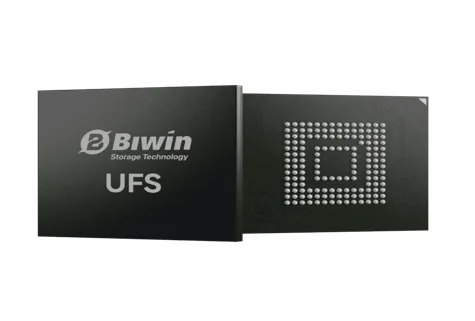
Most people consider the processor or memory to be the cause of a device becoming slow. Those components can affect responsiveness, but the root cause of poor responsiveness is usually storage. The CPU must be able to access the storage device every time it loads a file, starts an app, or writes to memory. If not, a storage bottleneck will occur, resulting in delays in the system. Many of these performance problems can be eliminated with modern storage standards like UFS 2.2, which provide faster data access and more efficient communication between hardware components. To overcome these challenges, BIWIN develops embedded storage solutions that enhance the smoothness and responsiveness of manufacturers’ devices. This article will delve into the reasons behind storage bottlenecks, their significance, and how UFS 2.2 addresses them.
What Is a Storage Bottleneck?
A storage bottleneck occurs when the device’s storage can’t provide or store data as fast as the CPU and operating system can process it. It may be able to process data quickly, but a processor may have to wait for data to be retrieved from storage for it to process the next task.
This imbalance may manifest itself in a few ways. Applications might open more slowly, multitasking might cause lag, device boot times could be longer, and transferring large files may cause delays or stuttering. It becomes more evident as operating systems become more sophisticated and apps grow larger.
Storage speed should be distinguished from storage capacity. Even if the storage device has ample storage capacity, it could feel slow if the storage architecture fails to meet the demands of data requests. This article focuses on storage performance, not on how much storage is available.
Common Causes of Storage Bottlenecks
Outdated Storage Standards
Earlier versions of eMMC and the initial versions of UFS were optimized for workloads less intensive than those of modern applications. With the emergence of more data-intensive software, these age-old standards might fall behind.
Single Channel and Half Duplex Architecture
Some storage technologies can either read or write data at one time, but not both simultaneously. This means that when several storage operations are performed simultaneously, the system will wait unnecessarily, making it less responsive.
Limited Command Handling
Advanced command queuing is not enabled, so storage devices operate in (mostly) sequential order. If multiple applications try to access the data simultaneously, the storage controller can become overwhelmed, delaying access during multitasking or background operations.
Thermal Throttling
Heat is generated inside storage components due to continuous heavy workloads. Storage controllers can automatically throttle back operations to sub-optimum speeds to protect hardware until temperatures return to normal.
Background Maintenance Operations
The flash memory routinely performs internal operations, including garbage collection, wear leveling, error management, and more. All these operations provide long-term reliability, but they also consume storage bandwidth. Without an efficient design for the way data is stored, background maintenance tasks can interfere with active user tasks and slow things down.
How UFS 2.2 Addresses These Bottlenecks
The goals of modern UFS 2.2 storage were to overcome many of the limitations of older embedded storage technologies.
Full-Duplex Operation
In contrast to half-duplex storage, UFS 2.2 enables simultaneous reading and writing. This enables several operations to take place simultaneously, minimizing delays and boosting system responsiveness under heavy loads.
Intelligent Command Queuing
UFS 2.x series including UFS 2.2 supports command queuing with a maximum queue depth of 32 commands.The controller can efficiently schedule and execute multiple storage operations in a single pass, making multitasking smoother and applications more responsive.
Better Random Read and Write Performance
Random access to data is used for many common computing applications, rather than large sequential transfers. The applications start up faster, access files faster, and switch to other running applications faster.
Efficient Power Management
Advanced power management ensures that UFS 2.2 performs well, while reducing energy consumption and heat production. More efficient thermal performance means storage can perform its tasks without excessive throttling when loads are applied over longer periods.
To alleviate these storage constraints, BIWIN is providing UFS 2.2 embedded storage solutions to enable manufacturers to build more responsive embedded systems, automotive platforms and industrial devices, including smartphones.
Real-World Impact on Device Performance
Smartphones
Instantaneous access to stored data makes everyday mobile life easier. Applications open quicker, camera processing is more responsive, software updates install faster, and multitasking is definitely smoother.
Edge Devices and IoT
All connected devices are constantly gathering and analyzing data. Reliable data logging, quick firmware updates, and lower latency in real-time operations are achieved with high-performance storage.
Automotive Systems
Storing all the electronics in a modern car, its infotainment systems, digital dashboards, navigation systems, and ADAS features, is essential. Responsiveness is better when large volumes of information need to be stored.
Industrial Equipment
Industrial systems often need to do continuous read and write operations for monitoring, logging, and machine control. Reliable storage reduces performance degradation during extended system operation and helps maintain system stability.
Improved overall user experience.
Users will never know which storage technology their device employs, but they will quickly discover that a device feels responsive when it is. The fewer resources that must be stored, the faster interactions occur, waiting times are reduced, multitasking is smoother, and the overall user experience improves.
How to Identify and Avoid Storage Bottlenecks
The first step in selecting the appropriate storage technology is to understand the workload the device must manage. Entry-level devices could work with eMMC without any issues, while more demanding applications can use UFS 2.2. The UFS 3.1 or higher standards may be needed on premium devices with the highest performance needs.
When considering storage options, manufacturers should take into account not only storage capacity. Sequential performance, random performance, full-duplex communication, command queuing, power efficiency, and continuous workload performance are important considerations.
When you’re developing a product, you can also benchmark storage performance to find bottlenecks before products go to mass production.
Conclusion
While it’s easy to overlook, storage issues can be a significant factor in a device’s responsiveness. Using a more efficient storage standard like UFS 2.2 can boost overall system performance, application loading, and multitasking. BIWIN is offering UFS 2.2 embedded storage solutions to enable manufacturers to create reliable, high-performance devices for a broad range of applications.