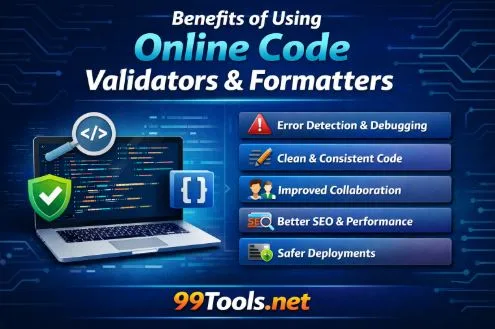
Top Benefits of Using Online Code Validators and Formatters for Clean, Error-Free Code
Every developer eventually experiences this: your code looks perfectly fine, yet it refuses to run.
You check the logic again.
Variables are correct.
Functions are correct.
Still, the program fails.
In many cases, the issue isn’t your programming knowledge — it’s structure. A missing bracket, improper nesting, or incorrect indentation can quietly break an entire application. That’s why developers rely on Online Code Validators and Online Code Formatters. These tools analyze your code’s structure, detect mistakes quickly, and present it in a clean, readable way.
They don’t replace your skills. They remove avoidable obstacles so you can focus on solving real development problems.
Validation and Formatting: Different Roles, Same Goal
Although often used together, validation and formatting serve different purposes.
When you run your code through Online Code Validators, the tool checks whether it follows the rules of the language. HTML must be properly nested, JSON must follow strict punctuation, and languages like Python depend heavily on indentation. Even a tiny syntax violation can stop execution entirely.
Formatting tools work differently. Online Code Formatters reorganize spacing, indentation, and alignment so the structure becomes visually clear. The behavior of the program remains the same, but understanding the code becomes much easier.
Validation protects execution.
Formatting improves comprehension.
Using both together ensures your code is both correct and maintainable.
Why Tiny Mistakes Cause Big Failures
Programming errors are rarely dramatic. Most are extremely small and easy to miss.
Human brains recognize patterns, not individual characters. Once we believe a file is correct, our mind stops noticing small issues. You might stare at a missing closing brace or an extra comma in JSON for a long time without seeing it.
A structural checker does not rely on assumptions. It parses the file exactly as a compiler or browser would. Instead of guessing where the problem exists, it points to the exact line and explains the violation.
Debugging becomes focused instead of frustrating.
Faster Debugging and Better Productivity
A large portion of development time is spent debugging, not writing code.
Without validation tools, developers manually scan files, rewrite working sections, and repeatedly test. Often the real problem is simply a misplaced character.
Running code through Online Code Validators immediately identifies the issue. After correcting it, using Online Code Formatters organizes the file so future edits are clearer and safer.
Instead of spending an hour searching, you spend minutes fixing. Over weeks and months, this saves an enormous amount of time.
Experienced developers use these tools not because they are unsure but because they value efficiency.
Clean Code Is Communication
Code is read more often than it is written.
Other developers, teammates, or even your future self must understand the file quickly. Poorly formatted code hides logic and increases the chance of mistakes during updates.
Formatting clarifies hierarchy. Indentation shows scope. Spacing separates unrelated operations. Nested conditions and loops become understandable at a glance.
Using Online Code Formatters helps turn complex files into readable ones. The result isn’t just cleaner appearance, it is clearer thinking.
Readable code reduces mental effort, and reduced mental effort reduces bugs.
Collaboration and Version Control
In team environments, inconsistent formatting creates unnecessary problems.
Different coding styles produce large visual changes in version control systems. Pull requests become hard to review because many lines appear modified even when logic is unchanged. Merge conflicts increase.
Standardizing structure using Online Code Formatters ensures that changes represent real updates, not stylistic differences. Teams can review logic instead of whitespace.
Additionally, many teams check files with Online Code Validators before committing code to shared repositories. This prevents broken files from affecting other developers.
The result is smoother collaboration and fewer project interruptions.
A Helpful Learning Tool for Beginners
New developers often struggle with unclear error messages. Compilers typically report what went wrong, but not always in an easy-to-understand way.
Validation tools provide clear feedback about where and why a mistake occurred. After fixing the issue, formatting tools demonstrate what properly structured code should look like.
Over time, beginners begin recognizing patterns. They naturally write cleaner syntax because they understand structure rather than memorizing rules.
These tools act like a silent instructor guiding improvement.
Impact on Website Performance and SEO
For web developers, structured code affects more than functionality – it affects how a site is interpreted.
Search engines read HTML markup to understand page hierarchy and content sections. Invalid markup can confuse crawlers or break structured data interpretation. A page may appear normal visually but still be misread by search engines.
Using Online Code Validators ensures markup follows standards, helping search engines process content accurately.
Meanwhile, organized CSS and JavaScript often cleaned with Online Code Formatters reduce rendering inconsistencies and layout shifts. A stable interface improves user experience, and better user experience supports search performance.
Clean code contributes to technical SEO health.
Reliable API and JSON Handling
Modern applications rely heavily on APIs. These systems require strict formatting.
Browsers sometimes tolerate minor mistakes. Servers do not.
An extra comma or missing quotation mark can invalidate an entire request. Instead of repeatedly testing failing requests, developers verify structure first.
A validator highlights JSON errors instantly, while a formatter presents nested data clearly for inspection. This is especially useful for integrations, automation workflows, and webhook configurations where troubleshooting can be difficult.
Preventing Deployment Problems
One of the most stressful situations in development is code working locally but failing after deployment.
Local environments can be forgiving, while production environments strictly enforce syntax rules.
Running files through Online Code Validators before release works as a final inspection step. Hidden issues are discovered early rather than after users encounter them. Formatting the code afterward also makes future maintenance easier and safer.
Preventing one production error often saves more time than building the feature itself.
Long-Term Coding Discipline
Consistent use of validation and formatting tools gradually improves coding habits.
You start structuring functions more logically.
Indentation becomes natural.
You anticipate syntax issues before running the program.
Eventually, validators confirm correctness rather than finding mistakes, and formatters become part of finishing workflow rather than repair.
Good practices develop automatically, and maintenance becomes easier.
Conclusion
Online code validators and formatters are not optional extras. They are practical tools that support reliable software development.
They reduce debugging time, improve collaboration, assist technical SEO, and prevent deployment failures. Most importantly, they give confidence — confidence that your code will behave exactly as expected.
The benefit isn’t just clean files.
It’s smoother development, safer updates, and fewer surprises after deployment.
FAQs
- Are Online Code Validators only useful for beginners?
No. Developers at every level use them because small syntax mistakes happen to everyone. - Do Online Code Formatters change how code works?
No. They only adjust spacing and alignment. Program behavior remains unchanged. - Should I validate code before publishing a website?
Yes. It helps prevent layout problems, script failures, and indexing issues after deployment. - Can these tools help with API debugging?
Yes. They are especially helpful for checking JSON or XML request structures before sending them. - Are IDE linters enough?
Linters help during coding, but independent validation provides a final verification before sharing or deploying code.