Top Trending Websites You Should Know About in 2026
The internet has much more to offer than the same few websites we visit every day. Beyond familiar social media platforms and search engines, there are websites that can make your work easier, help you learn something new, or introduce you to experiences you never knew existed. Some websites are attracting millions of visitors. Others stand out because they offer something genuinely useful or different. If you enjoy discovering new online tools, this list of top trending websites you should know about is a good place to start. From AI-powered research tools to creative websites and educational platforms, here are 15 websites worth exploring in 2026.
What Makes a Website Trending?
A trending website is one that is attracting attention because of its popularity, growing interest, or unique features. However, not every trending website is new. Some established platforms remain popular because people rely on them every day. Others attract attention by introducing new ways to complete familiar tasks.
For this guide, websites were selected based on their usefulness, relevance to current online interests, and ability to offer a worthwhile experience. The list combines established platforms with interesting online tools. It is not a ranking of the 15 fastest-growing websites.
Which Websites Are Most Popular in the USA?
Before exploring individual recommendations, it helps to understand where American internet users spend their time.
According to Similarweb’s August 2026 US web traffic estimates, these were the five most visited websites in the country.
Most visited US websites. These figures represent estimated visits through desktop and mobile web browsers, rather than total activity across mobile apps.
They also show that popularity and usefulness are different things. A website does not need billions of visits to be worth exploring.
15 Top Trending Websites Worth Exploring
The following websites cover a mix of AI, productivity, design, entertainment, and learning. Each offers something different, so you can choose what matches your interests.
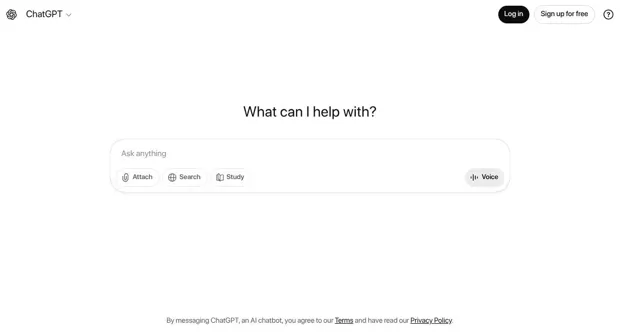
1. ChatGPT
Best for: Writing, brainstorming, studying, and problem-solving.
ChatGPT is an AI assistant that helps people work with information through everyday conversation.
You can use it to explain a difficult topic, prepare a study plan, improve your writing, or explore ideas for a project.
For example, if you’re preparing for a job interview, you can ask ChatGPT to create practice questions based on the position you’re applying for.
Its biggest advantage is flexibility. Instead of opening a different tool for every small task, you can work through several questions in one conversation.
Worth knowing: AI-generated answers can contain mistakes. Check important details against trustworthy sources.
2. Perplexity
Best for: Online research and exploring unfamiliar subjects.
Perplexity is an AI-powered search and answer platform that helps users explore questions and find supporting sources.
Rather than browsing several pages to understand a basic topic, you can ask a question and receive an organized response with links to relevant information.
It can be particularly useful when comparing products, studying new subjects, or gathering background information.
For example, a student researching renewable energy can use it to find an overview and identify sources for further reading.
Remember that citations do not automatically make an AI answer accurate. Open the original sources when accuracy matters.
3. Notion
Best for: Notes, project planning, and personal organization.
Notion brings notes, documents, project boards, and task management into one workspace.
You can create a reading list, manage a project, organize class notes, or build a personal planner.
One of its useful features is the ability to connect different pages and organize information in a way that fits your routine.
A freelancer might use Notion to manage client deadlines, while a student could create a dashboard for assignments and exams. It takes a little time to learn, but starting with a simple template can make the process easier.
3. Magvistanow
Best for: Exploring lifestyle, technology, business, and general-interest articles.
Magvistanow.com is an online magazine-style website that brings together articles on different subjects. It offers readers a place to explore useful information without focusing on just one topic.
The website features categories such as technology, business, fashion, finance, health, and travel. Readers can browse different subjects based on their interests.
For example, someone interested in technology can explore related articles and then move on to lifestyle or business topics.
Magvistanow.com is worth exploring if you enjoy discovering new information and reading about different subjects in one place.
Worth knowing: Check publication dates and original sources when reading articles about health, finance, or other important topics.
4. Canva
Best for: Presentations, posters, social media graphics, and simple visual projects.
Canva makes graphic design more accessible to people who do not have professional design experience.
Its online editor lets you work with templates, photos, text, and other design elements.
You can create a presentation for school, design a birthday invitation, or prepare graphics for a small business.
For someone who needs attractive visuals without learning complex design software, Canva is worth exploring.
Some templates and design elements require a paid plan, but free options are available.
5. Photopea — Edit Images in Your Browser
Best for: Photo editing, layered graphics, and working with PSD files.
Photopea is a browser-based image editor with many features commonly found in desktop editing software.
It supports layers, selections, image adjustments, and several popular file formats.
This can be especially helpful when you need to edit an existing Photoshop document but do not have Photoshop installed.
For example, you could adjust text in a layered graphic or prepare an image for a website.
The interface may feel complicated at first, especially if you’re new to advanced image editing. However, it offers useful flexibility without requiring a traditional software installation.
6. Reddit
Best for: Community discussions, opinions, and shared experiences.
Reddit is built around communities where people discuss particular interests.
You can find conversations about technology, personal finance, gaming, hobbies, and countless other subjects.
What makes Reddit interesting is the range of personal experiences people share.
For instance, someone planning to buy a laptop can explore discussions from people who have used different models.
Reddit also appears among the most visited websites in the United States, showing how important online communities remain.
Keep in mind that user comments are personal opinions, not necessarily verified facts.
7. Pinterest
Best for: Design inspiration, home projects, recipes, and creative planning.
Pinterest helps people discover ideas through pictures and visual collections.
You can search for room decoration ideas, save outfit inspiration, or collect recipes you want to try later.
The platform is particularly useful when you know the general style you like but need examples to develop an idea.
Suppose you’re planning a home office. You could create a board containing furniture layouts, lighting ideas, and desk setups.
Pinterest is less about completing a task immediately and more about finding ideas worth saving.
8. Product Hunt
Best for: Discovering new apps, digital products, and startup ideas.
Product Hunt introduces users to newly launched technology products.
Visitors can browse tools, read descriptions, and explore discussions about different launches.
It is especially interesting for entrepreneurs, developers, designers, and people who enjoy testing new technology.
The website’s discovery sections cover areas such as AI tools, developer products, and creative software. The best new products in tech.
If you’re looking for a new productivity app or want to see what independent developers are building, Product Hunt is a good starting point.
Not every newly launched product will be polished or suitable for everyday use, so evaluate it before connecting accounts or purchasing a subscription.
9. Duolingo
Best for: Beginners interested in learning languages.
Duolingo turns language practice into short interactive lessons.
Its exercises include vocabulary, sentence building, listening, and other language activities.
Instead of setting aside an entire afternoon to study, you can practice in smaller sessions.
For example, someone preparing for a trip to Spain could use Duolingo to start learning basic Spanish phrases.
The platform can help build a regular practice habit, but it works best alongside conversations, reading, and listening to real language.
10. Khan Academy
Best for: Students, parents, and independent learners.
Khan Academy provides educational lessons and practice exercises across a range of academic subjects.
Students can use it to understand difficult concepts, review lessons, or prepare for tests.
For example, someone struggling with algebra can watch explanations and then practice related problems.
The website is particularly helpful because learners can work through material at their own pace.
Parents can also use it to find additional learning resources for their children.
11. Google Trends
Best for: Exploring search interest and comparing topics.
Google Trends helps you understand how interest in search terms changes over time.
You can compare different topics, examine geographic patterns, and explore popular searches.
For example, someone running a gardening website could compare when US users search for spring planting topics.
It is also useful for identifying seasonal interests and exploring topics that are gaining attention.
One important detail: Google Trends generally shows normalized search interest rather than exact monthly search volumes. A high score indicates relative popularity within the selected comparison, not a precise number of searches.
12. Neal.fun — Explore Creative Internet Experiments
Best for: Interactive games, creative experiments, and curious minds.
Neal.fun is a collection of playful online experiences built around unusual ideas.
Rather than offering a standard game library, it features interactive projects designed to make you explore and experiment.
Some experiences involve surprising facts, while others turn simple concepts into creative challenges.
It’s a good website to visit when you want a short break from work or studying.
The main appeal is curiosity. You might open one experiment for a few minutes and discover something entirely unexpected.
13. Radio Garden — Listen to Radio Stations Around the World
Best for: Discovering global music, languages, and radio broadcasts.
Radio Garden offers a different way to explore the world through sound.
Its interactive globe allows visitors to move between locations and listen to available radio stations.
You can explore broadcasts from different countries without needing to know the names of local stations.
For example, you might listen to music from Brazil, hear a talk show from London, or discover a station in Japan.
It’s a simple idea, but it creates an engaging way to experience different cultures from your browser.
14. Logical Comedy — Discover Funny Jokes and Clever Puns
Logical Comedy is an entertainment website where readers can discover clean jokes, clever one-liners, and funny puns. It covers several topics, including food, sports, animals, and everyday life.
You can browse different joke categories to find humor that matches your interests. For example, animal lovers can explore animal jokes, while sports fans can enjoy funny lines about their favorite games.
Logical Comedy is a good option when you want a quick laugh during a break from work or studying. You can also share your favorite jokes with friends, family, or coworkers.
Worth knowing: Humor is a matter of personal taste, so explore different categories to find the jokes you enjoy most.
15. Our World in Data — Understand Important Global Issues
Best for: Statistics, research, and understanding global trends.
Our World in Data presents research and data about major issues affecting the world.
It covers topics such as health, education, energy, poverty, and the environment.
The website uses charts and explanations to make complicated subjects easier to understand.
For example, you can explore how life expectancy has changed over time or compare electricity sources across countries.
It’s especially helpful for people writing reports or trying to understand an issue beyond headlines.
When using its data, check the underlying source and the year of the figures, as different datasets are updated at different times.
Quick Comparison of Trending Websites
If you don’t have time to explore every website, this table can help you decide where to start.
| Website | Main purpose | Best suited for |
| ChatGPT | AI assistance | Writing and problem-solving |
| Perplexity | Research | Finding information and sources |
| Notion | Productivity | Organizing work |
| Canva | Design | Creating graphics |
| Photopea | Photo editing | Editing layered images |
| Community | Discussions and opinions | |
| Inspiration | Finding visual ideas | |
| Product Hunt | Discovery | Exploring new technology |
| Duolingo | Language learning | Daily practice |
| Khan Academy | Education | Academic learning |
| Google Trends | Search insights | Understanding topic interest |
| Neal.fun | Entertainment | Interactive experiences |
| Radio Garden | Global radio | Exploring broadcasts |
| Internet Archive | Digital history | Finding archived material |
| Our World in Data | Research | Exploring statistics |
Many offer free access or a free tier, although account requirements and paid features vary.
How to Discover More Trending Websites
New websites appear regularly. Once you know where to look, finding interesting platforms becomes much easier.
Explore Website Launch Platforms
Product Hunt is a useful place to discover new digital products. You can browse categories and look at recent launches.
Other launch directories can also introduce you to websites before they become widely known.
Focus on products that solve a problem you actually have rather than trying every new tool you encounter.
Check Search Trends
Google Trends allows you to compare how interest in different topics changes.
Suppose you notice that searches for a new type of AI tool are increasing. You can research that category and compare relevant websites.
An increase in search interest is worth investigating, but it does not automatically mean that a particular website is reliable or successful.
Follow Communities That Match Your Interests
Online communities can help you discover useful resources through recommendations and discussions.
A photography community might introduce you to a new editing tool. A student community could help you find useful study resources.
Pay attention to detailed experiences rather than recommendations that provide no explanation.
How to Choose Websites Worth Your Time
A website may look interesting at first but offer little value once you start using it.
Before bookmarking a new platform, consider a few simple questions.
Does it solve a real problem? A useful website should help you complete something, learn something, or enjoy an experience you genuinely value.
Is it easy to use? A clear interface makes it easier to get started. If a website requires too much setup for a basic task, a simpler alternative may be better.
Can you trust the information? Check the sources behind important claims. This is especially important for AI tools, community discussions, and research websites.
What does it cost? Some services advertise free access but place important features behind a paid plan. Review the available features before signing up.
How does it handle your data? Check privacy information before uploading personal documents, connecting accounts, or sharing sensitive details.
The best website is not necessarily the newest or most popular. It’s the one that provides a useful experience without creating unnecessary problems.