Using Text Tools to Analyze and Adjust Meta Description Length Effectively
Understanding Why Meta Description Length Matters
When it comes to improving visibility on search platforms, one of the most overlooked elements is the meta description. While it may seem like a small piece of text, it plays a powerful role in influencing whether a user clicks on your page or scrolls past it.
The ideal meta description length is not just about fitting within a character limit. It is about delivering value in a concise, engaging way. If your description is too short, it may lack context. If it is too long, it risks being truncated, which can reduce its effectiveness.
As someone who has worked closely with digital content strategies, I have seen how small adjustments in length and clarity can significantly improve performance. This is where smart use of text tools becomes essential.
What Makes a Good Meta Description
Before diving into analysis and adjustments, it is important to understand what defines a strong meta description.
A good meta description should:
- Clearly summarize the page content
- Include relevant keywords naturally
- Encourage users to take action
- Stay within optimal character limits
- Maintain a conversational tone
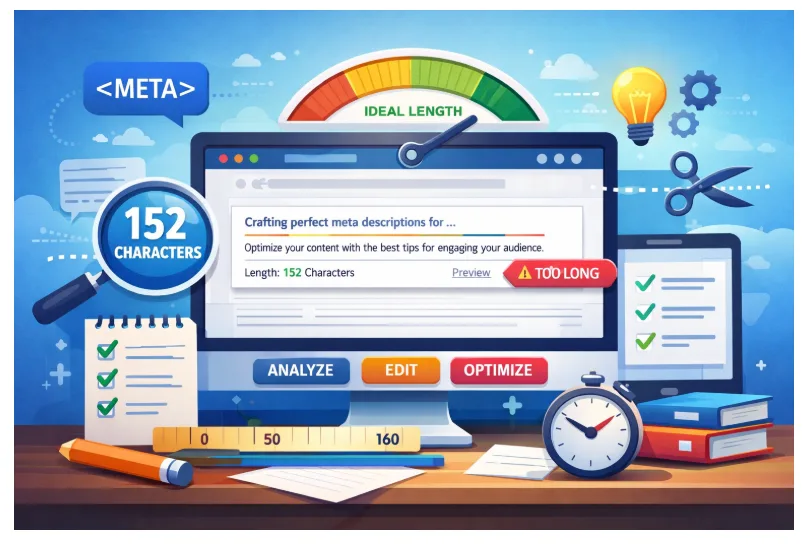
The commonly recommended meta description length is around 150 to 160 characters for desktop and slightly shorter for mobile. However, this is not a strict rule. The key is ensuring your message is complete and compelling within visible limits.
The Role of Text Tools in Content Optimization
Modern content creation relies heavily on precision. This is where text tools come into play. These tools are designed to help writers and strategists analyze, refine, and optimize content with efficiency.
When it comes to managing meta description length, text tools provide insights that are difficult to achieve manually. They allow you to:
- Count characters and words instantly
- Preview how descriptions appear in search results
- Identify readability issues
- Suggest improvements in tone and clarity
Instead of guessing whether your description is too long or too vague, these tools give you measurable data to work with.
Analyzing Meta Description Length with Accuracy
One of the most common mistakes people make is estimating length without proper measurement. Even a few extra characters can lead to truncation, which often cuts off important information.
Using text tools, you can analyze your meta description length with precision. Here is how the process typically works:
- Input your meta description into the tool
- Check the character count including spaces
- Review preview snippets to see how it appears
- Identify whether key phrases are visible
This process ensures that your most important message appears before any cutoff point. It also helps you refine your wording without losing meaning.
Balancing Length and Clarity
A frequent challenge is trying to include too much information in a limited space. This often leads to cluttered descriptions that fail to engage readers.
The goal is balance. You want your meta description length to be sufficient for clarity but not excessive.
Here are a few practical tips:
- Focus on one primary message
- Avoid unnecessary filler words
- Use action-oriented language
- Keep sentences simple and direct
Text tools can highlight areas where your description becomes too dense or repetitive. This makes it easier to trim content without sacrificing quality.
How to Adjust Meta Descriptions Effectively
Once you have analyzed your description, the next step is adjustment. This is where strategy meets creativity.
Start by identifying the core purpose of the page. Then rewrite your description to reflect that purpose clearly within the ideal meta description length.
For example:
- Replace vague phrases with specific benefits
- Move important keywords to the beginning
- Eliminate redundant expressions
- Simplify complex sentences
Text tools can assist by suggesting alternative phrasing and highlighting readability improvements. This allows you to refine your content in a structured way rather than relying on guesswork.
Avoiding Common Mistakes in Meta Descriptions
Even experienced writers can fall into common traps when working with meta descriptions.
Some of the most frequent issues include:
- Writing descriptions that are too long or too short
- Repeating the same keywords unnecessarily
- Using generic or unengaging language
- Ignoring mobile display limitations
By using text tools regularly, you can identify these problems early and correct them before publishing. This proactive approach saves time and improves overall content quality.
Enhancing Readability and Engagement
Length alone does not determine effectiveness. Readability plays an equally important role.
A well-crafted meta description should feel natural and easy to understand. It should guide the reader without overwhelming them.
To improve readability:
- Use simple vocabulary
- Avoid overly technical language
- Maintain a conversational tone
- Structure sentences logically
Text tools often include readability scoring systems that help you assess how easy your description is to read. These insights are valuable for making subtle yet impactful improvements.
Testing and Refining Your Approach
Optimization is not a one-time task. It is an ongoing process that involves testing and refinement.
After adjusting your meta description length, monitor how it performs. Look at metrics such as click-through rates and user engagement.
If results are not as expected, revisit your descriptions and make further adjustments. With the help of text tools, you can experiment with different variations and identify what works best.
Consider testing:
- Different sentence structures
- Alternative wording
- Shorter versus slightly longer descriptions
- Various call-to-action phrases
This iterative approach ensures continuous improvement over time.
Integrating Text Tools into Your Workflow
To get the most out of your efforts, it is important to integrate text tools into your regular workflow.
Instead of using them occasionally, make them part of your content creation process. This ensures consistency and efficiency.
A practical workflow might look like this:
- Draft your meta description
- Analyze it using text tools
- Adjust based on insights
- Preview how it appears
- Finalize and publish
By following this routine, you can maintain high-quality descriptions across all your pages.
The Subtle Impact of Precision in Content
One of the most fascinating aspects of working with meta descriptions is how small changes can lead to noticeable results. Adjusting just a few characters or rephrasing a sentence can significantly improve user response.
Precision is what sets effective content apart. When your meta description length is optimized and your message is clear, you create a better experience for your audience.
Text tools make this level of precision achievable. They remove the uncertainty and provide a clear path toward improvement.
Final Thoughts on Crafting Better Meta Descriptions
Mastering the art of meta descriptions requires attention to detail, consistency, and the right set of tools. By focusing on the ideal meta description length and leveraging reliable text tools, you can create descriptions that are both concise and compelling.
The key is to think from the user’s perspective. What would make you click on a result? What information would you find useful in a short preview?
When you combine thoughtful writing with data-driven adjustments, you create content that not only fits within limits but also stands out. Over time, this approach leads to stronger engagement and more effective communication across your digital presence.