What Breaks When Nobody Checks the Machine’s Transcription
Ask a two-person media shop where automation actually saved money last year and the answer arrives vague, usually something about “AI tools.” Push harder and the picture sharpens into something less flattering: a subscription nobody cancelled, a workflow that broke once and stayed broken, and one narrow task that genuinely stopped eating afternoons.
That last category is the one buyers keep mispricing. The question asked at purchase time is whether the software can do the job. The better question is where a person still has to stand in the loop, and whether that person’s time costs less than the problem does.
Audio production makes the distinction unusually visible, because three of its jobs automated at once and none of them automated the same way.
Converting a recording into notes is an estimate, not a transcription
Start with the job that gets misjudged most often, in both directions.
Detection systems listen to a take and put forward a guess at the notes. On a clean solo line the proposal is close. On a dense mix it degrades, and it degrades in a way that looks fine until a musician opens the file. Anyone who ran a full arrangement through an MP3 to MIDI converter and expected a finished score has misunderstood the category. What comes out is a rough pass for somebody to correct, and that is all it was ever meant to be.
Dismissing the tools on that basis is the opposite error, and it is just as expensive. What changed recently is not detection accuracy. It is where the correction happens.
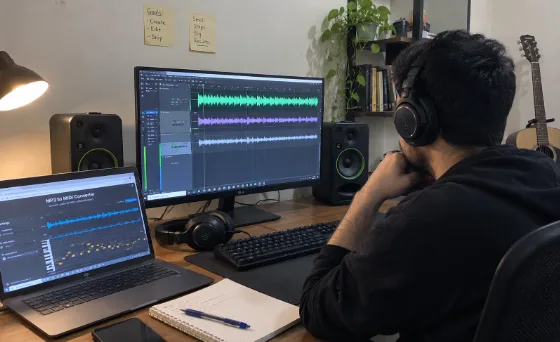
A browser tool that converts mp3 to midi can display the detected notes for review before export, so mistakes get fixed at the point of conversion rather than surfacing forty minutes later inside a digital audio workstation. That sounds like a minor interface decision. It determines whether the feature saves an afternoon or manufactures a second job.
The purchasing rule follows directly. MP3 to MIDI conversion earns its place when somebody on the team can read the result and correct it. Where nobody can, what lands on the shared drive looks finished and is not, and whoever picks it up next quietly starts over. The saving was never real.
Two practical notes for anyone trialling mp3 to midi conversion. Feed it the hardest file in the archive rather than the cleanest, because a clean file confirms only what was already assumed. And keep the highest-quality source available — detail discarded by compression cannot be recovered downstream, and no amount of processing puts it back.
Splitting a finished mix is cheap to run and easy to over-trust
The second job is more mature and needs less supervision, though not none.
Hand a finished mix to a browser vocal remover and it comes back split in two — singing in one file, everything else in another. For a clean studio recording the result holds up for a promo cut or a rehearsal track.
Supervision here costs one listen, and it lands in a specific place: deciding whether the split is usable before anything gets layered onto it. Heavy room echo, stacked harmonies, and instruments occupying the same register as a voice all degrade the separation in ways obvious on headphones and invisible in a waveform. Checking the busiest thirty seconds instead of the intro catches nearly all of it.
For a buyer the read is that this task automates well precisely because verification is fast. One person, one pass, one decision.
Generated music moves the human cost to selection
The third job inverts the pattern. There is nothing to verify against, because there is no original.
An AI music generator turns a written prompt or a set of lyrics into finished audio, and systems that return more than one option per prompt are being honest about how the work actually goes. The first result is a candidate.
So the human cost is not correction but judgment: does this fit the edit, does it sit under dialogue without competing, does it resolve where the segment resolves. That is taste applied quickly, and it draws on a different skill than the ear required to repair a bad note detection.
It also carries a cleaner commercial boundary than the other two. Original generated audio sidesteps the licensing questions attached to reusing a commercial recording, which is why adoption ran fastest among teams shipping social cutdowns at volume, where clearance friction cost more than the music ever did.
The rule that survives a budget meeting
Set the three jobs beside each other and a usable test appears. Automate where the verification step is short and somebody on staff can perform it. Do not automate where the output looks finished but nobody present can judge it.
That framing holds up better than a feature comparison, and it explains the abandoned subscriptions littering small media budgets. Teams bought capability without deciding who would check the work, and the answer turned out to be nobody.
One administrative consequence deserves stating. Name the reviewer before the first invoice, not after the first complaint. A process without an owner defaults to whoever objects loudest, which is a poor way to run quality control and a worse way to justify the spend.
The cases that should stay manual
None of this argues for automating an entire desk.
When the multitracks are still sitting in an archive somewhere, go and get them. A reconstruction remains a reconstruction, however good the estimate. Where a project carries genuine legal exposure, a rights conversation beats a clever technical workaround. And where output ships straight to a paying client with no internal review, the honest reading is that the process is not ready for automation regardless of which tool is under discussion.
The teams extracting real value here did not automate the most. They identified the single step consuming the most time, confirmed somebody could verify the result in under a minute, and left the rest of the desk alone.