What Is IPTV? Everything You Need to Know About Internet TV in 2026 – 526SJ
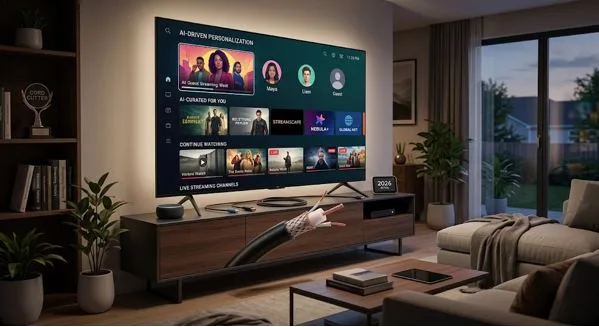
You’re scrolling through your cable bill and wondering why you’re paying $120 a month for channels you never watch. A friend mentions they switched to IPTV and cut their costs in half. You’ve heard the term before, but you’re not sure what it actually means or whether it’s something you should try. Here’s what you need to know.
IPTV stands for Internet Protocol Television. It’s a way of watching TV that uses your internet connection instead of traditional cable lines or satellite dishes. Instead of flipping through channels broadcast over the air or sent through a coaxial cable, you stream shows and live TV through your home network, just like you stream Netflix or YouTube.
The technology isn’t new, but it’s become the backbone of how most Americans watch TV in 2026. Services like Hulu Live, YouTube TV, and Sling are all IPTV platforms. So is your smart TV when it streams a live news channel. Understanding what IPTV is and how it works helps you make better choices about what you pay for and what you’re actually getting.
How Does IPTV Work?
IPTV delivers video content using the same internet protocol that powers everything else online. When you request a channel or a show, the IPTV service sends that video to your device as data packets over your broadband connection. Your device reassembles those packets in real time and displays the video on your screen.
There are three main types of IPTV. Live television streams broadcast channels as they air, just like traditional TV. Video on demand lets you choose from a library of movies and shows to watch whenever you want. Time-shifted TV records live broadcasts so you can watch them later, like a cloud-based DVR.
Most IPTV services combine all three. You get live news and sports, a catalog of on-demand content, and the ability to pause or rewind live TV. The service handles the recording and storage on their servers, so you don’t need extra hardware beyond a device that connects to the internet.
The quality of your experience depends on your internet speed. Standard definition needs about 4 Mbps, HD requires 10-15 Mbps, and 4K streams use 25 Mbps or more. If multiple people in your household are streaming at once, you’ll need enough bandwidth to handle all those connections without buffering.
What Is IPTV Service and How Is It Different from Cable?
An IPTV service is any company that delivers television programming over the internet. The service might be a standalone subscription like Sling or Philo, a feature built into your streaming platform like Amazon Prime Video Channels, or even a package from your internet provider.
The difference between IPTV and cable comes down to delivery method. Cable TV sends all channels to your home at once through a dedicated line, and your cable box filters out the ones you’re not watching. IPTV only sends the specific channel or show you’ve requested at that moment. This on-demand approach uses bandwidth more efficiently and gives providers more flexibility in how they package channels.
IPTV services often cost less than cable because they don’t have to maintain physical infrastructure like cable lines and service trucks. They also let you cancel or change your plan without a technician visit or an early termination fee. You’re not locked into a two-year contract just to get a reasonable price.
That said, not all IPTV services are created equal. Legitimate providers license content from networks and studios, pay for distribution rights, and operate within U.S. broadcasting laws. They’re regulated the same way cable companies are, and they have customer support, refund policies, and transparent billing.
Is IPTV Legal in the USA?
IPTV itself is completely legal. The technology is just a delivery method, and major streaming platforms use it every day. Services like YouTube TV, Hulu Live, FuboTV, and DirecTV Stream are all legal IPTV providers operating with full licensing agreements.
The legal risk comes from unlicensed IPTV services that offer thousands of channels for $10 or $15 a month. These services don’t have permission to distribute the content they’re streaming. They’re pirating broadcasts from cable networks, sports leagues, and premium channels, then reselling access at a fraction of the legitimate cost.
Using an unlicensed IPTV service is illegal in the U.S. While most enforcement targets the people running these operations rather than individual subscribers, there is legal and financial risk. Your internet provider can throttle or suspend your connection if they detect piracy. Some unlicensed services log your payment information and viewing habits, creating privacy and security risks. And if the service gets shut down, you lose access immediately with no refund.
If a deal seems too good to be true, it probably is. A subscription that promises every sports package, every movie channel, and international programming for less than the cost of a single legitimate streaming service is almost certainly unlicensed. Indie Hackers IPTV Complete Guide breaks down how to identify legitimate providers and what to avoid when shopping for IPTV USA options.
What to Look for in an IPTV Subscription
When you’re evaluating IPTV subscriptions, start with the channel lineup. Make a list of the ten channels you actually watch. Most people overestimate how many channels they need and end up paying for bundles they don’t use. If you only care about local news, sports, and a few cable networks, a smaller package will save you money.
Check whether the service includes a DVR feature and how much recording time you get. Some providers offer unlimited cloud DVR, while others cap you at 20 or 50 hours. If you record a lot of content to watch later, storage limits will matter.
Device compatibility is the next thing to confirm. Most IPTV services work on Roku, Fire TV, Apple TV, and smart TVs, but not all of them support every platform. If you plan to watch on your phone or tablet, make sure the service has a mobile app. Check how many simultaneous streams are allowed if multiple people in your household will be watching at the same time.
Read the fine print on pricing. Introductory rates are common, but they expire after a few months. Regional sports fees, broadcast fees, and DVR upgrades can add $15 or $20 to the advertised price. Calculate the real monthly cost before you commit.
Finally, test the service during a free trial if one is available. Stream during peak hours in the evening when network traffic is highest. Try watching on the devices you’ll actually use. Check whether the interface is easy to navigate and whether the video quality meets your expectations. If the service buffers constantly or the app crashes, that’s a sign to move on.
Common Mistakes to Avoid with IPTV
The biggest mistake people make is assuming all IPTV services are the same. A $10 subscription from an unknown provider is not comparable to YouTube TV or Hulu Live. You’re trading reliability, legality, and customer support for a lower price. When the service goes down or your payment information gets compromised, you have no recourse.
Another mistake is underestimating your internet requirements. IPTV meaning you’re streaming everything over your home network. If your internet plan has a data cap, heavy streaming can push you over the limit and trigger overage charges. A household that streams 4K content for several hours a day can use 500 GB or more per month. Check your internet plan’s data policy before you cut cable.
Don’t assume an IPTV service includes everything cable did. Local channels, regional sports networks, and premium movie channels are often sold separately or not available at all. If you’re a serious sports fan, confirm that your team’s games will be available before you cancel cable. Blackout restrictions still apply to many sports broadcasts, even on IPTV.
Avoid paying for a full year upfront, especially with a service you haven’t tested. While annual plans offer discounts, they also lock you in if the service quality drops or the provider goes out of business. Month-to-month plans give you flexibility to switch if something better comes along.
Finally, don’t ignore buffering or quality issues. If your IPTV service streams unreliably, the problem might be your internet speed, your router, or the service itself. Run a speed test, restart your router, and try a wired connection before you blame the provider. If the problem persists across multiple devices and connections, it’s the service, and you should switch.
How to Tell If an IPTV Provider Is Legitimate
Legitimate IPTV providers are transparent about their business. They have a real company name, a physical address, and clear terms of service. Their website lists exactly which channels are included, what the monthly cost is, and how billing works. They accept major credit cards and offer refunds if you cancel within the trial period.
Licensed services advertise openly and have partnerships with device manufacturers. You’ll find them in the Roku Channel Store, the Apple App Store, and on Amazon Fire TV. They’re reviewed by major tech publications and have customer support you can reach by phone or email.
Unlicensed services operate differently. They use vague branding, accept only cryptocurrency or prepaid cards, and avoid listing a company name or location. They promise access to “10,000+ channels” or “every sports package worldwide” for a flat monthly fee. They often use generic terms like “premium IPTV” or “IPTV subscription” without naming a specific company. When you search for reviews, you’ll find complaints about sudden shutdowns, poor quality, and no customer support.
Another red flag is installation requirements. Legitimate services work through standard apps you download from official stores. Unlicensed services often require you to sideload an app, install third-party software, or enter a server URL manually. If the setup instructions involve terms like “jailbreak,” “APK file,” or “M3U playlist,” you’re likely dealing with an unlicensed provider.
When in doubt, research the provider by name. Check whether they have licensing agreements with the networks whose content they carry. Look for reviews from real customers on independent sites, not just testimonials on the provider’s own page. Best IPTV Subscription USA 2026 — Top 3 Providers Tested evaluates the top legal IPTV options and explains what separates a trustworthy service from a sketchy one.
Is IPTV Right for You?
IPTV makes sense if you’re already comfortable streaming content and you have a reliable internet connection. It’s a good fit for people who want flexibility, lower costs, and the ability to watch on multiple devices without extra fees.
It’s not ideal if you live in an area with slow or unreliable internet. IPTV depends on consistent bandwidth, and a connection that struggles with basic web browsing won’t handle live TV well. It’s also not a perfect replacement if you rely heavily on cable-only channels or niche sports networks that aren’t available through streaming services.
The financial case for IPTV is strongest when you compare it to a full cable package. A basic IPTV service with 40-50 channels costs $35 to $50 per month. A comparable cable plan runs $80 to $120 once you factor in equipment fees and taxes. If you’re paying for cable but only watching a handful of channels, switching to IPTV can cut your bill by half.
The tradeoff is that you’re responsible for your own equipment and troubleshooting. Cable companies send a technician if something breaks. With IPTV, you need to diagnose problems yourself or work with customer support remotely. Most issues are simple, like restarting your router or updating an app, but if you prefer having someone else handle technical problems, that’s a consideration.
If you do decide to try IPTV, start with one of the major services that offers a free trial. Test it for a week while you still have cable, and make sure it delivers the channels and quality you need. Once you’re confident it works, cancel cable and commit to the IPTV service. Don’t overlap subscriptions longer than necessary, since you’re paying for both.
Frequently Asked Questions
What does IPTV mean?
IPTV stands for Internet Protocol Television. It refers to any system that delivers TV programming over the internet rather than through traditional cable, satellite, or broadcast methods. IPTV includes both live channels and on-demand content streamed to your device through your broadband connection.
Is IPTV legal in the USA?
Yes, IPTV is legal when provided by licensed services that have permission to distribute the content they stream. Major platforms like YouTube TV, Hulu Live, and Sling are all legal IPTV providers. Unlicensed services that offer pirated content are illegal and carry risks for both providers and users.
How much does an IPTV subscription cost?
Legitimate IPTV subscriptions in the USA typically range from $25 to $80 per month, depending on the channel lineup and features. Basic packages with 30-40 channels start around $25, while plans with 100+ channels and premium add-ons can exceed $80. Be wary of services charging $10-15 for thousands of channels, as these are usually unlicensed.
Do I need special equipment for IPTV service?
No special equipment is required beyond a device that connects to the internet. You can watch IPTV on smart TVs, streaming sticks like Roku or Fire TV, gaming consoles, computers, smartphones, and tablets. Most services work with devices you already own, and no cable box or satellite dish is needed.
Can I get local channels with IPTV?
Yes, most major IPTV services in the USA include local broadcast channels like ABC, NBC, CBS, and FOX, though availability depends on your location. Some services offer local channels in every market, while others only cover major cities. Check the provider’s coverage map before subscribing if local channels are important to you.