
What Makes Echobit Beginner-Friendly? Key UI/UX Features Explained
As digital asset trading continues to attract new participants, ease of use has become a defining factor in platform adoption. While advanced traders may focus on liquidity, execution speed, and derivatives tools, beginners look for something more fundamental: clarity, simplicity, and guidance. Among the new-generation exchanges, Echobit has gained attention for delivering an interface that lowers the entry barrier without compromising on functionality.
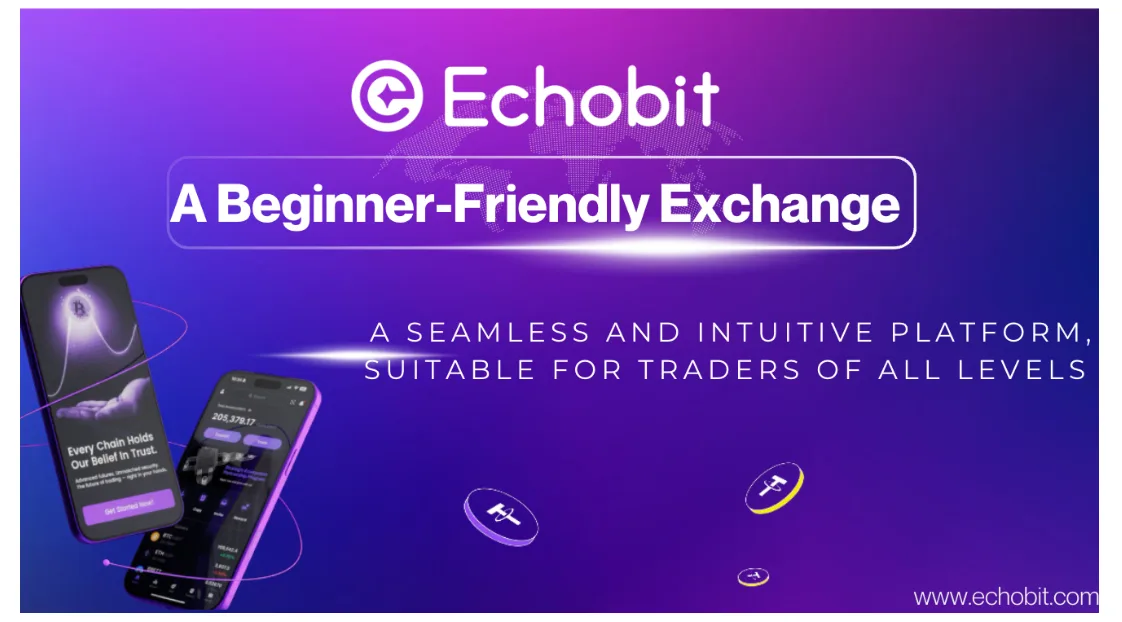
Clear Interface Structure Designed for Navigation Efficiency
New users often struggle with the clutter common on trading platforms: multiple tabs, overlapping charts, and advanced controls displayed upfront. Echobit approaches this differently. Its interface separates essential beginner functions—depositing, spot trading, copy trading, and help resources—into a clean layout designed to reduce cognitive load.
Key navigation highlights include:
- A simplified home dashboard summarizing balance, quick actions, and market snapshots
- Clearly categorized modules for Spot, Futures, and Copy Trading
- Minimalist menu structure optimized for fast onboarding
For beginners who may feel overwhelmed by typical crypto exchanges, this structure provides a more intuitive starting point.
Beginner Modes & Guided First-Time Experiences
A major usability challenge for new traders is the lack of guidance when exploring complex features. Echobit integrates contextual guidance such as tooltips, on-screen prompts, and simplified configuration walkthroughs.
Examples include:
- Step-by-step guidance when placing the first trade
- Visual cues explaining order types
- A structured flow for activating copy trading
- Futures simulation mode for risk-free practice
These onboarding tools support the learning curve while reducing the anxiety that often deters beginners from participating.
Copy Trading Built for Low-Barrier Participation
Copy trading has become a popular entry point for users who want exposure to the market without executing strategies manually. Echobit’s implementation emphasizes transparency and usability, which benefits novice users.
Beginner-friendly features include:
- Public trader performance dashboards with real trading histories
- One-click position syncing
- Adjustable copy settings and stop-copy controls
- Real-time profit display and position tracking
These elements allow new users to participate safely while observing how experienced traders operate.
Mobile-Optimized Experience for First-Time Traders
Mobile accessibility is crucial for onboarding newer audiences, many of whom prefer app-based trading. Echobit’s mobile interface mirrors the clarity of its desktop version, with a layout that supports quick action and minimal friction.
Notable design decisions:
- Prominent quick-access buttons for core actions
- Condensed yet readable K-line chart displays
- Streamlined deposit and withdrawal flow
- Biometric and Passkeys-enabled login for secure, frictionless entry
These adjustments make the mobile trading journey feel less complex, particularly for users unfamiliar with financial apps.
Security Prompts and Protection Features Adapted for Beginners
For new users, security risks often stem from unfamiliarity rather than platform vulnerabilities. Echobit incorporates user-side protections integrated directly into the UI to mitigate common pitfalls.
Security UX features include:
- Passkeys for passwordless, phishing-resistant authentication
- Withdrawal verification prompts with contextual warnings
- Anti-scam reminders for common error scenarios
- Clear separation of funding and trading accounts
By embedding security education into the interface, the platform helps protect inexperienced traders while reinforcing safer behaviors.
Educational Resources Integrated Into the User Journey
Rather than relying solely on external guides, Echobit incorporates learning touchpoints directly within the platform. These resources serve beginners who may not yet understand market terminology or trading mechanics.
Helpful resources include:
- Beginner tutorials for spot and futures trading
- Copy trading explanation modules
- FAQ-style guidance integrated into functional pages
- Quick tips accessible directly from charts and order pages
This reduces the need to search elsewhere and keeps the learning curve contained within the platform ecosystem.
Why These UX Choices Matter in Today’s Crypto Landscape
The broader issue in crypto trading is accessibility. Many exchanges evolved by adding advanced tools—often at the cost of user-friendly design. Echobit’s beginner-focused approach reflects a shift toward a more inclusive trading environment where first-time users can engage without feeling overwhelmed.
By combining intuitive navigation, guided flows, transparent copy trading, mobile optimization, and built-in education, the platform addresses several pain points that typically hinder new traders.
Conclusion
While the digital asset industry continues to innovate at a rapid pace, user accessibility remains a core differentiator. Echobit’s UI/UX decisions offer a practical pathway for newcomers to enter the market confidently. Its design philosophy demonstrates how an exchange can support both usability and growth by lowering complexity, increasing clarity, and embedding education into the trading experience.
This beginner-friendly approach not only helps first-time users but also strengthens overall ecosystem engagement—an increasingly important factor in the evolving global crypto landscape.
FAQs about Echobit
下面是基于文章内容延伸的 PAA 两级问答(Primary + Secondary Questions)扩展版本,共 8 组,结构清晰、SEO 友好、适合媒体稿附加 FAQ 或用于独立内容布局,问题均围绕 Echobit、beginner-friendly、UI/UX、copy trading 等关键词,有助于触发 PAA。
PAA Two-Level Q&A Expansion
(SEO-optimized, third-party tone, beginner-friendly)
1. What makes Echobit beginner-friendly?
Echobit is considered beginner-friendly because its interface focuses on clarity, simplicity, and guided user actions.
The platform reduces clutter, separates core functions into intuitive modules, and provides step-by-step onboarding flows that help users understand spot trading, futures simulation, and copy trading without prior experience.
2. How does Echobit help new users navigate trading tools?
Echobit uses contextual guidance such as pop-up explanations, tutorial overlays, and visual cues to help new users understand key features.
This prevents beginners from feeling overwhelmed when encountering complex order types or advanced chart tools.
3. What UI/UX features improve the copy trading experience on Echobit?
Echobit’s copy trading interface is designed with transparency and ease of use in mind.
Users can view trader histories, monitor live results, adjust copy settings, and stop copying anytime—all with minimal steps.
Follow-up Q: Is copy trading suitable for beginners?
Yes. Copy trading offers beginners a structured way to learn from experienced traders while observing how strategies perform in real time.
4. How does Echobit simplify mobile trading for beginners?
Echobit’s mobile app emphasizes quick-action buttons, optimized chart displays, and a streamlined deposit/withdrawal flow.
This design reduces friction for users who prefer mobile-first trading.
Follow-up Q: Does the mobile version include the same features as desktop?
Most core functions—copy trading, spot, futures, security settings, and account management—are fully supported on mobile.
5. What security features does Echobit provide for new users?
Echobit integrates beginner-focused security UX, including Passkeys authentication, withdrawal confirmations, and anti-scam reminders.
These tools minimize common mistakes and promote safe trading habits.
Follow-up Q: How does Passkeys improve login safety?
Passkeys replace passwords with cryptographic authentication, reducing phishing risks and making login easier for novice users.
6. How does Echobit support users who are new to crypto education?
The platform integrates educational modules directly within each feature page, reducing the need for external research.
Beginners can access FAQs, mini-guides, and tool explanations while trading.
Follow-up Q: Does Echobit offer tutorials for spot and futures trading?
Yes. The platform includes structured tutorials explaining order types, leverage, charts, and trading mechanics.
7. Why is Echobit’s interface suited for users transitioning from Web2 apps?
Echobit adopts familiar design patterns used in mainstream financial apps, lowering the cognitive barrier for Web2-native users.
This makes the platform feel more approachable compared to exchanges with more technical layouts.
Follow-up Q: What design elements contribute to Web2 familiarity?
Clear tab structure, card-style sections, guided actions, and minimalistic charts contribute to a Web2-grade experience.
8. How does Echobit reduce complexity for first-time futures traders?
By offering simplified margin displays, countdown indicators, visual risk reminders, and a simulation mode, Echobit reduces the learning curve for futures trading.
Beginners can gradually progress without feeling overwhelmed.
🌐 Website: http://echobit.com/
✖ X: http://x.com/EchobitExchange
📹 YouTube: http://www.youtube.com/@Echobit_Exchange
✈ Telegram: http://t.me/EchobitOfficial
🎭 Facebook: http://www.facebook.com/EchobitOffical