What to Do With Old Photos That Are Too Small to Print
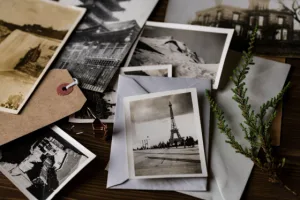
Old photographs often survive in less-than-ideal forms. A favorite family picture might exist only as a small digital file copied from an early phone, downloaded from an old social media account, or scanned years ago at a low resolution. The image can look perfectly acceptable on a screen but become noticeably soft or pixelated when you try to turn it into a physical print.
That does not necessarily mean the photograph has to remain trapped on a phone or computer. Before giving up on it, it is worth identifying why the file is small, checking whether a better original still exists, and considering what size and type of print would suit the available detail. With realistic expectations and careful preparation, many older images can still become meaningful physical keepsakes.
Look for a Better Original First
Before editing anything, search for the highest-quality version of the photograph you can find. An image saved from a messaging app or social network may be substantially smaller than the original file produced by the camera.
Check old computers, external hard drives, memory cards, cloud accounts, email attachments, and previous phones. Family members may also have received a better copy years ago.
If the picture originally came from film or a physical photograph, look for the negative, slide, or original print. Creating a new high-quality scan can provide a much stronger starting point than editing an old low-resolution digital copy.
This search may take longer than applying a quick digital fix, but recovering a better source file generally produces the most natural result.
Check the Actual Pixel Dimensions
File size alone does not tell you whether a photograph is suitable for printing. A heavily compressed file and a detailed photograph can occupy similar amounts of storage while containing very different levels of useful visual information.
Instead, inspect the pixel dimensions. A photograph measuring only a few hundred pixels across has much less information available for enlargement than one measuring several thousand pixels.
Print size matters too. An image that looks disappointing as a large wall print might look perfectly acceptable at a smaller size. Viewing distance also changes perception: people normally inspect a small framed photograph much more closely than a large print hanging across a room.
Before editing, decide what you actually want to create. That target makes it easier to determine how much improvement is necessary.
Use Digital Enhancement When the Original Is All You Have
Sometimes the search for a better source leads nowhere. The tiny digital file may genuinely be the only surviving version of an important photograph.
Modern image-processing tools can help in these situations by creating a larger version while attempting to preserve or improve visible detail. For someone working with a low-resolution family picture or another image that cannot simply be photographed again, tools that upscale photos for free provide a convenient way to prepare a larger file before evaluating whether it is suitable for the intended print.
It is important to understand the limitations. Increasing dimensions does not magically recover every piece of information that was missing from the source. Automated processing can estimate additional detail and improve the appearance of suitable images, but the result should still be inspected carefully.
Faces, text, jewelry, patterned clothing, and other fine features deserve particular attention because inaccurate reconstruction can be much more noticeable in these areas.
Consider a Smaller Print
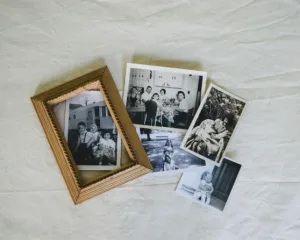
Bigger is not automatically better, particularly with sentimental photography. A small photograph displayed thoughtfully can have considerably more impact than an oversized print that exposes every technical weakness.
If the source image contains limited detail, consider printing it at 4 × 6 inches or another modest format instead of forcing it into a large poster. Smaller prints can work beautifully in tabletop frames, albums, memory boxes, gallery walls, or collections of family photographs.
You can also use a larger frame with a wide mat surrounding a relatively small image. This gives the photograph visual presence on a wall without requiring the image itself to occupy the entire frame.
The presentation becomes part of the design, allowing you to work with the photograph’s limitations rather than fighting against them.
Turn Several Small Images Into a Collage
A collection of low-resolution photographs can sometimes work better together than individually.
According to Harvard Business School, instead of enlarging one picture dramatically, arrange several images into a collage. Each photograph occupies a smaller physical area, reducing how noticeable limited resolution may be while allowing the finished piece to tell a broader story.
This works particularly well for family histories, vacations, childhood photographs, weddings, anniversaries, and memorial displays. Images from different cameras and decades do not necessarily need to match perfectly. A consistent border, background, or layout can bring them together visually.
When preparing the collage, avoid repeatedly saving compressed versions of the files. Work from the best copies available and create the final layout at the dimensions required for printing.
Try Black and White When Color Has Aged Poorly
Resolution is not the only problem affecting old photographs. Early digital cameras, aging prints, and poor scans may also contain unusual color casts, faded tones, or distracting color noise.
In certain cases, converting the photograph to black and white can create a more cohesive result. Removing problematic color allows attention to shift toward faces, expressions, light, and composition.
This should be treated as an artistic choice rather than an automatic repair technique. If color carries important information, a distinctive outfit, a particular location, or another meaningful detail, preserving it may be preferable.
Always keep the original file untouched and make adjustments on a copy. That way, future editing tools or a newly discovered source image can provide additional possibilities.
Clean Up Damage Carefully
Old photographs frequently have problems beyond limited dimensions. Dust, scratches, creases, stains, fading, and compression artifacts can become more visible once the image is prepared for printing.
Basic restoration can make these defects less distracting, but restraint is important. Excessive smoothing may remove natural facial texture, while aggressive sharpening can create unnatural edges around objects and people.
The purpose of restoration should usually be to make damage less noticeable without changing the character of the original photograph.
For historically or personally important images, professional restoration may be worthwhile. An experienced editor can make localized adjustments instead of applying the same automated treatment to every part of the picture.