Why AI presentation tools are moving beyond templates
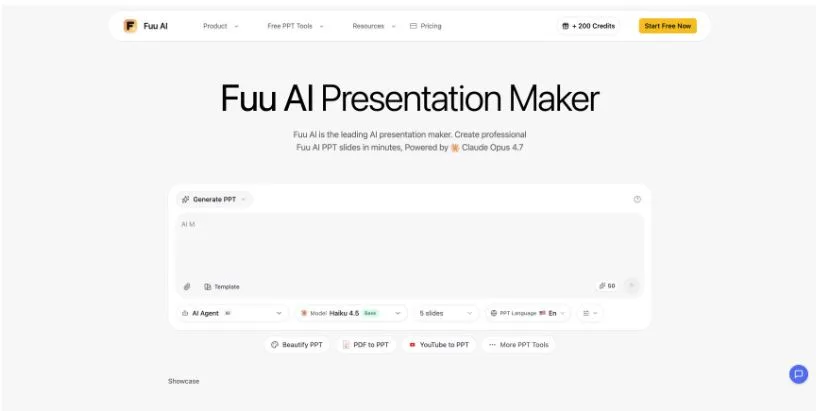
Fuu AI PPT illustrates how presentation software is expanding beyond a library of layouts. Its browser interface combines a topic prompt with choices for template, slide count, language, and model, then keeps the resulting deck available for preview and export. The shift is less about adding another design shortcut and more about compressing several early production steps into one workspace.
The first draft is becoming a structured task
Traditional presentation tools usually begin with a blank slide or a visual theme. AI-assisted tools can begin with intent. A user describes the subject, audience, desired length, and outcome, and the system proposes an outline before filling individual slides.
That distinction matters for small teams. Creating a first draft often involves gathering notes, arranging them into a story, choosing layouts, and rewriting the same material to fit limited space. Automating part of that sequence can save time, particularly for recurring reports and internal briefings.
The quality of the input still sets the ceiling. A vague request is likely to produce broad claims and repetitive sections. A useful brief names the audience, the central point, supporting evidence, and the action expected at the end. Teams also need to supply approved data rather than assuming a generated draft is factually complete.
Controls are replacing one-size-fits-all generation
The current interface exposes choices that used to be buried in the workflow. Slide count affects pacing. Language affects more than translation because text length and typography change across locales. Template selection determines the visual rhythm, while model selection can influence the drafting process.
Visible controls also make revision easier. If a five-slide version feels compressed, the user can rethink the outline before expanding it. If the style does not fit the audience, a different template can be tested without rebuilding every page manually.
This does not remove the need for editing. Generated titles should form a logical argument when read alone. Charts need verified data and clear labels. Images must support the point instead of merely filling space. The more quickly a draft is produced, the more important a deliberate review becomes.
Export is the start of delivery checks
A finished browser preview is not yet a finished presentation. The exported file should be opened in the program and on the device that will be used in the meeting. Fonts, line breaks, media, and chart labels can shift between environments.
Teams should also distinguish between live and asynchronous decks. A live presentation needs fewer words and stronger visual cues. A document that will be read without a speaker needs enough context to stand on its own. AI can create either format, but it must be told which job the deck is expected to perform.
The broader direction is clear: presentation tools are becoming lightweight production systems that connect briefing, outlining, visual drafting, and export. Their value will depend less on how many templates they offer and more on how well they support human review at each handoff. That review is where teams protect accuracy, brand consistency, and the practical clarity an audience needs.