
Why Echobit Stands Out as a Beginner-Friendly Trading Platform?
As digital asset trading grows in popularity, the ease with which new users can navigate platforms has become a crucial factor for adoption. While seasoned traders may prioritize aspects like liquidity and advanced trading tools, novices often seek essential elements: clarity, simplicity, and guidance. Among the emerging exchanges, Echobit has garnered attention for its user-friendly interface that facilitates entry without sacrificing functionality.
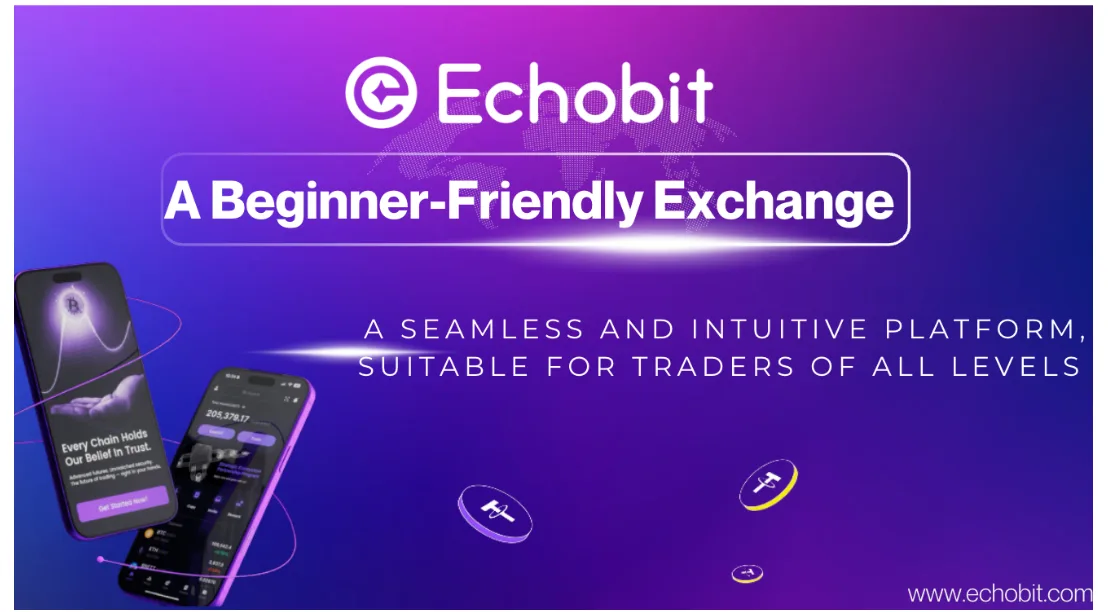
User-Centric Interface Design
Navigating complex trading platforms can be daunting for newcomers, often exacerbated by cluttered layouts filled with numerous tabs and overlapping charts. Echobit addresses this issue with a thoughtfully designed interface that categorizes beginner functionalities—such as deposits, spot and copy trading, and help resources—into a streamlined layout. Key features include:
– A simplified home dashboard showcasing balance, quick actions, and market insights.
– Clearly labeled sections for Spot, Futures, and Copy Trading.
– An organized menu structure tailored for swift onboarding.
This intuitive setup alleviates the initial confusion commonly experienced by new traders.
Guided Experiences and Beginner Modes
Echobit recognizes that many new users face challenges due to a lack of guidance when trying to grasp complex trading features. To counter this, the platform incorporates contextual assistance such as tooltips, on-screen prompts, and guided walkthroughs. Examples include:
– Step-by-step instructions for placing the first trade.
– Visual aids clarifying different order types.
– A structured flow for activating copy trading.
These onboarding features nurture the user experience while easing the anxiety many beginners feel when entering the market.
Accessible Copy Trading Features
The rise of copy trading has provided an avenue for users to engage with the market without needing extensive knowledge of trading strategies. Echobit emphasizes transparency and user-friendliness in its copy trading implementation, making it particularly advantageous for beginners. Key features include:
– Public performance dashboards showcasing actual trading histories of public traders.
– Simple one-click synchronization of positions.
– Customizable copy trading settings and the ability to stop copying a trader at any time.
– Real-time tracking of profits and positions.
These functionalities empower new users to safely participate in the market while observing the actions of more experienced traders.
Mobile Experience Tailored for New Users
In today’s fast-paced world, mobile accessibility plays a vital role in attracting new users, particularly those who prefer app-based trading. Echobit’s mobile interface retains the clarity of its desktop counterpart while accommodating quick actions and minimizing friction. Notable design elements include:
– Direct access buttons for key features.
– Concise, readable K-line chart displays.
– A smooth deposit and withdrawal process.
– Biometric login options for secure, hassle-free access.
These thoughtful adjustments simplify the mobile trading experience, making it less intimidating for those unfamiliar with finance applications.
Enhanced Security for New Users
Security concerns frequently arise from inexperience rather than platform flaws, and Echobit seeks to mitigate these risks through user-side protections embedded directly into the design. Key security features include:
– Passwordless access via Passkeys, which provide resistance to phishing.
– Withdrawal verification prompts with contextual alerts.
– Anti-scam reminders to help users avoid common mistakes.
– Distinct funding and trading accounts for added security.
By integrating security measures into the user experience, Echobit helps safeguard inexperienced traders while promoting safer habits.
Educational Resources Seamlessly Integrated
Rather than relying on external educational content, Echobit presents learning opportunities directly within the platform. These resources cater to beginners who may not fully grasp trading terminology or mechanics. Features include:
– Tutorials for spot and futures trading.
– Modules that explain copy trading.
– FAQ-guided support integrated throughout the platform.
– Quick tips easily accessible on trading charts and order pages.
This approach minimizes the need for outside research, allowing users to learn while they trade.
The Importance of Beginner-Focused UX in Crypto Trading
The broader goal in crypto trading is to enhance accessibility for all users. Many exchanges have evolved by adding advanced options, often at the expense of usability for newcomers. Echobit’s approach signals a shift towards a more welcoming trading environment, making it possible for first-time users to engage without feeling overwhelmed. By combining clear navigation, guided experiences, transparent copy trading, a user-friendly mobile app, and built-in educational support, Echobit effectively addresses the common obstacles faced by new traders.
FAQs about Echobit
1. What makes Echobit beginner-friendly?
Echobit is considered beginner-friendly because its interface focuses on clarity, simplicity, and guided user actions.
The platform reduces clutter, separates core functions into intuitive modules, and provides step-by-step onboarding flows that help users understand spot trading, futures simulation, and copy trading without prior experience.
2. How does Echobit help new users navigate trading tools?
Echobit uses contextual guidance such as pop-up explanations, tutorial overlays, and visual cues to help new users understand key features.
This prevents beginners from feeling overwhelmed when encountering complex order types or advanced chart tools.
3. What UI/UX features improve the copy trading experience on Echobit?
Echobit’s copy trading interface is designed with transparency and ease of use in mind.
Users can view trader histories, monitor live results, adjust copy settings, and stop copying anytime—all with minimal steps.
Follow-up Q: Is copy trading suitable for beginners?
Yes. Copy trading offers beginners a structured way to learn from experienced traders while observing how strategies perform in real time.
4. How does Echobit simplify mobile trading for beginners?
Echobit’s mobile app emphasizes quick-action buttons, optimized chart displays, and a streamlined deposit/withdrawal flow.
This design reduces friction for users who prefer mobile-first trading.
Follow-up Q: Does the mobile version include the same features as desktop?
Most core functions—copy trading, spot, futures, security settings, and account management—are fully supported on mobile.
5. What security features does Echobit provide for new users?
Echobit integrates beginner-focused security UX, including Passkeys authentication, withdrawal confirmations, and anti-scam reminders.
These tools minimize common mistakes and promote safe trading habits.
Follow-up Q: How does Passkeys improve login safety?
Passkeys replace passwords with cryptographic authentication, reducing phishing risks and making login easier for novice users.
6. How does Echobit support users who are new to crypto education?
The platform integrates educational modules directly within each feature page, reducing the need for external research.
Beginners can access FAQs, mini-guides, and tool explanations while trading.
Follow-up Q: Does Echobit offer tutorials for spot and futures trading?
Yes. The platform includes structured tutorials explaining order types, leverage, charts, and trading mechanics.
7. Why is Echobit’s interface suited for users transitioning from Web2 apps?
Echobit adopts familiar design patterns used in mainstream financial apps, lowering the cognitive barrier for Web2-native users.
This makes the platform feel more approachable compared to exchanges with more technical layouts.
Follow-up Q: What design elements contribute to Web2 familiarity?
Clear tab structure, card-style sections, guided actions, and minimalistic charts contribute to a Web2-grade experience.
8. How does Echobit reduce complexity for first-time futures traders?
By offering simplified margin displays, countdown indicators, visual risk reminders, and a simulation mode, Echobit reduces the learning curve for futures trading.
Beginners can gradually progress without feeling overwhelmed.
Conclusion
As the cryptocurrency industry continues to innovate, fostering user accessibility remains paramount. Echobit’s thoughtful design choices offer a practical pathway for newcomers to venture into trading with confidence. Its commitment to simplifying complexity, enhancing clarity, and embedding educational resources within the trading journey illustrates how a platform can simultaneously promote usability and growth, positioning itself as a leader in today’s evolving digital asset landscape.
🌐 Website: http://echobit.com/
✖ X: http://x.com/EchobitExchange
📹 YouTube: http://www.youtube.com/@Echobit_Exchange
✈ Telegram: http://t.me/EchobitOfficial
🎭 Facebook: http://www.facebook.com/EchobitOffical