Why Millions of People Are Finally Looking Up What a VPN Is (And What to Do Next)
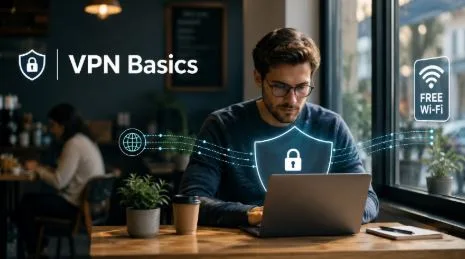
You’re sitting in a coffee shop, laptop open, getting on with your day. You connect to the café’s free Wi-Fi — the password is written on the chalkboard — and log into your email, maybe check your bank balance, maybe send a file to a colleague. It feels perfectly normal. Most people do exactly this without thinking twice.
And that’s roughly when the questions start, if they start at all. Someone mentions a data breach at work. A news headline talks about internet privacy. A friend says they “use a VPN” and waves off the follow-up question. The term floats around without ever quite landing — until something nudges you to actually look it up.
If that’s where you are right now, you’re in good company. VPN usage has grown sharply over the past few years, driven by a combination of remote work, high-profile data incidents, and a general sense that the internet has gotten harder to navigate safely. People who never gave their connection a second thought are now paying attention. This article explains what they’re finding.
What a VPN Actually Does (In Plain Terms)
So, what is a VPN? The letters stand for Virtual Private Network, which tells you almost nothing useful on its own. The practical version goes like this.
When you connect to the internet normally, your traffic travels through your internet provider and from there to wherever you’re trying to go — a website, an app, a video. Along the way, certain things are visible: your IP address (a number that identifies your connection and reveals your approximate location), which sites you’re visiting, and when. Your internet provider can see this. So can the operator of whatever Wi-Fi network you’re using.
A VPN changes that picture. When you turn one on, your traffic is encrypted before it leaves your device and routed through a server run by the VPN provider. From the outside, what’s visible is a connection to that server — not your real IP address, not your browsing activity, not where you’re actually located. The café’s Wi-Fi network sees an encrypted stream going to a VPN server. That’s it.
It’s not magic, and it doesn’t make you invisible on the internet in any complete sense. But it addresses a specific set of real problems that a lot of people encounter without knowing it.
Why So Many People Are Looking Into This Right Now
That explanation has been available for years. What changed is the number of situations where it feels relevant.
The remote work shift is a big part of it. When offices closed and people started working from kitchen tables, spare bedrooms, and — eventually — coffee shops and coworking spaces, they were suddenly doing sensitive work on networks nobody had vetted. Sending work emails from a hotel room or reviewing a contract on airport Wi-Fi became routine, often without anyone stopping to think about what that actually involved.
But it isn’t only remote workers. Public Wi-Fi networks — in airports, hotels, libraries, and cafés — are shared environments. Anyone connected to the same network can, in principle, observe unencrypted traffic passing through it. Most people on most networks aren’t trying to do that. But the possibility is real, and it’s enough of a concern that security researchers document it regularly.
Beyond the network itself, there’s the data trail. Your IP address, combined with your browsing activity, builds up a profile over time. Advertisers use it. Data brokers trade it. Most people had no idea this was happening when they agreed to it — burying it in terms and conditions is a time-honoured tradition — and many would rather it didn’t.
None of this requires panic. But it’s reasonable to want to understand what’s happening and have the option to change it.
What Actually Changes When You Turn One On
The practical effect depends on what you were concerned about in the first place.
If you’re worried about public Wi-Fi, a VPN encrypts your traffic so that other people on the same network can’t read it. Your bank login, your emails, your messages — all of it travels in a form that looks like scrambled data to anyone trying to intercept it on the same connection.
If you’re bothered by the idea of websites tracking your location or building a profile of your browsing, a VPN replaces your real IP address with the server’s. Websites see the server’s location, not yours.
If you work remotely and need to connect to company systems securely, many employers already require a VPN for exactly this reason — it creates an encrypted connection between your device and their network regardless of where you’re working from.
That said, a VPN isn’t a catch-all fix, and it’s worth being clear about that upfront. It won’t stop apps from collecting data through permissions you’ve already granted them. It won’t block cookie-based tracking on websites. Think of it as one sensible layer in a broader approach to privacy, not the last word on the subject.
How to Pick One Without Getting It Wrong
The VPN market is crowded, which makes the first decision confusing. There are dozens of options at different price points, with very different track records on privacy. Some free VPN apps have been caught collecting the very data they claim to protect — worth knowing before you download the first result that comes up in a search.
A few things to check before settling on one: whether the provider has a no-logs policy (meaning they don’t keep records of your browsing activity), how long the company has been operating, and whether they’ve had their privacy claims independently verified by a third party. These aren’t foolproof tests, but they’re a reasonable starting point.
Services such as X-VPN offer a free tier that requires no account registration — no email address, no payment details — which at least lets you test how the thing actually works on your own connection before committing to anything.
Your Phone Is the Most Practical Place to Start
For most people, the phone is the device that spends the most time on unfamiliar networks — connecting to Wi-Fi at restaurants, gyms, friends’ houses, hotels. It’s also the device most likely to have sensitive accounts open in the background: banking apps, work email, health records.
iPhone users can find the VPN app for iPhone directly through the App Store. Installation takes about a minute. Connecting after that is a single tap — there’s nothing technically involved, and you don’t need to understand what’s happening behind the scenes to use it.
If you’ve been meaning to look into this for a while, the phone is genuinely the easiest place to begin. It takes less time than reading this article took, and the free options mean there’s nothing to lose by trying it.