Why Online JSON to Table Converters Are Becoming Essential for Data Work
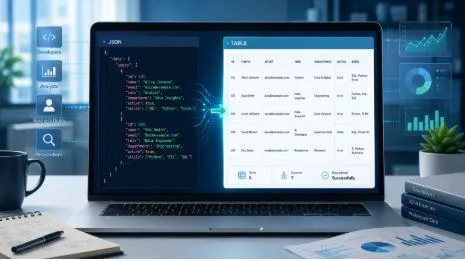
Modern digital systems depend on structured data. Whether someone is building a website, testing an API, managing an online tool, or reviewing exported information, data needs to move quickly and accurately between different platforms. JSON is one of the most common formats used for this purpose because it is lightweight, flexible, and easy for applications to process.
However, JSON is not always easy for people to read. While developers understand its structure, many users find raw JSON difficult to follow, especially when it includes long lists, nested values, or multiple records. This is why online JSON to table converters have become increasingly useful. They turn technical data into a simple table format that is easier to read, compare, and share.
The Growing Role of JSON in Digital Systems
JSON is widely used in web development, mobile applications, APIs, automation tools, databases, and cloud-based platforms. It helps different systems exchange information in a structured way. For example, an application may send user details, product records, transaction history, or analytics data in JSON format.
From a technical point of view, JSON works very well. It is clean for machines, simple to transfer, and compatible with many programming languages. But when a person needs to review the information manually, the format can become challenging.
A JSON file may include several layers of data. It may contain arrays, objects, keys, values, and nested structures. For someone who only wants to understand the actual information, this format can feel complicated. A table format solves this issue by presenting the data in rows and columns.
Why Table Format Is Easier for Users
Tables are one of the most familiar ways to view information. People use tables in spreadsheets, business reports, dashboards, databases, and documents. A table allows users to scan information quickly and compare different records without reading through technical formatting.
When JSON is converted into a table, each field becomes easier to understand. Users can check names, numbers, dates, statuses, categories, and other values more clearly. This makes the data more useful for both technical and non-technical users.
For example, a business owner may not understand raw JSON code, but they can easily review a table of customer records. A marketing professional may not want to read API output, but they can understand campaign data when it is shown in columns. This makes JSON to table conversion valuable for many types of users.
How a JSON to Table Tool Makes Work Faster
Manual data formatting takes time. If users try to copy values from JSON into a spreadsheet by hand, the process can be slow and error-prone. They may miss fields, place values in the wrong column, or misunderstand nested data.
Using an online Json to Table tool helps simplify this process. Users can paste JSON data and quickly convert it into a table format. This saves time and makes the data easier to review without requiring coding knowledge or special software.
For developers, this can speed up API testing and debugging. For analysts, it can make data checking more efficient. For students, it can help with learning and assignments. For business teams, it can turn technical exports into something easier to understand.
Helpful for Developers and API Testing
Developers work with JSON almost every day. APIs commonly return JSON responses, and those responses need to be checked carefully during development. When an API response is small, reading raw JSON may not be a problem. But when the response includes many records, it becomes harder to inspect quickly.
A table view helps developers review the data more clearly. They can check whether all required fields are present, whether values are accurate, and whether the structure matches the expected output. This can make debugging faster and reduce confusion.
It also helps when developers need to explain data to other team members. Instead of showing a long JSON response, they can use a table to make the information more understandable for project managers, clients, or business teams.
Useful for Business, Marketing, and Research Teams
Many non-technical teams also deal with JSON data, even if they do not work directly with code. Ecommerce platforms, analytics tools, automation software, and reporting systems may export information in JSON format. This data can include product details, website activity, customer behavior, sales records, or campaign results.
For these users, a table format is far more practical. It allows them to review information quickly and make better decisions. A marketing team can check campaign data. A researcher can organize structured responses. An ecommerce manager can review product records. A business analyst can prepare information for reports.
When data is easier to read, teams can work more confidently. They do not need to depend entirely on developers just to understand basic information from a JSON file.
Reducing Mistakes in Data Review
One of the biggest risks of handling raw JSON manually is making mistakes. Users may overlook missing values, confuse nested fields, or copy the wrong information. These small errors can affect reports, uploads, testing, or decision-making.
A JSON to table converter reduces this risk by presenting the data in a clearer structure. When information is organized into rows and columns, mistakes become easier to notice. Empty fields, repeated records, unusual values, or inconsistent formatting can be identified more quickly.
For users who want another similar option, jsontotable.io can be used as an alternative JSON conversion tool for viewing structured JSON data in a more readable format. This gives users another convenient way to handle similar conversion tasks when needed.
Why Online Tools Are More Convenient
The best thing about online JSON to table tools is convenience. Users do not need to install software, create complex scripts, or use advanced technical commands. They can simply open the tool, paste the JSON data, and view the result.
This is especially useful for quick tasks. A developer may need to test an API response once. A student may need to understand a sample JSON file. A manager may need to review exported data from a platform. In these cases, an online tool offers a simple solution without extra setup.
Online tools also make work more flexible. Since they are available through a browser, users can access them from different devices and locations. This is helpful for remote workers, freelancers, students, and teams that need fast data formatting.
What to Look for in a Good Converter
A good JSON to table converter should be simple, fast, and reliable. The interface should be clean so users can complete the task without confusion. The tool should handle common JSON structures and display the result in a readable way.
Accuracy is also important. The table should represent the original JSON data correctly. If the JSON includes multiple entries, the converter should organize them properly. If there are nested fields, the output should remain understandable.
The tool should also be suitable for different users. Developers may need it for testing, while business users may need it for review. A good converter should serve both groups by keeping the process simple and practical.
Making JSON Data More Practical for Everyday Use
JSON is a powerful format, but it is not always the best format for human review. It works well for systems, applications, and APIs, but users often need a clearer way to understand the data. JSON to table converters help bridge that gap.
By turning complex structured data into a clean table, these tools make information easier to read, compare, and use. They save time, reduce mistakes, and improve communication between technical and non-technical teams.
For anyone who works with APIs, exported data, online platforms, or structured records, a JSON to table converter is a practical tool. It makes data more accessible and helps users turn technical information into something they can actually understand and use.