Why Rapid Prototyping Matters for AI Products in 2026
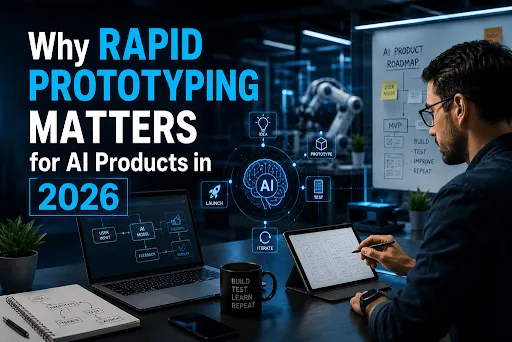
Last year I watched a team burn four months and a serious chunk of budget building an AI feature nobody wanted. The model wasn’t the problem, it worked fine. They just built the entire thing before showing a single screen to a real user. By the time they finally did, the feature they’d assumed people were desperate for turned out to be the one people quietly avoided.
That story isn’t unusual. Right now, it’s closer to the default. RAND’s 2025 analysis pegged the enterprise AI failure rate at 80.3%, twice the rate of ordinary IT projects. MIT’s NANDA study went further: 95% of companies saw zero measurable return from their generative AI work. Not “a small return.” Zero.
Here’s the part that should get your attention. The projects that landed in the surviving ~20% weren’t smarter about models or sitting on better data science teams. They were just faster at finding out they were wrong. That, in one sentence, is the case for Rapid Prototyping in AI, and 2026 is the year it stopped being a nice-to-have.
AI products fail for a different reason than normal software
I used to assume AI failure was a technical thing, bad data, wrong model, too many hallucinations. After shipping a few of these, I don’t buy them anymore.
When you build normal software, you mostly know what “done” looks like. A login screen either works, or it doesn’t. AI products are slippery in a way that catches teams off guard. The model behaves differently on real user inputs than it did on your neat test cases. The demo that wowed everyone in the meeting falls apart the moment it hits messy production data. And the feature that sounded genius in a planning doc feels pointless the second an actual person tries to use it.
That gap, between what you assumed and what’s true, is where AI budgets go to die. Gartner’s April 2026 survey found that among teams whose AI project had failed, 57% blamed expecting too much, too fast. Not the technology. The assumptions.
Rapid prototyping goes straight at this. Instead of guessing for a quarter, you build the smallest possible thing that tests your riskiest assumption, put it in front of real people, and let their reaction, not your product roadmap, decide the next move.
What a prototype looks like in 2026
This is where things have genuinely changed, and it’s why I think the whole AI product development process is different now than it was even 18 months ago.
A custom digital prototype used to cost around $15,000 and take three months of an engineering team’s time. Today a solo builder can go from idea to a deployed, clickable prototype in an afternoon. I’ve even seen complete tools built with AI shipped by one person over a weekend. The tools doing this are a small cluster you’ve probably heard arguing with each other online: Bolt, Lovable, v0, Cursor, Replit.
They are not interchangeable, and picking wrong will cost you a week. Here’s how I think about them:
| Tool | Best for | Speed | Watch out for |
| Bolt | Fast full-stack prototypes and shareable demos | Fastest, ~28 min to a working prototype in benchmarks | Rougher code; harden before real users |
| Lovable | Non-technical founders building a full-stack MVP | Very fast, one-click deploy | Needs a security review before payments or real data |
| v0 (Vercel) | UI/UX polish and clean hand-off to developers | Fast for components | Front-end only, no real backend |
| Cursor | Taking a validated idea toward production | Slower, code-first | Requires actual developer skills |
| Replit | Internal tools that need a real database | Medium | Not where you build the whole startup |
One honest warning before you get too excited. AI-generated code is roughly 2.74× more likely to contain security vulnerabilities than human-written code. A functional prototype from these tools is fantastic for product validation, it is not a production launch. Treat that first build as disposable. Prove the idea, then rebuild the parts that survive with a real software development process behind them.
The loop that works
The tool is the boring part. The loop is where rapid prototyping earns its keep, and it borrows straight from design thinking and the design sprint playbook.
It looks like this. Pick the single riskiest assumption your product depends on, the one that, if it’s wrong, sinks everything. Build a functional or clickable prototype that tests only that. Put it in front of five to eight real users, ideally strangers, and shut up while they use it. Watch where they hesitate, where they misread the UI, where they give up. Then read that customer feedback honestly and decide to iterate, pivot, or kill.
The thing nobody tells you: the goal of prototype testing isn’t to prove you’re right. It’s to be wrong cheaply. My best prototypes are the ones that died fast, because they saved me from building the expensive version of the same mistake. That mindset, iterative design over one big bet, is the difference between the teams that ship and the teams that stall.
And it maps to the data. RAND found the projects that succeeded had one thing in common: they scoped the use case so tightly that drift was nearly impossible. Rapid prototyping is how you force that discipline early, while it’s still cheap to change your mind.
Where teams still get this wrong
I’ve made most of these mistakes myself, so no judgment.
The first is over-polishing the prototype. When your UI design looks finished, people react to the polish instead of the substance, and you learn nothing about whether the actual idea works. Rough is a feature here.
The second is testing with your own team. Your colleagues know too much and want you to win. Their user feedback is basically worthless for validation. You need people who’ll click the wrong thing and tell you it’s confusing.
The third, and most expensive, is falling in love with the prototype and shipping it as the product. This is the “graduate workflow” a lot of experienced builders now follow on purpose: start in Lovable or Bolt to validate fast, then move to Cursor and a proper engineering team to build the version real customers will depend on before product launch.
My honest take
If I were starting an AI product tomorrow, I wouldn’t write a line of production code in week one. I’d spend that week building three scrappy prototypes and getting them in front of real users. The whole point of rapid prototyping is to spend your expensive resources, engineering time, budget, credibility, on the idea that already survived contact with reality.
The 80% that fail are mostly built first and validated never. Don’t be in that group. Build small, test early, and let real people tell you what to build next.
Before you build the full AI product a quick checklist
☐ Have I written down the single riskiest assumption this product depends on?
☐ Can I test that assumption with a prototype instead of a full build?
☐ Have I put a working or clickable prototype in front of at least five real users — not teammates?
☐ Did I define what success looks like before building? (73% of failed AI projects never had an agreed definition of success.)
☐ Am I treating AI-generated prototype code as disposable, not production-ready?
☐ Do I have a plan to harden or rebuild before real customers touch it?
FAQs
What is rapid prototyping in AI product development?
It’s the practice of building the smallest working or clickable version of an AI feature, fast to test a specific assumption with real users before committing to a full build. The aim is learning, not shipping. You’re finding out whether the idea holds up before you spend months and real money on it.
How is a rapid prototype different from an MVP?
An MVP is the smallest thing you’d release to customers. A prototype is a step earlier, often disposable built to answer one question, not to launch. Plenty of teams skip straight to MVP development and end up polishing an unvalidated idea. Prototype first, then let what you learn shape the MVP.
Which prototyping tool should I start with in 2026?
If you’re non-technical and want a full-stack app, start with Lovable. If you want raw speed to a shareable demo, Bolt. If you care most about UI polish and hand-off to developers, v0. If you’re a developer taking a validated idea toward production, Cursor. Most experienced builders use more than one across a single project.
Can I use AI-generated prototype code in production?
Not without a serious review. AI-generated code carries meaningfully more security vulnerabilities, so treat the prototype as proof-of-concept. Once the idea is validated, have engineers harden or rebuild the parts that matter before real users touch it.
How many users do I need for prototype testing?
Fewer than you’d think. Five to eight real users will surface most of the big usability and desirability problems. What matters far more than the number is that they’re actual target users, not teammates who want you to succeed.