Wireless Charging Suddenly Stopped Working? The Little Known Causes
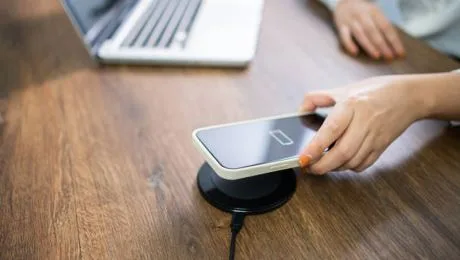
It’s a little slice of magic. That moment you drop your phone on its charging pad, hear that satisfying ding, and see the charging animation light up the screen. No fumbling for cables in the dark, no wrestling with worn-out ports. It just works. It’s the convenience we’ve come to love, a sign that we’re living in the future.
Until, one day, it doesn’t.
You place your phone on the pad. Nothing. You pick it up and set it down again, more carefully. Still nothing. You nudge it, wiggle it, maybe even flip it over in frustration, but the “invisible cable” is broken. Your $1,000 supercomputer is ignoring the charger completely.
The first instinct is to blame the charging pad. But in our experience as repair professionals, we can tell you: it’s usually not the pad. The problem, especially when it happens suddenly, is almost always a “little known” fault inside the phone itself. It can be anything from a simple software crash to a critical, and even dangerous, hardware failure. Before you throw your charger in the trash, you need a proper diagnosis. When simple fixes fail, a professional phone repair San Antonio diagnosis can save you from replacing a perfectly good charger—or save your phone from a problem that’s much worse.
So, what is really going on? Let’s pull back the curtain and explore every reason, from the simple to the serious, why your phone’s wireless charging has gone dark.
Section 1: How Does Wireless Charging Actually Work? (The 1-Minute Science Lesson)
To understand why it breaks, you first have to understand how it works. It’s not magic; it’s a brilliant piece of physics called electromagnetic induction.
Think of it as two musicians, a “sender” and a “receiver,” that have to be perfectly in tune.
- The Charging Pad (Transmitter): Inside your charging pad is a coil of wire. When you plug the pad into the wall, electricity runs through this “transmitter coil,” creating a small, oscillating magnetic field in the area directly above it.
- The Phone (Receiver): Just beneath the back glass of your phone is a second, “receiver coil.” This coil is dormant, just waiting and “listening.”
The “Handshake” When you place your phone on the pad, the receiver coil enters that magnetic field. This “wakes it up.”
- Step 1 (The Ping): The pad is always sending out a low-power “ping.” When your phone’s coil detects it, it sends a tiny signal back that says, “Hi! I’m a Qi-compatible phone, and my battery is at 42%.”
- Step 2 (The Charge): The pad receives this “handshake,” confirms you’re a compatible device, and instantly ramps up the power of the magnetic field.
- Step 3 (The Conversion): This now-powerful magnetic field “induces” a current in your phone’s receiver coil, which the phone’s circuitry converts back into electricity to charge the battery.
It is a beautiful, complex, and delicate dance. A failure at any one of these steps—the ping, the handshake, or the power ramp-up—will cause the entire process to fail.
Section 2: The “Is It Unplugged?” Check (The Obvious Culprits)
Let’s start with the simplest fixes. These account for a surprising number of “broken” chargers.
Cause 1: The Case (The #1 Culprit)
That magnetic field weakens exponentially with distance. We’re talking millimeters. Your phone’s coil needs to be extremely close to the pad’s coil. Your new case might be the problem.
- Too Thick: Is it a super-rugged, “construction-proof” case? That extra 3-4mm of plastic or rubber might be just enough to put the coil out of range.
- Metal Plates: Do you have a metal plate tucked inside your case for a magnetic car mount? This is a wireless charging killer. It completely blocks the magnetic field.
- Card Holders / PopSockets: That wallet case holding your two credit cards and a driver’s license? That’s too thick. That PopSocket, right in the center? It creates a massive air gap, stopping the “handshake” before it can even start.
- The Fix: Take the phone completely out of its case. Place the “naked” phone on the charger. If it works, your case is the problem.
Cause 2: The Alignment (The “Near Miss”)
The coils in your phone and pad are small, often only about the size of a half-dollar. They must be almost perfectly centered.
- The Symptom: You drop your phone on the pad. It might charge for one second, then stop. Or it might flash the charging icon, then give up. This is the “handshake” failing over and over.
- The Fix: Be methodical. Place your phone on the center of the pad. Slowly—very slowly—slide it up, down, left, and right. Give it a few seconds in each new position. Apple “fixed” this with MagSafe, which uses magnets to snap it into perfect alignment every time.
Cause 3: The Power Source (The “Weak Link”)
The pad itself is just one part of the equation. It’s plugged into a USB cable, which is plugged into a power brick.
- The Brick: Are you using the tiny, 5-watt cube that came with an old iPhone? That’s not enough juice. Fast wireless charging pads need a lot of power. They require a “QuickCharge 3.0” or “PD” (Power Delivery) brick, often 18W or higher.
- The Cable: Is it a cheap, thin cable from a gas station? It might be damaged or may not be rated to carry enough power.
- The Fix: Test the entire charging setup. Use the exact cable and power brick that came with your wireless charger. If you lost those, use a high-quality brick (like one from a new iPad or Samsung phone). Also, test your charger with a different Qi-compatible phone to rule out the pad itself.
Section 3: The Little-Known Software Glitches (The “Ghost in the Machine”)
Okay, you’ve tried all the physical fixes. The case is off, the alignment is perfect, and the pad is definitely working. Now we look inside the phone. This is where the real “little known” causes live.
Cause 4: The “Stuck” Charging Service
Your phone’s operating system (iOS or Android) has dozens of little background processes running at all times. One of these is the “charging management service.” It’s the software that handles the “handshake” we talked about. And just like any piece of software, it can crash.
- The Symptom: Your phone is on. It works perfectly. Wired charging works. But wireless charging is 100% dead. The hardware is fine, but the software that’s supposed to listen for the “ping” is frozen.
- The Fix (Simple Restart): Turn your phone completely off and turn it back on. This reboots all those background services and almost always fixes a software-level crash.
- The Fix (Force Restart): If a simple restart doesn’t work, do a “Force Restart.” This is a deeper, hardware-level reboot that clears the phone’s temporary memory.
- iPhone X or newer: Press/release Volume Up, press/release Volume Down, then press and hold the side (power) button until you see the Apple logo.
- Android: Press and hold the Power button and Volume Down button for 10-15 seconds until it reboots.
Cause 5: The “Optimized Charging” Glitch (Especially iPhone)
iOS has a feature called “Optimized Battery Charging” (Settings > Battery > Battery Health). It learns your charging habits and, to protect your battery, it will often stop charging at 80% overnight.
- The Glitch: Sometimes this “smart” feature gets dumb. It can get “stuck,” thinking it’s 3 AM and you’re asleep, and refuse to charge past 80%… even when it’s 1 PM and your battery is at 30%. It can also get confused and refuse to start charging at all.
- The Fix: Go to Settings > Battery > Battery Health & Charging and toggle “Optimized Battery Charging” OFF. Then, force restart your phone. Try the charger again. You can turn the feature back on later.
Cause 6: A Botched OS Update
Did this problem start right after you updated your phone? This is a huge clue. A new OS update (like a move to iOS 18 or Android 15) can sometimes contain buggy “firmware” for the phone’s power management chip. The update essentially told your phone to stop speaking the “handshake” language.
- The Fix: You are, unfortunately, at the mercy of the manufacturer. The only fix is to check for another update. Go to Settings > General > Software Update. Often, Apple or Samsung will rush out a small “patch” (e.g., iOS 18.0.1) a week later to fix these bugs.
Section 4: The Physical Hardware Failures (The “Broken Link in the Chain”)
If software reboots and case-removals don’t work, we have to assume a physical part is broken. This is where things get serious, and these are the problems we diagnose and fix every day.
Cause 7: The Cracked Back Glass (A Deceptive Foe)
This is a fantastic “little known” cause. You dropped your phone. The front is fine. The back has a “small” spiderweb crack in the corner. You put a case on it to cover it up.
- How it Fails:
- Misalignment: That shattered glass is no longer a perfect, flat plane. The receiver coil underneath it might now be warped or shifted by just a millimeter—just enough to break the alignment.
- Internal Debris: A tiny, sharp shard of that broken glass can fall inside the phone and get lodged between the coil and the frame, pushing the coil out of place.
- Moisture: That crack is a gaping hole in your phone’s water resistance. The first thing moisture hits after passing the back glass is… the wireless charging coil. A single drop of water can short it out.
- The Fix: This is a professional repair. The back glass must be replaced, and the coil underneath must be inspected for damage. Acharging repair San Antonio specialist can do this, as the coil is often linked to the entire charging port assembly.
Cause 8: The Disconnected Coil (The “Drop” Damage)
This is the single most common hardware cause. You dropped your phone. It was a hard drop. The glass didn’t break, and the phone seems fine.
- What Happened: Inside your phone, that receiver coil is connected to the logic board (the brain) by a paper-thin flex cable and a tiny, “Lego-like” connector. The sheer G-force of the drop was enough to either tear that thin cable or pop that Lego connector right off its socket.
- The Symptom: Wireless charging is 100% dead. It will never work. But your wired charging (via the port) works perfectly fine. The phone’s brain is now completely blind to the coil’s existence.
- The Fix: A technician must open the phone, inspect the cable, and (if you’re lucky) simply “re-seat” the connector. If the cable is torn, the entire coil/flex assembly must be replaced.
Cause 9: The Swollen Battery (THE DANGEROUS ONE)
This is the most critical and dangerous cause. All lithium-ion batteries fail with age. As they fail, the chemicals inside can release gas, causing the battery to swell up like a pillow.
- How it Fails: The battery sits directly underneath the wireless charging coil. As it swells, it pushes the coil upwards against the back glass.
- This pressure misaligns the coil, causing charging to become spotty or fail.
- This pressure can also crack the coil’s fragile connections.
- This pressure puts the battery itself at risk of being punctured by the coil’s own internal components. A punctured battery = fire.
- The Symptoms: Look for the tell-tale signs.
- Is your phone’s back glass bulging outwards?
- Is your screen lifting away from the frame?
- Does the phone feel “spongy” when you press on it?
- The Fix: STOP. IMMEDIATELY. This is a serious fire hazard. Do not charge the phone (wired or wireless). Do not put it on the pad. Power it off. Bring it to a professional shop today. This is not a “wait and see” problem; it’s an emergency.
Section 5: The “False Positive” – When Charging Is Working, But You Think It’s Not
Cause 10: The 0% Battery Paradox
This “little known” fact confuses thousands of users.
- The Scenario: Your wired charging port is finicky. It’s full of lint or just worn out. You let your phone die completely. The battery is at 0%.
- The Problem: You plug it in with a cable. It doesn’t charge (because the port is bad). You think, “I’ll just use my wireless charger!” You put it on the pad.
- The Result: Nothing happens.
- The Reason: Most wireless chargers do not provide the right kind of “jolt” to wake a phone from a completely dead, 0% battery. The phone’s own internal charging circuitry is off. It needs a direct, wired “jumpstart” to get it from 0% to 1%.
- The Fix: Your wireless charging is probably not broken at all. The real problem is your port. You must find a way to get a wired charge into the phone first. Try a different, high-quality cable. Gently clean the port with a non-metallic tool (like a wooden toothpick). As soon as you can get it to 1% and power it on, your wireless charging will magically start working again.
Conclusion: Stop Guessing, Start Diagnosing
As you can see, a “broken” wireless charger is rarely about the pad. It’s a complex system with a dozen points of failure. It could be a simple, 2-second fix like taking off your case, or a 30-second fix like a force restart.
But it can also be a silent alarm. It can be the first and only symptom of a serious internal problem, like a disconnected component from a hard drop, or the critical warning sign of a dangerously swollen battery.
Don’t just live with it. Don’t gamble with your $1,000 device. Run through the simple fixes. If they don’t work, stop guessing and let a professional diagnose the real problem. We have the tools and experience to safely open the device, identify the fault, and tell you if it’s a simple re-connection or a critical part replacement.
Frequently Asked Questions (FAQs)
Q1: My phone gets really hot on the wireless charger and then stops. Is this related?
A1: Yes. This is a built-in safety feature. Your phone’s internal “thermostat” (thermistor) is detecting dangerous heat levels and shutting down the charge to protect the battery and logic board. This heat is almost always caused by bad alignment or a thick case. The coils are working overtime, creating excess heat to “bridge the gap.” Take the case off and re-align the phone. If it still happens, the coil inside the phone may be damaged.
Q2: Can I replace the wireless charging coil myself?
A2: We strongly advise against it. On most modern phones, the coil is a paper-thin, delicate component that is often taped to the battery and part of a larger, complex flex-cable assembly. To get to it, you must heat and remove the back glass (or the screen), break the phone’s water-resistant seals, and navigate the battery and logic board. It is an advanced repair that can easily result in a much, much more expensive problem.
Q3: My wired charging port is broken. Will wireless charging still work?
A3: Yes, almost always. The wireless charging system is a separate component from the physical USB-C or Lightning port. This is, in fact, the #1 reason people start using wireless charging. The only exception is if the flex cable that the port is on also contains the wireless charging connector… and that cable has been torn. But generally, they are independent.
Q4: Will a factory reset fix my wireless charging?
A4: It is extremely unlikely, and it is a massive, destructive last resort. If a simple restart and a force restart (which clears the cache) didn’t fix the problem, it’s 99% certain to be a hardware issue. A factory reset will just erase all your photos, apps, and data for no reason. Please do not try this unless instructed by a professional.
Disclaimer
The information provided in this article is for informational and educational purposes only. The diagnostic steps, troubleshooting advice, and potential causes described are based on common issues seen by repair professionals.
This content is not a substitute for a professional diagnosis by a qualified technician. Attempting to open your device, test components, or perform any repair yourself based on this information is done entirely at your own risk. You risk causing irreversible damage to your phone’s screen, logic board, or battery.
Handling damaged electronics, especially components like swollen lithium-ion batteries, can be extremely dangerous and may lead to fire or personal injury. We assume no liability for any damage to your device, loss of data, or any personal injury that may occur as a result of following any information provided in this post.