World Photography Day: How to Recover Photos When Your Camera SD Card Suddenly Stops Working
Introduction: Protect Your Precious Moments on World Photography Day
World Photography Day, celebrated every August 19, honors photography and the moments cameras preserve. This year’s optional theme, “HOME,” highlights photography’s power to capture what matters most. But those memories are only safe if your SD card functions.
Memory cards can fail without warning, leaving photographers with a blank drive or the dreaded “You need to format the disk” message. This guide explains why camera SD cards stop being recognized, what to do, and what to avoid to protect your photos. You’ll also learn how to recover them before they’re permanently lost.
Key Takeaways
- Don’t format an unreadable SD card immediately, as your photos may still be recoverable.
- Check the card reader, USB port, computer, and camera before assuming the card has failed.
- Stop writing new data to the card to avoid overwriting lost photos.
- Use dedicated recovery software, like 4DDiG Data Recovery for Windows and Mac users, to recover photos, videos, and other files.
- Prevent future data loss with regular backups, reliable SD cards, safe ejection, and spare cards.
Part 1: Why Is Your Camera SD Card Suddenly Not Recognized?
An SD card that was functioning fine in your camera an hour ago and then goes unreadable on your computer isn’t usually a mystery. It’s almost always one of a handful of causes for an SD card not detected by your computer:
- SD card file system errors: A corrupted or unreadable file table can cause a card to suddenly request formatting. The photos may still be on the card. But the computer just can’t find them.
- Damaged card structure: Bad sectors, partition table corruption, or an interrupted write, such as a camera battery dying mid-save, can leave the card in a half-broken state.
- Faulty card reader or USB connection: Sometimes the card is fine, but the reader, cable, or USB port is the problem.
- Improper removal: Pulling a card out mid-write or skipping “safely remove” can corrupt the file system, even if the card itself is healthy.
- Physical damage or aging: Heat, moisture, and hundreds of shoot-and-format cycles can wear cards down. Flash memory has a finite number of write cycles, making older cards more prone to sudden failure.
Whatever the cause, the most important thing is what you do next: do not format the SD card immediately. The “SD card needs to be formatted” message usually means your computer can’t read the file system, not that your photos are gone. Formatting can overwrite the data you’re trying to recover, so treat the pop-up as a warning, not an instruction.
Part 2: How to Handle an Unreadable Camera SD Card Safely
Before reaching for any recovery software, run through a few basic checks if your memory card is unreadable. Sometimes the fix really is that simple:
- Try a different card reader or computer: Use another reader, USB port, or machine before assuming the card has failed.
- Check the camera: If it can still browse and play photos, the card is at least partially functional.
- Stop writing to the card: Don’t shoot more photos, move files onto it, or run repair tools that make changes. New writes can overwrite your photos.
- Don’t format the card: Even “just to see” can turn a recoverable problem into permanent data loss.
If basic troubleshooting doesn’t recover deleted photos from SD card and the card appears corrupted, unallocated, or undetected, employ dedicated SD card data recovery software. This is especially important for recovering deleted, corrupted, or previously formatted photos.
Part 3: Recover Lost Camera Photos with 4DDiG Data Recovery
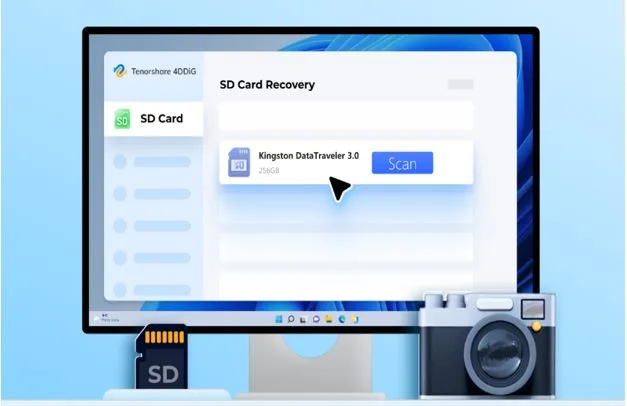
On World Photography Day, for photographers who can’t afford to lose a day’s shoot, 4DDiG Data Recovery is designed for situations like this. It can scan storage media, including SD cards, at a low level, looking past a damaged file system to recover raw photo and video data.
The tool can retrieve data successfully regardless of an unrecognized or corrupted SD card. Before you format your card and permanently lose data, it’s best to run 4DDiG, as your photos or videos may still be retrievable. A few features make it a strong fit for camera SD card recovery:
- Built for memory card recovery: Supports SD, microSD, CF, and cards that appear blank, RAW, or “needs to be formatted.”
- Scans formatted or unreadable cards: Even recover formatted SD cards or unreadable ones, if the files haven’t been overwritten.
- Supports major camera formats. Supports photos and video formats from Canon, Nikon, Sony, GoPro, Fujifilm, Panasonic, and more.
- Recovers more than photos. It can recover 2000+ file types, including RAW images, videos, and audio, from different data loss scenarios.
- Free Preview: You can pause or stop the scan at any time to view recovered files.
- Cross-Platform Compatibility: For Windows, use 4DDiG Windows Data Recovery. Mac-based photographers can use 4DDiG Mac Data Recovery.
Step-By-Step Guide to Use 4DDiG:
Here’s how to recover deleted photos from SD card with 4DDiG:
Step 1: Connect the SD Card:
Connect the corrupted SD card to your computer, ideally through a dedicated card reader rather than the camera’s USB cable.
Step 2: Launch 4DDiG:
On the same computer, execute 4DDiG and select the SD card from the list of detected drives.
Step 3: Scan the Card:
Choose “Photo” and “Video” as the file types to scan if you only wish to retrieve these file types. Then, pause or stop the scan once they’re recovered.
Step 4: Preview the Results:
Preview the photos and videos before deciding what to restore. You can also filter results, and use keywords to find the exact matches.
Step 5: Recover the Files:
Select the pictures or videos you want back and hit “Recover.” Save them to a different drive or cloud.
Part 4: Tips to Protect Your Photos After Recovery
Getting your photos back once is a relief. Not needing to do it again is better. Here are some tips to keep your photos safe after recovery:
- Back Up Regularly: Back up important photos to more than one place, ideally an external drive and a cloud service.
- Use Dependable SD Cards: Choose trusted brands. Cheap, unbranded cards are more prone to errors and failure.
- Eject Cards Safely: Always wait for transfers to finish and safely eject the card before removing it.
- Carry Spare Cards: Bring extra memory cards on important trips or shoots so one failure doesn’t cost you an entire shoot.
FAQs
Q1: Why is my camera SD card not recognized by my computer?
It may happen because of file system errors, card reader issues, damaged partitions, or SD card corruption. In most cases, the photos are still on the card. But the computer just can’t read the index pointing to them.
Q2: Should I format my SD card when my camera’s memory card asks to format?
No. Formatting can remove the file structure, making photo recovery more difficult. Try recovery methods first, and only format once you’ve confirmed your photos are safely recovered elsewhere.
Q3: Can I recover formatted SD card photos from my camera?
Yes, you can recover data from a formatted SD card in most cases. If new data hasn’t been overwritten, SD card recovery software like 4DDiG can help restore lost photos, since a standard format doesn’t immediately erase the underlying data.
Q4: Does 4DDiG support camera SD card recovery?
Yes. 4DDiG supports SD card recovery and is compatible with memory cards from brands like Canon, Nikon, Sony, and Go Pro, as well as other formats like CF cards and USB drives.
Q5: How can I prevent losing photos from my camera SD card?
Regular backups and safe card handling, including proper ejection and not shooting on a nearly full or aging card. Using high-quality memory cards can also reduce the risk of photo loss.
Conclusion
World Photography Day is about preserving memories, not losing them to a storage problem. If your camera’s SD card suddenly goes unreadable, the instinct to format it and move on is understandable. But it’s also the fastest way to turn a fixable problem into a permanent loss.
Stay calm, stop writing new data to the card, and try safe recovery methods first. Tools like 4DDiG Data Recovery are built for exactly this kind of scare, giving you a real shot at getting your photos back before you resort to formatting.