7 Best AI Coloring Page Generators in 2026: A Practical Guide for Parents and Teachers
Printable coloring pages used to mean an hour of searching for a dinosaur that was the right size, or a worksheet that matched this week’s lesson. AI tools have changed that. A parent can now type “a hedgehog baking cookies” or upload a photo of the family dog and have a page ready for the printer a minute later.
The catch is that these tools are not equal. Some are built only for coloring pages and handle print sizes, line thickness and whole books. Others are general image generators that can make line art if asked the right way. We looked at seven options and noted what each does well, where it falls short and what it costs as of October 2026.
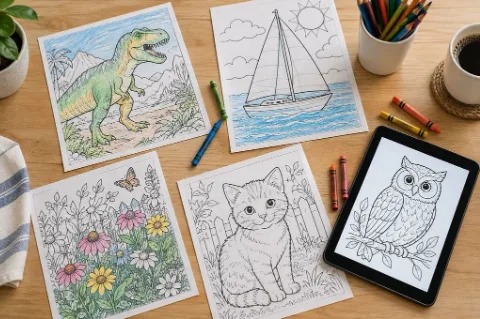
Most of these tools aim at the same result: a clean page you can print at home or in the classroom. (Illustration)
What matters in a coloring page generator
A good page for a young child has bold, closed outlines and large shapes. Older kids and adults usually want finer detail. So the first thing to check is whether a tool lets you set difficulty or line weight, or whether you have to fight the prompt to get it.
After that, the practical questions decide most choices. Can you try it without creating an account? Can it act as a photo to coloring page converter, turning a snapshot into line art? Does it output a print-ready PDF in Letter or A4? Can it build a full book instead of one page at a time? And if you plan to sell pages on Etsy or Amazon KDP, does the free or cheapest plan allow commercial use?
It also pays to print one test page before committing to a tool. Thin lines that look fine on a screen can fade on a home inkjet, and a scene that looks charming at full size may be too crowded for a five-year-old. Pricing below comes from each company’s own website and may change.
1. MyColoring.ai
Best for: parents and teachers who want printable pages, whole coloring books and ways to color with others.
Of the tools we looked at, MyColoring.ai is the one most focused on printable pages for homes and classrooms. It is a dedicated AI coloring page generator that starts from three kinds of input: a text description, an uploaded photo or a child’s name. You pick a difficulty level (Simple, Medium or Complex), and pages download as PNG or PDF with no watermark. A visitor can make a first page without signing up.
Its biggest difference from general image tools is the AI coloring book generator. You describe one idea, such as a dog’s first day at school, and it plans and draws a set of pages around it with the same main character. Batch generation handles up to 50 pages at once, useful for one name page per student, and there is an online coloring mode for kids who prefer a screen.
MyColoring.ai’s text-to-coloring screen. Photo upload sits on the tab next to it.
Example page: the kind of bold-outline result a short prompt such as “a hedgehog baking cookies” is meant to produce. (Sample illustration)
Pros: built only for coloring pages; text, photo and name modes; book and batch tools; live group coloring and a coloring challenge; frequent updates; no watermark on free downloads.
Cons: generation runs on credits, and the free allowance goes quickly at 4K resolution. Coloring books and batch generation require signing in. Busy scenes with several characters sometimes need a second try to get clean outlines. The free plan is for personal, non-commercial use only.
Price: free to try with 4 credits and no sign-up, 10 bonus credits on registration and up to 18 free credits a week from a daily check-in. Paid plans start at $9.99 a month for 200 credits and include commercial use.
It is also the only tool in this list built for coloring with other people. Color Together, added in October, opens a live room where friends or grandparents color the same page from their own phone, tablet or computer, with no account needed to join. Rooms are free for two people and hold up to eight on a paid plan. A newer coloring challenge has friends color the same page separately, then reveals the results side by side with a similarity score. The site’s public changelog lists 34 updates since February 2026. Color Together: two people fill the same page in real time, and invited guests do not need an account.
The coloring challenge hides each person’s page until both are done, then shows a similarity score.
2. ColorBliss
Best for: hobbyists and small sellers who want a polished, single-purpose tool.
ColorBliss turns a text prompt, a photo or a sketch into printable line art. It adds word and name lettering, supports consistent characters for a series, and lets you arrange pages into a folder and order a printed coloring book.
ColorBliss offers a free demo on its home page.
Pros: focused interface; sketch conversion; printed books.
Cons: the public photo demo allows one submission per IP address every 24 hours. Drawing conversion starts at the Hobby plan, and commercial rights and bulk generation at Artist, $35 a month.
Price: free to try without a credit card. Paid plans run from $9 a month (Starter, 250 credits) to $99 a month, with lower rates on annual billing.
3. iColoring
Best for: families who want many small tools in one place.
iColoring covers text and photo generation, a bulk generator, a coloring book generator, an AI colorizer and a free page library, plus name, letter and worksheet tools that suit early learning.
iColoring shows a free credit balance to visitors who have not signed up.
Pros: no sign-up needed to try; wide range of extra tools; no watermarks.
Cons: the free allowance is small; visitors we saw had 6 credits that reset each month. The long tool menu takes getting used to, and commercial use starts at the Artist plan.
Price: paid plans start at $9.99 a month, or $7.99 a month billed yearly, for 300 credits.
4. Canva
Best for: teachers who already make worksheets and newsletters in Canva.
Canva’s coloring page generator is built around photos. You upload a picture, choose an art style and aspect ratio, and Canva redraws it as line art. The real strength comes next: add a title, page numbers and a cover in the editor and export a print-ready book as a PDF.
Canva’s coloring page tool starts with an uploaded image.
Pros: easy book layout; familiar to many schools; automated safety checks on prompts.
Cons: results depend on the photo; Canva notes that clear images with one subject work best. Starting from an idea means using Canva’s general image tools. You need an account, and Brand Kit is a Pro feature.
Price: Canva says the coloring page generator is free to use. Pro features cost extra.
5. Adobe Express and Adobe Firefly
Best for: Adobe users and creators who care about licensing.
Adobe Express generates coloring templates from a text prompt and has a coloring mode that keeps on-screen painting inside the lines. Firefly, Adobe’s image generator, adds control over line complexity and can follow a reference image. Adobe says Firefly models are trained on licensed and public domain content.
Adobe Express asks for a short description and generates a coloring template.
Pros: clear licensing; digital coloring mode; easy layouts and PDFs in Express.
Cons: two overlapping products can be confusing. You need an Adobe account, and the Express page points you to the desktop version. Books are assembled by hand.
Price: Adobe Express has a free plan. Check Adobe’s plans page for current limits on AI generations.
6. ChatGPT
Best for: one-off, very specific pages.
ChatGPT can produce coloring pages if you ask clearly, for example “a printable black and white coloring page, thick outlines, no shading.” Its advantage is conversation: ask it to simplify the background or thicken the lines and it revises the image. Logged-in users can also upload a photo and ask for a line drawing.
In ChatGPT, the prompt does the work. You need to sign in before it will create images.
Pros: follows detailed requests; easy to revise; handles unusual subjects.
Cons: not designed for printing. You must ask for line art every time, and results can include gray shading or detail too fine for young kids. No book layout or batch tool.
Price: free plan with limited image creation. Paid Go, Plus and Pro plans raise the limits, and prices vary by country.
7. NightCafe
Best for: adults who enjoy experimenting with different AI models.
NightCafe is an AI art generator and community with dozens of image models. We found no coloring page mode, so you write a line-art prompt yourself.
NightCafe is a general AI art tool, not a coloring page specialist.
Pros: free daily credits; many models to compare.
Cons: no print or coloring-specific settings. It is an art community for adult creators, so it suits a parent or teacher better than a child.
Price: free daily credits. PRO plans add more credits and models.
Quick comparison
| Tool | Best for | Free to use | Coloring book feature | Photo to line art | Color with friends live |
| MyColoring.ai | Printable pages, full books, group coloring | Yes, credits | Yes, AI-planned | Yes | Yes, live rooms plus a coloring challenge |
| ColorBliss | Hobbyists, small sellers | Free trial | Yes, with print orders | Yes | No |
| iColoring | Many tools in one place | Yes, small monthly credits | Yes | Yes | No |
| Canva | Teachers already using Canva | Yes | Manual layout | Yes | Shared design editing only |
| Adobe Express / Firefly | Adobe users, licensing | Free plan | Manual layout | Reference image | No |
| ChatGPT | One-off custom pages | Limited | No | Yes, via upload | No |
| NightCafe | Experimenting with models | Daily credits | No | No dedicated mode | Group chat rooms, no coloring |
How we tested
In October 2026 we visited each tool as a new, signed-out user on a desktop browser. We checked what can be done before creating an account, read each company’s feature and pricing pages, and entered the same request (a fox reading a book under a tree) on entry screens that accept one. We did not buy any paid plan; prices and allowances are as published at the time. Crayola’s free coloring page library was left out because it offers ready-made pages rather than AI generation.
For a quick page at home, any dedicated tool will do. For full books, a page per student or group coloring, try the free tier of two or three before paying.