7 Tips for Creating a Professional Business Website
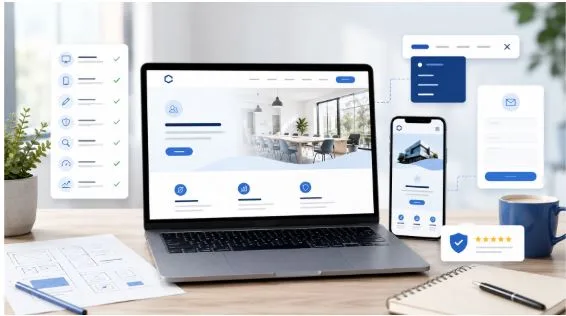
A professional business website is more than an online brochure. It is often the first place potential customers visit to learn about a company, compare services, and decide whether the business appears trustworthy.
For small business owners, startups, and freelancers, creating a website may initially feel complicated. However, a business website does not need advanced features or an expensive design to be effective. It simply needs to be clear, useful, easy to navigate, and suitable for the people it is intended to serve.
The following tips can help you create a professional website that supports your business goals and provides visitors with a positive experience.
1. Define the Main Purpose of Your Website
Before choosing a design or writing content, decide what you want the website to achieve.
Some businesses need a website mainly to explain their services. Others want customers to request quotations, book appointments, purchase products, or visit a physical location. A freelancer may want to display a portfolio, while a startup may need to explain a new product or business idea.
Having a clear purpose makes every other decision easier. It helps you decide which pages are necessary, what information should appear on the homepage, and which actions visitors should be encouraged to take.
Try to focus on one main goal. For example, your primary goal may be to generate enquiries. In that case, your contact details, enquiry form, and service information should be easy to find.
2. Choose a Simple and Professional Design
A professional website does not need to be filled with animations, bright colours, or complex layouts. In many cases, a simple design creates a stronger impression because visitors can quickly understand the information.
Use a consistent colour scheme that matches your business identity. Choose readable fonts and leave enough space between sections. Avoid adding too many design elements that could distract visitors from your message.
Your homepage should clearly show:
- What your business offers
- Who your services are for
- Why customers should consider your business
- How visitors can contact you or take the next step
People often decide within a few seconds whether they want to continue exploring a website. A clean layout and a clear message can encourage them to stay longer.
3. Make the Website Easy to Navigate
Visitors should not have to search through multiple pages to find basic information.
A simple navigation menu usually works best for a small business website. Common pages include Home, About, Services, Contact, and Frequently Asked Questions. Businesses that regularly share advice or company updates may also include a blog.
Use clear page names rather than creative labels that may confuse visitors. For example, “Our Services” is usually easier to understand than a vague title such as “What We Create.”
Important information should be available within a few clicks. Contact details, service descriptions, opening hours, and location information should be particularly easy to access.
You can explore options such as gratis-hjemmeside.com when researching ways to get started with a straightforward business website.
4. Write Clear and Helpful Content
Website content should be written for customers, not only for search engines.
Avoid complicated language, long sentences, and industry terms that your audience may not understand. Explain your services in a direct and helpful way. Visitors should quickly understand what you offer and how your business can solve their problem.
Instead of writing general statements such as “We provide high-quality solutions,” explain what makes your service useful. Include practical details, such as the type of customers you serve, the areas you cover, your process, and what customers can expect.
Each page should have a clear heading and short paragraphs. Breaking the content into smaller sections makes it easier to read, especially on mobile devices.
Your content should also answer common customer questions. Useful information builds confidence and may reduce the number of basic enquiries your business receives.
5. Ensure the Website Works Well on Mobile Devices
Many customers will visit your website using a smartphone. A website that looks good on a computer but performs poorly on mobile devices can create a negative impression.
A mobile-friendly website should automatically adjust to different screen sizes. Text should remain readable, buttons should be easy to tap, and visitors should not need to zoom in to view the content.
Test your website on several devices before publishing it. Check whether the menu opens correctly, forms are easy to complete, and images load properly.
Mobile performance is especially important for local businesses. Customers may search for services while travelling, compare nearby companies, or look for contact details when they are ready to call.
6. Include Trust-Building Information
Visitors may be unfamiliar with your business, so your website should give them reasons to trust you.
An About page can introduce your experience, business background, values, and approach to customer service. Real customer testimonials can also help, provided they are genuine and specific.
Other trust-building elements may include:
- Professional contact information
- A business address or service area
- Customer reviews
- Examples of completed work
- Relevant qualifications or certifications
- Clear privacy and payment information
- Links to active social media profiles
Avoid making claims that cannot be supported. Honest and realistic information usually creates more trust than exaggerated promises.
Make sure your website is secure, particularly if visitors are submitting personal information through a contact form or making payments online.
7. Keep the Website Updated
A professional website is not something that should be created and then ignored.
Review your website regularly to ensure that the information is still accurate. Update prices, opening hours, contact details, service areas, and team information whenever changes occur.
Check for broken links, outdated images, and pages that no longer provide useful information. You should also test contact forms occasionally to make sure enquiries are being delivered correctly.
Adding fresh content can improve the usefulness of the website. For example, you might publish answers to common questions, industry advice, case studies, or updates about new services.
However, do not add content simply to make the website appear active. Every new page or article should provide genuine value to potential customers.
Building a Website That Supports Your Business
A successful business website does not need to be complicated. It needs to communicate clearly, work smoothly, and make it easy for visitors to take action.
Start by identifying the main purpose of the website. Use a simple design, organise the pages clearly, and write content that answers customer questions. Make sure the website works on mobile devices and includes enough information to build trust.
Most importantly, think about the website from the visitor’s perspective. Consider what information they need, what concerns they may have, and what action they are likely to take next.
A website that is useful, professional, and regularly maintained can become an important part of your business. It can help customers discover your services, understand your value, and contact you with greater confidence.