AIVector: A Practical Guide to Creating High-Quality AI Vector Graphics
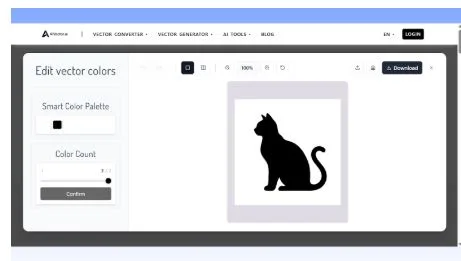
The growing demand for scalable, resolution-independent graphics has made AI-powered vector generation a practical necessity for designers, marketers, and product teams. This article provides a systematic review of how the AI Vector workflow supports this shift and how different users can adopt it to improve efficiency and design output without additional software overhead.
The Rise of Vector-Driven Design Workflows
Why Vector Formats Matter in Daily Design
Vector graphics maintain crisp edges and consistent quality regardless of scale. Teams relying on logos, UI icons, app assets or marketing illustrations often struggle with pixel-based formats that blur too easily. By integrating AI-generated vectors into their workflow, they reduce manual resizing time and avoid quality loss common in bitmap conversions.
How AI Automation Improves Accuracy
Traditional vectorization tools frequently require manual path cleaning, anchor adjustments, and color correction. AI automation eliminates much of this repetitive work by analyzing shapes, detecting structural outlines, and creating clean SVG outputs that are production-ready. This consistency benefits creators working across multiple design environments.
AIVector as a Unified Creation Tool
Text-Driven Vector Generation
A significant advantage of AIVector is its ability to interpret written inputs and convert them into defined visual shapes. When users encounter complex illustration requirements, they can rely on structured language instead of manual drawing. Within this context, the text-to-vector feature plays an essential role by translating descriptive instructions into precise SVG assets. Teams accustomed to polishing long sentences before prompt submission may also find Sentence Rewriter helpful when refining their wording strategy.
Converting Bitmap Sources Into Vector Graphics
Many creators start from existing raster files such as screenshots, old logo drafts or low-resolution sketches. AIVector’s bitmap-to-vector conversion offers an efficient way to preserve structure while removing pixelation. The output maintains the intended proportions and provides clean edges that do not require additional smoothing. This significantly reduces the time required to prepare assets for responsive UI or print formats.
HTML-to-Vector for Web-Based Workflows
Web developers often work with SVG icons or interface elements embedded in HTML structures. AIVector makes this process much simpler by analyzing DOM elements and translating their forms into reusable vector layers. This ensures uniform styling across applications and avoids the inconsistency that occurs when assets are exported manually from multiple sources.
Integrating AI Vector Into Design Pipelines
Simplifying Branding and Logo Production
Startups and small teams frequently need quick, adaptable logo concepts without hiring a full design agency. AIVector’s text-prompt-driven generation provides clean geometric outcomes that scale to any format. The SVG output can be directly edited in Illustrator or Figma for color, stroke, or layering adjustments, making it suitable for early-stage branding and product experiments.
Improving UI and Product Asset Development
Interface icons, badges and micro-illustrations require consistent visual language across platforms. AIVector enables teams to quickly generate sets of assets that share proportions and style rules. Designers can iterate on variations through prompt refinement or vector editing tools while maintaining a unified system of strokes, curves, and fills. This is especially useful for mobile or desktop applications requiring crisp display on high-density screens.
Empowering Non-Designers Through Automation
Not every team member has drawing skills or access to professional design tools. AIVector allows marketers, founders, and content creators to generate visually coherent graphics without technical expertise. This democratization supports faster campaign execution and reduces dependence on specialized design cycles, especially when deadlines are tight or resources are limited.
Best Practices for Effective Results
Writing Clear Descriptions for Targeted Output
The quality of the prompt directly influences the structure of the generated vector. When describing shapes or layout expectations, users should define style, geometry and intended use. Concise descriptions generally produce clean visuals, whereas overly abstract phrasing may introduce unnecessary details. Iteration is straightforward, and adjustments can be guided by real project requirements.
Optimizing Outputs for Different Environments
Although AIVector outputs clean SVG files, designers should still verify fill rules, stroke weights and color profiles depending on where the asset will be deployed. Web environments may require simplified paths or reduced node counts for performance, while print materials may need color adjustments or expanded strokes. Fortunately, AI-generated vectors adapt well to these modifications.
Establishing a Reusable Vector Library
Teams handling recurring design tasks benefit from building a centralized SVG repository. Assets generated through AIVector can be organized by category, style, or component type to accelerate future production. This also ensures visual consistency across campaigns, landing pages and product interfaces as the library expands over time.
Conclusion
AIVector demonstrates how AI-powered vector generation can streamline modern design workflows by reducing repetitive editing, improving scalability, and enabling more people to contribute visually. By combining text-driven creation, bitmap conversion, and HTML extraction, it supports both professional designers and non-designers seeking efficient graphic production. As organizations adopt more flexible content pipelines, tools like AIVector offer practical, repeatable methods for producing clean, scalable vector assets without specialized expertise.