How an AI YouTube Video Analyzer Helps You Watch Less and Learn More
YouTube has become one of the easiest places to learn almost anything. You can find videos on business, fitness, history, coding, cooking, marketing, product reviews, study topics, software tutorials, and almost every niche you can think of.
That sounds helpful, and it is. But there is one problem.
There is too much video content. A simple search can show dozens of videos that look useful. Some are 8 minutes long. Some are 45 minutes. Some are over 2 hours. The title may look helpful, but you do not always know what the video actually covers until you start watching.
That is how people lose time. You click one video, then another, then another. Before you know it, 40 minutes are gone, and you still do not have the answer you needed.
An AI YouTube video analyzer helps solve this problem. It gives you a clearer view of what is inside a video before you spend your time on it. Instead of watching more, you can watch better.
The Problem With Watching Too Much
Most people do not waste time on YouTube because they want to. They waste time because videos are hard to judge from the outside. A video can have:
- A strong title
- A polished thumbnail
- A confident creator
- A long description
- Tons of views
- Many positive comments
But that does not always mean the video is useful for you.
Sometimes a video takes too long to reach the main point. Sometimes the title promises more than the video delivers. Sometimes the useful part is buried 30 minutes in. Sometimes the video is entertaining but not helpful. This is a big issue for:
- Students reviewing study videos
- Professionals watching tutorials
- Marketers checking competitor content
- Creators researching video formats
- Viewers are trying to avoid clickbait
- Teams reviewing webinars or product demos
- Researchers scanning interviews and podcasts
The real challenge is not finding videos. The challenge is knowing which ones deserve your time.
What an AI YouTube Video Analyzer Does
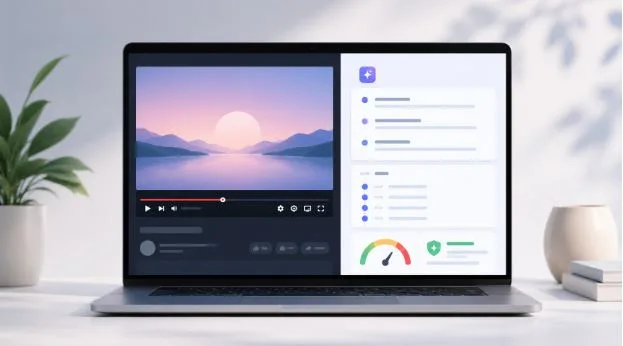
An AI YouTube video analyzer looks at a video and breaks it down into useful information. Instead of relying only on the title or thumbnail, it reviews the actual content and gives you a clearer summary. A good analyzer can help you see:
- What the video is about
- The main points covered
- Important timestamps
- Key takeaways
- Possible clickbait signals
- The quality of the title compared to the content
- Sections worth watching
- Parts you can skip
- Questions answered in the video
This gives you a faster way to understand the value of a video. You are no longer guessing. You can check the summary first, then decide if you want to watch the full video.
Watch Less Does Not Mean Learn Less
Some people hear “watch less” and think it means taking shortcuts. That is not the goal. The goal is to stop wasting time on videos that do not help.
Watching less can actually help you learn more when you are more selective. Instead of spending 60 minutes on a weak video, you can spend 10 minutes checking the summary and then move to a better source.
This is useful because learning is not about how many hours you watch. It is about how much useful information you understand and remember. AI helps by removing some of the noise. For example, a 45-minute tutorial may include:
- 5 minutes of intro
- 10 minutes of background
- 20 minutes of real teaching
- 5 minutes of repeated points
- 5 minutes of promotion
If the analyzer shows you the useful parts, you can focus on the 20 minutes that matter most.
How It Helps You Avoid Clickbait
Clickbait is one of the biggest reasons people waste time on YouTube. A title may promise something huge, but the video may not deliver. A thumbnail may create fear, shock, or curiosity, but the content may be thin. Some videos are not fully fake, but they stretch the truth to get more clicks.
Common clickbait examples include:
- “This One Trick Will Change Your Life Overnight”
- “Experts Don’t Want You to Know This”
- “I Tried This for 7 Days and the Results Were Insane”
- “This AI Tool Will Replace Everyone”
- “You’ve Been Doing This Wrong Your Whole Life”
These titles work because they create curiosity. But curiosity does not always lead to value. An AI YouTube video analyzer can compare the promise of the title with the content of the video. If the video does not match the title, that is a signal to be careful.
This is where a tool like IsThisClickbait AI YouTube Video Analyzer fits naturally. It helps users review summaries, key points, clickbait signals, and watch value before spending time on a video. That branded term can also work well as an internal link anchor.
It Helps Students Study Smarter
Students often use YouTube to study. They watch lectures, tutorials, subject explainers, exam reviews, and full course videos. The problem is that study videos can be long and uneven. One video may explain the topic clearly. Another may waste 20 minutes before reaching the important part. An AI analyzer helps students:
- Preview the lesson before watching
- Turn long videos into short notes
- Find the section that explains a hard topic
- Review key points before exams
- Compare multiple videos quickly
- Avoid videos that do not match the topic
For students, this means less time guessing and more time learning. A student preparing for an exam can analyze three videos, read the summaries, and pick the one that covers the topic best. That is much faster than watching all three from start to finish.
It Helps Professionals Save Work Time
Professionals also rely on YouTube for learning and research. They may watch:
- Software tutorials
- Product demos
- Industry updates
- Marketing breakdowns
- Conference talks
- Business interviews
- Training videos
- Long webinars
The issue is that professional videos can be slow. A webinar may be 90 minutes long, but only 15 minutes may be useful. A product demo may spend too much time on sales talk before showing the feature. An AI video analysis tool helps professionals review content faster.
They can check the summary, scan timestamps, and decide if the video is worth watching fully. This is especially helpful for people who need quick answers during a workday. Instead of adding another long video to a “watch later” list, they can know right away if the video is useful.
It Helps Creators Learn From Videos Faster
Creators often study other videos to improve their own content. They look at titles, hooks, structure, pacing, and talking points.
But watching competitor videos one by one can take a lot of time. An AI YouTube video analyzer helps creators understand video structure faster. Creators can use it to review:
- The main hook
- The title promise
- The key points
- The order of ideas
- Repeated sections
- Possible weak spots
- Clickbait signals
- Content gaps can be covered better
This is useful for planning new videos. A creator can see what a video covers, what it misses, and how they can make their own version more useful. It also helps creators avoid misleading titles. A strong title should create interest, but it should still match the content.
It Helps Teams Review Videos Without Wasting Hours
Teams often share videos for work. A marketing team may review competitor videos. A sales team may watch product demos. A training team may share educational content. A founder may send a long interview to the team and ask for thoughts.
The problem is that not everyone has time to watch full videos. An AI analyzer can turn videos into quick summaries and key points. This makes it easier for teams to decide what needs attention.
Teams can use AI summaries to:
- Create short internal notes
- Pull out useful timestamps
- Share key takeaways
- Decide if a video should be watched fully
- Compare competitor content faster
- Save time in meetings
- Keep everyone aligned
This is helpful because teams do not just need more content. They need useful information they can act on.
A Simple Way to Use an AI YouTube Video Analyzer
You do not need a complicated process. A simple routine works best. Here is an easy way to use it:
- Find a YouTube video you are considering
- Run it through an AI video analyzer
- Read the summary first
- Check the key points
- Look at any clickbait signals
- Scan the timestamps
- Decide if you should watch, save, or skip
- Watch only the parts that matter most
This approach makes your video watching more intentional. You are not clicking blindly. You are checking the value first.
What to Look for Before Watching a Video
Before you spend time on a video, check a few basic things. Ask yourself:
- Does the video answer the question in the title?
- Are the key points clear?
- Is the intro too long?
- Does the creator support their claims?
- Are there useful examples?
- Is the video too basic or too advanced?
- Does the summary match what I need?
- Is there a clear reason to watch the full video?
If the answer is no, you may not need to watch it. This does not mean the video is bad. It may simply not be the right video for your goal.
AI Makes YouTube More Useful
YouTube is not going away. In fact, it is becoming more important for learning, research, entertainment, and business. But the way people use YouTube needs to get smarter.
Scrolling, guessing, and clicking based on thumbnails can waste a lot of time. AI video analysis gives people a better way to filter content. It helps you:
- Understand videos faster
- Spot weak or misleading content
- Save time on long videos
- Focus on the useful sections
- Learn from better sources
- Avoid endless watching
- Make better decisions before clicking
That is the real value. AI does not stop you from watching videos. It helps you choose better ones.
AI Is a Filter, Not a Replacement for Judgment
AI tools are helpful, but they are not perfect.
A summary may miss a small detail. A clickbait signal may not understand the full context. A dramatic title may still lead to a useful video. A simple video may still be helpful for beginners. That is why AI should be used as a filter.
It gives you a quick view. You still decide what to do next. For casual videos, the summary may be enough. For important topics, you may still need to watch the full video, check other sources, or take notes. The best use of AI is simple: let it save you time on the first check, then use your own judgment from there.
Final Thoughts
YouTube has useful content, but it also has a lot of noise. If you watch every video from start to finish, you can lose hours without getting the answer you need.
An AI YouTube video analyzer helps you avoid that. It shows what a video covers, pulls out the key points, checks for clickbait signals, and helps you decide if the video is worth your time.
For students, it makes studying faster. For professionals, it makes research easier. For creators, it helps with content planning. For teams, it makes video review more practical. For everyday viewers, it helps avoid low-value videos. The goal is not to stop watching YouTube.
The goal is to watch less of the wrong content and learn more from the right content.