How to Build a Pro-Style FPS Setup on a Student Budget
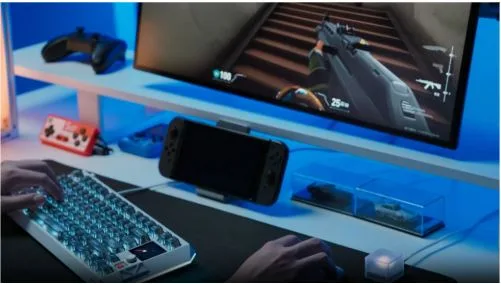
Pro players make their gear look expensive. Watch any VCT 2026 stream and the desks scream money. But the hardware that wins rounds is a short list. Most of the price tag is paint, not performance.
You do not need a $300 hall effect keyboard or a flagship mouse to compete. A smart magnetic switch keyboard, a light mouse, and a fast monitor cover the basics. This guide shows where to spend, where to save, and what to ignore.
Spend on what wins rounds
Your budget should follow your hands. Put cash where the game is decided: aim, reaction, and what you see. Everything else can wait. Rank your spending before you open a store page.
- Mouse, for raw aim.
- Keyboard, for movement and reaction.
- Monitor refresh rate, to see enemies first.
- Mousepad, for steady glide.
The mouse carries your aim
Weight and shape matter more than DPI. A light mouse, under 70 grams, helps you flick without drag. You do not need the newest model. Last year’s flagship sensors track fine and cost half as much.
The board pros trust
A growing share of FPS pros now play on a hall effect keyboard. The switches use magnets, not metal contacts, so they likely register faster and last longer. Adjustable actuation and rapid trigger can help with counter-strafing, which is why they keep showing up at events.
Riot and Valve currently allow hall effect keyboards in their games, so you are not buying a feature that gets banned next patch. That stability matters when money is tight.
Refresh rate beats resolution
For FPS, frames win over pixels. A 144Hz or 240Hz 1080p panel shows motion sooner than a sharp 4K screen. Spend on refresh rate. A blurry kill still counts, and you will see it first.
Get pro tech for student money
Here is the good news for thin wallets. The features that made pro boards special have trickled down. A hall effect keyboard is one kind of magnetic switch keyboard, and cheaper models now ship the same core tech.
Why the switch type matters
A budget magnetic switch keyboard like the MelGeek MADE68 Ultra+ runs near $150. It brings adjustable actuation from 0.1mm to 2.5mm and rapid trigger. Old mechanical boards lock you to one fixed point. Flagship boards charge much more for the same idea, so the value here is clear.
That does not mean every cheap board is worth it. A hall effect keyboard still needs true rapid trigger and per-key actuation, not just a flashy spec sheet. Skip models that hide these behind paid software or vague specs.
Buy last-gen, not last-place
You can copy this trick across your whole kit. Last year’s flagship mouse, sold used or on sale, beats a brand-new budget one. The same goes for monitors. Sellers dump old stock when new models land, so patience saves real money.
Free speed you already paid for
Hardware is half the job. Settings are the other half, and they cost nothing. Most players leave easy performance on the table by skipping setup. Fix that before you buy anything else.
Tune actuation in software
If you own a magnetic board, set your actuation in its software. MelGeek uses Hive for this. Shallow actuation suits fast tapping; deeper points cut accidental presses. Test both, then lock the setting and stop fiddling mid-match.
Free firmware updates often add features for nothing. Check for them before you assume your board is maxed out, since brands often push improvements over time.
Fix sensitivity before you blame gear
A new mouse will not fix a wild sensitivity. Lower your DPI, keep one setting across games, and build muscle memory. Aim trainers help, but consistency helps more. Cheap habits beat expensive parts almost every time.
Wired beats wireless when your budget is small. You skip battery worry and pay less for the same low latency. Save the wireless upgrade for later.
A build that punches above its price
Put it together and the math works. A focused setup around $350 hits the fundamentals that matter, while a bloated one wastes cash on lights. Here is a sample split.
The parts worth your money
Spend here, and in this order. These four parts cover aim, reaction, and vision without padding the bill. Each one earns its place, and none of them is about looks.
- Magnetic switch keyboard, around $150 √
- Light used flagship mouse, around $50 √
- 144Hz 1080p monitor, around $130 √
- Large cloth mousepad, around $20 √
The parts to skip
Skip these until you have spare cash. RGB everything ×, a $200 chair ×, a 4K panel for fast shooters ×, and a stream deck × add zero to your aim. Buy them later, or never.
Conclusion
Pro results come from fundamentals, not price tags. Spend on the mouse, board, and monitor that touch your aim. Tune your settings, skip the flash, and upgrade slowly. Play like a pro long before you can pay like one.