Why Clear Animated Tutorials Make Customers More Confident
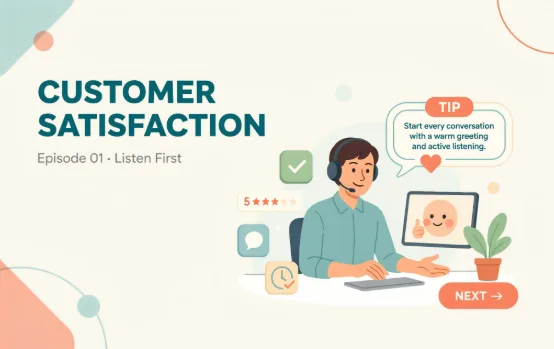
Customers do not always need more information. They need a better explanation.
A product page may contain every feature, instruction, and technical detail, yet visitors can still leave unsure about what the product does. New users may sign up for a platform and struggle with the first task. Buyers may receive a product but find the setup guide harder to follow than expected.
When people feel confused, they hesitate.
They delay the purchase, contact support, abandon the setup process, or decide the product is more complicated than it is. Animated tutorials can prevent much of that frustration by showing actions, processes, and ideas in a clear visual order.
Instead of asking customers to interpret long paragraphs, animation lets them watch the answer.
Confusion Often Begins Before the Purchase
Customer education should not start after someone buys.
Many potential buyers need help understanding the offer before they feel ready to act. They may want to know how the product works, what the setup involves, or whether the service fits their situation.
A short animated tutorial can answer those questions before they become objections.
For example, a financial platform might show how users create an account, connect a payment method, and track transactions. A software company might demonstrate how teams assign tasks and monitor progress. A home product brand might show how an item is assembled and used.
The buyer sees the process and can decide whether it feels manageable.
Animation Turns Instructions Into Actions
Written instructions can be accurate and still leave room for mistakes.
“Attach the component securely” may sound clear to the person who designed the product. A customer may still wonder which side faces upward, where the part connects, or how they will know it is secure.
Animation removes some of that uncertainty.
The part can move into position. The correct connection point can be highlighted. A close-up can show the final placement. The video can also show a common mistake and explain how to avoid it.
This works for digital products too. Buttons can be highlighted, menus can open in sequence, and users can see what happens after each action.
The result is easier to follow because customers do not have to translate text into movement by themselves.
Short Tutorials Work Better Than One Long Video
Brands often try to explain everything in one large tutorial.
That may seem efficient, but it makes the content harder to use. A customer with one question should not have to search through a 15-minute video to find a 30-second answer.
Shorter tutorials are more practical.
One video can explain account setup. Another can cover a key feature. A third can show how to solve a common problem. Customers can watch the exact lesson they need and return to it later.
Short videos are also easier to update. If one product feature changes, the company can replace a single tutorial rather than rebuilding an entire training video.
2D Animation Is Useful for Abstract Ideas
Not every business sells a physical product.
Software platforms, agencies, financial services, healthcare providers, educational companies, and consultants often need to explain processes or ideas that cannot be filmed directly.
This is where 2D animated video services can be especially useful.
Characters can represent customers. Icons can show information moving between systems. Simple interface scenes can demonstrate a digital workflow. A complicated service process can become a clean sequence with a clear beginning and ending.
The visuals do not need to be realistic. They need to make the idea easy to understand.
Good Tutorials Focus on One Customer Goal
A useful tutorial should begin with a specific customer need.
What is the viewer trying to complete?
They may want to set up an account, connect a device, submit a request, use a feature, fix an error, or understand a service. The video should guide them toward that result without introducing unrelated information.
A focused tutorial might follow this structure:
- State the task.
- Show what the viewer needs.
- Demonstrate each step.
- Point out one common mistake.
- Confirm what success looks like.
This structure keeps the video practical. The customer knows where they are going and how to tell when they have finished.
The Script Should Use Plain Language
Tutorial scripts often become too technical because they are written by people who already know the product.
Internal terminology slips into the voiceover. Simple actions receive long explanations. The script describes features instead of helping the customer complete a task.
Plain language works better.
Short sentences are easier to hear and remember. Each sentence should match what appears on the screen. If the animation shows a button being selected, the voiceover should explain that action at the same moment.
The script should also avoid unnecessary introductions. Customers who open a tutorial usually want an answer quickly.
Get to the task.
Animated Tutorials Can Reduce Support Pressure
Support teams often answer the same questions repeatedly.
Customers ask where a setting is located, how a component connects, why an error appears, or what they should do next. These questions may be simple, but they take time when answered individually.
A clear tutorial library gives support teams approved resources they can share.
An agent can send the exact video related to the customer’s issue. The customer receives a visual answer, while the support team has more time for problems that require personal attention.
Tutorials also help keep guidance consistent. Customers receive the same approved process instead of slightly different instructions from different agents.
Brand Consistency Still Matters
Educational content should feel like part of the customer experience.
Colors, typography, illustration style, voiceover, icons, and motion should match the wider brand. A tutorial that looks unrelated to the company may still be useful, but it will feel less polished and trustworthy.
Consistency also makes a tutorial library easier to navigate.
When every video follows a similar opening, pacing, visual structure, and closing, customers know what to expect. The experience feels organized instead of pieced together over time.
A simple visual system can support dozens of tutorials without making every video look identical.
Logo animation services can also help you with brand consistency as a brand is mostly reckognized through itslogo.
Accessibility Should Be Included From the Start
Customers watch videos in different environments and learn in different ways.
Some may be watching without sound. Others may need captions or slower pacing. International audiences may require translated subtitles or voiceovers.
Accessibility should be planned before production begins.
Captions should be accurate. On-screen text should remain readable on mobile devices. Important instructions should not depend only on color. The video should pause long enough for viewers to understand each action.
These choices do not only support people with accessibility needs. They improve the tutorial for everyone.
Tutorial Performance Should Be Measured
Creating a tutorial is not the final step.
Brands should look at what happens after customers watch it. Do more users complete setup? Are fewer support tickets submitted? Do customers stop abandoning a certain step? Are product returns linked to confusion becoming less common?
These results show whether the tutorial is doing its job.
If customers still struggle, the video may be too long, too technical, or focused on the wrong step. The product interface or written instructions may also need improvement.
A tutorial should solve a real customer problem, not simply add another piece of content to the website.
Conclusion
Animated tutorials help customers understand products, services, and processes without forcing them through dense instructions. They can support buyers before a purchase, guide new users through setup, reduce repeated support questions, and create a more confident customer experience. The strongest tutorials stay focused on one task, use plain language, and show each action clearly. When customers know exactly what to do next, they are more likely to complete the process and continue using the product.
Frequently Asked Questions
What Is an Animated Tutorial Video?
An animated tutorial video uses illustrated visuals, motion, text, and voiceover to explain how to complete a task or use a product.
How Long Should an Animated Tutorial Be?
Most tutorials work best between one and three minutes. Longer processes should be divided into several shorter lessons.
Can Animated Tutorials Reduce Support Requests?
Yes. They can answer common setup and usage questions before customers need to contact the support team.
Are Animated Tutorials Suitable for Software Products?
Yes. Animation can demonstrate interfaces, account setup, digital workflows, features, and troubleshooting steps clearly.
Where Should Businesses Publish Tutorial Videos?
They can be published on help centers, product pages, onboarding emails, customer portals, mobile apps, training platforms, and support responses.