8 SEO Website Audit Tools We Run Across Our Client Roster in 2026
It’s the first Monday of the month. Every account lead pulls a fresh audit, and the same problems surface: a missing meta description, a redirect chain, a de-indexed page. Only 67.2% of mobile pages carry a meta description. The SEO audit tools you standardize on decide whether that Monday runs an hour or half a day.
Here’s the short version: for most agencies, the pick I’d standardize on is SE Ranking’s website audit, which turns a scheduled crawl into a prioritized, client-ready fix list. For a deep-dive, a desktop crawler goes further.
What earns SEO audit tools a spot:
- Speed: crawl time across many projects.
- Prioritization: issues ranked by impact.
- Reporting: PDF, guest links, white-label.
- Recheck: two crawls compared to prove fixes.
- Coverage: technical, Core Web Vitals, AI visibility.
We run these SEO audit tools across a twelve-client roster monthly.
| Rank | Tool | Best for | Fits | Price |
| 1 | SE Ranking | Monthly roster audit | Recurring layer | $129/mo |
| 2 | Screaming Frog | Technical deep-dive | Flagged crawl | £199/yr |
| 3 | Sitebulb | Readable crawl | Deep-dive | £95/mo |
| 4 | Ahrefs | Backlink teams | Cross-check | $129/mo |
| 5 | Semrush | Audit plus research | Suite check | $139/mo |
| 6 | Sitechecker | Junior fixes | Monitoring | $99/mo |
| 7 | PageSpeed Insights | One-page CWV | Spot check | Free |
| 8 | Search Console | Index truth | Ground truth | Free |
Step 1: The Monthly Pass Everything Is Built On
Standardize the monthly roster crawl first: run it consistently and it catches the quiet stuff, like the roughly 13.2% of robots.txt requests that return a 404 .
1. SE Ranking
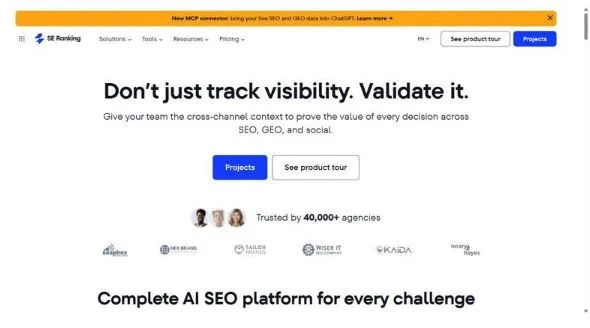
SE Ranking is an SEO and AI search visibility platform whose Website Audit tool is the recurring layer your monthly roster pass runs on.
Best for: agencies standardizing a monthly technical SEO audit across a client roster.
Standout: it sets two audits side by side and marks each issue New or Fixed, with Health Score history behind it, so “the site improved” becomes something you can show a client. The prioritized fix list gives every issue a severity, step-by-step instructions, and a “+X pts” label for the Health Score it recovers.
Pros:
- Runs 115+ checks across 13 categories, from crawling to Core Web Vitals.
- Schedules monthly crawls with JavaScript rendering, so the pass fires on its own.
- Scales to 2,000,000 pages per project on Growth; crawls 1,000 pages in under 2 minutes.
- Ships white-label PDFs and shareable guest links through the Agency Pack.
Cons:
- Page-audit capacity is monthly and plan-gated, so re-crawling large sites can hit the cap.
- A fresh audit shows no Core Web Vitals data for the first weeks while it collects field readings.
Pricing: Core from $129/mo ($103.20/mo billed annually), 250,000 audit pages/month; Growth $279/mo for 2,000,000; 14-day free trial; API and MCP on every plan.
My take: for a roster pass, of all the SEO audit tools this is where I’d start. One scheduled crawl per client, a fix list juniors can act on, and a New-vs-Fixed report the account lead sends unedited.
Step 2: The Deep Technical Crawl
Here’s the thing: the monthly pass is built for speed, not forensics. Structural findings need a deeper crawler.
2. Screaming Frog
Screaming Frog is the desktop crawler technical leads open when a crawl needs granular control.
Best for: the technical lead’s deep-dive on a flagged site.
Standout: single-crawl control. You configure what gets pulled, run custom extraction, and join it to GA, GSC, and PageSpeed Insights in one view. For a technical SEO, that command is hard to match.
Pros:
- Permanent free version, 500-URL cap
- Renders JavaScript in free and paid versions
- Pulls PageSpeed Insights data via API
- Custom extraction plus GA/GSC joins
Cons:
- Desktop app bound to one machine’s RAM
- Large sites need database mode; annual-only licence
Pricing: Free version (500 URLs); paid licence £199/year.
My take: keep this on your technical lead’s machine, not the team’s. It goes deeper on one site than the recurring layer, but babysitting desktop crawls is nobody’s job.
3. Sitebulb
Sitebulb turns a raw audit into findings a non-specialist can read.
Best for: making a crawl legible to a non-specialist account lead.
Standout: the output does the explaining. Sitebulb scores every issue as a prioritized “Hint” with a plain-language note on why it matters, then adds crawl-map visualizations you can hand a client without a translation call.
Pros:
- JavaScript crawling on every plan, including Lite
- Handles 10,000 URLs per audit on Lite
- Cloud option alongside the desktop app
- Produces client-ready explanations
Cons:
- Performance and Core Web Vitals reporting is Pro-only
- Desktop Lite and Pro tiers are machine-bound
Pricing: Cloud from £95/mo; 14-day free trial; desktop Lite and Pro also available.
My take: reach for Sitebulb when the person acting on the audit isn’t technical. The prioritized Hints do the arguing for your account lead.
Step 3: The Whole SEO Picture
Some findings only make sense beside your backlink profile: that’s when all-in-one SEO audit tools earn their login.
4. Ahrefs
Ahrefs made its name on backlinks, and Site Audit lives inside that same platform.
Best for: agencies already in Ahrefs for links who want the crawl there too.
Standout: Site Audit ties into Ahrefs’ backlink and keyword datasets, so a finding sits beside the context that explains it.
Pros:
- Scans Core Web Vitals via Lighthouse, CrUX, and the PageSpeed Insights API
- Executes JavaScript, so JS-rendered pages crawl properly
- Ties findings to backlink and keyword data you track
- Patches publishes some fixes live without a developer
Cons:
- Lite’s capped monthly crawl-credit pool doesn’t roll over
- Projects cap at 25,000 pages, so bigger sites outgrow it
Pricing: from $129/mo (Lite; Starter $29/mo), 100k crawl credits/mo.
My take: if your leads already live in Ahrefs, folding in the audit saves tab-switching. Otherwise the caps make it a harder sell.
5. Semrush
Semrush folds Site Audit into a broad suite, sharing one login with your research.
Best for: teams that want the audit and competitive research behind one login.
Standout: Site Audit lives inside the wider Semrush suite, so competitive research is a click away, and its detection flags pages that block AI bots.
Pros:
- Runs inside the full suite, beside competitive research
- Flags pages blocking AI crawlers like ChatGPT’s bot
- Groups findings into thematic issue reports
- Analyzes page-load speed alongside the crawl
Cons:
- The entry tier caps a single audit at 20,000 pages
- Deepest JS rendering is pushed to Enterprise
Pricing: from $139/mo ($117.33/mo billed annually), 7-day trial, 20,000 pages/audit.
My take: worth a look when research and the audit share one seat. But the page cap and JS gate keep it off the anchor spot.
Step 4: Monitoring between full audits
Between full audits things drift, and this is where lightweight SEO audit tools cover the gap.
6. Sitechecker
Sitechecker is a cloud crawler that turns audit findings into a fix list your team can work through.
Best for: delegating fixes to junior staff and monitoring pages between full audits.
Standout: every issue lands on a prioritized to-do list with written and video fix steps, so a junior can action it without a senior hovering.
Pros:
- Crawls 50,000 pages on Basic
- Renders JavaScript and handles most SPA sites
- Pulls Core Web Vitals via Google PageSpeed Insights
- Monitors 100 pages, tracks 500 keywords
Cons:
- SPA sites with heavy preloaders can fail the crawl
- Trial terms unstated; only a 48-hour money-back window is documented
Pricing: Basic from $99/mo ($83/mo billed annually), 50,000 pages.
My take: one of the few SEO audit tools I’d hand a newer account manager. The video steps get fixes done right. Test SPA-heavy clients first.
7. Google PageSpeed Insights
Google PageSpeed Insights is the free, Google-native way to check one page’s performance and Core Web Vitals.
Best for: settling a Core Web Vitals question on one template or page.
Standout: it’s Google’s own diagnostic, so the numbers are hard to argue with. You get Lighthouse lab data plus real CrUX field readings for LCP, INP, and CLS.
Pros:
- Free, no account needed for the web tool
- Reports all three Core Web Vitals: LCP, INP, CLS
- Combines Lighthouse lab data with CrUX field data
- Flags prioritized fix opportunities per page
Cons:
- Checks one URL at a time; it’s not a site crawler
- Field data only appears with enough Chrome traffic
Pricing: Free.
My take: keep this bookmarked for the single-page fight. When speed is disputed, Google’s own reading ends it fast.
Step 5: The Free Google Ground-Truth Layer
Every one of these SEO audit tools estimates what Google thinks; this layer is Google’s actual answer, for free.
8. Google Search Console
Google Search Console is the free layer that shows what Google actually sees on your verified sites.
Best for: confirming what Google sees after you ship a fix.
Standout: no third-party crawler can replicate this. GSC shows real index status and true Search performance: clicks, impressions, position, and the queries you rank for. URL inspection returns Google’s rendered view of a page.
Pros:
- Free for every verified property
- Shows real index coverage and indexing errors
- Reports actual clicks, impressions, position, queries
- URL inspection shows Google’s rendered view
Cons:
- Covers only properties you verify, not any URL
- Not a full site crawler; data lags by days
Pricing: Free.
My take: this one isn’t optional. Every third-party tool is an estimate; GSC is the ground truth we check before the report goes out.
Assembling Your Own Stack
You don’t need all eight: one tool for the recurring pass plus two or three specialists for deep-dives. My take: SE Ranking is where we’d start. Skip if you’re mid-market: Lumar or seoClarity is overkill for a mid-market roster, and don’t make Screaming Frog your only tool if nobody can babysit it. Site health isn’t a vanity number: as mobile load time climbs from 1 second to 10 seconds, bounce probability rises 123% (Source: Think with Google). Roughly 30% of queries now trigger an AI Overview (Source: SE Ranking, April 2025), so your SEO audit tools serve AI search too. Mueller has said AI in search isn’t going away (Source: Search Engine Land, Jan 2026).
FAQ
How often should an agency run a site audit?
Run one recurring pass across the whole roster every month, on scheduled crawls. Then add deep-dives for events: a migration, a redesign, a traffic drop. Monthly keeps you honest; events say when to dig in.
What are SEO audit tools?
SEO audit tools crawl a website, check it against technical and on-page best practices, and flag what hurts search performance: broken links, slow pages, indexing and metadata problems. The good ones rank by impact.
Which SEO audit tool should an agency standardize on?
Standardize on one recurring-layer platform the whole team runs monthly, then add a specialist or two for deep-dives. We start with SE Ranking for the roster pass: scheduled crawls and New-vs-Fixed reports scale across clients without adding hours.