What Happens If Your Only DTF Printer Goes Down?
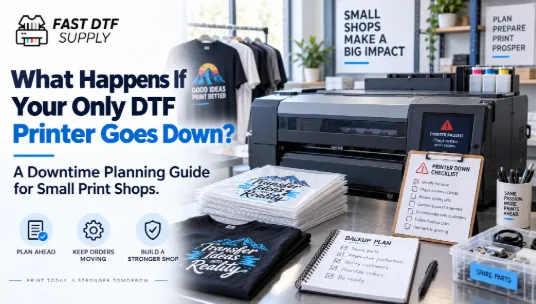
For a small print shop running one DTF printer, a machine problem can affect much more than the next print. Approved orders can stop moving, promised production dates can become harder to meet, employees may lose productive time, and new rush work can suddenly become difficult to accept.
That is why choosing a printer should include one question that rarely appears on a basic specification comparison: What happens to the business when this machine cannot print?
The answer should influence how you evaluate equipment, support, spare-parts access, staffing, order promises, and even how much work you allow into the production queue at one time.
Downtime Risk Starts Before the Printer Breaks
A downtime plan is not a repair manual. It is a business-continuity plan built before something interrupts production.
Start by identifying how dependent the business is on one machine. If every apparel order passes through the same printer, that machine is a single production point. When it stops, there may be no alternative path inside the shop.
This matters especially when comparing your first commercial machine. A useful DTF printer buying guide for small businesses should therefore be read with operational risk in mind, not only print width, speed, or purchase price.
Calculate Your Downtime Exposure
You do not need a complicated financial model. Start with four practical questions.
- How many open orders normally depend on the printer each day?
- How many promised jobs could be delayed if production stopped for one working day?
- Which customers have deadlines that cannot easily move?
- How much unprinted work is usually waiting in the queue?
The answers reveal your exposure. A shop producing occasional custom shirts has a different downtime problem from a business handling daily gang sheets, repeat wholesale accounts, uniforms, or scheduled event orders.
The more customer commitments you place behind one printer, the more important recovery planning becomes.
Separate a Machine Problem From a Business Emergency
Not every interruption needs to become an immediate customer crisis.
Create a simple internal response order. First, stop production when required and follow the equipment documentation for the situation. Record what happened, what the operator observed, and which job was running. Avoid improvising repairs outside approved procedures.
Next, determine which orders are actually at risk. A job due next week should not receive the same response as a job promised tomorrow. Prioritize commitments according to confirmed deadlines rather than reacting to whichever customer contacts you first.
Then contact the appropriate support resource with useful information. A clear description of symptoms, relevant photos when appropriate, machine information, and the steps already completed can make communication more efficient than simply reporting that the printer “doesn’t work.”
Build a Production Buffer Before You Need One
A shop operating at nearly full daily capacity has little room to absorb disruption.
Consider leaving some capacity uncommitted instead of scheduling every available production hour. That buffer can help accommodate reprints, late approvals, rush jobs, or a temporary interruption without immediately moving every delivery date.
The correct amount depends on your workload. The principle is more important than a fixed percentage: do not treat theoretical maximum output as your normal sellable capacity.
Your practical capacity should allow time for maintenance, setup, operator attention, quality control, and ordinary variation between jobs.
Know Which Parts of the Workflow Can Continue
Printer downtime does not necessarily mean the entire team must stop working.
List tasks that can continue independently. Employees may still be able to prepare artwork, confirm customer approvals, organize upcoming jobs, inspect completed transfers, manage inventory, prepare garments, update production records, or pack finished orders.
A written secondary-task list prevents the team from waiting around for the machine to return to service. It also helps expose whether too much of your workflow depends on one operator as well as one printer.
Create a Backup Fulfillment Decision Before Rush Season
Small shops should decide in advance whether they would ever outsource emergency production. This does not mean every shop needs a permanent outside production partner. It means management should know what circumstances would justify using one.
For example, determine which orders could be moved externally, which customer requirements would need to be confirmed first, who could authorize the extra cost, and how artwork would be transferred securely.
Do not wait until a deadline is already at risk to decide whether outsourcing is acceptable.
Ask Better Questions When Comparing Printers
Downtime planning should also influence the purchase itself.
When comparing DTF printers for professional production, review documented specifications alongside questions about routine maintenance requirements, replacement components, operator training needs, software requirements, and the support path for technical problems.
A faster machine is not automatically the lower-risk machine. A lower-priced machine is not automatically the more economical choice either. The useful comparison is how well the complete setup fits your workload and how prepared your business is to deal with normal operational interruptions.
Train More Than One Person on Critical Tasks
A printer can be available while production still stops because the only trained operator is absent.
Identify the tasks that another employee should be able to perform safely and consistently. These might include locating the correct production file, completing documented startup or shutdown steps, checking consumables, recognizing when production should stop, and knowing whom to contact for help.
Training should follow the machine documentation and authorized procedures. The goal is not to turn every employee into a repair technician. It is to prevent basic operational knowledge from living with only one person.
Review the Plan After Real Interruptions
When a delay occurs, record what actually caused the lost time. The printer itself may not always be the main problem.
A missing file, unavailable consumable, delayed customer approval, incorrect artwork, unavailable operator, or unclear escalation process can create downtime even when the equipment is functioning normally.
After the issue is resolved, ask what would have shortened the interruption. Better documentation? A stocked replacement item? A second trained operator? More production buffer? Clearer customer deadlines?
Use the answer to improve the system rather than simply returning to normal.
The Best Printer Is Also a Business-Continuity Decision
For a small shop, buying a DTF printer means placing an important part of the production schedule behind one piece of equipment. That makes downtime planning part of the buying decision.
Understand how many orders depend on the machine, protect some operating capacity, define what employees should do during an interruption, decide when outside production would be considered, and verify the support path before problems occur.
A printer should not be judged only by what it can produce when everything is working perfectly. A stronger purchasing decision also considers how the business will respond on the day production does not go according to plan.