StelsVPN Review 2026: A Remote-Work VPN Checklist for Everyday Users
The worker’s problem
A remote worker may need safer network transport on public Wi-Fi, consistent application access and a clear boundary between personal browsing and company systems. StelsVPN presents itself as a consumer VPN provider and publishes educational material on VPN protocols. This review considers suitability against ordinary remote-work requirements; it is not an independent security audit or live leak-test report.
Persona A | The café worker
On an untrusted Wi-Fi network, a VPN can encrypt traffic between the device and the VPN endpoint. That helps reduce local network visibility, but it does not replace HTTPS or protect against malware and phishing. Before making StelsVPN the default connection, confirm automatic reconnection, client behavior after sleep and availability of a kill switch on your specific operating system.
Persona B | The occasional traveler
Travelers should check server geography, device support, roaming reliability and the provider’s current terms. A VPN endpoint country does not ensure a specific streaming catalog, banking access or regulatory suitability. Conduct any permitted travel-related access checks before relying on the product for a work-critical deadline.
Persona C | The privacy-focused user
A VPN moves a portion of trust from the local network to the provider. Evaluate the privacy policy, data-retention wording, ownership, jurisdiction, independent audits and transparency commitments separately. A strong protocol alone cannot prove a no-logs claim. Browser sign-ins, cookies and device identifiers can continue to reveal identity while a VPN is on.
Protocol choices without mystique
StelsVPN’s published educational material discusses common VPN protocols. In general, modern protocol support is valuable, but real security depends on implementation, updates and configuration. Verify which protocols the current app actually exposes rather than assuming a blog article is a feature specification. Corporate VPN requirements may prohibit routing through a personal VPN.
Five-minute acceptance checklist
Install from an official source, update the operating system, confirm the chosen server, check the apparent public IP and test DNS behavior. Disconnect the network briefly to observe reconnection behavior. Confirm that video calls, document editing and company sign-in flows work normally. Record any failure without exposing workplace credentials.
Performance and battery expectations
Encryption and route distance can affect throughput, delay and battery usage, especially on mobile connections. Test the same app with and without VPN under similar conditions. Do not extrapolate a single download result into a claim that the product is fastest. If video calls matter, prioritize jitter, packet loss and reconnect performance over peak bandwidth.
Where it may not be the right fit
A personal VPN should not replace an enterprise zero-trust system, managed device controls, MFA or corporate access policy. It also cannot guarantee total anonymity or safe use of arbitrary downloads. For sensitive business environments, obtain IT approval and favor company-managed connectivity.
Verdict | Assess the everyday basics
StelsVPN merits a closer look if its current clients, server list and subscription terms match your devices and usage. The decision should follow practical reconnection and leak checks plus a careful read of the privacy policy. Treat broad privacy marketing as a starting point for questions, not independent proof.
FAQ
Will a VPN prevent phishing? No. Can an employer still identify activity on company systems? Often, yes. Does a VPN replace HTTPS? No. Should you use it for corporate resources without permission? Follow your employer’s access policies.
Useful links
Official provider website
Related product or technical information
Editorial note: Recheck product specifications, prices, availability and terms before publication; offerings can change. A vendor statement is not an independently validated result.
Expanded editorial analysis
What a consumer VPN can and cannot do at work
A virtual private network creates an encrypted connection between a device and a VPN endpoint. This can reduce exposure to local network observers, especially on shared Wi-Fi, while changing the public IP seen by internet services. It does not make an employee anonymous to the services they log into, protect against phishing, or replace corporate device controls.
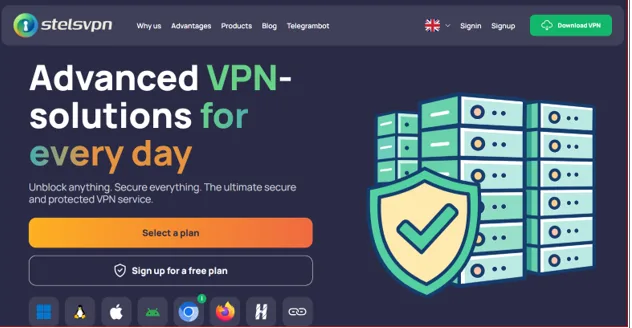
StelsVPN markets a cross-platform service and publishes information about its global servers, device coverage and security features. Those are useful starting points but not independent proof of privacy behavior or consistent throughput. Evaluate the specific app and plan before depending on them.
For a remote worker, the right question is whether the VPN reliably serves a clear network need alongside normal HTTPS, endpoint updates and company security policies.
The café test: threat model before speed test
A busy café network may be misconfigured, offer a misleading hotspot name or expose users to local-network probing. HTTPS already protects properly configured web sessions, but a VPN can provide another encrypted transport layer between the device and the chosen provider. The main trade-off is that network trust shifts to the VPN operator.
Join a controlled test network, verify that the VPN actually connects and inspect the public IP and DNS resolver behavior. Check whether the app automatically reconnects after Wi-Fi changes and whether it blocks traffic when the tunnel unexpectedly closes, if a kill switch is available.
Do not use a successful connection icon as the only security test. Practical protection depends on configuration, secure destinations and user behavior.
The traveler test: roaming and restrictive networks
Travel changes network quality, latency, captive portals, legal conditions and which applications remain reachable. A server list with many countries may improve choice, but the nearest listed country is not always the fastest path because routing and congestion matter. Some hotel networks interfere with specific protocols.
Before travel, install and update the VPN client through an official source, save support contacts and test on both Wi-Fi and mobile data where permitted. Record connection time, stable session length and application success. Follow local laws and employer rules; a VPN subscription does not override them.
A suitable travel VPN is one with predictable everyday behavior, clear support and an acceptable fallback if a particular network blocks connections.
The privacy test: what does no-logs mean?
VPN marketing often focuses on privacy, but different records matter in different ways: browsing destinations, connection timestamps, account identifiers, payment records and diagnostic telemetry do not have identical significance. A no-logs claim should be interpreted in light of the written policy and any available independent verification.
Read the currently applicable privacy policy and note what information is collected, how long it is retained, which processors are used and how legal requests are described. Look for published audits, transparency reports and independent documentation. If an item is not published, treat it as unknown rather than guessing.
The more sensitive a user’s activity, the less sensible it is to equate a privacy slogan with a verified privacy guarantee.
Protocol selection: avoid older defaults
VPN protocols are not merely interchangeable menu choices. Their security properties depend on implementation, cipher configuration and ongoing maintenance. StelsVPN publishes references to OpenVPN and IKEv2 and also mentions PPTP in its feature material. PPTP is widely regarded as obsolete for security-sensitive use and should not be selected for confidential work.
Prefer a modern, well-supported protocol configured securely by the current app. Verify actual choices inside the installed version because platform availability can differ. Enable software updates and review the application permissions requested during setup.
Protocol names are only one dimension of trustworthiness; client security, server configuration and the provider’s operational practices matter too.
Kill switch and DNS leaks: a practical explanation
A VPN connection can fail while ordinary network access remains available. Without appropriate traffic controls, the public IP or DNS queries may revert to the local network. A kill switch aims to reduce that risk, although implementations vary and may behave differently during startup, reconnect or device sleep.
Test normal connection, planned disconnect and Wi-Fi handoff. Check public-IP and DNS observations through neutral diagnostic tools, then repeat after reboot. For privacy-critical tasks, confirm behavior on the actual operating system rather than assuming results transfer between Windows, Android and a browser extension.
A feature named on a website becomes meaningful only when it works in the environment where the user needs it.
Mobile and desktop: same account, different behavior
Multi-device coverage is convenient for workers carrying a phone and laptop, but device platforms expose different network controls. Mobile battery restrictions may suspend background services, while desktop machines can have other VPN clients, security agents or DNS settings that interfere with connectivity. A browser extension may protect different traffic from a system-wide VPN.
Define what needs protection on each device, install through trustworthy distribution channels and test background reconnection. Confirm the current device limit and any simultaneous-connection rules under the purchased subscription. Avoid installing overlapping network tools without understanding the conflicts.
Cross-platform availability is valuable only when the specific client behavior matches the user’s actual security and productivity requirements.
Productivity performance: measure your real apps
Large server bandwidth numbers do not establish the speed an individual user will receive. Their experience depends on distance, local Wi-Fi, server load, routing and the application itself. Video meetings may be more sensitive to jitter and packet loss than ordinary browsing, while large uploads need reliable sustained throughput.
Measure a no-VPN baseline, then repeat comparable tests through two legitimate server choices. Check call stability, application logins, upload completion and latency distribution at different times. Document whether the added tunnel conflicts with a company-mandated VPN or single-sign-on policy.
The fairest performance verdict is application-specific: an acceptable connection for reading email may be unsuitable for a time-sensitive conference call.
Support, subscriptions and refund expectations
A low subscription price can be attractive, but users should read the active terms for renewal, payment, trials, refunds and limits. VPN providers can change plans, countries and server inventories, so old price comparisons become unreliable. Assistance matters most when a client fails after an operating-system update or on an unfamiliar network.
Check current terms directly at checkout, keep proof of the subscription and ask support a concrete configuration question if anything is ambiguous. Verify whether support can distinguish app issues from local-network restrictions. Do not assume a trial or refund applies across all payment channels.
Value should be assessed as dependable connection plus transparent terms, not only a monthly figure or promotional discount.
Final recommendation for three user profiles
A café worker may value quick connection and reconnection, a frequent traveler may prioritize server choice and multi-platform use, and a privacy-focused user should scrutinize logging practices and independent audits. These profiles overlap, but one provider cannot be evaluated fairly without naming which attributes matter most.
StelsVPN is reasonable to investigate for ordinary encrypted connectivity, provided the relevant app passes practical leak, reconnection and productivity tests. Users handling sensitive company systems should follow employer security policy first and request approval where required.
The editorial conclusion is conditional rather than promotional: the service’s stated feature list can justify a closer look, but important security and privacy assurances should be verified before making it a critical dependency.
Frequently asked questions
Does using a VPN make unsafe websites safe?
No. A VPN helps secure the connection to its endpoint, but it does not remove malicious content, phishing risks or weak application security.
Should employees use a personal VPN with work accounts?
They should follow company policy. Some organizations require specific managed network clients, identity controls or geographic restrictions.