How AI Is Changing Mobile App Development Cost in 2026: What Businesses Need to Know
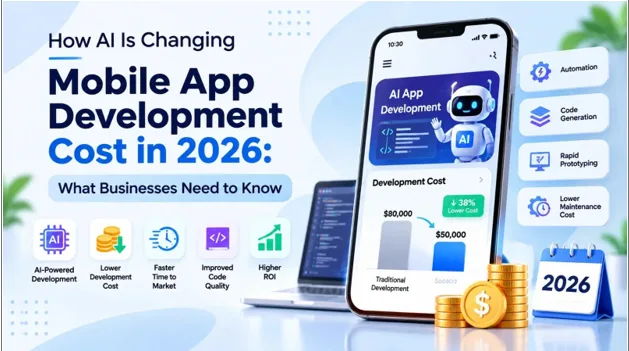
In 2026, a prototype that once took weeks can appear in days, yet mobile app development cost has not collapsed. AI reshapes how apps are researched, designed, built, tested, and maintained, but less effort is not the same as lower total ownership cost. Where does the money actually go?
How AI Is Transforming Mobile App Development in 2026
AI now touches every stage of the mobile app lifecycle, from research and prototyping to testing and maintenance. Developers are not being replaced. Their work is shifting from typing routine code toward directing tools, reviewing output, making architecture decisions, and owning quality.
1. AI-Assisted Coding & Code Generation
Assistants suggest functions, screens, and boilerplate inside the editor, so developers spend less time on routine syntax and more time on logic, edge cases, and how components fit together.
2. Generative AI Tools for Prototyping & Product Development
Founders can turn a written idea into clickable screens or a working demo quickly, which makes early user feedback cheaper and exposes weak assumptions before engineering money is committed.
3. AI-Powered UI/UX Design
Design tools generate layouts, color options, and component variations from prompts, giving designers more starting points while they still judge usability, brand consistency, and whether a flow serves users.
4. Automated Software Testing & Debugging
AI can draft test cases, flag likely defects, and trace error logs to probable causes, helping quality teams cover more scenarios and shorten the path from bug to fix.
5. AI Agents for Repetitive Development Workflows
Agents can handle multi-step chores such as updating dependencies, drafting pull requests, or running checks, freeing engineers for decisions, provided their changes are reviewed before anything reaches production.
How AI Reduces Mobile App Development Cost
AI lowers app budgets mainly by compressing labor hours in repetitive, well-defined work such as boilerplate code, test writing, bug triage, and design iteration. Savings appear when these gains reach billable hours, and they vary widely by project, team maturity, and codebase.
1. Faster Coding & Implementation
Assistants speed up boilerplate, screens, and API wiring. If a feature needs fewer developer days, the client pays for fewer billable hours, though review time offsets part of the gain.
2. Quicker Prototyping & MVP Development
Generative tools shorten the path to a testable prototype. A lean MVP built around one validated problem can reach users sooner, limiting spend on features nobody ends up needing.
3. Automated Test-Case Generation
AI can draft unit and UI test scenarios from requirements or code, reducing the manual effort of writing them, though testers must still check coverage, relevance, and false positives.
4. Faster Debugging & Code Reviews
Tools can summarize stack traces, propose fixes, and highlight risky changes in pull requests. Reviewers reach real issues sooner, which can trim rework cycles and late corrections.
5. Reduced Design Iteration Time
Generating several layout options in minutes shortens feedback rounds. Fewer revision cycles mean fewer paid designer hours, provided stakeholders agree on goals before exploring variations.
Traditional vs. AI-Powered Mobile App Development: A Cost Comparison
AI-assisted development can cut labor hours without cutting the final price by the same percentage. Discovery, design decisions, security review, release management, and infrastructure still cost money, and review time grows as generated output increases. The table below shows where savings are most and least likely.
| Development Activity | Traditional Approach | AI-assisted Approach |
| Discovery & requirements | Workshops, manual documentation | AI drafts summaries and user stories, humans validate |
| UI/UX design | Manual wireframes, several revision rounds | AI wireframes and variations, designer-refined |
| Coding | Hand-written code and boilerplate | Assistant-drafted code, developer-reviewed |
| Testing & QA | Manually written test scripts | AI-drafted tests and automated regression |
| Debugging & code review | Manual log analysis and peer review | AI triage and review suggestions |
| Documentation | Written late, often incomplete | AI-generated drafts, human-edited |
| Embedded AI features | Not applicable | Model APIs, hosting, evaluation |
| Maintenance | Patches and OS updates | Same, plus model monitoring |
These are directional estimates only. Results depend on team experience, codebase maturity, and scope.
The Impact of Generative AI & AI Coding Assistants on Development Budgets
Tools such as GitHub Copilot, Claude, and ChatGPT help teams draft, explain, and test code faster, but generated code is not production-ready by default. Developer supervision, code reviews, security checks, architecture decisions, and integration testing still determine whether speed becomes real savings.
1. AI-Generated Code
Generated code works well for standard screens, data models, and integrations. It still needs human review for security, performance, and fit with the app’s architecture before it is merged.
2. Code Completion & Suggestions
Inline suggestions reduce keystrokes and context switching. Their value is steady rather than dramatic, adding small time savings across thousands of lines that compound over a long project.
3. Refactoring & Code Optimization
AI can suggest cleaner structures, remove duplication, and flag slow functions. Used carefully, this lowers future maintenance costs, but large refactors need tests in place first to avoid new regressions.
4. Automated Documentation
Assistants can draft code comments, API references, and release notes from the codebase. Better documentation shortens onboarding for new developers and reduces dependency on any single engineer’s memory.
5. Generating Test Cases
Developers can ask assistants to propose unit tests and edge cases for new functions. Coverage improves faster, but a human must confirm that the tests verify real business behavior.
The Role of AI Agents in Reducing App Development Time & Expenses
A conventional assistant answers one prompt at a time, while an AI agent plans and executes multi-step tasks using tools. That autonomy demands human oversight, scoped permissions, security controls, monitoring, and error handling. Agents extend engineering teams. They are not autonomous replacements for experienced engineers.
1. AI-Powered Requirement Analysis & Project Planning
Agents can turn meeting notes and briefs into draft user stories, task breakdowns, and effort estimates. Product managers still validate priorities, because a flawed requirement becomes expensive once built.
2. AI-Assisted Code Generation & Development
Given a clear ticket, an agent can scaffold a feature across files, run the build, and open a pull request. Engineers review every change before it is merged.
3. Automated Testing & Quality Assurance
Agents can run regression suites after each change, report failures, and propose fixes. This keeps quality checks continuous without adding manual testing hours to every release.
4. Intelligent Bug Detection & Faster Issue Resolution
By correlating crash reports, logs, and recent commits, agents can point to likely causes quickly. Faster triage reduces the engineering time spent hunting for problems rather than fixing them.
5. AI-Driven Documentation & Development Workflows
Agents can keep changelogs, API docs, and ticket updates current as code changes. Routine administrative work shrinks, leaving project managers and engineers more time for decisions that move the product.
How AI Is Reducing UI/UX Design, Coding, & Testing Expenses
AI trims repetitive design, coding, and testing work, but designers remain responsible for usability, consistency, and product decisions, and architecture expertise remains essential. Catching defects earlier also matters: a flaw found during development is usually cheaper to fix than one discovered after release.
1. AI in UI/UX Design
- AI-Assisted Wireframing: Prompts can produce rough layouts for onboarding, checkout, or dashboards in minutes. Designers refine them, saving hours normally spent on blank-page sketching.
- Rapid Prototyping: Static designs can become clickable prototypes quickly, letting stakeholders and test users react to something tangible before developers build anything costly.
- Design Variations: Generating alternate layouts, copy, and color treatments helps teams compare options early. Designers still choose the direction that fits the brand and user needs.
- Design Asset Generation: AI can produce icons, illustrations, and placeholder imagery, reducing outsourced asset work. Licensing, originality, and brand consistency still need a human check.
- Automated Accessibility Checks: Tools can flag low contrast, small tap targets, and missing labels early. Catching these during design is cheaper than retrofitting accessibility after launch.
2. AI in Coding & Development
- AI-Powered Code Generation: Assistants draft view models, data layers, and navigation code quickly. Developers verify logic, handle edge cases, and ensure the output follows the project’s architecture.
- Reusable AI-Generated Components: Buttons, forms, and list views can be generated once and reused across screens. Consistency improves, and repeated work stops being billed repeatedly.
- AI-Assisted API Integration: Assistants can read API documentation and draft integration code for payments, maps, or messaging. Engineers still test authentication, error handling, and failure scenarios thoroughly.
- Cross-Platform Development: With Flutter or React Native, AI helps translate patterns and generate shared code. One codebase plus AI assistance can lower both build and maintenance effort.
- AI-Driven Code Refactoring: Assistants can modernize legacy modules, rename consistently, and simplify complex functions. Gains are real only when automated tests confirm that behavior has not changed.
3. AI in Software Testing & Quality Assurance
- AI-Powered Automated Test Generation: Test scripts can be drafted from user stories or recorded flows, widening coverage earlier. QA engineers review scenarios for relevance and business risk.
- AI-Driven Regression Testing: Tools can select the tests most likely affected by a change, so teams run fewer redundant checks per release while still protecting critical user journeys.
- Intelligent Bug Detection: Static analysis and AI models can spot likely crashes, memory leaks, and security weaknesses before release, when fixes typically cost less than after users complain.
- AI-Based Test Data Preparation: AI can generate realistic but synthetic user profiles, transactions, and edge-case inputs, reducing manual setup and avoiding the privacy risk of copying production data.
- AI-Enabled Compatibility Testing: Automation can check behavior across many devices, screen sizes, and OS versions in parallel, cutting manual device-by-device checking and widening coverage.
Hidden Costs of AI-Powered Mobile App Development
AI does not always make apps cheaper. Using AI tools to build an app is a development expense, while embedding AI inside the app creates recurring runtime costs for models, infrastructure, and oversight. Businesses should therefore estimate total cost of ownership, not only initial development expenses.
1. AI API Usage & Token Consumption
Most hosted models bill per token, with input and output priced separately. Long prompts, chat history, and verbose answers raise the cost of every request, and costs scale with users.
2. Model Hosting & Infrastructure
Self-hosted or fine-tuned models need GPUs, orchestration, and engineering time. Even managed services add cloud costs for storage, vector databases, caching, and the traffic spikes that follow successful launches.
3. Data Preparation & Cleaning
AI features are only as good as their data. Collecting, labeling, de-duplicating, and securing data can be a larger line item than integrating the model itself.
4. Data Privacy & Regulatory Compliance
Apps sending user data to AI models must satisfy rules such as GDPR and, in the EU, AI Act transparency duties. Legal review, consent flows, and audits add cost.
5. Monitoring & Ongoing Model Evaluation
Model behavior changes as providers update versions and user inputs evolve. Teams need monitoring, evaluation sets, and guardrails to catch inaccurate or unsafe responses before customers do.
Factors Affecting Mobile App Development Cost in 2026
Mobile app development cost factors include scope, platform, design, backend, integrations, and team location. An MVP validates assumptions before full investment, and AI should enter only where it solves a measurable business problem, such as lowering support load or improving conversion, rather than because it is trending.
1. App Complexity & Feature Requirements
Each added feature, such as payments, chat, maps, or offline mode, increases design, development, and testing effort. Custom mobile app development cost rises quickly as screens, roles, and integrations multiply.
2. Backend Architecture
Authentication, databases, APIs, scalability and security design can cost as much as the visible interface. A weak architecture is cheap to start and expensive to fix once users arrive.
3. AI Feature Complexity
A smart search bar, a recommendation engine, and a conversational agent differ enormously in effort. Complexity grows with accuracy requirements, personalization, real-time responses, and the consequences of wrong answers.
4. Choice of AI Models & APIs
Premium models reason better at higher per-request prices, while smaller models cost less and respond faster. Matching model to task is a major lever in AI app development cost.
5. Data Requirements
Apps that learn from user data need pipelines, storage, labeling, and governance. Existing data helps, but building datasets from scratch can dominate the cost of developing an AI mobile app.
FAQs about Mobile App Development Cost
Q1. How much does it cost to develop a mobile app in 2026?
Ans. Mobile app development cost in 2026 commonly ranges from about $3,000 for a basic prototype to $150,000 for a feature-rich business app, with enterprise platforms going higher. Scope, platform, backend complexity, integrations, design depth, and team location drive the final figure, so request itemized estimates. Published ranges vary by vendor and region; one example breakdown is useful for comparison.
Q2. Can AI reduce mobile app development costs?
Ans. Yes, in specific areas. AI can reduce effort in coding, testing, documentation, and design iteration, which lowers billable hours. Savings are usually partial because discovery, architecture, security review, and release work remain, and any AI features inside the app add recurring running costs.
Q3. How much can AI save on mobile app development?
Ans. There is no universal figure. Randomized studies show anything from a 26% gain in completed tasks to a 19% slowdown for experienced developers on mature codebases. Treat savings claims cautiously, pilot tools on your own project, and measure hours, defects, and rework before committing.
Q4. Is AI-powered app development cheaper than traditional development?
Ans. Sometimes, but not automatically. AI-assisted building can cut labor hours on routine work, yet an app that embeds AI features carries model, hosting, and compliance costs. Compare total cost of ownership over two to three years, not only the initial quote.
Q5. How much does it cost to add AI features to an existing mobile app?
Ans. Adding AI to an existing app typically falls between $3,000 and $100,000. A simple API-based feature, such as smart search or summaries, sits near the low end, while custom models, personalization engines, or conversational agents push toward the high end. Running costs come on top.
Q6. Does using AI coding assistants reduce developer costs?
Ans. They can reduce effort on routine tasks, and seat licenses like Copilot Business at $19 monthly are small beside developer salaries. However, review, debugging, and security checks consume time, so net savings depend on workflow discipline, codebase complexity, and developer experience.
Q7. What are the hidden costs of AI-powered mobile applications?
Ans. Common hidden costs include token-based API fees that grow with users, cloud and vector database hosting, data cleaning, legal and privacy compliance, security testing, and continuous monitoring. Maintenance alone often runs 15% to 20% of build cost annually before AI-specific expenses.
Q8. How long does it take to develop an AI-powered mobile app?
Ans. A focused MVP with one or two API-based AI features can often be built in roughly 1 to 3 months. Custom models, complex integrations, regulated data, or enterprise security requirements extend timelines considerably, so validate scope first and expand in phases.