AvatarCraft AI Explained: Turning Photos and Scripts into Product Explainer Videos
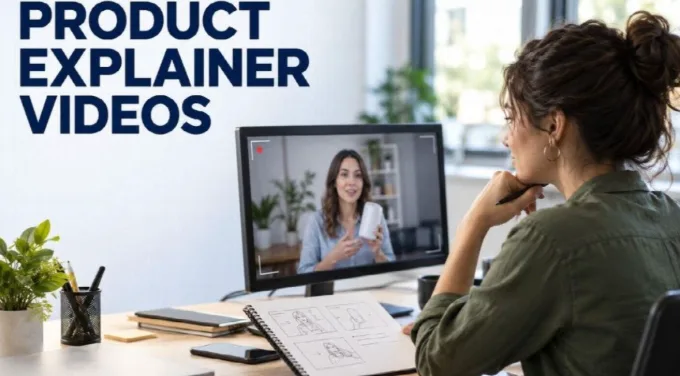
When I evaluate a tool for product videos, I begin with a question a customer might actually ask. What does this feature do? Where can I find the setting? Which option fits the task I am trying to complete?
Those questions give a short video a purpose. Without one, even a polished presenter can end up reciting a list of features that is difficult to remember.
My review of AvatarCraft AI found a photo-based talking-video workflow that accepts scripts or audio. I see that as a possible production component for product explanations, introductions, and answers to common questions.
This assessment is based on its published workflow rather than a performance benchmark. I am concentrating on how I would prepare the message, assemble the material, and review the result before putting it in front of customers.
I Would Assign One Job to Each Video
A product launch, a feature walkthrough, and a support answer may all involve the same product, but I would not give them the same script.
For an introduction, I would explain the relevant problem and the product’s role. For a walkthrough, I would focus on the action someone needs to take. For a support answer, I would get to the specific difficulty quickly.
| Video purpose | What I would prioritize |
| Product introduction | A clear explanation of the intended use |
| Feature explanation | What the feature changes for the user |
| Setup guidance | The actions needed to reach a defined result |
| Common question | A direct answer and any relevant conditions |
I would choose one of these purposes before selecting a presenter or voice.
That decision also helps me set boundaries. If an introductory script starts describing every setting, I would move that detail into a separate walkthrough. If a support answer begins with a lengthy brand story, I would cut toward the question.
I Would Understand the Inputs Before Planning the Output
Based on AvatarCraft’s documentation, the central workflow combines a photo with speech material to create a talking video. Speech can come from a script using text-to-speech or from supplied audio.
I would prepare those inputs independently.
For the image, I would check whether the face is clear and suitable for the intended presentation. For the script, I would check the message and wording. For audio, I would listen to the actual recording rather than assuming the file is ready because it plays successfully.
This separation matters when something needs correction. An unclear explanation calls for a script revision. A pronunciation issue belongs in the voice review. A distracting source image may require a different visual starting point.
I would also decide what belongs outside the generated presenter clip. Product screenshots, interface recordings, titles, and captions may need to be assembled in a separate editing stage.
Planning that work early gives me a more realistic picture of the finished video.
I Would Write Around a Customer Task
A feature list tells me what a product contains. A useful explainer tells me why a particular feature matters in a particular situation.
I would write the script around a task and remove claims that I cannot support.
For example, if I were explaining an export setting, I would describe what the available choice does and where the viewer can select it. I would avoid turning that explanation into a promise that every project will look better.
My working structure would cover the question, the relevant explanation, and the next action. I would keep the transition between those parts conversational so the presenter does not sound as though it is reading a form.
I would also distinguish between describing an option and recommending it. If the right choice depends on file size, intended use, or another condition, the script should say so.
I find that this kind of precision makes an explainer more useful than adding another adjective to the product description.
I Would Establish Consistency Before Making a Series
If I planned several videos, I would choose a small set of presentation decisions and document them.
I would record the presenter image, the voice choice, preferred product terminology, and the spelling or pronunciation of important names. I would also decide how directly the presenter should address the viewer.
Consistency is useful when someone watches more than one video. A sudden change in naming or tone can make related guidance feel disconnected.
I would not assume that reusing an image guarantees identical motion across every generated clip. I would review each result for its own visual behavior.
For multilingual versions, I would keep the message consistent while allowing the wording to change. A sentence that works well in English may become too long or sound unnatural elsewhere.
I would ask a qualified reviewer to check important localized material. The goal would be an explanation that makes sense in that language, rather than one that merely resembles the original sentence by sentence.
I Would Let Product Visuals Carry the Demonstration
For an interface walkthrough, I would want viewers to see the relevant control at the moment it is being discussed.
A presenter can introduce the task, explain a choice, or give context. A screen recording can show the action. I would assign each element work it can perform clearly.
That means I might use the generated presenter briefly at the beginning, move into the actual interface, and return to the presenter for a closing instruction. I would make those edits in a suitable video editor rather than assume the avatar-generation workflow handles the complete assembly.
I would also check the accuracy of every screenshot. A clear narration paired with an outdated interface can send the viewer to the wrong place.
If I use on-screen text, I would reserve it for information worth retaining: a setting name, a short instruction, or a condition that affects the decision. I would avoid filling the screen with a second, competing paragraph.
I Would Review the Message and the Rendering Separately
My content review would cover factual accuracy. I would check product names, feature descriptions, stated conditions, and any pricing references against the current product.
My rendering review would cover how the video looks and sounds. I would listen for pronunciation and pacing, watch the synchronization, and inspect the face for distracting movement.
Keeping those reviews distinct helps me avoid approving a video because it is visually convincing. A smooth presentation can still contain an incorrect instruction.
I would also watch the video at its expected display size. Details that are legible on a large editing screen may become difficult to read in a mobile feed.
Before public or commercial use, I would confirm the applicable plan terms and the rights to the image and audio. I would keep that check brief but documented.
I Would Judge the Result by Whether It Answers the Question
For a product explainer, my final standard would be practical. Can the viewer understand what the feature does, recognize whether it is relevant, and identify the next action?
I would not claim a sales lift or support reduction without evidence from the actual deployment. If performance measurement matters, I would define it separately and compare results in the context of the page, audience, and distribution.
Some explanations would still benefit from live demonstrations, physical handling, or an identifiable subject-matter expert. I would choose those formats when the material calls for them.
For a concise, script-led explanation, a photo-based presenter is a production option I would consider. Its usefulness depends on the quality of the inputs and the care taken afterward.
I would keep returning to the customer’s original question. If the finished video answers it clearly and accurately, the presentation has done its job.