Best ABA Practice Management Software: 7 Top Picks
When intake, authorizations, schedules, session notes, and billing sit in separate tools, your team has to bridge the gaps by hand. The best ABA practice management software brings those daily workflows together, so your staff can spend less time re-entering details and more time supporting care. Here are seven options, starting with Stream ABA, and the kinds of practices each may suit.
Table of Contents
- Stream ABA: Intake through billing in one system
- CentralReach: AI-powered platform for autism and IDD care
- AlohaABA: A strong option for practices prioritizing integrations
- Motivity: Flexible clinical programs and session data
- TherapyPM: Broad therapy-practice coverage
- Passage Health: Connected scheduling, billing, and authorization tracking
- ABA Matrix: An option for smaller ABA businesses
- Compare the 7 ABA practice management platforms
- Frequently Asked Questions About ABA Practice Management Software
- Conclusion
1. Stream ABA
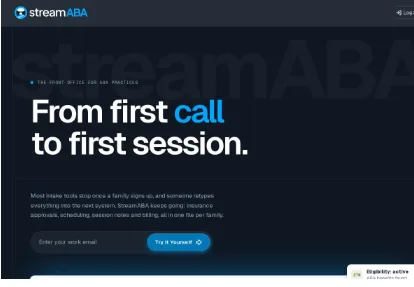
Stream ABA is an ABA practice management and electronic medical record platform that brings ABA family intake, insurance authorizations, scheduling, clinical notes, and billing into one system. It’s built for practice owners and the people who keep daily operations moving, including intake teams, schedulers, billing staff, BCBAs, and clinical supervisors.
That shared workflow matters when a new family moves from an inquiry to a first session. Intake details can sit with the client record, while authorization status, scheduling, documentation, and billing live in the same system. Stream ABA’s site describes an intake flow that includes eligibility checks and signed intake packets saved to the record. It also says every feature is included for every practice.
Stream ABA includes automated workflows and hands-on onboarding for ABA practices. For a team replacing separate tools, ask during the live demo how its workflows map to your current handoffs. You can also use the ABA practice revenue calculator to look at utilization gaps and denial costs alongside your software review.
Stream ABA provides a live demo by invitation. A real person walks your team through the platform and what it costs for your practice when you’re ready to discuss price.
Key Takeaway: Consider Stream ABA when you want intake through billing in one system, with hands-on onboarding and a live demo.
2. CentralReach: AI-powered platform for autism and IDD care
CentralReach is an AI-powered EMR and practice management platform built for autism and intellectual and developmental disabilities care. It may fit practices that need a broad set of clinical and operational tools, including teams with several roles involved in treatment, scheduling, documentation, and revenue work.
Its tools include ScheduleAI for staff and client scheduling, plus AI features for drafting notes and reviewing notes or claims. The platform also describes more than 50 prebuilt dashboards for clinical and operational visibility. Digital assessments and caregiver tools are part of its wider care platform.
That breadth can be useful when your team wants scheduling and documentation connected to clinical and billing workflows. For example, a schedule tied to authorization service codes can help billing staff prepare claims from rendered appointments. CentralReach also describes electronic claims, accounts receivable tracking, and payment posting in one centralized process.
CentralReach’s AI tools are intended to assist staff with drafting and checking work. The team still needs to review clinical documentation and make the final decisions. Some users note challenges with complex reporting, so include your own report needs in a demo rather than assuming a dashboard will match your process.
Choose this platform for its breadth when your practice has the people and time to assess how its functions fit together. For smaller teams, weigh the range of tools against the amount of setup and training your staff can take on.
3. AlohaABA: A strong option for practices prioritizing integrations
AlohaABA is an ABA practice management platform with tools for billing, scheduling, payroll, and electronic medical records. It may suit organizations that put a high value on connecting clinical documentation with other systems and want their vendor conversation to include integration needs from the start.
Integrations are the main reason this option earns a place on the shortlist. AlohaABA describes its platform as a connected system and presents integrations with clinical documentation and other services. Before choosing it, list the systems your team already uses and ask which workflows connect directly. That helps you see whether an integration removes duplicate entry or simply passes a limited set of data.
AlohaABA also describes claim and payment tracking through billing tools, including accounts receivable management. That can help a billing team follow a claim beyond submission instead of treating the workflow as finished once it leaves the office. The platform has cloud-based access on desktop and mobile devices, which can matter when supervisors and staff work across locations.
Use a demo to walk through a real handoff: intake information, a scheduled session, the resulting documentation, and the billing record. Ask the team to show what carries over and what still needs a staff member to enter or check. Integration claims are most useful when they match the systems your practice actually depends on.
AlohaABA is worth considering when connection options lead your requirements. Make sure the integration discussion covers your specific clinical and administrative workflow, not only the number of connections available.
4. Motivity: Flexible clinical programs and session data
Motivity combines ABA practice management with electronic data collection, scheduling, billing, and revenue cycle management tools. Its emphasis on session data and customizable programs may appeal to BCBAs and clinical supervisors who want clinical work to inform operational tasks.
Motivity says teams can track session data as it happens, build programs to fit their work, and create reports in minutes. It also describes scheduling, billing, and compliance tools in one place, with calendars, claims, and authorizations connected to practice operations.
That connection can matter when a session changes or an authorization approaches its limit. Your team needs a clear path from recorded service information to the next operational task. Motivity also describes tools for organizing contracts and credentials, which can help a practice keep renewal and compliance work visible.
For a demo, bring a sample program and ask how staff record data during sessions, how the BCBA reviews it, and how the reports support clinical and operational decisions. If fieldwork records are part of your supervision process, see how BCBA fieldwork tracking inside practice software fits with the way your team reviews session activity.
Motivity is a strong candidate when flexible clinical programs and session data sit high on your list. Check the fit across the full workflow, since the clinical team and the billing team both rely on information being accurate and easy to find.
5. TherapyPM: Broad therapy-practice coverage
TherapyPM is an all-in-one practice management platform for Applied Behavior Analysis, speech, occupational therapy, physical therapy, pediatric, and mental health practices. Its wider therapy focus may fit an organization that manages more than ABA services or expects shared operational workflows across therapy types.
The platform describes scheduling with recurring sessions, reminders, waitlists, and therapist availability tools. Its authorization tracking covers approved units, expiration dates, renewals, and alerts. For billing teams, it describes claim submission, electronic remittance advice tracking, denial management, and payment posting.
TherapyPM also includes customizable documentation templates and reports. Its functions cover telehealth sessions within the platform, payroll automation tied to completed sessions, and patient access to forms and records. The company describes the platform as HIPAA-compliant, which is a claim to review with your privacy and security requirements during evaluation.
TherapyPM offers a 14-day free trial. A team can use the trial to test a real scheduling-to-claim workflow and see whether the broader therapy setup fits its needs.
Choose TherapyPM for consideration when your clinic wants therapy-practice coverage beyond ABA alone. Confirm that the forms, payer rules, and day-to-day views fit your ABA staff rather than relying only on the platform’s cross-discipline range.
6. Passage Health: Connected scheduling, billing, and authorization tracking
Passage Health is a unified practice management system that connects scheduling, billing, payroll, authorization tracking, and revenue cycle management. It may fit a growing ABA practice whose staff are losing time to manual steps across disconnected systems.
When evaluating a practice management system, consider how information moves between teams and where staff currently repeat steps. A schedule change, an authorization check, and a billing task can involve multiple people. Use a demo to assess whether the system fits the way your team handles those workflows.
Choose a few everyday tasks to evaluate and ask how they would fit into your team’s workflow. Consider which staff members need access to each step, how handoffs are handled, and whether the process matches your practice’s needs.
Before you commit, consider how your family processes fit alongside clinical and billing tasks. Ask questions based on the steps your team needs to manage, and note any workflow requirements that should be addressed during the evaluation.
Passage Health is a relevant choice when fragmented processes are the main source of lost time. During a demo, trace a single client record through schedule changes, authorization checks, documentation, and billing. The handoffs will show whether the system fits how your staff work.
7. ABA Matrix: An option for smaller ABA businesses
ABA Matrix is an all-in-one ABA practice management solution for small businesses. Its feature set also covers data collection, scheduling, treatment plans, supervision, billing, and payroll, so smaller teams can assess it against several daily needs at once.
The platform describes a unified calendar for sessions, staff, and locations. It also describes structured note templates, safeguards, and customizable forms. For clinical teams, its real-time data collection includes flexible programs and visual reports for reviewing progress.
ABA Matrix also describes tools for building individualized treatment plans, sharing information with caregivers, and collecting secure electronic signatures. Its billing functions cover claim generation and payer-specific settings. Payroll can link staff compensation to scheduled services and recorded activities, which may help an office compare service delivery with staff pay records.
Small practices should check how much of this feature set they expect to use now. A solo owner may value one system for core operations, while a larger team may need to test role-based tasks and report views with the people who will use them each day.
ABA Matrix is a candidate for smaller businesses looking for an integrated ABA system. Ask for a walkthrough that follows one session from the calendar through notes, data review, and billing, then judge the fit by the steps your team can complete without extra work.
Pro Tip: Use the same sample client workflow in every vendor demo. It makes differences in data handoffs easier to spot.
Compare the 7 ABA practice management platforms
The right fit depends on where your team spends the most time. Use this table to narrow the shortlist, then test the full workflow with the staff who will use the system.
| Platform | Best fit to assess | Workflow emphasis | Useful question for a demo |
|---|---|---|---|
| Stream ABA | Teams seeking one system for the client journey | Intake through billing, with automated workflows | How does information move from intake to the first billed session? |
| CentralReach | Practices evaluating a broad autism and IDD platform | AI-assisted clinical and operational tools | Which reports and AI checks match our daily work? |
| AlohaABA | Organizations prioritizing integrations | Connected practice workflows and billing | Which of our current systems connect to the workflow? |
| Motivity | Teams focused on clinical programs and session data | Data collection, programs, and reporting | How does session data feed reports and operations? |
| TherapyPM | Practices working across therapy types | Scheduling, authorizations, billing, and telehealth | Do the ABA forms and payer rules fit our needs? |
| Passage Health | Growing practices facing manual, split workflows | Scheduling, billing, payroll, and authorization tracking | Can we trace a schedule change through the billing workflow? |
| ABA Matrix | Small ABA businesses assessing an all-in-one system | Clinical data, scheduling, plans, billing, and payroll | Which features will our team use in its first phase? |
Before signing, check how each system handles clinical documentation, compliance checks, and billing as one connected process. Then test calendar management and authorization tracking with a sample schedule. For revenue planning, this method for calculating ABA practice revenue can help your team think through utilization and denials while comparing operational fit.
Also ask how staff access the system on mobile devices, what reports support outcome tracking, and what onboarding looks like. If privacy and security are central to your selection, ask each vendor to explain its safeguards and how your organization’s requirements are addressed.
Ready to bring intake through billing into one system? See Stream ABA in a live demo and walk through your team’s workflow.
Frequently Asked Questions About ABA Practice Management Software
What does ABA practice management software do?
ABA practice management software helps a therapy practice handle clinical and business workflows in a shared system. Depending on the product, it may support intake, authorizations, scheduling, notes, data collection, billing, payroll, or reporting. Before you choose, map the steps your team handles today and check which details carry from one step to the next.
What features should an ABA practice management system have?
Start with the workflows your team needs every day: scheduling, authorization tracking, clinical documentation, and billing. Then check data collection and reporting for clinical review. Mobile access and onboarding also matter when staff work in different settings or need support learning a new system. The best feature set is the one that fits your actual process.
Can ABA software connect clinical notes with billing?
Some ABA platforms connect clinical documentation with billing workflows, but the exact handoff differs by product. Ask the vendor to show how a completed session becomes a billing record and which details staff must still enter or verify. A demo using a sample appointment can reveal gaps that a feature list may not make clear.
Does ABA practice management software include telehealth?
Some platforms include telehealth, while others may focus on different parts of practice operations. TherapyPM describes virtual therapy sessions within its platform. If telehealth is part of your care model, confirm how sessions appear on the calendar and how documentation and billing work after the visit.
How do I compare ABA software for a small practice?
Compare systems against your current workload, not only the number of features. Pick a common client workflow and ask staff to test it during each demo. Check the steps for intake, authorization review, scheduling, session notes, and billing. Then weigh the setup support and costs against the tools your team plans to use.
Conclusion
For a practice seeking one system across intake, authorizations, scheduling, notes, and billing, start by evaluating Stream ABA. Book its live demo and ask your team to test a familiar client workflow before deciding.