Can You Write on Thermal Labels?
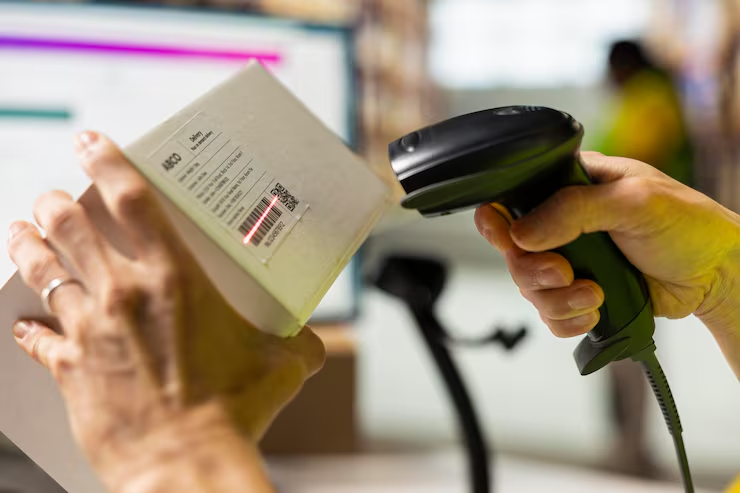
You can write on many thermal labels, but results depend on the face coating, topcoat, pen or marker chemistry, moisture, handling, and how long the handwriting must remain legible. Test the exact writing instrument because a label that prints well may resist or smear handwritten marks. Start with compatible label stock and confirm the complete media specification before changing printer settings.
Decide whether handwriting is a temporary warehouse note, a permanent identification field, or information that must survive water, chemicals, refrigeration, or abrasion. Those uses require different constructions. The goal is a repeatable correction that works throughout the batch, not a one-label improvement.
Which Pens Usually Work Best?
Ballpoint, permanent marker, felt-tip, and gel inks interact differently with thermal coatings. Some wet inks bead on top-coated or synthetic faces, while sharp ballpoints can damage soft material. Treat this as a controlled test rather than changing several settings at once. A single-variable test shows whether the result came from media, mechanics, software, or the application surface.
Test several approved instruments for line quality, drying time, and pressure without assuming one pen works on every batch. Record the starting condition, make the change, and print a small sample. Compare alignment, feed, adhesion, and barcode readability with an approved label before releasing the job.
How Long Should the Ink Dry?
Fresh handwriting can transfer to hands, adjacent labels, bags, or cartons when stacked immediately. Humidity and a less absorbent topcoat increase drying time. The distinction matters in production because a temporary visual improvement can conceal the real cause. Verify the behavior across several labels before saving a new default.
Write a sample, wait under real packing conditions, then rub it with the expected handling material before setting a workflow. Use a known-good roll or file as a reference. If the reference works, compare specifications and saved settings; if it fails too, inspect the printer and workflow first.
Can Handwriting Trigger the Thermal Coating?
Friction and pressure normally do not create a clean thermal image, but aggressive rubbing, heat, or certain chemicals can darken or mark sensitive direct thermal stock. This check should be completed with the actual printer, label construction, and operating conditions. A desktop test with substitute media may not reproduce the production result.
Use moderate pressure and keep labels away from hot surfaces and reactive cleaners. Measure the result instead of relying only on appearance. Consistent dimensions, repeatable positioning, and successful scans provide stronger evidence than one acceptable print.
Will the Writing Survive Water or Chemicals?
Water-resistant label stock does not guarantee water-resistant handwriting. Alcohol, oil, sanitizer, condensation, and plasticizer contact can dissolve or transfer some inks. Do not compensate with unrelated settings. Heat, speed, offsets, calibration, and page scale solve different problems and should be adjusted only when evidence points to them.
Test the written sample after full drying against every relevant exposure and handling interval. If the result varies, stop and inspect loading, contamination, wear, environmental conditions, and media consistency. Random variation should not be hidden with a large permanent adjustment.
Where Should You Leave a Writing Area?
Handwriting placed over barcodes, quiet zones, routing marks, or printed variable data can cause scan or interpretation errors. A crowded field also encourages operators to write beyond the label edge. Treat this as a controlled test rather than changing several settings at once. A single-variable test shows whether the result came from media, mechanics, software, or the application surface.
Design a clearly blank area sized for the instrument and expected number of characters. Record the starting condition, make the change, and print a small sample. Compare alignment, feed, adhesion, and barcode readability with an approved label before releasing the job.
Is a Synthetic Face Better for Handwriting?
Synthetic labels resist tearing and moisture but often absorb less ink than uncoated paper. A receptive topcoat or matched marker may be necessary. The distinction matters in production because a temporary visual improvement can conceal the real cause. Verify the behavior across several labels before saving a new default.
Choose the construction based on both durability and ink anchorage, then approve the combination rather than the face stock alone. Use a known-good roll or file as a reference. If the reference works, compare specifications and saved settings; if it fails too, inspect the printer and workflow first.
Should Important Data Be Printed Instead?
Handwriting is flexible but variable in legibility, format, and traceability. Lot codes, dates, compliance data, and barcodes are more reliable when generated from controlled systems. This check should be completed with the actual printer, label construction, and operating conditions. A desktop test with substitute media may not reproduce the production result.
Reserve handwriting for exceptions or short notes and use validation rules when the information is operationally critical. Measure the result instead of relying only on appearance. Consistent dimensions, repeatable positioning, and successful scans provide stronger evidence than one acceptable print.
What Is the Fastest Troubleshooting Sequence?
Work from the simplest observable cause toward less common hardware faults. Keep the same test file and change one variable at a time so each result remains useful.
- Define the required writing life and likely environmental exposure.
- Select the production label and several permitted pens or markers.
- Write samples using normal operator pressure and character size.
- Measure drying time, then rub and stack the samples.
- Expose them to moisture, cold, chemicals, or abrasion as required.
- Approve one label-and-instrument combination and document the blank writing area.
How Should You Validate the Final Result?
Print enough labels to include normal starts, stops, and roll movement. Inspect the first, middle, and final samples, scan every barcode type used in the job, and confirm that text, quiet zones, edges, and registration remain stable.
Repeat the test under the actual application and environmental conditions. A label that looks correct on the bench may behave differently on cold, dusty, curved, recycled, or frequently handled surfaces. Keep the approved sample and settings with the job record.
When Should You Request Technical Support?
Request service when approved media and a known-good file still fail after correct loading, cleaning, setup, and controlled testing. Persistent sensor errors, damaged rollers, unstable feed, electrical faults, or settings that reset unexpectedly require model-specific diagnosis.
Provide the printer model, resolution, firmware, driver, connection, media specification, settings, photographs, and test results. Clear evidence shortens diagnosis and reduces unnecessary parts replacement.
What Should You Confirm With the Supplier?
Confirm face material, topcoat, surface energy, chemical resistance, thermal sensitivity, and whether the construction has been tested with the proposed writing instrument. Ask the label supplier to confirm tolerances, sample availability, and compatibility with the printer and application.
Approve a production-equivalent sample before a large order. Document the final face size, liner, sensing method, adhesive, roll construction, storage limits, and acceptance checks so later orders can reproduce the same result.