From Cracks to Clarity: The Ultimate 2026 Cell Phone Screen Repair Guide
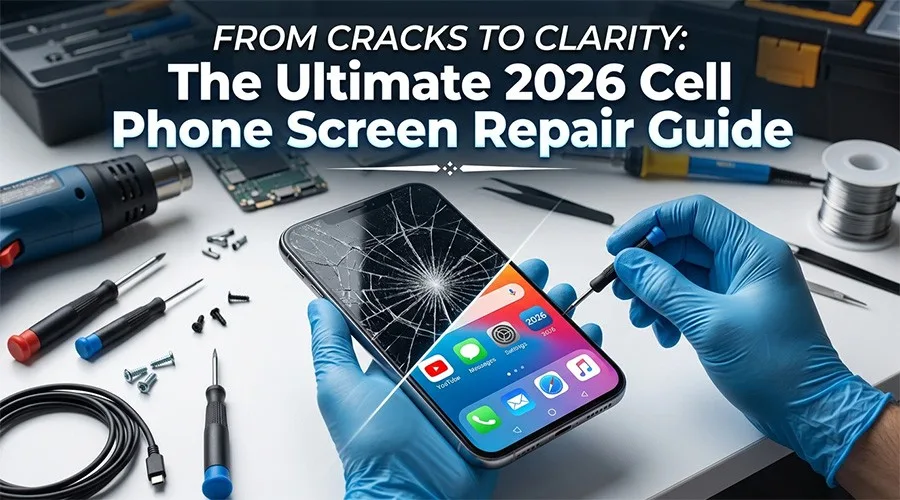
Have you ever experienced that heart-stopping moment: your phone slips and hits the pavement screen-down, and when you pick it up, you are met with a spiderweb of shattered glass? In 2026, replacing a screen yourself might sound daunting, but DIY screen repair is entirely feasible. The following is a professional-grade authoritative guide for screen disassembly an replacement.
I. Diagnostics
Before ordering parts, you need to know exactly what is broken.
- 1. Fault Differentiation
- Glass Only: If the touch function is normal and the image is perfect, you only need to replace the glass.
- Assembly Damage: If you see black ink spots, vertical lines, or touch ghosting, you need to replace the entire display assembly.
- Expert Advice: For 2026 flagship models, I always recommend purchasing a full screen assembly with the mid-frame. While slightly more expensive, it saves you from the nightmare of gluing a fragile panel into an old, warped frame.
- 2. Preparation
You wouldn’t perform surgery in a dusty garage, and phone repair should be no different. Static electricity and microscopic dust are the enemies of a clean repair. Please operate on an anti-static mat in a well-lit area. Use a DC Power Supply to ensure the device is completely powered off. More importantly, check your workbench for the risk of screw displacement; use a magnetic memory mat to ensure the safety of the repair.
- II. Repair Process
Step 1. Softening the Adhesive
- Core Tools: PCB heating platform (or smart constant-temperature heating station), digital display heat gun.
- Key Points: Place the device on the heating platform with the temperature set between 70°C – 75°C for approximately 4-5 minutes. For areas with thicker local glue, a heat gun can be used for edge heating, but keep the nozzle moving to avoid burning internal components. Wait until the edge of the screen feels slightly hot to the touch; at this point, the waterproof gasket has turned from a solid to a viscous semi-fluid state, which is the best time to open the screen.
Step 2. Precise Prying
- Core Tools: Professional-grade powerful suction cup, ultra-thin plastic picks, thin opening pry tool.
- Key Points: Fix the suction cup to the bottom of the screen (avoiding severely shattered areas) and apply steady upward pressure until a slight gap appears at the edge of the screen. Do not insert the pick deeper than 2mm. Modern smartphone bezels are extremely narrow, and display cables and sensors are placed almost against the frame; going too deep will directly cut the cables. Stick to using plastic tools. Although metal tools are hard, they can easily scratch the metal frame or cause an accidental short circuit on the circuit board.
Step 3. Transferring Screen Components
- Core Tools: Insulated anti-static tweezers, isopropyl alcohol (cleaning agent) with a concentration of over 90%, dedicated logic board screwdriver set.
- Key Points: Carefully disassemble the earpiece component, ambient light sensor, and laser projector module from the old screen; these original parts must be transferred. Use anti-static tweezers to handle them to avoid hand sweat or static electricity puncturing precision capacitors. If the adhesive behind the sensor is too stubborn, do not pull forcefully. Drop in some isopropyl alcohol, wait for 10 seconds, and the glue will instantly lose its tackiness, allowing the components to fall off easily. Precisely snap the transferred cables into the sockets on the new screen.
Step 4. Testing, Adhesion, and Pressure Curing
- Core Tools: B-7000 dedicated adhesive, Phone repair fixtures.
- Key Points: Before formal gluing, connect the cables and power on the device to comprehensively test touch sensitivity, display brightness, Face ID, and the front camera. Power off only after confirming everything is correct. Apply the dedicated adhesive evenly along the edge of the frame. If using glue, be careful to avoid the front camera and sensor holes to prevent overflowing glue from contaminating the lenses. Press the screen into the frame from the top down. After confirming the gaps are uniform on all sides, immediately use screen fixtures for pressure maintenance for no less than 30 minutes.
III. Precautions
- 1. Static Prevention: The integration of internal phone circuits is extremely high; a tiny electrostatic discharge could puncture precision capacitors on the logic board, causing the phone to fail to power on.
- Key Points: Please wear an anti-static wrist strap before repair, or touch a metal object to discharge body static before operating.
- Prohibited Behavior: Avoid performing repairs in environments with wool carpets or synthetic clothing that easily generates static electricity.
- 2. Power–off Priority Principle: Before unplugging or plugging in any cables, the battery connection must be disconnected first.
- Risk Warning: If cables are plugged or unplugged while powered, the instantaneous current surge can easily burn out the backlight control IC or fuse on the motherboard, resulting in a black screen even after replacing it with a new screen.
- 3. Battery Safety Warning: During the disassembly process, the battery is usually exposed near the tools.
- Prohibited Behavior: It is strictly forbidden to use metal sharp objects such as tweezers to pry the battery directly. If the battery pack is accidentally punctured, causing lithium metal to contact the air, it will cause smoke or even fire.
- Emergency Plan: If the battery adhesive is too hard, a small amount of alcohol can be dropped in to assist de-bonding; always use plastic pry tools and operate gently.
Conclusion
Regardless of how phone models evolve toward higher precision, the basic principles remain the same: high-quality tools are the cornerstone of phone repair. By adopting these standardized Phone repair tools and tutorials, repair shops can ensure higher throughput, and DIY enthusiasts can complete simple repairs on their own.