From One Product Shot to a Full Campaign: A Marketer’s Test of ToImage AI
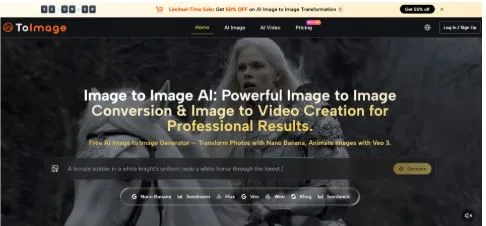
E-commerce and social media teams in 2026 are running on tighter content calendars than ever, and the persistent bottleneck is not the strategy, the copy, or the targeting. It is the visual asset pipeline. A single product launch can demand five to ten distinct images for different platforms, color treatments, and seasonal themes, and the cost of traditional photoshoots or hours of manual editing does not scale with the speed of the feed. I recently tested whether Image to Image could realistically take one studio product shot and turn it into a set of platform-ready campaign assets, tracking the process as a marketer would: with an eye on consistency, speed, and whether the outputs could go live without further heavy retouching.
The Campaign Asset Bottleneck Every Content Marketer Knows
Why Reshoots and Manual Editing Break the Content Calendar
A product photo shot against white works for a product detail page but not for an Instagram Story, a seasonal email header, or a short video ad. Traditionally, each variation demands a new shoot setup or a compositing session that can take hours per image. When a brand runs weekly promotions or needs to react to a cultural moment within 24 hours, that turnaround time kills relevance. The gap is not in the quality of the original photo but in the ability to remix it into multiple on-brand formats without starting from scratch.
What an Image-to-Image Workflow Promises for Product Marketing
An AI platform built around transformation rather than pure generation carries a specific appeal for product marketing: the hero product must stay accurate to its real-world shape, material, and color, while the context around it changes. If the bottle warps or the logo becomes illegible, the asset is unusable no matter how beautiful the scene looks. My test was designed to see how well the platform could honor the product as a non-negotiable anchor while delivering enough visual variety to populate a multi-channel campaign.
A Practical Run: From One Bottle to Five Channel-Specific Assets
The Control Image and the Creative Prompts We Used
I started with a clean studio photograph of a glass fragrance bottle on a neutral background. The brief was to generate five marketing-ready variants through AI Image to Image: a lifestyle scene for Instagram, a mood-driven image for a seasonal email, a clean e-commerce banner with soft shadow, a stylized Pinterest-worthy treatment, and a short animated clip for TikTok. Each variant needed to keep the bottle’s proportions, label detail, and glass transparency intact. I used Nano Banana Pro for most tasks because the Pro model is optimized for sharper output and more reliable in-image text rendering, which matters when a product label includes small typography.
Environment Building: Moving the Product into a New Scene
Preserving the Bottle Shape Through Background Replacement
Prompting “marble surface, warm morning light, soft shadows, keep the bottle and label exactly as is” produced a lifestyle image that felt staged for a premium catalog. The glass reflections adapted to the new lighting convincingly, and the label text remained legible, though a very small decorative element on the cap lost some edge sharpness. For social media use, the output was immediately usable. For a high-resolution print ad, further localized sharpening would be a prudent extra step. The platform’s background removal tool also worked well as a preprocessing step before environment building, giving cleaner edges around the product for subsequent prompts.
Style Transfer for Channel-Specific Moods
From Standard Photo to Seasonal Campaign Without a New Shoot
I prompted for a “winter holiday mood, frosted glass effect, dark navy background with distant warm bokeh” and later for a “spring botanical editorial, soft green tones, linen texture background.” In both cases, the bottle’s glass material responded appropriately: the winter variant introduced frost-like diffusion on the surface, while the spring version lightened the overall palette. The product remained center-frame and proportionally correct. These style transfers took the studio shot into distinctly different seasons without the cost of building physical sets.
Adding Motion for Short-Form Video
The Subtle Cinematic Pan That Elevates a Static Post
Using the Veo 3 image-to-video capability, I turned the lifestyle variant into a short clip with a slow push-in and gentle light shimmer on the glass. The motion was subtle enough to feel premium rather than gimmicky, and the synchronized ambient audio added atmosphere. This clip would work well as a TikTok or Reels asset where the goal is to stop a scrolling thumb with quiet motion rather than fast cuts. More complex animation requests, such as liquid pouring or a hand reaching into frame, are beyond what the tool reliably handles in its current form.
Asset Variety Across One Campaign Test
| Channel Format | Transformation Applied | Product Integrity | Ready-to-Use Status |
| Instagram Lifestyle | Background and lighting change | High, label text was legible and glass reflections adapted | Usable with light touch-up for fine details |
| Seasonal Email Header | Style transfer with frost or botanical mood | High, bottle shape and proportions preserved | Directly usable |
| E-Commerce Banner | Clean background, drop shadow, enhanced clarity | High, crisp edges and accurate color | Export-ready |
| TikTok Short Video | Gentle camera motion with ambient audio | High, no deformation during animation | Usable for atmospheric social content |
This table distills what one test session produced. Different product categories, especially those with complex reflections or very fine labeling, may yield different results.
The Marketer’s Workflow: Step by Step Inside the Platform
Step 1: Upload the Hero Product Image
Preparing the File for Maximum Flexibility
The process starts at the platform’s upload interface, where you drag in your studio shot. PNG files with transparent backgrounds give the most flexibility for background replacement, but JPG files on a clean solid backdrop also work well. The 10MB file size limit accommodates high-resolution product images without issue. Starting before committing to an account lets you test whether the product’s specific material properties translate well through the tool.
Step 2: Write Channel-Specific Prompts and Pick the Right Model
Choosing Between Nano Banana Pro and Flux Kontext for Product Tasks
After upload, you type a prompt describing the desired scene and select a model. For most product marketing work, Nano Banana Pro provided the best balance of sharp output, text legibility, and prompt responsiveness. When I needed a very exact background replacement with minimal risk of the bottle shifting in frame, Flux Kontext offered tighter layout preservation, though it demanded more precise prompt wording. The platform makes these model names visible, which helps build a mental map of which engine suits which job.
Step 3: Generate, Review, and Compare the Output
What a Successful Product Transformation Looks Like
Generation completed within a workable timeframe for iterative marketing sessions. I reviewed each output by toggling back to the original product shot and checking three criteria: shape fidelity, label readability, and lighting plausibility. Outputs that passed all three went directly into a shortlist. When an output missed, it was usually due to overly complex prompts that asked for incompatible lighting sources or environments that confused the model’s depth perception.
Step 4: Export Watermark-Free Assets for Immediate Use
The Commercial Rights Detail That Matters for Marketing Teams
All generated images export without watermarks, and every plan tier includes full commercial usage rights. This detail is operationally meaningful: a social media manager can pull assets directly into a scheduling tool without negotiating additional licensing. The export is straightforward, and the file quality holds up well for digital channels.
The Gaps Between AI Efficiency and Brand Precision
When the Label Text Does Not Survive the Transformation
In a few test runs with smaller product text, the AI approximated rather than faithfully reproduced the exact typography. For a brand where the logotype is a tightly guarded visual asset, this limitation means that AI-generated versions are best used as comps or social-first assets, while final packshots for regulated packaging or e-commerce hero images may still require manual compositing. Image to Image AI accelerates the ideation and variation stage dramatically, but it does not replace the final quality-control step that a brand team will always need.
Why Lighting Consistency Across a Full Campaign Still Needs a Human Eye
When I generated six assets for different platforms, the lighting across the set was close but not identical. One background replacement produced a slightly warmer tone than another, which would be noticeable if the images were placed side by side in a carousel. Solving this within the platform currently requires careful prompt calibration and some trial and error. A marketing team that values absolute visual consistency may need to run the outputs through a quick batch color-correction pass.
Where the Platform Earns Its Place in the Marketing Stack
ToImage.ai is not a substitute for a brand’s visual guidelines, a skilled retoucher, or a photographer who understands the product’s physical materiality. It is a tool that shortens the distance between one approved studio shot and the five platform-specific variants a content calendar demands by Friday. The combination of model choice, watermark-free commercial exports, and the video extension makes the platform feel built with marketing pragmatism in mind. For product marketers and social teams who live inside tight content cycles and already know what their hero image looks like, this is a practical asset multiplier worth incorporating into the weekly workflow.