How to Choose the Best Check Printing Software for a Small Business
Published for OnlineCheckWriter.com
Disclosure: This article was published as part of a paid partnership with OnlineCheckWriter.com, a Zil Money platform. The author is an independent contributor.
Small businesses looking for the best check printing software usually want something practical.
They may need to print vendor checks from the office, avoid keeping pre-printed checks for several bank accounts, prepare payroll or contractor payments, mail checks when necessary, or maintain clearer payment records.
The right software depends on how the business actually uses checks.
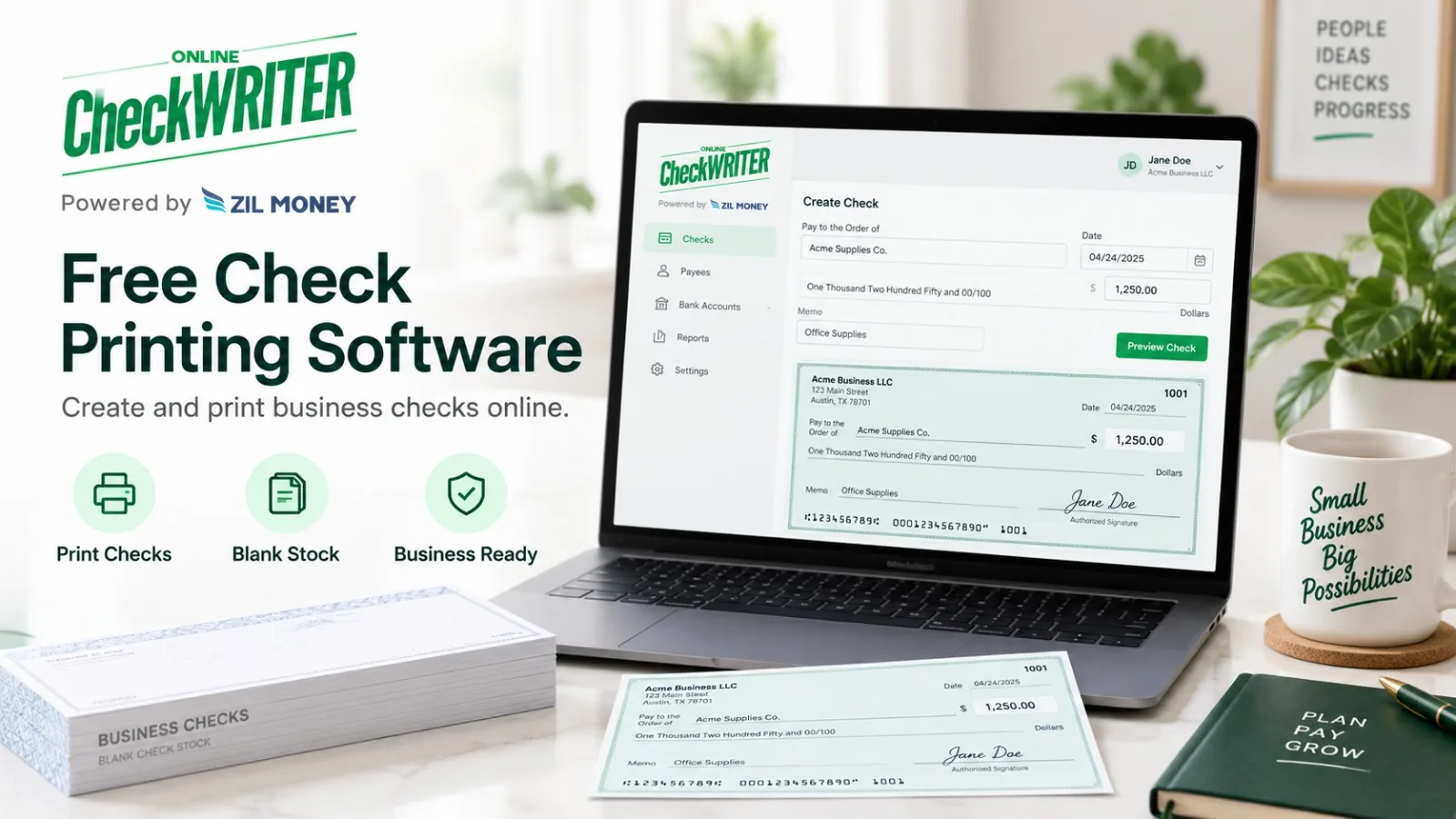
OnlineCheckWriter.com provides an online check-printing workflow that allows businesses to create and print checks on demand using blank check stock and a regular printer. Its current check-printing page also describes mailing, accounting integrations, ACH, wire transfers, and other supported payment workflows.
Start With the Check Printing Workflow
Before comparing software, consider how checks are currently prepared.
Does the business order pre-printed checks for each bank account?
Does someone manually write checks?
Are several employees involved in preparing and approving payments?
Does the company occasionally need to mail checks to vendors?
OnlineCheckWriter.com allows users to create checks when they are needed rather than relying only on pre-printed check inventory. The platform’s current product information states that checks can be printed on blank check stock using a regular printer.
For businesses managing several accounts, that can reduce the need to maintain separate stacks of pre-printed checks for every account.
Understand the MICR Requirement
Check printing involves more than placing the payee and amount on paper.
The MICR line at the bottom of an original check contains information such as the routing number, account number, and check serial number.
The Federal Reserve’s Check 21 FAQ explains that generally applicable industry standards for original checks require the MICR line to be printed in magnetic ink. It also explains that if the MICR line is already
pre-printed on the check stock, the remaining information can be printed with regular non-magnetic ink. If the payer is printing the MICR line, it should be printed using magnetic ink.
This requirement predates the Check 21 Act itself.
A business evaluating check-printing software should therefore understand whether it plans to use stock with a pre-printed MICR line or print the MICR information itself.
Look Beyond Printing
Printing is only one stage of the check-payment process.
A small business may also need to approve payments, keep records, mail checks, import accounting information, or work with different bank accounts.
OnlineCheckWriter.com’s current check-printing platform describes support for QuickBooks check imports, physical check mailing, deposit slips, invoicing, user approvals, and additional payment methods.
The business should determine which of those functions it actually needs rather than choosing software based only on the number of features advertised.
Be Careful With “Free Check Printing”
The phrase “free check printing” needs qualification.
OnlineCheckWriter.com currently markets free check printing for qualifying accounts and eligible transactions, subject to applicable plan terms and conditions. Its current website also publishes paid plans and transaction-based pricing, so businesses should not interpret “free” as unlimited no-cost use for every account or every transaction.
The safer approach is to review the current plan, transaction terms, eligibility requirements, and applicable fee schedule before choosing the software.
Pricing and plan conditions can change.
Compare the Actual Business Cost
The cost of check printing is not limited to software.
A business may also need to consider blank check stock, MICR toner when applicable, printer supplies, mailing, employee time, and any transaction or subscription charges.
Instead of relying on a generic “cost per check,” calculate the cost using the company’s actual workflow.
A business printing only a few checks each month will have different requirements from one preparing a large vendor-payment run.
Think About Controls
Check printing also involves access to sensitive payment information.
Before adopting software, determine who should be able to create checks, approve them, access bank information, and review transaction records.
The system should fit the company’s internal payment process rather than forcing every employee into the same level of access.
Choose Based on the Work You Actually Do
The best check printing software for a small business is not necessarily the product with the longest feature list or the lowest advertised price.
It is the one that fits the company’s check volume, printing setup, approval process, mailing needs, bank accounts, accounting workflow, and current budget.
OnlineCheckWriter.com can be evaluated by businesses that want on-demand check printing while also managing other supported payment activities from the same broader platform.
Businesses should review the current OnlineCheckWriter.com check printing software page and applicable pricing and plan terms before deciding which setup fits their needs.
OnlineCheckWriter.com – powered by Zil Money, is a financial technology company, not a bank. Banking and money movement services are provided through partner financial institutions and licensed service providers. FDIC insurance coverage applies only to eligible deposit products and accounts, and is subject to applicable terms, conditions, limitations, and requirements. Additional information regarding partner institutions, products, and services is available in the applicable terms and agreements.
[1]: https://onlinecheckwriter.com/check-printing-software-free/ “Check Printing Software Free Print Yourself On Any Printer”
[2]: https://www.federalreserve.gov/paymentsystems/regcc-faq-check21.htm “Federal Reserve Board – Frequently Asked Questions about Check 21”
[3]: https://onlinecheckwriter.com/check-printing/ “Check Printing | Print and Mail Checks Easily Anytime”
[4]: https://onlinecheckwriter.com/premium-plan-free-trial/ “Premium Plan Free Trial – Online Check Writer | Online Digital Check Printing Software”