How to store a filled cartridge so it doesn’t dry out or leak
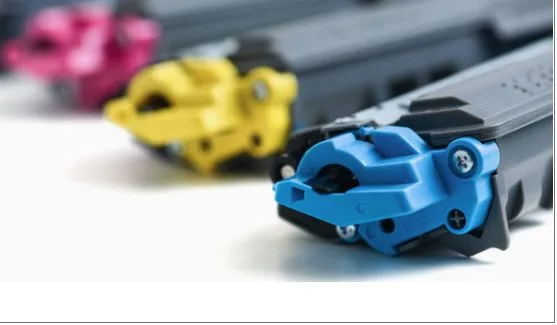
Buying a new cartridge or refilling your printer cartridges is only half the battle. The other half is storing the consumable properly until you need it. You might think you’ll put it in your desk drawer and forget about it. But that’s exactly how cartridges fall out of line: they dry out, start leaking, or clog before they even have time to print a single page. Let’s take a look at how to avoid this and what actually affects the shelf life of a refilled cartridge. If you need to refill a printer cartridge in Tallinn, visit the Odav Print website via this link https://odavprint.ee/et/tonereiden-taytto/, specialists will help you deal with the problem of an empty cartridge.
Why a refilled cartridge spoils when standing
To store it properly, you need to understand what exactly happens to the cartridge when it stands still. Inkjet printer ink is a water-based suspension of dye. When exposed to air, water evaporates, the dye thickens, and the result is direct clogging of the microscopic nozzles of the print head. This process begins within a few hours of exposure to open air.
With laser cartridges, the situation is different: toner is a dry powder, and its main enemy is not air, but light and moisture. Ultraviolet light damages the photosensitive drum, and high humidity causes the powder to clump together, which later remains unevenly on the paper. Both problems can be solved – you just need to know a few basic rules.
Proper packaging: the first and main step
The most common mistake is storing a filled cartridge just like that, without packaging. Even if you plan to use it in a week, this is already a risk.
For ink cartridges, the optimal solution is an airtight mini-grip bag with a small piece of damp sponge or moistened napkin inside. The sponge creates a humid environment around the cartridge and slows down the evaporation of ink from the nozzles. Just don’t place the sponge tightly against the nozzles themselves – it is enough to keep it close so that the air in the bag remains slightly humid.
A thick paper bag or the original foil packaging is suitable for laser cartridges. The foil blocks light and protects the drum from exposure to light. If there is no original packaging, wrap the cartridge in several layers of regular newspaper or kraft paper. This old-fashioned method works no worse than modern solutions.
One common rule is important for both types: before packaging, wipe the cartridge with a dry, lint-free cloth to remove traces of ink or toner from the outer surface.
Storage conditions: temperature, light and position
Proper packaging is good, but the surrounding environment is no less important. Here is what you need to consider:
Temperature — the optimal range for storing cartridges is +15…+25°C. Heat above +35°C accelerates the evaporation of ink and deforms plastic parts. Cold below 0°C leads to stratification of the ink and deterioration of its composition.
Humidity — moderate humidity of 40–60% is ideal for ink cartridges. Too dry air accelerates drying, too humid — promotes the formation of mold inside.
Light — especially critical for laser cartridges. Store them in a dark place: a cabinet, closed chest or box are ideal. Direct sunlight can illuminate the drum in a few hours and make the cartridge unusable.
Position — it is better to store ink cartridges with an integrated print head in the same position in which they are located in the printer — nozzles down. This helps the ink to remain at the exit holes and not dry out.
Vibration — do not store cartridges near sources of vibration. Constant mechanical impact can cause toner stratification or mixing of ink components.
How long can you store and how to check the cartridge before installation
A filled ink cartridge, if stored correctly, retains its properties for 1-3 months. Laser toner in a sealed cartridge — up to 6-12 months. After this period, print quality may noticeably decrease even with impeccable storage.
Before installing the cartridge after a long period of storage, be sure to perform a few simple checks. For an ink cartridge — gently shake the cartridge a few times in slow motions to mix the ink, then wipe the nozzles with a damp cloth. If the printer produces light or streaky prints after installation — run the printhead cleaning procedure through the printer software. Usually, two or three cleaning wipes are enough to restore normal operation.
For a laser cartridge, after storage, it is enough to remove the protective cloth from the drum — if it has not already been removed — and gently tilt the cartridge from side to side to evenly distribute the toner. After that, it is ready to work. Good storage is a simple habit that will save both your cartridge and your nerves at the moment of urgent printing.