How to Test Free Fire Gameplay Changes Without Relying on Hype
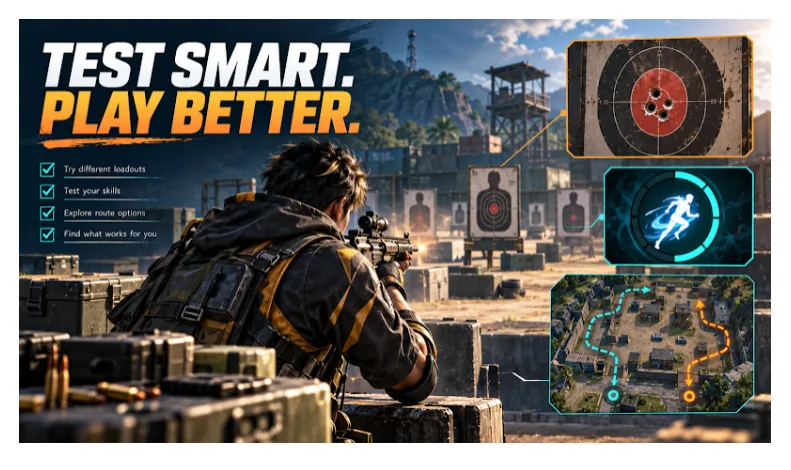
Every major Free Fire update brings a familiar wave of excitement. Players share clips of new features, content creators recommend different weapon combinations, and social media fills with claims about which character abilities have become stronger or weaker.
Within hours, a weapon that performed well yesterday might be labeled useless. A new sensitivity setting might be described as the secret to aim better. An unfamiliar gameplay clip might even be presented as evidence of an upcoming feature.
But how much of that information can you trust?
A convincing video does not always reveal the conditions behind it. Better aim, different equipment, favorable positioning, or an unstable connection can influence what happens during an encounter. Without these details, itis hard to tell whether a gameplay change actually made the difference.
The best way to evaluate Free Fire gameplay changes is to combine reliable update information with consistent, repeatable testing.
This approach helps players make informed decisions about weapons, character abilities, sensitivity settings, and movement strategies. It also provides a practical way to assess information from official announcements, gameplay demonstrations, and independent community resources.
1. Understand Where Free Fire Gameplay Information Comes From
Before testing a reported change, identify where the information originated.
Not every gameplay demonstration represents a confirmed update, and not every testing environment behaves exactly like the public game.
Understanding these differences prevents players from making unnecessary adjustments based on incomplete information.
Official Free Fire Updates and Patch Notes
Garena’s official announcements are the primary reference for confirmed changes to Free Fire.
Patch notes explain adjustments involving weapons, character skills, gameplay systems, and other mechanics. For example, the official OB55 patch notes document changes to weapon characteristics, including accuracy, firing speed, and other attributes.
These announcements establish which changes were officially introduced.
However, patch notes cannot tell every player whether a particular adjustment will improve their personal performance.
A weapon may become more effective in one situation while remaining difficult to control in another. Players still need to evaluate how the change affects their preferred playstyle.
Official Advance Server and Independent Projects
Free Fire Advance Server is Garena’s official testing program. Features available during a testing cycle may be adjusted, removed, or modified before reaching the public game.
Players can also encounter discussions and demonstrations involving independent projects.
One example is Astute Beta Server, a third-party project with its own published information and resources. When examining material associated with Astute, readers can use the project’s available documentation to identify reported versions, understand what a particular demonstration claims to show, and check whether the information relates to the build being discussed.
This type of context matters when comparing gameplay videos or investigating reports about unfamiliar features.
However, Astute Beta Server is separate from Garena and should not be confused with the official Free Fire Advance Server. Information about an independent project does not establish that a feature exists in the public game or will appear in a future official update.
Players should also respect Garena’s rules concerning unauthorized software and modified game clients.
Why Identifying the Source Matters
Imagine seeing two videos demonstrating different weapon behavior.
The first comes from the current public Free Fire version. The second references a different application or an unidentified build.
Even if both videos appear similar, their results cannot automatically be compared.
Before accepting either claim, ask:
- Which application or game version was used?
- Is the demonstrated feature officially confirmed?
- Were the testing conditions explained?
- Is the information current?
- Can the result be reproduced in the public game?
These questions provide a foundation for meaningful gameplay testing.
2. Identify the Gameplay Problem Before Changing Your Settings
A common mistake is changing several settings immediately after losing a few matches.
Suppose you lose two close-range encounters shortly after an update. A popular video claims your favorite weapon has been weakened, so you switch weapons, increase sensitivity, and replace a character ability.
Your next match goes better.
But what actually caused the improvement?
It might have been the weapon change. It could also have been better positioning, weaker opponents, improved concentration, or a more stable connection.
Changing too many things simultaneously makes the answer difficult to identify.
Turn Gameplay Frustrations Into Testable Questions
Instead of starting with an assumption, describe what happened.
| What you noticed | What you should investigate |
| Shots missed during longer bursts | Are shorter bursts easier to control? |
| A weapon felt ineffective at medium range | Is it suitable for that engagement distance? |
| A character ability was unavailable during a fight | Could better activation timing improve its usefulness? |
| A squad repeatedly took damage while rotating | Would another route provide better cover? |
| Aim became difficult to control | Are sensitivity settings affecting small corrections? |
| Gameplay felt delayed during combat | Could connection or device performance be contributing? |
Choose one question at a time.
This keeps the comparison focused and makes the result easier to interpret.
3. Create a Reliable Baseline in Free Fire Training Grounds
Before testing an alternative, establish how your current setup performs.
This starting point is called a baseline.
A baseline helps distinguish an actual improvement from a temporary feeling that something new works better.
Free Fire provides Training Grounds features for practicing different gameplay mechanics. Garena has described these facilities as a place where players can improve their skills and explore different approaches.
Prepare Your Testing Conditions
Select a repeatable task and keep the relevant conditions consistent.
Record the following information when applicable:
- Game version and practice mode.
- Weapon and attachments.
- Target distance.
- Sensitivity values.
- Control layout.
- Character configuration.
- Device and graphics settings.
- Noticeable connection or performance problems.
You do not need to create a complicated technical report.
A few useful notes are enough to make later comparisons more meaningful.
For example, if you are investigating weapon accuracy, avoid changing sensitivity during the same test.
If you are investigating sensitivity, keep the weapon and firing routine consistent.
Why a Baseline Is Important
Without a baseline, an unfamiliar configuration can feel better simply because you are paying closer attention.
Practice itself can also improve performance.
Comparing the same task before and after a controlled adjustment provides stronger evidence than relying on memory alone.
4. Compare Gameplay Changes With a Simple A/B Test
An A/B test compares two options under similar conditions.
In Free Fire, Option A might be your current weapon, sensitivity setting, or movement strategy.
Option B represents one alternative.
The objective is not to prove that the new option is better. It is to discover whether there is a useful difference.
Follow a Repeatable Testing Process
- Define the specific problem.
- Record your existing approach as Option A.
- Select one alternative as Option B.
- Keep other relevant conditions consistent.
- Perform several comparable attempts with both options.
- Record successful and unsuccessful attempts.
- Compare the observations.
- Test promising findings in ordinary matches.
For a manageable starting routine, try five attempts with each option.
This is a practical exercise, not a scientifically established sample size. If your results vary significantly, additional attempts may be necessary.
Alternating between A and B can help reduce the effects of warming up or becoming tired.
Focus on Consistency
A strategy that works exceptionally well once but fails repeatedly may be less useful than one that delivers dependable results.
For example, one successful long-range elimination does not establish that a weapon is consistently accurate at that distance.
Look for repeated patterns rather than isolated highlights.
5. How to Test Weapon Accuracy and Recoil Control
Weapon performance is one of the most discussed topics after a Free Fire update.
Players frequently compare damage, firing speed, recoil, accuracy, and effective range.
Although these characteristics are important, practical weapon performance also depends on how consistently a player can use the weapon.
Compare Short Bursts and Sustained Fire
Start with a simple question:
Are shorter bursts easier to control than sustained fire at a particular distance?
Use this routine:
- Select one weapon.
- Choose a consistent target distance.
- Keep attachments and sensitivity unchanged.
- Perform a sustained-fire attempt.
- Repeat using shorter bursts.
- Alternate between the approaches.
- Record hit information where available or use consistent observations of aiming control.
Pay attention to whether your aim repeatedly moves away from the target and how easily you recover.
Do not assume that one approach must always produce greater damage.
A reasonable finding might be that shorter bursts feel more controllable with a particular weapon at the tested distance.
That is more useful than claiming an improvement percentage without reliable measurements.
Test Weapons at Different Distances
A weapon that performs comfortably at close range may become harder to use against distant opponents.
Compare weapons at distances relevant to your usual matches.
Consider:
- Target acquisition.
- Aim control.
- Recovery after missed shots.
- Movement while engaging.
- Reloading and weapon switching.
- Compatibility with your second weapon.
Avoid choosing equipment solely because it appears in a popular creator’s loadout.
The more important question is whether the weapon supports the situations you regularly encounter.
Evaluate the Complete Loadout
Two effective weapons do not automatically form a balanced combination.
For example, selecting two weapons that serve similar close-range roles could leave you less prepared for distant engagements.
Consider the strengths and limitations of the loadout as a whole.
6. How to Test Free Fire Sensitivity Settings
Sensitivity settings influence how your aim responds to movement.
A configuration that works well for one player may feel uncomfortable for another.
Different devices, control layouts, grips, and playing habits can affect how sensitivity adjustments perform.
Instead of copying an entire configuration, begin with the specific problem you want to solve.
Test One Setting at a Time
Suppose your crosshair regularly moves beyond the intended target when making small corrections.
Rather than changing every sensitivity value:
- Record your existing settings.
- Identify the setting relevant to the problem.
- Make a small adjustment.
- Repeat the same practice task.
- Observe whether control becomes more consistent.
- Keep or reverse the change based on repeated results.
Changing multiple settings simultaneously can make it difficult to determine which adjustment influenced your performance.
What Counts as an Improvement?
Look for changes in:
- Ease of target acquisition.
- Accuracy of small corrections.
- Control during firing.
- Recovery after missed movements.
- Comfort during ordinary engagements.
An adjustment that feels effective against a stationary target should also be checked against moving opponents.
A sensitivity setting is only useful when it supports the way you actually play.
7. Evaluate Character Abilities Through Practical Situations
Character abilities can influence how teams approach engagements, movement, and recovery.
However, a character combination should not be judged solely by popularity.
The effectiveness of an ability depends partly on when it is used and whether it supports the team’s objective.
Define the Situation First
Choose a recurring gameplay scenario, such as:
- Starting an engagement.
- Supporting a teammate.
- Crossing exposed ground.
- Recovering after damage.
- Withdrawing from an unfavorable fight.
Then compare how different approaches handle that situation.
Examine Timing and Team Coordination
After each attempt, consider:
- Was the ability available when needed?
- Was it activated too early or too late?
- Did teammates understand its purpose?
- Did it help complete the intended task?
- Did the ability remain unavailable when another encounter began?
An ability that creates an impressive opening may still leave the squad poorly prepared for the next fight.
The objective is to evaluate practical usefulness rather than appearance or popularity.
8. Compare Movement Routes and Positioning Strategies
Movement is often overlooked during gameplay discussions.
Players may focus on weapons and character abilities while ignoring how positioning affects the outcome of an encounter.
Yet a well-chosen route can reduce unnecessary exposure and give a squad more options.
Evaluate Routes Using Four Factors
| Factor | Question |
| Exposure | How much time does the route spend in open areas? |
| Cover | Are there positions that offer protection? |
| Flexibility | Can the squad change direction if threatened? |
| Timing | Does the route reach the objective when needed? |
The shortest route is not always the most effective.
A longer path may offer more cover, while a direct route may be better when speed is essential.
Review More Than One Match
Successfully using a route once does not prove it is consistently safe.
Likewise, encountering an opponent during one rotation does not make the route universally unsuitable.
Look for patterns across comparable situations.
The objective is to understand the trade-offs so you can make better decisions when conditions change.
9. Separate Gameplay Changes From Technical Problems
Technical performance can influence how a game feels and how consistently a player responds.
Frame rate drops, unstable network conditions, and device overheating may affect control or the timing of an encounter.
These problems can make gameplay comparisons misleading.
Recognize Unstable Testing Conditions
Watch for:
- Sudden frame drops.
- Noticeable input delays.
- Unstable connection performance.
- Device overheating.
- Background application activity.
- Changes in graphics or performance settings.
If one of these problems occurs, record the interruption.
Do not automatically interpret the affected attempt as evidence that a weapon or character ability changed.
Resolve the unstable condition where possible, then repeat the comparison.
Avoid Mixing Technical and Gameplay Adjustments
Suppose you lower graphics settings and switch weapons before the next match.
If performance improves, you cannot confidently identify which change contributed.
Separate the adjustments whenever practical.
This helps distinguish technical improvements from actual gameplay differences.
10. How to Verify Claims About Free Fire Updates and Beta Features
Gameplay information spreads quickly through videos, community posts, and independent websites.
Some information is useful. Other claims are incomplete, outdated, or unsupported.
A practical verification process helps players decide which information deserves attention.
Step 1: Identify the Source
Determine whether the information comes from:
- An official Garena announcement.
- The public Free Fire game.
- The official Advance Server.
- An independent project.
- A creator’s personal demonstration.
Do not treat these sources as interchangeable.
Step 2: Check Version Information
A gameplay demonstration should ideally identify the application and build being discussed.
Without version details, viewers may be unable to determine whether the footage reflects an old release or a different environment.
Step 3: Examine the Evidence
Ask whether the demonstration shows repeated tests or only one successful moment.
Look for relevant information about settings, equipment, and testing conditions.
A clip that omits these details may still be interesting, but it provides limited support for broad claims.
Step 4: Verify Official Changes Independently
If a video claims that Garena has introduced or confirmed a feature, look for an official announcement.
Independent documentation can explain what a particular project reports, but it should not replace the publisher’s confirmation.
Step 5: Test Relevant Claims in the Public Game
When a claim concerns the current official game, use a suitable authorized practice environment to investigate it.
Record your observations and avoid presenting uncertain results as established facts.
This approach allows players to learn from community resources while maintaining a clear distinction between evidence, interpretation, and speculation.
11. Record Your Results With a Simple Testing Worksheet
A short testing record makes it easier to compare results over time.
It also helps prevent players from remembering only successful attempts.
Use the following worksheet when testing a gameplay adjustment.
| Field | Information to record |
| Game version | Application and version tested |
| Question | What problem are you investigating? |
| Option A | Your current approach |
| Option B | The alternative |
| Conditions | Relevant settings and equipment |
| Attempts | Number completed for each option |
| Observations | What actually happened |
| Limitations | Factors that may influence the result |
| Decision | Keep, reject, or retest the adjustment |
Practical Example: Testing Weapon Control
Imagine a player who struggles with longer firing bursts.
The player wants to compare sustained fire with shorter bursts at a consistent distance.
Testing plan:
- Use one weapon with unchanged attachments.
- Keep sensitivity consistent.
- Select a fixed target distance.
- Alternate between sustained fire and shorter bursts.
- Complete several comparable attempts.
- Record aiming control and any reliable hit information provided.
- Try the more promising approach against moving opponents.
The player should record the actual results rather than assume which technique will win.
If neither approach consistently performs better, the outcome should be considered inconclusive.
That does not make the exercise pointless.
It may indicate that further practice, different conditions, or another explanation is needed.
Observation Is Not the Same as Confirmation
Consider these three statements:
Observation: Longer bursts were difficult to control during several attempts.
Interpretation: Shorter bursts might be more suitable for this player’s current setup.
Unconfirmed claim: A recent update increased the weapon’s recoil.
Only the first statement directly describes what the player observed.
The second offers a possible practical conclusion.
The third requires additional evidence about the game’s mechanics.
Learning to make these distinctions is essential when evaluating update discussions.
12. Check Whether the Adjustment Works in Real Matches
Training provides a more controlled environment.
Real matches introduce opponents, pressure, changing terrain, and unexpected situations.
A technique that works in practice may not deliver the same result during competitive gameplay.
Focus on Relevant Opportunities
After identifying a promising adjustment, use it during normal matches.
Keep the rest of your setup familiar where possible.
Pay attention to encounters where the change is relevant.
For example, if you adjusted your firing technique, examine whether it helps during the engagement distances you originally tested.
Avoid judging the adjustment solely by match victories.
A player may win without using the new technique or lose despite performing the technique correctly.
Instead, ask:
- Did the original problem occur less frequently?
- Was the adjustment easier to use under pressure?
- Did it introduce another difficulty?
- Did it work across different situations?
- Is more testing necessary?
Know When Not to Change Anything
Sometimes your original setup remains the better choice.
You may discover that the alternative offers no consistent improvement.
In that situation, keeping familiar settings can be reasonable.
Testing is not about constantly replacing your equipment or controls. It is about making decisions supported by the available evidence.
Frequently Asked Questions
How can I test new Free Fire weapon changes?
Review official patch notes to identify confirmed adjustments. Then compare weapon handling, accuracy, and other relevant characteristics under consistent practice conditions. Validate promising findings in ordinary matches.
What is the best way to test Free Fire sensitivity?
Adjust one relevant setting at a time while keeping the weapon, practice task, and other controls consistent. Repeat the exercise and evaluate whether aim control becomes more reliable.
Can Free Fire Training Grounds help improve gameplay?
Yes. Training Grounds provides opportunities to practice mechanics and compare approaches. However, results should also be evaluated during matches against moving opponents.
How do I know whether a Free Fire update claim is real?
Check Garena’s official announcements for confirmation. Consider the source, game version, and supporting evidence before accepting information shared through social media or independent demonstrations.
Is Astute Beta Server the same as Free Fire Advance Server?
No. Astute Beta Server is an independent third-party project and is not Garena’s official Advance Server. Information about an Astute build should not be treated as confirmation of official Free Fire features.
Can independent gameplay demonstrations predict future updates?
They may generate discussion or questions worth investigating, but independent demonstrations do not establish what Garena will release. Official announcements remain the appropriate reference for confirmed updates.
How many attempts are needed for a useful comparison?
There is no universal number. Several comparable attempts provide a practical starting point, but inconsistent results may require additional testing. The quality and consistency of the observations matter more than an arbitrary attempt count.
Should I copy a professional player’s settings?
You can use them as an option to investigate, but do not assume they will suit your device or playing style. Compare the settings with your existing configuration before making a permanent change.
What if a new setup does not improve my performance?
Record the result honestly. Return to your baseline, refine the testing question, or investigate another possible cause. An inconclusive comparison is more useful than forcing a favorable result.
Final Thoughts: Better Decisions Begin With Better Testing
Free Fire players have access to more gameplay information than ever before. Official patch notes, practice tools, community discussions, and independent resources all contribute to conversations about how the game changes.
The challenge is deciding which information can be trusted and how it applies to your own matches.
A reliable approach begins by identifying the source, confirming the version, and asking a specific question. From there, controlled comparisons can help evaluate weapons, character abilities, sensitivity settings, and movement decisions.
When reviewing independent project information, keep its conclusions attached to the environment being discussed. When investigating the official game, rely on authorized testing methods and Garena’s confirmed announcements.
Most importantly, remember that an exciting gameplay clip is not the same as dependable evidence.
Test one change, observe the results, and keep what genuinely improves your gameplay.
That habit will remain useful long after the next Free Fire update arrives.