How to Turn Lyrics into a Song with AI: A Practical Beginner’s Guide
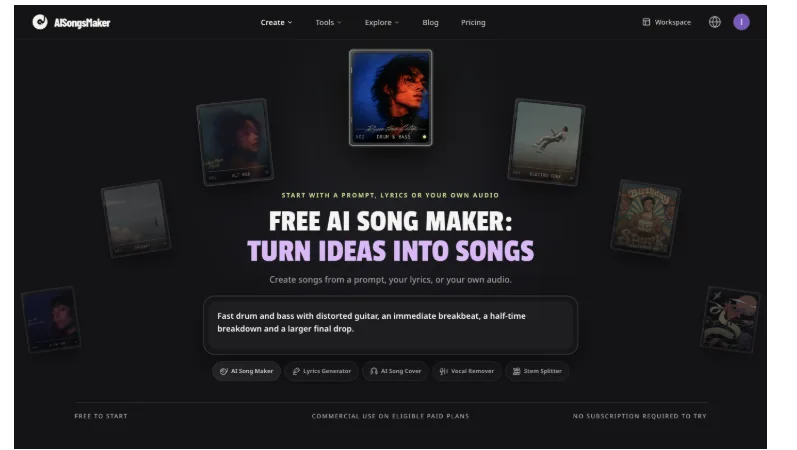
AISongsMaker’s homepage brings the song composer and supporting tools together. The covers and prompt are existing site examples. Screenshot: AISongsMaker, October 25, 2026.
If you have written lyrics but cannot yet hear the song, you have two different tasks to solve: prepare words that can be performed, and describe the music that should carry them. An AI song maker from lyrics can help you explore that connection without first arranging every instrument yourself.
This guide explains how to turn lyrics into a song: prepare your words, describe the music, compare generated versions, and decide what to change. The goal is a draft you can judge by listening.
Disclosure: AISongsMaker commissioned this AI-assisted tutorial. The lyric and style examples below are original teaching inputs, not a claimed recording or audio-quality test.
1. Decide what the song needs to communicate
Before choosing a genre, write one sentence about the song’s purpose. For example: “This is a hopeful song about leaving a familiar place without losing the people who made it home.” Use that sentence to judge the result later.
Choose the line that carries the central thought. It can become the hook or chorus. For a friend, video, or personal project, include details specific to that situation rather than relying on generic emotional phrases.
2. Prepare lyrics as words to sing
Keep performance instructions in a separate note. The lyric field should contain the words you want sung, with line breaks for phrasing and section labels to show where the story develops or the hook returns.
Here is a short original example to adapt:
[Verse 1]
The kettle clicks, the room turns gold
A folded map, a coat against the cold
I leave a note beside the kitchen light
Some roads begin before the sky is bright
[Chorus]
Keep a little light for me
Somewhere past the last old street
When the road runs out of blue
Every turn still points to you
[Verse 2]
The station hums, the windows shake
I count the things a leaving cannot take
A quiet laugh, the steps beside the door
The small familiar things worth coming for
[Chorus]
Keep a little light for me
Somewhere past the last old street
When the road runs out of blue
Every turn still points to you
The verses provide concrete scenes; the returning chorus carries the emotional point. Keep only the sections your idea needs. Read each line aloud at an even pace, and shorten lines that require a rush of extra words.
3. Keep the lyric and musical direction separate
In AISongsMaker, open Lyrics to Song and use Lyrics mode. Put your words in Song lyrics and your musical description in Style. Sign in before generating, and keep a separate copy of your original text.
For the lyric above, start with this direction:
Warm indie pop with intimate, clear vocals, acoustic guitar, light drums, and a hopeful chorus. Keep the verse restrained and let the chorus open up.
This supplies a genre, vocal character, instrument palette, and sense of development. Avoid combining several conflicting genres or emotions in one request.
Section markers such as [Verse] and [Chorus] provide guidance, but do not guarantee exact timing, melody, or duration. Choose a vocal workflow when you want the words sung.
4. Generate once, then compare the versions
Check the selected model and credit amount shown on Generate songs. Submit once and wait for completion; repeated clicks while a task is running can create additional requests.
A successful generation usually provides two versions. Listen with the source lyric in front of you. Choose the performance that supports your words and purpose, using these questions:
- Can you understand the words without reading along?
- Does the singer emphasize the important line?
- Does the chorus feel distinct from the verse?
- Are names and unusual words pronounced acceptably?
- Does the arrangement leave space for the vocal?
Listen beyond the introduction. A version that opens well may become crowded in the chorus or handle a later line awkwardly.
5. Change one thing you can evaluate
If the song sounds too busy, keep the lyric and request a sparser arrangement. If the chorus lacks a lift, clarify the energy change in Style. If a line is hard to sing, edit it in your original document before generating again.
For example, replace “A folded map, a coat against the cold” with “A folded map, my old blue coat” to try a shorter phrase. Listen to the next performance to decide whether the change helps.
A new generation is a new interpretation; it does not guarantee the earlier melody with one corrected word. For changes to an existing recording, inspect the relevant editing action and its access requirements.
6. Keep the chosen version and check export conditions
Mark the chosen version as a favorite and keep it with its project. Note why you chose it: a clearer chorus, more natural phrasing, or an arrangement that suits the story.
Preview access, file downloads, and commercial use are separate questions. Check the current plan before exporting or using music in a monetized video or client project. Confirm that you have rights to the lyrics and any source audio you supply.
When you are ready to try your lyric, an AI song maker online gives you a starting point. Bring a clear message, keep the musical direction focused, and judge the performance by what a listener can hear.
Questions that come up on a first attempt
Can I turn my lyrics into a song for free?
AISongsMaker offers sign-up credits to try generation before choosing paid access. Check the current allowance and displayed generation cost. MP3 downloads require paid access; verify the applicable plan and commercial-use terms before publishing your project.
Why does a long line sound rushed?
It may ask the performance to fit too many words into one phrase. Read the line aloud, cut filler, and keep important phrases together. Generate another version to compare; the melody and delivery may also change.