MidiMusic AI Explained: A Workflow for Video Soundtracks and Song Drafts
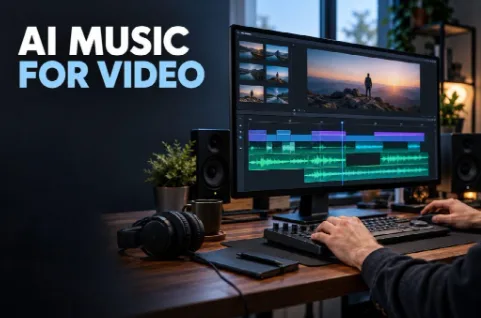
When I assess a music tool for video work, I start with the edit. A track can sound appealing on its own and still be difficult to use beneath narration, across a product demonstration, or at the end of a short sequence.
That makes the production question more specific than “Can this generate music?” I want to know how I would brief it, review the result, and carry useful audio into the rest of a project.
My review of MidiMusic AI points to a browser-based workflow for generating songs from descriptions or supplied lyrics, with an instrumental option for projects that do not need singing. Its published features also include ways to continue working with generated audio.
I have not benchmarked its sound quality or generation speed. Here, I am examining how the documented workflow could fit into soundtrack planning, and where I would still need to make editorial decisions.
I Would Define the Audio Job Before Writing a Prompt
For a narrated video, I would begin by deciding how much attention the music should receive. A background bed has a different job from an opening theme. A song-led montage needs another approach again.
I would note the approximate duration, the presence of speech, and the moments where the video changes direction. Those details help me write a brief with an actual purpose.
| Project element | My main audio question |
| Spoken introduction | Can the voice remain easy to follow? |
| Product demonstration | Does the music support the pace of the explanation? |
| Visual montage | Does the track provide enough movement between images? |
| Closing sequence | Is there a suitable point to end? |
I would avoid assuming that one track can handle every section equally well. A quiet opening may need a different level of energy from a later montage.
Even if I ultimately use a single piece, identifying those differences gives me a clearer basis for judging it.
I Would Separate Song Generation from MIDI Editing
The product name makes this distinction worth addressing. Based on its current website, I would approach MidiMusic primarily as a tool for creating finished audio from text or lyrics.
I would not assume that generating a song gives me a fully editable MIDI arrangement with every note separated into instrument tracks. Audio generation, audio separation, and MIDI conversion are different operations, even when a platform provides tools for more than one of them.
For my own planning, I would decide what kind of material I need at the end. If I need a complete soundtrack candidate, generated audio may be the relevant starting point. If I need precise control over individual notes and instrumentation, I would plan for additional work in an appropriate music editor.
Making that decision early prevents a mismatch between the result I request and the editing freedom I expect.
It also helps me explain the workflow accurately to anyone else involved in the project.
I Would Write the Brief Around the Scene
A useful soundtrack brief tells me something about the scene, rather than merely naming a genre.
For a hypothetical narrated demonstration, I might specify a restrained instrumental arrangement, a steady pace, and limited melodic activity. For a montage, I might want clearer rhythmic movement and a gradual increase in intensity. These are planning examples, not results I have generated.
I would keep the description focused. If narration is central, I would not spend most of the prompt describing a dramatic lead vocal. If the closing shot is quiet, I would question whether an explosive ending belongs there.
The most useful instructions are the ones I can later evaluate. “Premium” and “cinematic” leave a lot open to interpretation. A description of the instruments, pace, density, and intended atmosphere gives me more to compare against the edit.
I would save the brief alongside the resulting audio. When a version works, I want to know which decisions led to it.
I Would Review the Track Inside the Video
My real evaluation would begin when the audio sits beneath the footage.
I would play the sequence at a comfortable volume and listen to the narration without concentrating on the music. If I have to work to follow the speaker, I would investigate the balance and the arrangement.
Turning the music down may help, but I would not treat volume as the only variable. A busy melody, prominent percussion, or frequent musical changes can compete with an explanation even at a lower level.
I would also review transitions. Does the music suggest a climax while the video is still introducing the topic? Does an unexpected pause feel intentional? Is there a phrase that can support the final image without an abrupt cut?
I would mark these points in the edit rather than relying on a general impression. A note such as “ending unresolved at final shot” is more useful than “music feels wrong.”
That specificity makes the next decision easier: revise the track, choose a different section, or try another candidate.
I Would Use Additional Audio Tools for a Clear Reason
MidiMusic lists extension, vocal removal, stem splitting, and WAV export among its available audio workflows. I would treat these as options for solving particular problems rather than steps every track must pass through.
Extension would be relevant if a useful piece needs more material. Vocal removal could matter if I want to explore a backing track from a vocal version. Separated stems may provide material for further balancing or editing.
I would listen closely after any separation process. A file labelled as an isolated instrument still needs checking for audible remnants or missing detail. The usefulness of the output depends on the source and the demands of the project.
Likewise, I would choose an export format according to the next editing stage. An uncompressed file can be useful in production, but the file format alone does not establish the quality of the underlying performance.
My guiding question would remain practical: does this operation give me material I can actually use?
I Would Keep Versions Easy to Compare
If I generate several candidates, I would label them by purpose and version. A name such as “demo_background_v03” tells me more than a folder full of generic downloads.
I would also keep a short decision note. One version might have a better opening; another might sit more comfortably beneath speech. Recording that distinction helps me avoid choosing purely on whichever track I heard last.
Before requesting more material, I would revisit the brief. If none of the candidates fits, the problem may be an unclear request rather than a shortage of options.
I would prefer a small set of meaningfully different directions over a large collection of almost identical attempts. That gives comparison a purpose and limits the amount of time I spend browsing my own output.
I Would Finish with a Publication Check
Before using a track publicly, I would confirm the applicable usage terms, particularly for monetized or client work. I would keep the relevant project and generation records with the final files.
My last review would happen on the completed video. I would check speech clarity, musical transitions, the ending, and playback on the devices that matter for the intended audience.
I would judge this workflow by whether it produces a suitable soundtrack candidate and allows useful revisions. A long feature list is less informative than a track that supports the actual sequence.
That is where I see the practical value of text-based music generation: it gives me another way to develop audio material from a project brief. The edit still supplies the final test.