Solar Shades for Home Offices: What Openness Level Helps With Screen Glare?
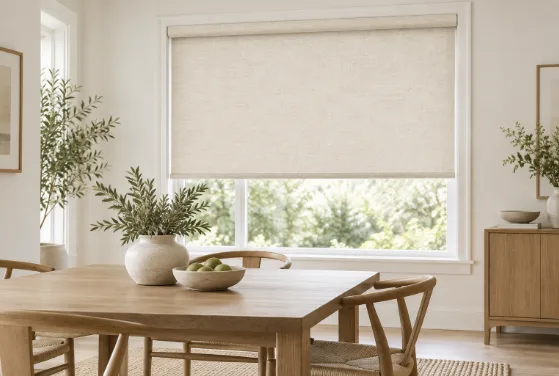
A home office needs daylight, but not the kind that turns a monitor into a mirror by midafternoon. The goal is to soften direct sun without making the room feel closed off. Among modern roller shades, solar fabrics use a woven screen to reduce glare while preserving some daylight and outdoor visibility. The key number is the openness factor—the percentage of open space in the weave. Lower percentages mean a tighter weave and stronger glare control; higher percentages keep more light and view.
Start With Openness, Not Just Color
For most home offices, openness is the first performance choice. A 1% fabric has a very tight weave, making it useful when glare is intense and the screen is the priority. A 3% fabric is a common middle ground for people who work on laptops or dual monitors but still want to see outside. A 5% fabric lets in more daylight and keeps the view clearer, but it may not be enough for harsh afternoon sun.
Someone beside a west-facing window may value maximum screen comfort, while a designer in a softly lit room may prefer more daylight and a clearer view.
Choose 1%, 3%, or 5% Around Your Workday
A 1% openness level suits people who spend long hours reading text, coding, editing spreadsheets, or working on reflective screens in strong sun. It cuts more incoming brightness, although the outside view becomes softer.
A 3% openness level is often the most practical starting point for a typical home office. It offers meaningful glare control without making the window feel visually sealed. For remote workers moving between computer work and video meetings, that balance works well across a full day.
A 5% openness level fits offices with gentler light, shaded windows, or users who care more about the view. If the main goal is softer daylight rather than aggressive solar control, light filtering roller shades are another option, especially where camera-friendly diffusion matters as much as monitor glare.
Match Openness to Window Direction and Desk Position
West-facing offices are often the toughest because low afternoon sun can hit screens directly while people are still working. South-facing windows can also need stronger control during bright parts of the day. In those situations, 1% to 3% openness is a sensible range to test.
East-facing offices usually deal with a shorter burst of morning glare, while north-facing rooms tend to receive softer daylight. Those spaces can often tolerate 3% to 5% openness when preserving brightness and view matters.
Desk placement matters too. OSHA advises positioning a computer display at right angles to windows and other bright light sources to reduce reflections. If moving the desk is not practical, a tighter solar weave can help compensate.
Think About Video Calls, Privacy, and View
A bright window behind you can make your face look dark on video calls, while a window directly in front of you can create uncomfortable contrast. Solar fabric helps moderate those extremes while keeping some connection to daylight.
People who work in street-facing rooms may prefer lower openness because a tighter weave generally provides more daytime privacy. Solar fabric, however, should not be treated as nighttime privacy; once the room is brighter than outdoors, visibility can reverse.
Fabric color matters as well. Darker solar fabrics often preserve a crisper view through the weave, while lighter fabrics create a brighter-looking window surface. Testing real samples in the room is more useful than judging from a product photo.
Make Light Control Easier During the Workday
Motorized control is useful for remote workers whose glare problem appears only during a two- or three-hour window, especially when they are already in a meeting or focused on a task.
For a west-facing office, scheduling the shade to lower before the afternoon sun reaches the desk can keep screen conditions more consistent without darkening the room all morning. Remote or voice control can also help in shared offices where users prefer different light levels.
Before choosing one openness level for every window, test the problem window when glare is worst. A 1% fabric may suit the window beside the main monitor, while 3% or 5% may work better elsewhere. Treating openness as a window-by-window decision usually creates a more comfortable workspace than using one fabric specification everywhere.