TikTok Scrolling vs. Excel Spreadsheets: Does the Type of Screen Use Change Your Eye Strain?
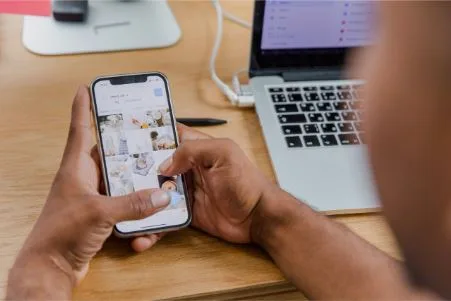
You’ve been on your phone for an hour watching TikTok, and your eyes feel tired. Or maybe you just wrapped up three hours of crunching numbers in Excel, and now everything looks slightly blurry. Both feel bad: no argument there. Yet here’s the question most people never stop to ask: are these two activities actually straining your eyes in the same way, or are different things going wrong depending on what you’re doing on screen?
Turns out, the type of screen activity matters a lot. Not every kind of eye strain comes from the same source, and once you understand what’s actually happening, you can take smarter steps to protect your vision.
What Eye Strain Actually Is
Eye strain, medically called asthenopia, is basically your eye muscles getting overworked. Your eyes have tiny muscles that control focus, pupil size, and movement. When you demand too much from these muscles for too long without a break, they get fatigued just like your legs after a long run.
Common symptoms include dry eyes, blurry vision, headaches, a burning sensation, and difficulty focusing. These symptoms don’t mean your eyes are permanently damaged. They’re more like a warning signal that your visual system needs a rest.
| Dry or watery eyes | Headaches |
| Blurry vision | Neck or shoulder tension |
| Burning sensation | Trouble refocusing |
How TikTok Scrolling Hits Your Eyes
TikTok is designed to keep you glued. Videos autoplay, transitions are rapid, and the whole experience is built around fast visual movement. Your eyes are constantly chasing new content; every few seconds, there’s something new to track, a new face, a new background, a new caption flashing across the screen.
This rapid movement forces your eye muscles to make tiny, constant adjustments. Your pupils are also reacting to frequent changes in brightness, especially when videos switch between dark and bright scenes, something commonly experienced during long sessions of scrolling through addictive TikTok content. Over time, this adds up to real fatigue. Since you’re in a passive viewing mode, you also blink far less than usual. Studies show people blink about 66% less when staring at screens. Less blinking means your eyes dry out faster, which amplifies that gritty, uncomfortable feeling.
“Passive scrolling keeps your brain lightly engaged but keeps your eyes in a state of constant, low-grade motion tracking. A surprisingly taxing combination.”
Another factor unique to phone scrolling is the short viewing distance. Most people hold their phone about 10 to 14 inches from their face. This close distance makes your eye muscles work harder to maintain focus, contributing to a type of fatigue called convergence strain.
What Happens to Your Eyes in Excel Mode
Excel use is a completely different kind of visual challenge. Instead of tracking fast motion, your eyes are locked in on tiny, static text in small cells. Your focus is almost completely fixed; you’re not chasing movement, you’re drilling down into detail. This sustained, intense focus on a single plane without moving your gaze around forces your focusing muscles to hold the same contraction for long periods.
| 7 hrs
Avg. Daily screen time for office workers |
66%
Reduction in blink rate on screens |
20-20-20
Recommended break rule |
The issue with spreadsheet work is also cognitive load. You’re reading, calculating, and concentrating simultaneously. Mental effort tightens your facial muscles and reduces your awareness of physical discomfort. You often don’t realize how tired your eyes are until you look away and everything is blurry for a few seconds. That’s accommodation spasm, where your focusing muscles literally get stuck.
Poor monitor setup makes this worse. If your screen is too close, too far, at the wrong angle, or if you’re working under harsh overhead lighting that creates glare on your monitor, your eyes work even harder to see clearly. Many office workers also lean forward unconsciously while working in spreadsheets, which brings the screen even closer and puts stress on the neck and upper back, both of which feed back into headaches that feel like eye strain.
Does Blue Light Play a Role Here?
You’ve probably seen the buzz around blue light and screen time. Both TikTok and Excel expose your eyes to high-energy visible (HEV) blue light emitted by screens, and there’s a real question about whether this contributes to eye strain. The current scientific evidence is mixed; blue light may not directly damage eyes in typical daily usage, but it does suppress melatonin production, which affects sleep.
Poor sleep then makes your eyes more sensitive and prone to strain the next day, creating a cycle. Some people find that wearing blue light glasses while working reduces discomfort, especially during long evening sessions, and brands like EyeBuyDirect offer blue light filtering glasses designed specifically for extended screen use, though effectiveness can vary from person to person.
What’s more clearly linked to screen-related discomfort is screen brightness and contrast. Both platforms can be harsh on the eyes when your environment is dim, and your screen is at full brightness. The contrast between the bright screen and dark surroundings forces your pupils to constantly adjust.
So Which One Is Actually Worse for Your Eyes?
Neither wins a clean victory here; they’re bad in different ways. TikTok scrolling strains your eyes through constant motion tracking, pupil fluctuation, close viewing distance, and drastically reduced blinking. Excel work strains them through sustained pinpoint focus, accommodation spasm, cognitive overload, and poor ergonomic setups.
If you had to rank them purely by the intensity of eye muscle fatigue, long sessions of detailed spreadsheet work tend to produce more acute symptoms faster, especially that blurry-vision-when-you-look-away effect. TikTok scrolling, while less intensely focused, causes more cumulative dryness and a different kind of fatigue that creeps up slowly over a longer session.
| Think of TikTok as a light jog that goes on for hours, and Excel as a short sprint up a steep hill. One is low-intensity but long; the other is high-intensity and concentrated. |
Practical Ways to Give Your Eyes a Break
The good news is that both types of eye strain are largely preventable with simple habits. The 20-20-20 rule is a solid starting point: every 20 minutes, look at something 20 feet away for at least 20 seconds. This relaxes the focusing muscles and resets your visual system. Set a timer if you have to; it works.
| Quick tip for TikTok users
Try increasing your phone’s text size slightly and lowering screen brightness. Also, hold your phone a bit farther from your face; even an extra 4 inches makes a noticeable difference in focusing muscle strain. |
For Excel users, make sure your monitor is about an arm’s length away, and the top of the screen is roughly at eye level. Increase your spreadsheet zoom level so you’re not squinting at tiny cells. Use matte screen protectors or adjust your monitor’s anti-glare settings to cut down on reflections. Taking short micro-breaks every 30 to 45 minutes, even just to stand up and look out a window, makes a real difference over a full workday.
| Quick tip for spreadsheet workers
Try switching your Excel theme to a softer, darker mode or using a slightly warm-toned monitor color profile. High contrast white backgrounds all day are harder on your eyes than most people realize. |
Blinking consciously sounds almost too simple, yet it genuinely helps. When you’re deep in focus, whether on a video or a formula, remind yourself to blink fully now and then. Lubricating eye drops can also provide fast relief if your eyes feel dry and irritated after long screen sessions.
Your Questions Answered
What is eye strain, and what are its common symptoms?
Eye strain, medically known as asthenopia, occurs when the eye muscles become fatigued from excessive use. Common symptoms include dry eyes, blurry vision, headaches, a burning sensation, neck or shoulder tension, and difficulty focusing. These symptoms indicate that your visual system needs a rest, but they do not mean your eyes are permanently damaged, and using comfortable, properly fitted eyewear from EyeBuyDirect can help support better visual comfort during daily screen use.
How does scrolling through TikTok affect my eyes?
Scrolling through TikTok can strain your eyes due to rapid visual movement, constant adjustments your eye muscles must make, and reduced blinking. The close viewing distance of around 10 to 14 inches also contributes to fatigue, leading to dryness and discomfort over time.
What are the effects of working on Excel spreadsheets on my eye health?
Working on Excel spreadsheets presents a different challenge for your eyes. It requires sustained focus on small, static text, which can lead to accommodation spasm and cognitive overload. Poor monitor setup and prolonged periods of concentration can further exacerbate eye strain, resulting in blurry vision when you look away.