
Top 5 AI Song Maker For Children’s Education in 2026
Can a five-year-old compose their first melody before they learn to read? With AI song makers, the answer is yes. Music education is no longer limited by expensive instruments or years of theory lessons. Today’s AI tools let children create music with AI in minutes, turning imagination into sound.
This guide reviews the five best AI song makers designed for educational settings. Whether you’re a teacher building a music curriculum or a parent exploring creative tools at home, these platforms make it easy to introduce kids to composition, rhythm, and storytelling through music.
What Is a Song-Maker.AI?
A Song Maker AI is a tool that generates music from text prompts, images, or simple inputs. Unlike traditional music software that requires knowledge of notes and scales, these platforms use artificial intelligence to handle the technical work. Kids describe what they want—”a happy song about dinosaurs” or “spooky music for a story”—and the AI creates a full track with melody, rhythm, and sometimes vocals.
For educators, this removes barriers. Students can focus on creativity and expression instead of struggling with complex interfaces. Song Maker AI tools also support cross-curricular learning: a history lesson becomes a medieval ballad, a science project gets a custom soundtrack, and language arts students write lyrics that come to life.
The best platforms for children prioritize simplicity, safety, and age-appropriate content. They offer intuitive controls, royalty-free output for school projects, and moderation to ensure generated content stays suitable for young audiences.
How to Create Music with AI: A Simple Workflow for Classrooms
Here’s how teachers and students typically use AI song makers in educational settings:
Step 1: Choose Your Input Method
Most platforms offer multiple ways to start. Text prompts work well for older students who can describe their vision in words. Younger children might prefer image-based generation—upload a drawing of a rainbow, and the AI creates a cheerful tune to match. Some tools also let you hum a melody or select a mood from preset options.
Step 2: Customize the Style
Pick a genre that fits your lesson. A folk song for a cultural studies project, electronic beats for a coding class showcase, or classical strings for a poetry reading. Many platforms let you adjust tempo, add or remove vocals, and choose instrumental arrangements. This step teaches students how musical elements shape emotion and meaning.
Step 3: Generate and Refine
Hit the generate button and wait 10–30 seconds. Most tools produce multiple variations, so students can compare and choose their favorite. If the first result isn’t quite right, tweak the prompt or try a different style. This iterative process mirrors real creative work and helps kids understand that art involves experimentation.
Step 4: Download and Share
Once satisfied, download the track as an MP3 or WAV file. Use it in presentations, videos, or school performances. Because these tools generate royalty-free music, there are no copyright concerns for educational use. Students can proudly share their work without legal complications.
Top 5 AI Song Makers for Educational Use
1. song-maker.ai
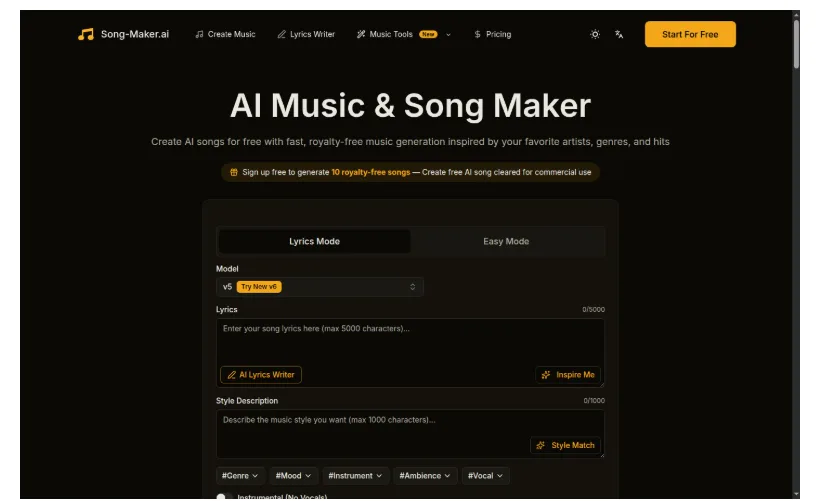
song-maker.ai stands out as the most educator-friendly platform in 2026. Its interface is clean and distraction-free, making it ideal for classroom use where focus matters. Students can generate up to 10 free songs per account, and all output is royalty-free and cleared for commercial use—perfect for school projects that might be shared publicly.
The platform supports both lyric-based and instrumental generation. Teachers appreciate the style description field, which lets students practice descriptive writing while creating music. A student might write “upbeat pop song about friendship with piano and drums,” combining language arts with music composition. The AI interprets these descriptions accurately, producing tracks that match the intent.
song-maker.ai also offers artist-inspired generation. Students can create music “in the style of” various genres without copyright issues, introducing them to different musical traditions. The tool processes requests quickly—most songs generate in under 20 seconds—keeping young learners engaged without long wait times.
For schools with limited budgets, the free tier is generous. Paid plans unlock unlimited generation and priority processing, but the free version covers most classroom needs. The platform’s commitment to safety and age-appropriate content makes it a trusted choice for K-12 educators.
2. udio.com
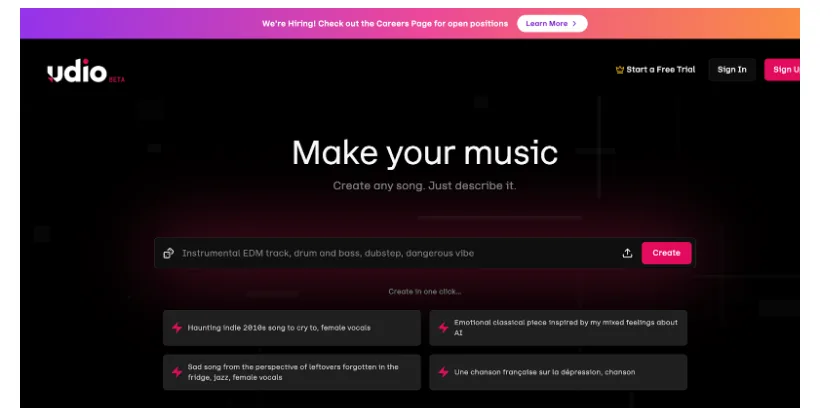
udio.com brings professional-grade music generation to educational settings. The platform excels at creating full songs with vocals, making it ideal for older students working on multimedia projects or music theory classes. Its AI understands complex prompts, so high school students can experiment with advanced concepts like chord progressions and song structure.
The interface offers more control than simpler tools. Students can specify verse-chorus arrangements, adjust key signatures, and even guide the AI toward specific emotional tones. This depth makes udio.com valuable for advanced music education, where students are ready to explore composition principles.
However, the learning curve is steeper. Younger children might find the options overwhelming, and the free tier has usage limits that could frustrate a full classroom. Teachers should plan lessons carefully to maximize the free credits, or consider a subscription for frequent use.
3. mureka.ai
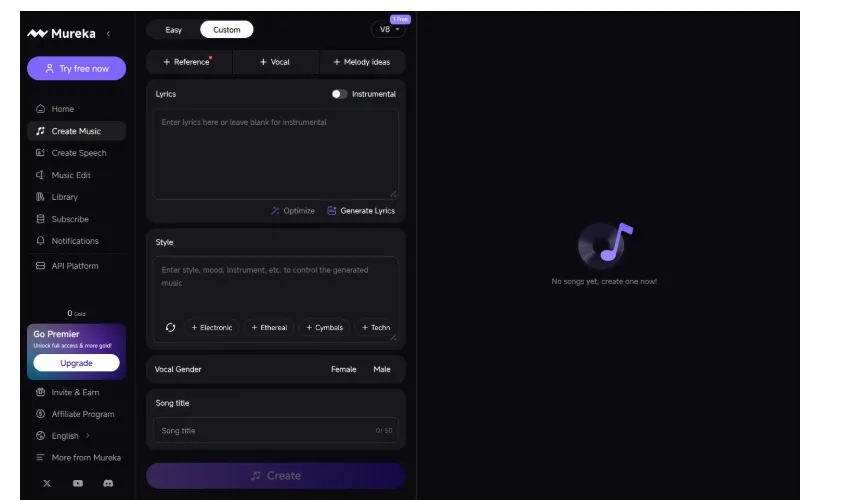
mureka.ai takes a playful approach that resonates with elementary and middle school students. The platform’s “Easy” mode lets kids create a song from a single line of text—perfect for quick creative exercises or warm-up activities. Type “a song about my pet hamster,” and the AI delivers a complete track in seconds.
The “Custom” mode adds more options without becoming complicated. Students can choose vocal gender, add melody ideas, or generate lyrics from a theme. This flexibility supports differentiated instruction: beginners use the simple mode, while advanced students explore customization.
mureka.ai also includes a library feature where students can save and organize their creations. This makes it easy to build a portfolio of work over a semester, showing growth and experimentation. The platform’s gold-based credit system is straightforward, and free users get enough credits for regular classroom use.
One limitation: the platform occasionally generates content that feels generic. For projects requiring unique, distinctive music, students might need to regenerate several times or provide more detailed prompts.
4. melodycraft.ai
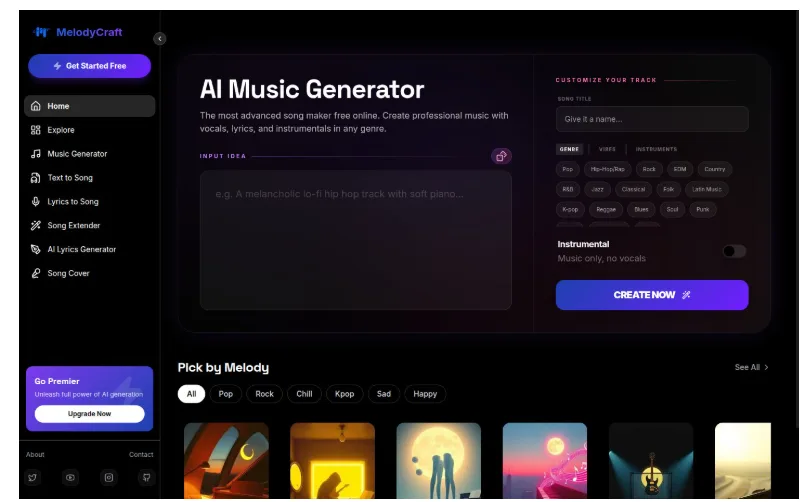
melodycraft.ai positions itself as a “song maker free online” tool with a focus on accessibility. The platform requires no account creation for basic use, making it ideal for one-off lessons or trial periods. Students can jump in, create a track, and download it without registration barriers.
The interface emphasizes speed. Input a simple idea, and melodycraft.ai generates a track almost instantly. This rapid feedback loop keeps young learners engaged and encourages experimentation. The platform also offers an “Instrumental” toggle, useful for creating background music for presentations or videos without distracting vocals.
However, the free version includes watermarks on downloads, which might not suit polished school projects. Teachers should review the output quality before assigning melodycraft.ai for final presentations. The platform works best for exploratory activities and rough drafts rather than showcase pieces.
5. Lyria 3 from Gemini
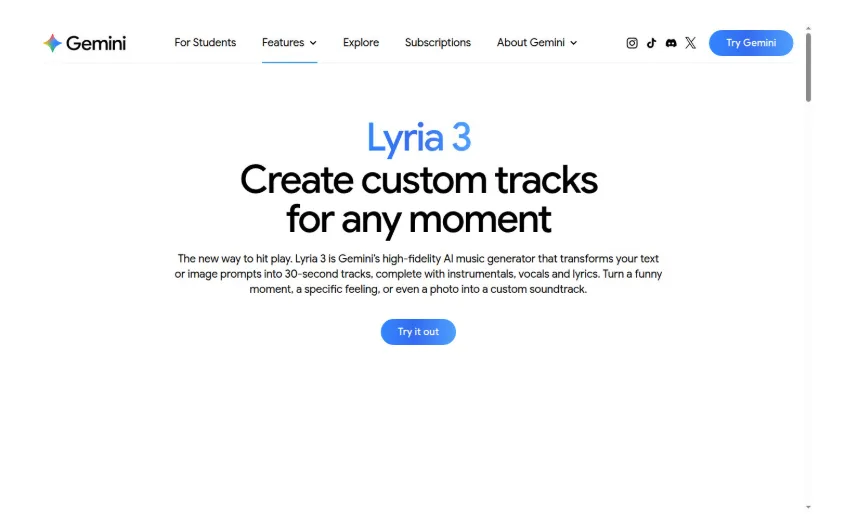
Google’s Lyria 3, integrated into the Gemini app, brings AI music generation to a familiar ecosystem. Students already using Google Workspace for schoolwork can access music creation without switching platforms. The tool generates 30-second tracks from text or image prompts, making it versatile for various lesson types.
Lyria 3’s image-to-music feature is particularly engaging for younger students. They can draw a picture in Google Drawings, upload it to Gemini, and hear their artwork transformed into sound. This multimodal approach supports diverse learning styles and helps students understand how different art forms connect.
The platform includes SynthID watermarking, which embeds a digital signature in generated audio. This teaches students about AI transparency and responsible technology use—an important lesson as AI tools become more prevalent.
Limitations include the 30-second track length, which might feel restrictive for longer projects, and the requirement of a Google account. Privacy-conscious schools should review Google’s data policies before widespread classroom adoption. Still, for schools already in the Google ecosystem, Lyria 3 offers seamless integration and a trusted brand name.
Comparison: Which Tool Fits Your Classroom?
| Feature | song-maker.ai | udio.com | mureka.ai | melodycraft.ai | Lyria 3 |
| Best For | K-12 all ages | High school | Elementary-Middle | Quick trials | Google Workspace users |
| Free Tier | 10 songs Free credits👍 | Limited credits | Limited credits | Limited credits | Free with Google account |
| Ease of Use | Very easy | Moderate | Easy | Very easy | Easy |
Who Should Use AI Song Makers in Education?
Music Teachers can introduce composition without requiring students to master an instrument first. AI tools let every student participate, regardless of musical background.
Elementary Educators use song makers for cross-curricular projects. A lesson on weather becomes a storm soundtrack. A book report includes a theme song. Music reinforces learning across subjects.
Special Education Teachers find AI tools valuable for students with motor challenges or learning differences. Creating music through text or images removes physical barriers and builds confidence.
Homeschool Parents appreciate the self-directed nature of these platforms. Kids can explore music independently, following their interests without formal instruction.
After-School Program Leaders use song makers for creative enrichment. Students collaborate on group projects, learning teamwork while making music together.
Conclusion: Making Music Education Accessible
AI song makers democratize music creation. Students who might never pick up a guitar can still compose, experiment, and share their musical ideas. These tools don’t replace traditional music education—they expand it, offering new pathways for creativity and expression.
For educators seeking the most classroom-ready option, song-maker.ai delivers the best balance of simplicity, safety, and educational value. Its generous free tier, royalty-free output, and intuitive interface make it the top choice for schools in 2026. But every platform on this list has strengths, and the best choice depends on your students’ ages, your curriculum goals, and your school’s existing technology ecosystem.
The future of music education is here. It’s accessible, creative, and powered by AI. Give your students the tools to create music with AI, and watch their confidence and creativity soar.
What song will your students create first?