Using an AI Resume Maker Without Sounding Like Everyone Else
AI resume makers solve a real problem. Tailoring a resume by hand takes ten or fifteen minutes per job, and after a few weeks of applying you’re managing dozens of near identical files. The catch is that the fastest output is often the most generic, and generic is exactly what gets skimmed. A few habits let you keep the speed without handing in the same resume as everyone else.
What “AI wording” actually looks like
Most recruiters aren’t running your resume through a detector. What they notice is sameness, and AI output has a few patterns that show up again and again:
- The same handful of verbs: spearheaded, leveraged, orchestrated, fostered, streamlined. One is fine. Five in a row reads like a template.
- Every bullet the same length and shape, each one ending with “resulting in a 20% increase in efficiency.”
- Round, suspiciously neat numbers attached to things that are hard to measure.
- A summary that could describe anyone: “results driven professional with a passion for innovation.”
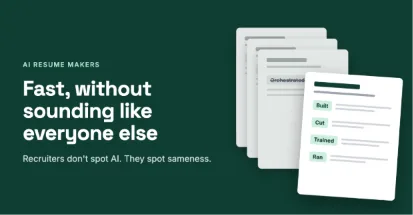
The fix takes a few minutes. Swap the fancy verbs for plain ones like ran, built, cut, fixed, or trained. Let some bullets be short. Keep numbers only where you can explain where they came from, and make sure at least one detail in each role could only be about you: a specific tool, client type, team size, or problem you solved.
How much tailoring is worth it
Someone on r/ResumeTips framed it well while asking what the best AI resume maker is for applying at volume: if 20 tailored applications beat 60 untailored ones, that changes how you spend your week. It’s the right question, and the honest answer is that you rarely need to tailor the whole page.
A recruiter’s first look covers the top third: your summary, your most recent title, and the first couple of bullets under it. Tailor those three things to the posting, use the job title from the listing in your summary, and leave the rest of your resume alone. That’s most of the benefit in a fraction of the time.
To make it faster, keep a bullet bank. It’s one document with every version of every bullet you’ve ever written, grouped by skill. When a posting leans on budgeting or onboarding or SQL, you pull the matching bullets instead of writing new ones. Whether you use an AI tool or not, swapping from a bank takes minutes, and everything in it is something you actually did.
Getting a clean first version fast
If you’re starting from nothing, don’t start from a blank page. LinkedIn lets you save your own profile as a PDF (look for Save to PDF in the menu under your profile header), which exports your work history. It’s ugly, but it gives an AI builder something real to work from, so it isn’t guessing at your experience.
Then keep the design plain: one column, standard section names, no photo. That’s what parses cleanly, and it’s also what reads as professional rather than templated. Before you put any time in, check whether the tool charges you to download the PDF. In a thread from someone who needed a clean, ATS friendly resume quickly, they specifically asked for one that wouldn’t hit them with a surprise paywall, and they later posted that the resume they built landed them a job.
Keep the files from taking over
Forty versions of the same resume is how people end up sending the wrong one. Keep a single master file you never send. Export each tailored version as a PDF named Lastname_Company_Role, and log the date and link next to it in a simple spreadsheet. When a recruiter calls three weeks later, you’ll know exactly which version they’re holding.
And before anything goes out, read it once from top to bottom. If a line sounds like it could be on anyone’s resume, rewrite it. If there’s a number you couldn’t explain in an interview, cut it.