What Is This Plant? Botan App Can Identify It from a Photo
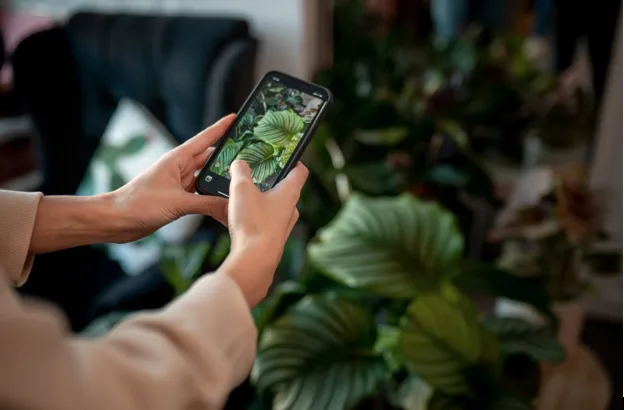
What is this plant? Every time you ask this question, you can either do your own research or use an automated tool. In the first case, you’ll need botanical experience or enough patience to use dichotomous keys. In the second case, the result will be instant.
The Botan app is such a tool, and it identifies common, rare, and exotic species in 1-5 seconds with 98% accuracy. The app has over 30,000 plants in its database and 3M+ downloads on the App Store and Google Play.
Its functionality, however, goes beyond species recognition. The technology behind the app, its overall effectiveness, and additional features are worth a closer look.
What Is Plant Identification From a Photo?
With an instant ID app like Botan, the typical use case is simple. When you ask yourself what kind of plant this is, you open the app, point the camera at the plant, take a snap, and wait 1-5 seconds for an exact species. Then, you can learn all key facts about it, save it to your virtual Garden, diagnose it, or set up a care plan.
However, there’s complex technology behind it. The Botan app uses a system that combines a trusted database with specialized AI.
Here’s how it works:
- The system sends ID requests in a cascade, starting with one database.
- It either gets a confident result or moves on to another database.
- If the result isn’t 100% clear, a custom AI recognition model steps in.
- A user gets the result that passed multiple checks.
That’s how 98%+ ID accuracy is achieved. Its key advantage is that it’s built specifically for plant recognition.
The algorithm of this plant identification app doesn’t rely on obvious features like flower shape, color, or overall leaf shape.
It uses botanical keys and really distinctive features, such as leaf vein pattern, branching, arrangement, petal count, etc., to show you the exact species and variety, even if it’s a hybrid, a variegated form, or a rare or exotic species for the region.
Common Uses for Plant ID Apps
Although the app uses advanced technology, it’s built for everyday use and is versatile by design. It suits beginner houseplant owners and casual gardeners, travelers, flora explorers, and many others.
Here are some common everyday life scenarios where such a tool can come in handy or solve a problem:
| Scenario | Most Useful Features | Result |
| Choosing your first or new houseplants | Plant species ID, informational guides, care plans, reminders | Discovering new plants, evaluating maintenance levels easily, choosing low-effort options |
| Encountering interesting new plants at cafes, at friends’ homes, during a walk, etc. | Species ID, care plans | Choosing new suitable plants, getting care tips |
| Encountering new exotic species while traveling | Species ID, interesting facts | Discovering new exotic flora, building knowledge about global flora |
| Expanding your knowledge base, citizen science | Species ID, live expert chat | Discovering unfamiliar species, expert consultations, expanding the knowledge base |
| Choosing new plants for a garden, expanding a collection | Species ID, Disease ID, care & recovery plans, tasks & reminders, expert chat | Evaluating new plants easily, building care plans, easy management of multiple species |
Plant ID is a universal tool. It may help if you’re just curious about what species this is during a walk or if you see a beautiful flower at your local restaurant.
Other features, such as Disease ID, plant care and recovery, the Light Meter, and other environmental tools, may come in handy if you’re interested in growing plants.
How to Identify a Plant From a Photo
The Botan plant identification app is an intuitive system designed to make complex IDs simple. That’s why the entire process includes just a few key steps:
- Download the app. Botan is free to download on both Google Play and the App Store.
- Open the scanner. Look for the photo icon. Tap it to open the ID tool. Then, allow access to the camera, gallery, or both.
- Take or upload a photo. Point the camera at the plant and take a photo. Alternatively, upload an image from your gallery.
- Wait until it’s processed. ID typically takes 1-5 seconds, depending on the photo quality and how rare the species is.
- Get the result. The app provides the exact species, variety, scientific and common names, care and environmental information, interesting facts, and tips.
The entire process takes seconds. After you get the result, tap the Set Up Care Plan button to get a detailed care plan.
Disease ID is available after you set up a plan and as a separate feature. All added plants are managed in the Garden section with the Tasks and Reminders system.
How to Take a Clear Photo for Plant Identification
Even the best ID tools need high-quality photos to work properly. The criteria, however, aren’t that strict. You only need to follow a few simple recommendations:
- Make sure a single plant is in the frame. Avoid backgrounds with other objects.
- Tap to focus. Make sure the photo isn’t blurry. If it is, just take another one.
- Capture the most distinctive elements. These may be flowers, fruits, leaves, buds, stems, and branches. If the most distinctive parts aren’t visible, try to show the stem, branches, leaf attachment type, and leaf arrangement.
- Avoid harsh sun. Soft, natural light is best. Dark shadows can hide important details.
Note that if you upload a very low-quality photo, the system won’t process it. You’ll see a notification saying that a blurry or indistinct picture can’t be used, along with tips on how to take a better photo of the plant.
That’s the part of the accuracy-driven policy. If you still aren’t sure that the ID result is 100% accurate, you can start a live chat and ask any clarifying questions about the plant, its care, diseases, and more.