What Makes Indoor LED Displays Ideal for Events?
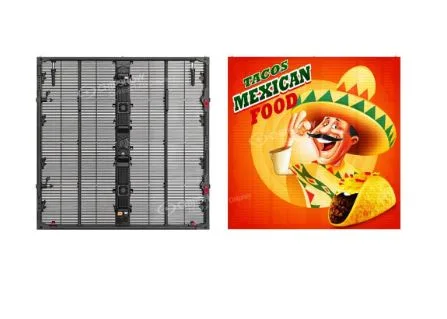
In today’s event landscape, visual technology can make or break an audience’s experience. Whether it’s a corporate conference, a live concert, or a product launch, the display technology you choose directly shapes how your message lands. AV technicians know this pressure well — the expectation to deliver flawless visuals under tight timelines and unpredictable conditions is relentless.
Indoor LED displays have emerged as a game-changer in this space, offering dynamic, high-impact presentations that traditional projectors and LCD screens simply cannot match. Their versatility, brightness, and modular flexibility make them a go-to solution for professionals who need reliable performance across diverse event formats.
This article explores exactly why indoor LED displays are the ideal choice for events. We’ll break down the essential LED display features that drive visual excellence, walk through the critical technical specifications every AV technician must understand, and tackle the real-world challenges of front service maintenance during live events. Finally, we’ll cover practical setup strategies and best practices to help you optimize performance from load-in to final curtain. If you’re looking for actionable, technically grounded guidance to elevate your next event setup, you’re in the right place.
Essential LED Display Features for Event Success
When AV technicians evaluate display technology for events, indoor LED displays consistently outperform the competition — and for good reason. The LED display features built into modern panels address the exact pain points professionals face: inconsistent brightness, rigid configurations, and fragile hardware that can’t survive the rigors of live production. Understanding what sets these displays apart helps technicians make smarter decisions before the first cable is ever run.
Modular design is arguably the most valuable structural advantage. LED panels connect seamlessly to form displays of virtually any size or aspect ratio, allowing technicians to tailor the screen precisely to a venue’s dimensions. Whether you’re filling a 40-foot stage backdrop at a concert or building a compact presentation wall for a boardroom summit, the same panel system adapts without compromise. Lightweight cabinet construction further reduces load-in time and minimizes structural rigging demands — a practical win when venue windows are tight.
Seamless integration is another critical differentiator. Unlike LCD video walls that produce visible bezels between screens, LED panels tile together without interruption, delivering a clean, unbroken image surface that holds up under scrutiny at any viewing distance. This matters enormously for brand-heavy events where logos and graphics must appear polished and professional.
Key LED display features AV technicians should prioritize include:
- High contrast ratios for deep blacks and vivid color reproduction
- Wide viewing angles (160° or greater) ensuring clarity across large audiences
- Flexible cabinet configurations supporting curved and creative installations
- Efficient power consumption reducing generator load at off-site venues
Key Sub-Features: Brightness and Resolution
Indoor LED displays typically deliver brightness levels between 800 and 1,500 nits, providing reliable visibility even in venues with significant ambient light from windows or stage wash. For controlled environments, lower brightness settings reduce eye fatigue during extended presentations. Resolution is determined by pixel pitch — P2.5 panels suit close-viewing corporate setups where fine detail matters, while P3 or P4 configurations work well for larger stages where the audience sits farther back. Matching pixel pitch to viewing distance is a fundamental calculation every AV technician must run before committing to a panel specification. Manufacturers like Chipshow LED offer detailed pixel pitch selection guides that can simplify this process during the planning phase.
Technical Specifications Every AV Technician Must Know
Selecting the right indoor LED display goes beyond visual impressions — the underlying technical specifications determine whether a display performs flawlessly under event pressure or becomes a liability mid-show. Two specs that demand particular attention are high refresh rate LED performance and IP65 LED display ratings, both of which directly affect reliability and image quality in demanding event environments.
Refresh rate measures how many times per second the display redraws its image. Standard displays operate at 60Hz, but for event production — where cameras are rolling and fast-moving content is common — that’s often insufficient. High refresh rate LED panels operating at 3,840Hz or higher eliminate the rolling shutter effect that appears when cameras capture the screen, ensuring broadcast-quality footage without post-production headaches. For live sports, gaming tournaments, or any event with rapid motion content, this specification is non-negotiable.
IP ratings define a display’s resistance to dust and moisture intrusion. An IP65 LED display is fully dust-tight and protected against water jets from any direction — critical during venue load-in when panels are exposed to unpredictable conditions, cleaning crews, and the occasional beverage incident near the stage. Even in controlled indoor environments, IP65-rated hardware provides meaningful insurance against equipment failure.
Additional specifications AV technicians must evaluate include:
- Pixel pitch matched to minimum viewing distance (roughly: viewing distance in meters × 1,000 ÷ 3.4 = recommended pixel pitch in mm)
- Viewing angles of 160° horizontal and vertical for wide audience coverage
- Power consumption per cabinet to accurately calculate generator capacity at off-grid venues
- Signal input compatibility — HDMI, DVI, SDI — to match existing production infrastructure
Understanding Refresh Rates and IP Ratings
A high refresh rate doesn’t just benefit camera operators — it reduces visible flicker for audience members sensitive to strobing effects during extended viewing, improving overall comfort during long conferences or multi-hour concerts. When verifying refresh rate claims from manufacturers, request test footage captured at 1/1,000 shutter speed; any banding visible in that footage indicates the panel falls short of its advertised spec. For IP65 verification, ask for IEC 60529 certification documentation rather than accepting marketing language alone. Cross-referencing these documents against independent test reports gives technicians confidence that hardware will perform when conditions get unpredictable.
Front Service and Maintenance Strategies for Event LED Walls
Even the most meticulously planned event can encounter unexpected technical issues — and how quickly your team responds determines whether the audience ever notices. Front service LED wall design exists precisely for this reality. Unlike rear-access systems that require dismantling structural rigging to reach a faulty module, front-serviceable panels allow technicians to swap components from the audience side in minutes, keeping downtime invisible and the show moving forward.
Pre-event preparation is your strongest defense against mid-show failures. Before doors open, run a full-panel inspection by displaying a white field, then solid red, green, and blue frames to identify dead pixels, color inconsistencies, or dim modules. Verify that all data and power connections are seated firmly, and confirm that the processor is outputting the correct resolution and refresh rate for your content. This systematic check catches the majority of issues before they become emergencies.
During the event, real-time monitoring software — built into most modern LED processors — provides continuous visibility into cabinet temperature, voltage levels, and signal integrity. Set threshold alerts so your team receives warnings before a thermal issue escalates into a hardware failure. Connectivity problems, the most common live-event fault, typically trace back to a single data cable or receiver card; having spares staged backstage eliminates the scramble when minutes matter.
A practical maintenance checklist for AV technicians should include:
- Full pixel test across all color channels at least two hours before show time
- Confirmation of processor output resolution matching panel native resolution
- Temperature baseline logged at startup for comparison during monitoring
- Spare modules, receiver cards, and data cables staged and accessible at front-service points
The front service LED wall architecture pays its greatest dividend during teardown-adjacent repairs — a technician can replace a faulty module in under three minutes without touching the rigging, structural frame, or surrounding panels.
Step-by-Step Maintenance During Events
Structured protocols transform reactive troubleshooting into controlled problem-solving. Begin with an initial inspection and calibration pass: load a full-screen test pattern, verify uniformity across all cabinets, and use the processor’s color calibration tools to correct any brightness variance between panels. Step two involves continuous monitoring — assign one technician to watch processor telemetry throughout the event, tracking temperature and power draw against your established baseline. If a cabinet temperature climbs beyond 10°C above baseline, investigate immediately rather than waiting for failure. Step three is rapid response: when a module goes dark, the front-service design means a replacement swap takes under five minutes using a magnetic extraction tool. Diagnostic software pinpoints the exact cabinet and module address, eliminating guesswork and cutting response time in half. Keep a tablet loaded with the display’s layout map so any team member can locate the fault instantly.
Practical Setup Solutions and Best Practices
A successful LED display setup begins long before the first panel is unboxed. The planning phase is where most preventable problems originate, so AV technicians should start with a thorough venue assessment: measure the available wall or rigging space, identify structural anchor points capable of supporting the display’s total weight, and map ambient light sources that could affect brightness calibration. From these measurements, calculate your screen size using the viewing distance formula — multiply the farthest seat distance by 0.1 to determine the minimum screen height that ensures readability across the audience.
Structural support planning follows directly from that calculation. Ground-stacked configurations work well for lower-profile events and eliminate rigging complexity, while flown installations maximize sightlines in larger venues but require certified rigging hardware and load calculations submitted to the venue in advance. Either way, distribute cabinet weight evenly across mounting points and verify that the floor or truss can handle dynamic load — not just static weight.
Cable management is frequently underestimated but directly impacts reliability. Route power and data cables through dedicated pathways, keeping them separated to minimize interference. Label every cable run at both ends before the event, so any technician on your team can trace a signal path without confusion. For software configuration, load your content at native resolution before connecting to the processor, confirm frame rate matches the panel’s refresh rate setting, and run a test loop of the full content playlist to catch any codec or color space mismatches before the audience arrives.
Optimizing Display Performance in Real-Time
Once the event is live, real-time adjustments keep image quality locked in as conditions shift. Use the processor’s color calibration suite to fine-tune white balance if stage lighting changes between segments — warm key lights can push the display toward yellow without correction. Dial brightness down during intimate presentations and up during high-energy segments to match the room’s energy without blinding front-row attendees. When fast-motion content hits, confirm the panel is running at its maximum refresh rate setting rather than a power-saving default; this single adjustment eliminates motion blur and ensures the display reads cleanly on any camera in the room.
Elevating Event Production with Indoor LED Technology
Indoor LED displays have fundamentally redefined what’s possible in event production. From their modular, lightweight construction and seamless visual output to the precision of high refresh rate performance and IP65-rated durability, these systems are engineered to meet the exact demands AV technicians face on the ground. The ability to service a front service LED wall mid-event without touching a single rigging point isn’t a luxury — it’s the kind of operational resilience that separates a flawless show from a costly disruption.
The technical knowledge covered here — matching pixel pitch to viewing distance, verifying refresh rate claims with real test footage, building structured maintenance protocols, and calibrating in real time as event conditions shift — translates directly into more confident setups and fewer surprises once the audience arrives. These aren’t abstract concepts; they’re practical tools that sharpen decision-making at every stage of production.
LED technology continues to evolve rapidly, with tighter pixel pitches, smarter processing, and increasingly intelligent monitoring software pushing the boundaries of what event displays can achieve. Technicians who stay current with these developments won’t just keep pace with client expectations — they’ll exceed them. Use the frameworks and specifications outlined here as your baseline, refine them through hands-on experience, and approach every future setup with the confidence that comes from genuinely understanding the hardware driving your show.