Your AI-Generated Images Look Blurry? Here’s a Free Upscaler With Zero Sign-Up
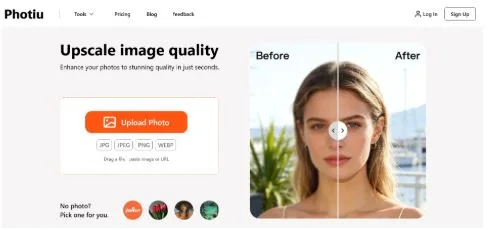
Let’s be honest: free AI image generators are everywhere now, but most hand you a 512×512 or 1024×1024 pixel image that falls apart the moment you zoom in. Want a sharper version? The usual playbook is either pay for a subscription or run the image through a basic resizer that leaves it looking like watercolor soup.
There is a third option that actually works: throw the low-res output into a free AI upscaler and get back something genuinely usable.
The one I keep coming back to is Photiu.ai.
Why Photiu.ai?
- No account required for most features
This is the big one. Outside of the background-removal tool, everything else on Photiu.ai is completely free and open — no registration wall, no email gate, no “create an account to see your result.” You land on the page, upload an image, and it processes.
- Zero settings to fuss with
Photiu.ai handles upscaling automatically. There are no dropdowns for scale factor, no model selection, no quality sliders. The AI reads your image and decides the best treatment:
- Small images (think 512 px AI outputs or compressed web thumbnails) get a clear resolution bump alongside sharper edges and less noise.
- Larger images do not always grow in pixel dimensions, but the engine still cleans up softness, compression artifacts, and haze so the photo looks noticeably crisper.
In short, the less you know about image processing, the more you will appreciate it.
- Best for small AI-generated artwork
Where this tool shines most is recovering detail in tiny, low-resolution generations. Faces become more defined, line art tightens up, and textures stop looking like they were smeared with a sponge. The difference is visible enough that you can actually reuse the image for wallpapers, social banners, or design drafts without embarrassment.
How It Works (Three Steps, Literally)
- Open photiu.ai and choose Image Upscaler.
- Drop in your image — no login asked.
- Wait a few seconds and download the enhanced version.
That is the whole workflow.
Honest Pros and Cons
| ✅ Pros | ❌ Current Limitations |
| Free and open for most tools; no sign-up needed | Background removal requires login |
| Fully automatic — no parameters to learn | Batch processing is not supported yet |
| Small images gain both clarity and resolution | Very large images may only see quality gains without a big size increase |
| Runs in any browser, mobile or desktop | Complex fine textures can occasionally be smoothed more than ideal |
Who Is This For?
- Hobbyists generating art on free plans who want a printable or wallpaper-worthy file.
- Content creators needing quick cover images without opening Photoshop.
- Anyone rescuing old photos or compressed screenshots that deserve a second life.
- People who simply do not want another app subscription.
Bottom Line
If you are tired of squinting at 1024 px AI artwork, Photiu.ai is one of the simplest free fixes around. No account, no configuration, no catch — just upload, wait, and grab a sharper image.
Try it now: Free Image Upscaler