Posted on

Top Social Security Disability Lawyers in Houston, TX

If you have worked for decades and your body will not let you keep going, a denial letter from Social Security can feel like a door slammed shut. Many Houston claimants get that letter. Some worked in the refineries along the Ship Channel. Others spent years on their feet in hospitals at the Texas Medical Center or drove routes across Harris County.

A denial is not the end. You can appeal, but the window is short, and you usually have 60 days to act. What happens next often turns on the medical proof and work history in your file. A lawyer who knows the process can find the gaps, gather the right records and get you ready for a hearing. That is why the choice of lawyer matters. Below are four Houston practices that help people with disability claims.

1. Marc Whitehead & Associates – Disability claims from first filing to federal court

Type: Disability benefits law firm

Focus: Social Security disability (SSDI and SSI), long-term disability denials

Location: Houston Heights

Marc Whitehead & Associates is a disability benefits firm with its main office on Heights Boulevard. Disability benefits are the center of its practice. Its Houston team handles Social Security cases at every stage: the first application, reconsideration, a hearing before a judge, the Appeals Council and federal court. That means a claimant can keep the same firm as a case moves up the ladder.

The firm’s Houston Social Security page lays out how it builds a file. It asks for the full claim file, including the state reviewer’s notes and any exam Social Security ordered. It seeks statements from treating doctors that put numbers on how long a person can sit, stand or lift. It also checks how past jobs were described, since a wrong job description can sink a claim.

Before a hearing, the team prepares testimony and works through the job-related questions a judge may raise. It also helps claimants decide whether to appear in person, by video or by phone. The firm handles SSI claims, which are based on need, as well as SSDI claims tied to work history. Spanish-speaking claimants can use a full Spanish version of the site.

The firm says there is no cost up front and no fee unless benefits are awarded. Any fee comes from past-due benefits after Social Security approves it.

Marc Whitehead & Associates, 403 Heights Blvd., Houston, TX 77007 | disabilitydenials.com

2. The Law Office of Gerard Lynch – Small South Loop practice

Type: Social Security disability law firm

Focus: SSDI, SSI and disability appeals

Location: South Loop

Gerard Lynch, a longtime Houston resident, runs this Social Security practice near the South Loop. His staff includes long-serving team members, and the office says it speaks Spanish. The firm describes itself as a smaller alternative to the city’s larger disability firms.

The Law Office of Gerard Lynch, 2646 S. Loop W., Suite 310, Houston, TX 77054 | gerardlynchlaw.com

3. Law Offices of James Andrews – Solo practice in the Heights

Type: Social Security disability law practice

Focus: Social Security disability claims

Location: Houston Heights

James Andrews runs a Social Security disability practice on Heights Boulevard. He is a graduate of the University of Texas and the University of Houston Law School. His site offers forms and links for people putting an application together.

Law Offices of James Andrews, 1703 Heights Blvd., Suite 205, Houston, TX 77008 | jamesandrewslaw.com

4. Pines Federal – SSDI help for federal workers

Type: Federal employment and disability law firm

Focus: SSDI claims for federal employees

Location: Southwest Houston (Fondren Road)

Pines Federal works mostly with federal employees. Its Houston office handles SSDI claims from the first application through appeals. The firm points out that federal workers may file for SSDI and for disability retirement under FERS at the same time, and it helps line up the two claims.

Pines Federal, 10101 Fondren Rd., Suite 575, Houston, TX 77096 | pinesfederal.com

What a Seasoned Disability Advocate Brings to Your Claim

Social Security does not decide claims on a diagnosis alone. It asks what you can still do in a workday and whether any job in the economy fits your limits, age and past work. A lawyer who handles these claims every day knows how to turn medical records into that kind of proof. They know which doctor statements carry weight and how to handle questions about jobs at a hearing.

A general practice lawyer may not know these steps as well. For claimants over 50, the rules also give weight to age, education and past work. A seasoned advocate knows how to show the judge why those factors matter in your case.

Finding the Right Houston Social Security Disability Lawyer

A Social Security disability claim can take months, and each step has its own deadline. If you live in Houston and your claim was denied, the sooner you talk to a lawyer, the more time there is to fix what is missing from your file. Each practice above works on disability claims from a Houston office.

Marc Whitehead & Associates offers the broadest path. Its team can take a claim from the first form to federal court without a hand-off. It digs into doctor statements, job history and hearing prep, and it serves Spanish speakers. For a worker who can no longer keep up with the job, that steady support can make a hard process easier to face. Reach out to the firm, ask how it would handle your file and decide what feels right for you.

Posted on

Native, Cross-Platform or PWA: Choosing the Right Approach to Mobile App Development

Before a single screen is designed, every mobile project faces a decision that shapes budget, timeline, and user experience: how will the app be built? The three main options are native apps, cross-platform apps, and progressive web apps (PWAs). Each is a legitimate choice. None is universally best.

This guide explains how they differ, where each shines, and how to choose without getting lost in technical debate.

The three approaches, explained simply

Native apps are built separately for each operating system, typically using the languages and tools provided by the platform owner. An iPhone app and an Android app are two codebases.

Cross-platform apps share most of their code across iOS and Android, using frameworks that let one team produce both. The result is installed from app stores like any other app.

Progressive web apps are web applications that can be added to a phone’s home screen, work with limited connectivity, and feel app-like, but run through the browser rather than being distributed primarily through app stores.

Native apps: when depth and polish matter most

Native development offers the most direct access to device capabilities and the smoothest alignment with each platform’s design conventions.

Strengths

  • Best performance for demanding tasks such as complex animation, graphics, or real-time processing
  • First access to new platform features
  • Deep use of hardware: camera, sensors, Bluetooth, background processing
  • Familiar look and behaviour for users on each platform

Trade-offs

  • Two codebases to build and maintain, which usually means higher cost and more coordination
  • Features must be delivered twice, so releases can drift apart

Native tends to suit apps where the device experience is the product, such as media tools, advanced camera features, or hardware-linked apps.

Cross-platform apps: one team, two platforms

Cross-platform frameworks reduce duplication by letting a single codebase serve both major platforms.

Strengths

  • Faster delivery of a first version on both platforms
  • Lower build and maintenance effort in many cases
  • Consistent features and behaviour across platforms
  • A good match for typical business apps: accounts, lists, forms, payments, notifications

Trade-offs

  • Occasional limits when you need unusual or very new device features
  • Possible performance differences in graphically intense apps
  • Some dependency on the framework’s roadmap and community

For many businesses, cross-platform offers the best balance of reach, speed, and cost.

Progressive web apps: reach without the app store

A PWA is delivered through the browser and can be installed from it.

Strengths

  • One codebase for all devices, including desktop
  • No app-store approval cycle for updates
  • Low friction: users can start without installing anything
  • Cost-effective for content, catalogues, and simple tools

Trade-offs

  • Access to device features is more limited, and support varies by platform and browser
  • Less visibility than an app-store listing
  • Some capabilities available to native apps, such as certain background tasks, may be restricted

PWAs suit situations where reach and simplicity matter more than deep device integration.

Did you know?

The term “progressive web app” was introduced in 2015 by Frances Berriman and Alex Russell to describe web apps that combine web reach with app-like capabilities. The idea has since matured, though support still differs across platforms.

Side-by-side comparison

Factor Native Cross-platform PWA
Codebases One per platform One shared (mostly) One web codebase
Build cost Higher Moderate Lower
Time to both platforms Longer Shorter Shortest
Device feature access Full Broad, with some limits More limited
Performance ceiling Highest High Depends on browser
App-store presence Yes Yes Limited
Update process Store review Store review Instant, via web
Best for Device-heavy, performance-critical apps Most business and consumer apps Reach-first, lightweight tools

How to choose: a six-question checklist

  1. What does the app need from the device? If it depends on advanced camera, sensors, or background processing, lean native. If it mostly shows data and handles forms, cross-platform or PWA is likely enough.
  2. Which platforms do your users actually use? If most are on one, start there. Don’t build two apps for a minority.
  3. How quickly do you need to learn from real users? If you’re validating an idea, pick the approach that gets you feedback soonest.
  4. What is your budget for building and maintaining? Include updates for new operating-system versions, which every approach needs.
  5. Do users expect to find you in an app store? If discoverability there matters, a PWA alone may not be enough.
  6. What is your team’s strength? Existing web skills favour a PWA or certain cross-platform frameworks. Existing platform expertise favours native.

Expert insight

Teams often ask which technology is “better.” A more useful question is which compromise is cheapest to live with. Cross-platform trades a little device depth for a lot of speed. Native trades money for polish. PWAs trade features for reach. Naming the trade-off you accept makes the decision easier and the later budget conversation calmer.

Common mistakes

  • Choosing a technology before defining the user journey. Start from what users need to do.
  • Building both native apps for an unproven idea. Validate first.
  • Underestimating ongoing costs. Operating-system updates, device variety, and store policy changes require continuous work.
  • Ignoring offline behaviour. Decide what should work without connectivity.
  • Skipping real-device testing. Emulators do not reveal everything about performance and behaviour.
  • Treating app-store approval as a formality. Plan time for review and policy compliance.

Pro tips

  • Build one core flow end to end first, then expand.
  • Plan analytics and crash reporting from the first release.
  • Keep business logic in a back-end API so it can serve more than one front end later.
  • Test on a spread of real devices, including older ones your users may still have.
  • Agree who owns the developer-store accounts and signing credentials from day one.

Putting the choice into practice

A sound process starts with the user journey, picks the lightest approach that meets the real needs, and keeps the back end clean enough to change direction later. Some development partners, including Nextloop Technologies, take this approach to mobile apps: begin with what users need to accomplish, then choose the technology that supports it. Whoever you work with, ask them to explain why they recommend a particular approach and what they would give up by choosing it.

Frequently asked questions

  • What is the difference between native and cross-platform apps? 

Native apps are built separately for each operating system. Cross-platform apps share most of their code across platforms using a framework.

  • Are cross-platform apps slower? 

For typical business apps, users rarely notice a difference. Graphically intense or hardware-heavy apps may benefit from native development.

  • Is a PWA a real alternative to an app? 

For many use cases, yes, especially where reach and low friction matter. If you need deep device access or an app-store presence, consider native or cross-platform.

  • Which approach is cheapest? 

Usually a PWA, then cross-platform, then two native apps, but total cost depends on features, design, and maintenance.

  • Can we start with one approach and switch later?

Yes. Keeping logic in a shared back end and APIs makes migration easier, though a switch still involves real work.

  • How much does it cost to maintain a mobile app? 

There is no standard figure. Budget for operating-system updates, bug fixes, security patches, hosting, and improvements.

Final takeaway

Choose native when the device experience is the product, cross-platform when you need both platforms efficiently, and a PWA when reach and simplicity matter most. Start from your users’ needs, name the trade-offs you are accepting, and keep the architecture flexible enough to evolve.

Posted on

Turning digital designs into functional, high-quality parts for every industry

Core Capabilities of CNC Machining Services

CNC machining services form the backbone of modern custom manufacturing, leveraging computer-controlled tools to shape solid materials into precise, functional parts. Unlike manual machining, which relies on skilled operators to guide cutting tools, CNC systems use G-code programming to automate every step of the process, ensuring consistent accuracy even for complex geometries. The core offerings of these services span multiple machining processes tailored to different project needs: milling uses rotating cutters to remove material from a workpiece, ideal for flat surfaces, slots, and 3D features; turning shapes cylindrical parts by rotating the workpiece against a fixed cutter, perfect for shafts and bolts; routing works on softer materials like wood, plastic, and foam for consumer goods; and EDM (Electrical Discharge Machining) uses electrical sparks to cut hard metals, making it essential for intricate shapes that would break standard tools. Most providers also specialize in 5-axis machining, a game-changer for complex parts that require cuts from multiple angles in a single setup. This reduces the risk of misalignment errors and cuts production time by up to 50% compared to 3-axis machining. Materials worked on range from common metals like aluminum and stainless steel to high-performance alloys such as titanium and Inconel, as well as engineering plastics like PEEK and ABS, and even composites like carbon fiber. Beyond raw machining, services often include secondary finishing: anodizing for corrosion resistance on aluminum, powder coating for durable finishes, polishing for smooth surfaces, and heat treatment to strengthen metal parts. A recent example highlights this: a small medical device startup needed custom surgical guide pins for a new knee replacement procedure. The CNC service used 5-axis milling to machine the pins from medical-grade stainless steel, holding a tolerance of ±0.0008 inches – tight enough to ensure the pins aligned perfectly with bone structures during surgery – and added a passivation finish to meet FDA biocompatibility standards, all in 3 days instead of the 2 weeks the startup had estimated for manual machining.

Industries That Depend on CNC Machining Services

The versatility of CNC machining services makes them indispensable across nearly every industrial sector, with each having unique requirements that demand specialized machining expertise. Aerospace is one of the most demanding, where parts must withstand extreme temperatures, high stress, and strict safety regulations. Commercial aircraft manufacturers like Boeing and Airbus rely on CNC services to produce critical components such as titanium engine brackets, landing gear parts, and wing flap actuators. For the 787 Dreamliner, Boeing’s supply chain partners use 5-axis CNC machining to create lightweight, high-strength brackets that reduce the aircraft’s overall weight, improving fuel efficiency by 2% per year. Medical devices are another key industry, where precision and biocompatibility are non-negotiable. Surgical instruments, implantable devices (hip replacements, dental crowns, spinal fusion cages), and diagnostic equipment all require parts that fit perfectly and are safe for long-term use. A regional medical device firm recently ordered 150 custom orthopedic screws from a CNC service, specifying medical-grade titanium with a thread accuracy of ±0.0005 inches. The service used CNC turning to machine each screw, then added a sandblasted finish to improve bone integration, delivering parts that passed all FDA inspections on the first try. Automotive, including electric vehicle (EV) manufacturers, also relies heavily on CNC services. For prototype development, CNC machining is faster and more flexible than injection molding, allowing engineers to test design changes quickly. Tesla, for example, uses CNC services to produce prototype motor housings and battery enclosures during EV development, cutting lead times from 12 weeks (via traditional tooling) to just 2 weeks. For high-volume production, many automakers use CNC services for low-volume specialty parts, like performance car engine components. Consumer goods and electronics round out the list, with CNC services making custom drone frames, smartphone casings, appliance parts, and even jewelry. A startup making high-end racing drones used CNC-machined carbon fiber frames instead of 3D printed parts, resulting in a 20% lighter frame that was 30% more rigid, giving their drones a competitive edge in professional racing events.

Key Factors to Choose the Right CNC Machining Service Provider

Selecting the right CNC machining service is critical to project success, as the wrong choice can lead to delays, cost overruns, or parts that don’t meet specifications. The first factor to evaluate is tolerance capability: not all providers can achieve tight tolerances, so confirm that their machines can handle your project’s requirements. For example, an aerospace part may need a tolerance of ±0.0005 inches, while a simple consumer plastic part may only need ±0.01 inches. Next, material expertise is essential. If you’re working with hard-to-machine materials like titanium or Inconel, choose a provider with experience in those materials – they’ll know the right cutting tools, speeds, and feeds to avoid tool breakage and material damage. Quality certifications are another must: ISO 9001 for general manufacturing, AS9100 for aerospace, and ISO 13485 for medical devices ensure that the provider follows strict quality control processes. A small startup once learned this the hard way: they chose a low-cost provider without AS9100 certification for their wing flap actuators, and the parts had a tolerance error of 0.002 inches, leading to $5,000 in rework costs and a 2-week delay in their prototype testing. Lead time is also a key consideration. Many projects, especially prototypes, have tight deadlines, so look for providers that offer rush services (24 to 72 hour turnaround) if needed. Customer support is often overlooked but equally important: a good provider will offer Design for Manufacturing (DFM) feedback, which helps you optimize your design to reduce costs and machining time before production starts. For example, a robotics startup had designed a custom gear housing with thin walls that would be prone to warping. The CNC service’s DFM team suggested a slightly thicker wall and a different fixturing method, reducing the risk of warping and cutting material usage by 25%, which lowered the total project cost by 18%.

Recent Innovations Shaping CNC Machining Services

The CNC machining industry is constantly evolving, with new technologies improving precision, speed, and sustainability. One of the biggest innovations in recent years is 5-axis and multi-tasking machining, which combines multiple processes (milling, turning, drilling) in a single setup. This eliminates the need to move a workpiece between different machines, reducing the risk of misalignment errors and cutting production time significantly. A mold-making company recently adopted 5-axis multi-tasking machines, which allowed them to produce a complex injection mold for a toy car in just 3 days, compared to the 10 days it took with their old 3-axis machines. Another key innovation is automation and lights-out machining, where machines run 24/7 without human intervention. This is especially useful for high-volume production runs, as it reduces labor costs and speeds up delivery. An automotive parts manufacturer uses lights-out CNC machining to produce 10,000 brake calipers per month, with only one operator overseeing the entire process, cutting labor costs by 40%. Digital twin technology is also transforming the industry: before machining a part, providers create a virtual replica of the workpiece and test the machining process to identify errors (like tool collisions or material warping) before any physical material is cut. This reduces waste and rework. A medical device maker used a digital twin to simulate machining a thin PEEK implant plate, and found a tool path error that would have caused the part to break. Fixing this error virtually saved them $12,000 in material waste and a 1-week delay. Sustainability is another area of innovation: modern CNC services use closed-loop coolant systems that recycle cutting fluid, reducing water usage by up to 80%, and scrap reclamation programs that turn metal and plastic waste into raw material for other projects. This not only reduces environmental impact but also lowers costs for providers, which can be passed on to customers. Even small providers are adopting these changes: a family-run CNC shop in the Midwest now recycles 95% of their metal scrap, turning it into raw ingots for local foundries, and has cut their water bill by 75% in two years.

Common Challenges and How CNC Services Address Them

While CNC machining is highly reliable, it comes with its own set of challenges, and top services have solutions to address them. One common challenge is machining complex geometries, such as undercuts, thin walls, or internal features. These can be difficult to reach with standard tools, leading to tool breakage or poor surface finish. The solution here is specialized tooling and 5-axis machining: micro-end mills (as small as 0.1mm in diameter) for intricate details, and 5-axis machines that can access hard-to-reach angles. A custom jewelry maker recently needed a delicate silver pendant with engravings so fine they were almost invisible to the naked eye. The CNC service used a 0.1mm micro-end mill on a 3-axis machine, adjusting the feed rate to avoid breaking the tool, and produced the pendant with perfect engravings, no defects. Another challenge is material warping, which occurs when thin parts heat up during machining, causing them to bend or twist. To solve this, providers use cryogenic cooling (which keeps the workpiece at low temperatures during machining) or vacuum fixturing, which holds thin parts flat without applying pressure that could cause damage. A medical device maker machined thin PEEK implant plates, which are only 1mm thick. Using vacuum fixturing to hold the plate flat during machining eliminated warping, ensuring the plates fit perfectly into the patient’s bone structure. Cost overruns are another common issue, often caused by design changes mid-project or underestimating material usage. Good CNC services address this with upfront DFM analysis, which gives customers a clear breakdown of costs before production starts, and flexible pricing for design revisions. A robotics startup revised their gear design three times during prototype development, and the CNC service adjusted the quote each time, avoiding any unexpected cost increases. They also offered a volume discount when the startup decided to move to low-volume production, reducing the per-part cost by 15%. Another less talked about challenge is lead time alignment: when a customer needs parts fast but the service’s machine schedule is full. Top providers offer priority slots for urgent projects, sometimes reallocating machines to meet tight deadlines, as long as the design is ready. For example, a aerospace startup needed a set of wing brackets for a trade show in 5 days, and their regular provider had a 2-week lead time. A specialized CNC service with extra 5-axis machines took the job, delivering the parts on time with the required tolerance, allowing the startup to showcase their prototype as planned.

Posted on

11 Reasons Why a Regular Beard Trim is Essential

Beards have become a popular symbol of style, masculinity, and individuality. Whether you’re sporting a full beard, a goatee, or a stubble, maintaining it is essential for keeping it looking fresh and healthy. One of the most effective ways to ensure your beard remains sharp and well-groomed is by getting regular beard trims. A well-trimmed beard is not only about looking good; it also has a range of benefits for the health of your facial hair and skin.

Here are 11 reasons why regular beard trims are essential for anyone who wears facial hair:

1. Promotes Beard Health

Regular beard trims are vital for maintaining the health and vitality of your beard. Over time, your beard can develop split ends, which not only make your facial hair look scruffy and untidy but can also weaken the overall structure of your beard. Split ends occur when the ends of the hair strands are damaged, and without proper care, this damage can travel up the hair shaft, negatively impacting healthy strands as well. Trimming your beard helps eliminate these split ends, preventing further damage and ensuring that healthy hair continues to grow in its place.

Beyond eliminating split ends, regular trims remove dead or broken hair strands that may have accumulated in your beard. These unhealthy hairs can hinder growth and make your beard appear lackluster. Removing them allows room for stronger, healthier strands to grow in optimal conditions, giving your beard a fuller, shinier, and more polished appearance. Trimming also helps maintain an even shape, encouraging consistent growth across all areas of your beard. By taking this proactive approach, you’re not only improving the cosmetic look of your beard but also ensuring its long-term health and strength.

2. Prevents Ingrown Hairs

Ingrown hairs are one of the most frustrating issues bearded individuals can encounter. They occur when beard hairs grow back into the skin instead of outward, often resulting in red, itchy, or even painful bumps. This irritation can lead to infection and discomfort if left untreated. Regular beard trims are an effective way to combat and prevent the development of ingrown hairs. By consistently grooming and cutting your beard, you’re promoting even hair growth and reducing the likelihood of hairs curling back into the skin.

Having a professional beard trim where dry skin can exacerbate such issues, ensures that the facial hair is cut to an even length and in a manner that minimizes directional growth irregularities. Professionals are equipped with the right tools and techniques to guide beard hair outward, preventing the curling that contributes to ingrown hairs. This smooth trimming process creates a cleaner and more uniform beard while keeping your skin irritation-free. Regular trimming not only improves your beard’s appearance but also contributes to a more comfortable and confident grooming experience.

3. Enhances Beard Shape

Beards have a tendency to grow in inconsistent directions, creating challenges for maintaining a polished and well-defined appearance. Without regular upkeep, unruly hairs can disrupt the symmetry and structure of the beard, making it appear messy or unkempt. Trimming plays a crucial role in sculpting the beard to align with the natural contours of your face. A skilled trim can highlight key facial features, such as the jawline, cheekbones, and chin, providing a refined, intentional look.

By shaping and guiding the growth pattern, trimming not only fosters a sense of aesthetic balance but also ensures that your beard complements your face shape. Consistency in trimming helps maintain this enhanced shape over time, making your grooming routine more manageable and ensuring your beard always looks its best. Whether looking for a sharp, striking style or a softer, more natural look, regular trims are essential for achieving and preserving the ideal beard structure.

4. Reduces Itchiness and Irritation

For many beard enthusiasts, itchiness is a common and frustrating problem, especially during the initial growth stages or when the beard becomes too long and unruly. This discomfort often occurs as longer hairs curl and press against the skin, creating friction that leads to irritation. Additionally, stray or split ends can exacerbate this issue by poking or brushing against the skin.

Regular trimming effectively resolves these problems by removing stray, uneven hairs that may rub against the skin. Furthermore, by keeping the length of the beard in check, trimming reduces the risk of hair curling back and causing discomfort. A properly trimmed beard allows for better air circulation and reduces the conditions that lead to dryness and irritation beneath the surface.

This simple yet effective grooming practice ensures that your skin stays healthy, moisturized, and itch-free, enabling you to enjoy the benefits of a beard without the inconvenient side effects. With consistent care, trimming fosters a more comfortable, smoother beard experience.

5. Prevents Beardruff (Beard Dandruff)

Beard dandruff, or “beardruff,” is a common issue for many men. It occurs when dead skin cells flake off, leading to discomfort and an unkempt look. Regular beard trims can help in reducing the buildup of dead skin cells, ensuring a cleaner and healthier beard.

Regular visits to a professional barbershop for beard trims can make all the difference in achieving the best look. Professional barbers have the skills and knowledge to shape and maintain your beard in a way that suits your face shape and personal style.

6. Makes Your Beard Look Fuller

Sometimes, a beard can appear patchy due to uneven growth or longer hairs that have started to thin out over time. This can detract from the overall appearance and make the beard look less polished or tidy. Regular beard trims in Phoenix are an excellent way to address this issue. By carefully trimming the uneven areas and shaping the beard, professional barbers ensure that each section of the beard blends seamlessly.

This creates the illusion of a fuller, thicker beard, even if the natural growth varies across different areas. A well-shaped beard not only enhances your facial features but also boosts confidence, as it exudes a more composed and intentionally groomed look. The expertise of a skilled barber can play a pivotal role here, as they know precisely where to trim and how to work with your specific growth patterns to craft a beard that looks healthy and dense.

7. Keeps the Neckline Clean

A clean neckline is a subtle yet crucial aspect of maintaining a well-groomed beard. Without proper care, the area around the neckline often becomes overgrown, leading to a bulky or untidy appearance. Regular trims allow for precise maintenance of the neckline, ensuring sharp and defined edges. This careful attention to the neckline also helps highlight the distinctive shape of the beard, preventing it from looking too wide or unrefined.

When left unchecked, excessive neck hair can contribute to an overall messy look, detracting from even the most stylishly groomed beard. A proper trim ensures this area is neat, adding a polished touch to your appearance. Whether you’re maintaining a short stubble or a long, flowing beard, a clean neckline acts as the foundation of a well-maintained look. Visiting a barbershop in Phoenix for routine trims ensures that your neckline remains sharp and consistent, complementing the overall aesthetic of your beard.

8. Saves Time on Daily Grooming

A well-trimmed beard is not only a mark of style but also a practical choice for those looking to simplify their daily routine. Regular trimming helps maintain a consistent shape and length, reducing the need for extensive grooming every morning. When the beard is properly managed, you spend less time fixing uneven areas, dealing with stray hairs, or trying to redefine its shape on a daily basis. Instead, a quick run-through with a comb or a beard brush is often enough to keep it neat and presentable.

Furthermore, trimmed beards are easier to wash and condition, as there is less bulk to clean and detangle. This streamlined maintenance routine allows you to focus on essential care without the need for elaborate steps, such as extensive trimming or reshaping. For individuals with busy schedules, this time-saving aspect of routine trimming is invaluable, offering a more manageable grooming process that still delivers excellent results.

By incorporating regular trims, you also minimize the chances of tangling or matting, common issues in longer or unmanaged beards. Proper trimming ensures the beard remains uniform and tidy, making it easier to apply oils, balms, or moisturizers evenly. These products work more effectively when the beard is well-maintained, further enhancing its health and appearance. Ultimately, consistent trimming reduces the overall effort required to keep your beard looking sharp and stylish, freeing up time for other aspects of your morning routine while still ensuring a polished and professional look.

9. Improves Beard Growth

Trimming is not just about aesthetics; it also plays a significant role in promoting healthy beard growth. Over time, the ends of beard hairs can become split, damaged, or dry, which hampers the natural growth process. By regularly trimming and eliminating these damaged ends, you create an opportunity for the beard to grow stronger and more evenly. This results in a healthier and fuller appearance overall.

Cutting away unhealthy tips ensures that nutrients are better distributed throughout the hair strand, preventing dryness and enabling better absorption of beard care products like oils and balms. Furthermore, trimming stimulates the hair follicles by encouraging the renewal of growth cycles. Much like how pruning plants encourages healthier and thicker growth, trimming your beard allows new, vigorous growth to replace old or damaged hair. With time, this practice leads to a beard that feels and looks healthier and more refined, with even thickness and fewer patchy spots.

Additionally, maintaining a consistent trimming schedule can help your beard achieve a cleaner shape, fostering growth patterns that align with your desired style. By shaping and maintaining the boundaries of your beard as it grows, you’ll minimize unruly stray hairs and facilitate a more polished transition as it develops. Ultimately, regular trims are a vital investment in the long-term health and appearance of your beard, ensuring that it not only grows but thrives.

10. Boosts Confidence and Appearance

A well-trimmed beard is more than just a personal grooming choice—it’s an expression of self-care and professionalism. A neat and properly groomed beard makes a statement about your dedication to presenting yourself in the best possible light, whether in a professional setting, on a casual outing, or during social engagements. When your beard is tidy and intentional in its appearance, it reflects attention to detail and a sense of pride in your personal style.

A polished and well-maintained beard can greatly enhance your facial features, accentuating your jawline or softening certain areas. Whether styled for a bold, rugged look or a sleek, modern aesthetic, the confidence that comes from knowing your beard is in top shape is immeasurable. This confidence radiates outward, as others take notice of the effort and care put into maintaining such a deliberate appearance.

Beyond professional settings, a well-trimmed beard also has the power to positively impact your social interactions. It speaks to your personality, grooming habits, and attentiveness, making you stand out in a crowd. Feeling good about the way you look directly influences your self-esteem, creating a positive cycle that further enhances your confidence. Investing time in trimming and grooming translates to feeling assured and composed in every scenario, be it a business meeting or a casual get-together. A well-kept beard is not just a style—it’s a statement of empowerment and poise.

11. Ensures a Professional Look

For those striving to maintain a clean, sharp appearance, regular beard trims are essential. A well-groomed beard not only complements your facial structure but also projects an image of discipline and meticulous care. Regardless of personal style—whether it’s a full beard, a chic goatee, or a neatly trimmed stubble—routine grooming is the key to keeping everything polished and professional. This is especially important in a professional setting, where first impressions matter significantly. A scruffy or unkempt beard can unintentionally give off an air of neglect, potentially overshadowing your qualifications or skills.

Beyond the workplace, a properly maintained beard also holds immense value in social settings. It can exude confidence and leave a lasting impression, making you look both approachable and refined. To achieve this level of perfection, it’s crucial to visit a reputable barbershop, one that understands the nuances of different beard styles and face shapes. For individuals in Phoenix, high-quality barbershops specialize in tailored beard grooming, ensuring that your beard is expertly shaped to suit your preferences and personality.

The expertise of a professional barber goes beyond simple trimming—they know the precise angles and techniques to contour your beard, resulting in a refined and symmetrical appearance. Additionally, such establishments often provide advice on maintaining your beard between visits, including product recommendations for hydration, shine, and overall health. By investing in regular trims and professional grooming, you ensure that your beard always enhances your appearance, whether you’re in a business meeting, attending a formal event, or enjoying a casual outing. A well-kept beard is more than just a symbol of style—it’s a commitment to presenting yourself at your very best.

Conclusion

In conclusion, a regular beard trim isn’t just about aesthetics—it’s a key component in maintaining a healthy, well-groomed appearance. From promoting beard health to reducing irritation and making your beard look fuller, trimming is an essential part of beard care. Whether it’s for comfort, confidence, or appearance, incorporating regular trims into your grooming routine will leave you with a beard that’s both healthy and stylish.

Posted on

How Dallas Businesses Can Benefit from Blockchain Mobile App Development

Dallas has become a major hub for technology, startups, finance, healthcare, retail, logistics, and real estate businesses. As companies in the city look for innovative ways to improve operations and deliver better digital experiences, blockchain technology is becoming increasingly relevant. Combining blockchain with mobile applications can help businesses improve transparency, security, automation, and customer trust.

For companies planning to adopt this technology, working with a reliable Mobile app development company in Dallas can make it easier to transform a blockchain concept into a secure and scalable mobile application.

What Is Blockchain Mobile App Development?

Blockchain mobile app development involves building mobile applications that use blockchain networks to securely store, verify, and exchange data. Unlike traditional applications that often rely on centralized databases, blockchain-based apps can provide decentralized data management, tamper-resistant records, smart contracts, and transparent transactions.

Businesses can use blockchain mobile applications for payments, identity management, supply chain tracking, loyalty programs, digital assets, healthcare records, real estate transactions, and many other use cases.

A specialized blockchain app development company can help businesses identify suitable blockchain use cases, select the right technology stack, integrate wallets and smart contracts, and develop applications for iOS and Android.

Key Benefits for Dallas Businesses

1. Improved Data Security

Data security is a major concern for businesses handling customer information, financial transactions, and confidential records. Blockchain stores transaction information across a distributed network, making unauthorized modification significantly more difficult.

A blockchain-powered mobile application can use encryption, decentralized verification, and secure authentication mechanisms to protect important business and customer data.

For Dallas companies operating in finance, healthcare, insurance, and other data-sensitive industries, this additional layer of security can help strengthen digital services.

2. Greater Transparency

Blockchain creates an immutable record of transactions and activities. Once information is verified and recorded on the network, it becomes difficult to alter without proper authorization.

This can be valuable for businesses that need transparent transaction histories. For example, logistics companies can use blockchain to track products throughout the supply chain, while real estate businesses can maintain transparent records of property-related transactions.

A mobile application can give authorized users convenient access to this information from virtually anywhere.

3. Faster and More Efficient Transactions

Traditional business processes can involve intermediaries, manual verification, paperwork, and multiple approval stages. Blockchain can simplify many of these processes by enabling direct and automated transactions.

For example, smart contracts can automatically execute predefined actions when specific conditions are met. A Dallas-based business could use this technology for automated payments, vendor agreements, insurance claims, or supply chain transactions.

When integrated into a mobile app, these capabilities can provide users with faster and more convenient digital experiences.

4. Lower Operational Costs

Blockchain mobile applications can help reduce costs associated with manual processes, intermediaries, and repetitive administrative tasks.

For instance, businesses can automate verification and payment processes through smart contracts instead of relying on several manual steps. Over time, this can improve operational efficiency and allow employees to focus on higher-value activities.

However, businesses should carefully evaluate the development and maintenance costs before implementing blockchain technology.

5. Better Customer Trust

Trust is an important factor in digital business. Customers want assurance that their transactions and personal information are handled securely.

Blockchain’s transparent and tamper-resistant architecture can help businesses demonstrate greater accountability. Mobile apps can further improve the customer experience by allowing users to monitor transactions, verify information, manage digital assets, or access records directly from their smartphones.

This combination of transparency and accessibility can help Dallas businesses build stronger relationships with customers.

Blockchain Mobile App Use Cases in Dallas

Different industries can benefit from blockchain-powered mobile applications.

Real Estate: Blockchain apps can support property tokenization, digital ownership records, transaction management, and smart contract-based agreements.

Finance: Financial businesses can use blockchain applications for digital payments, asset management, transaction verification, and decentralized financial services.

Healthcare: Blockchain can help manage secure medical records, patient identity, and data-sharing processes between authorized parties.

Logistics: Supply chain businesses can track products, shipments, and transactions using immutable blockchain records.

Retail and E-commerce: Businesses can use blockchain for loyalty programs, product authentication, secure payments, and digital assets.

Insurance: Blockchain mobile applications can automate claims processing and improve transparency between customers, insurers, and other stakeholders.

How to Get Started with Blockchain Mobile App Development

Before developing a blockchain mobile application, businesses should clearly define the problem they want to solve. Blockchain should be implemented where decentralization, transparency, security, or automated transactions provide meaningful value.

The next step is choosing the right blockchain platform, defining application features, designing the user experience, developing smart contracts where required, and integrating APIs, wallets, payment systems, or existing business software.

Working with an experienced blockchain app development company can help businesses manage these technical requirements while ensuring that the application is designed for scalability and security.

Conclusion

Blockchain mobile app development can provide Dallas businesses with new opportunities to improve security, transparency, efficiency, and customer experiences. From real estate and finance to healthcare, logistics, and retail, blockchain can support a wide range of business applications.

As demand for secure and decentralized digital solutions continues to grow, partnering with an experienced Mobile app development company in Dallas can help businesses turn innovative blockchain concepts into practical mobile applications. With the right strategy, technology, and development partner, blockchain mobile apps can become a valuable part of a company’s digital transformation journey.

Posted on

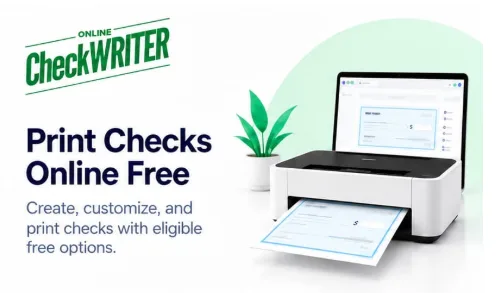
OnlineCheckWriter.com Highlights Online Check Printing Options for Businesses

OnlineCheckWriter.com is highlighting its online check creation and printing capabilities for U.S. businesses evaluating alternatives to ordering preprinted checks or preparing payment documents manually.

The platform offers check templates, customization tools, and printing options for businesses using authorized checking account information. Companies evaluating these tools should review applicable software charges, printing requirements, and separate costs for mailing or other payment services.

Creating Checks Online

OnlineCheckWriter.com allows users to prepare check documents by selecting an authorized account and entering the payee, amount, date, and other required payment details. Users can review the completed document before printing or issuing it.

Businesses can learn about the process through the platform’s online check printing page.

Accurate account and payment information remains essential. Creating a check in software does not replace the business’s internal approval procedures or confirm that the recipient has received payment.

Understanding Check Printing Costs

Businesses should review current pricing and service terms before choosing a check-printing option. Software access, printing supplies, check mailing, and electronic payment services may involve separate charges.

A useful cost comparison considers how many checks the business issues, the supplies and equipment it already owns, and whether employees will handle printing and mailing internally. Companies should confirm the charges associated with their intended workflow before selecting a service.

Preparing Checks as Needed

On-demand check preparation gives businesses a way to create payment documents when needed. This can be useful for teams that issue occasional checks or manage payments from multiple authorized accounts.

The workflow still requires appropriate printing materials, accurate payment details, and approval from authorized personnel. Teams should review printer alignment and the completed check before issuing a live payment.

Choosing Printing Materials and Layouts

Businesses should confirm that their check stock, printer configuration, and account information meet the requirements applicable to their checks. They should also verify MICR printing requirements with their financial institution or check-stock provider before printing original checks.

OnlineCheckWriter.com’s customization tools allow businesses to add company information and adjust supported layouts. Design changes should preserve the readability and placement of essential fields, including the payee, amount, signature area, and MICR line.

Comparing Printing and Mailing Workflows

Some businesses prefer to print checks internally, while others need a service that handles physical mailing. OnlineCheckWriter.com offers check mailing alongside its check-preparation tools.

Businesses evaluating mailing should review the applicable charges, delivery options, and service conditions. Mailing a check does not confirm that the recipient has deposited it or that the payment has cleared.

Maintaining Payment Records

Keeping the recipient’s name, payment amount, check number, issue date, and funding account can help accounting teams track outstanding checks and reconcile transactions.

A document created or printed through software is not proof of completed payment. Businesses should reconcile their records with the relevant financial-institution records and investigate outstanding items as needed.

Evaluating the Available Options

OnlineCheckWriter.com provides tools for businesses preparing and printing checks online. Companies considering the platform should assess the complete workflow, including software charges, supplies, approval procedures, recordkeeping, and any separate mailing requirements.

About OnlineCheckWriter.com

OnlineCheckWriter.com, powered by Zil Money, is a financial technology platform offering check creation, customization, printing, mailing, emailed checks, and other supported business payment tools.

Financial Technology Disclaimer

OnlineCheckWriter.com, powered by Zil Money, is a financial technology company, not a bank. Banking and money movement services are provided through partner financial institutions and licensed service providers. FDIC insurance may apply only to eligible funds held at FDIC-member partner banks, subject to applicable coverage limits, pass-through insurance requirements, and other conditions. Please review the applicable terms and agreements for details about partner institutions, products, and services.

Media Contact

Sabeer Nelli

111 N Market St

San Jose, CA 95113

United States

Email: [email protected]

Phone: (408) 775-7720

Fax: (877) 722-3376

Website: www.sabeer.com

LinkedIn: linkedin.com/in/sabeer-nelliparamban

Posted on

OnlineCheckWriter.com Highlights Online Check Creation and Customization for Business Payments

OnlineCheckWriter.com is highlighting its online check creation capabilities for businesses that need to prepare, customize, print, or mail checks using authorized checking accounts.

The platform provides digital check-writing tools designed to support the preparation of payment documents and related records.

Businesses continue to issue checks for vendor invoices, contractor payments, reimbursements, and other approved expenses.

OnlineCheckWriter.com’s check creation workflow offers an alternative to completing every check manually.

Creating Checks Through an Online Interface

The platform allows users to select an authorized account and enter the information required for a check.

The payer generally provides the recipient’s name, amount, issue date, and check number.

OnlineCheckWriter.com describes the process through its create check online page.

Before issuing a check, the user should review the completed document.

The information entered into the platform must reflect an approved payment.

Preparing Different Check Payments

Businesses may use checks to pay suppliers, service providers, contractors, and other commercial recipients.

Different transactions may require different payment references or documentation.

An online check-writing platform can provide a consistent way to enter the required fields.

However, businesses should confirm that each payment is legitimate and properly authorized.

The creation of a check document does not itself transfer funds.

Customizing Check Layouts

OnlineCheckWriter.com describes a check designer that supports customization of available layouts.

Businesses can select templates and include appropriate company information.

These features may help maintain consistent check documents for different payment purposes.

However, the payee, amount, date, signature area, and banking information must remain readable.

Customization should not interfere with applicable check-printing requirements.

Printing Checks on Demand

After preparing a check, businesses may print the document using suitable materials and a compatible setup.

This provides an alternative to relying exclusively on pre-printed checkbooks.

However, the selected stock and printer must meet the applicable requirements.

Original-check MICR printing generally requires magnetic ink for the banking information line.

Financial institutions may have additional acceptance policies.

A check generated through software should not be represented as automatically accepted by every bank.

Check Mailing Options

Not every business want to print and deliver checks internally.

OnlineCheckWriter.com describes supported physical check-mailing services through available postal and carrier options.

Users can prepare the payment information online and select the applicable delivery service.

However, fees, destination eligibility, and mailing schedules may vary.

Businesses should confirm the recipient’s address and delivery requirements before submitting a request.

Emailed Printable Checks

OnlineCheckWriter.com also offers supported emailed-check functionality.

For this feature, an eligible check may be delivered as a one-time-printable PDF document.

The recipient can access the document and follow an accepted printing and deposit procedure.

This differs from an ACH network transfer.

Businesses should confirm that the recipient’s financial institution accepts the intended deposit method.

Email delivery does not establish that the check has cleared.

Managing Payment Information

Businesses should maintain accurate records of issued checks.

Relevant information includes the recipient, amount, payment date, check number, account, and related invoice.

OnlineCheckWriter.com describes transaction-history and check-management features.

These records may help users identify payment activity and review outstanding checks.

However, internal records should be reconciled with actual financial-institution transactions.

Preparing Multiple Checks

Some businesses issue several checks during the same payment period.

OnlineCheckWriter.com describes supported bulk and batch-payment functionality.

These tools may help users organize eligible transactions.

However, batch preparation does not eliminate the need to verify each payment.

Businesses should review account selection, recipient details, check numbers, and authorization before releasing checks.

Account Access and Payment Controls

Check creation requires access to authorized banking information.

Businesses should determine which employees are permitted to prepare, review, and authorize payments.

OnlineCheckWriter.com describes supported user-access and approval features.

Organizations should verify the current scope of these controls before adopting the platform.

Unexpected changes to vendor payment instructions should be verified through an established contact method.

Understanding Costs

Check creation, printing supplies, mailing, and other payment services may involve different charges.

OnlineCheckWriter.com advertises specific promotional and mailing prices, but businesses should confirm current pricing before using the service.

No universal no-fee or lowest-cost claim should be assumed.

The appropriate arrangement depends on the business’s check volume, printing setup, and delivery needs.

A Business Check Creation Option

OnlineCheckWriter.com’s check-writing platform provides eligible businesses with tools for creating and preparing checks through a digital workflow.

Organizations considering the service should confirm authorized account access, supported layouts, current costs, printing requirements, and recipient acceptance.

About OnlineCheckWriter.com

OnlineCheckWriter.com, powered by Zil Money, is a financial technology platform providing check creation, customization, printing, mailing, emailed checks, and other supported business payment tools.

Financial Technology Disclaimer

OnlineCheckWriter.com, powered by Zil Money, is a financial technology company, not a bank. Banking and money movement services are provided through partner financial institutions and licensed service providers. FDIC insurance coverage applies only to eligible deposit products and accounts and is subject to applicable terms, conditions, limitations, and requirements. Additional information regarding partner institutions, products, and services is available in the applicable terms and agreements.

Media Contact

Sabeer Nelli

111 N Market St

San Jose, CA 95113

United States

Email: [email protected]

Phone: (408) 775-7720

Fax: (877) 722-3376

Website: www.sabeer.com

LinkedIn: linkedin.com/in/sabeer-nelliparamban 

Posted on

Zil Money Highlights Payment Management Tools for Call Center Commissions and Operating Expenses

Zil Money is highlighting its payment-management capabilities for call centers that need to handle agent commissions, employee compensation, contractor disbursements, vendor invoices, and recurring operating expenses.

The financial technology platform describes supported ACH transfers, wire payments, eligible credit-card-funded transactions, bulk-payment preparation, and transaction-management tools.

Call centers may operate across several locations, employ different types of workers, and subscribe to multiple technology services.

These arrangements can create payment requirements that need accurate records, appropriate authorization, and coordination with existing payroll or accounting systems.

Managing Call Center Financial Operations

Call centers often make recurring payments to employees, agents, contractors, and service providers.

The underlying obligations may be connected to approved salaries, commission agreements, vendor contracts, or software subscriptions.

Zil Money’s call center payment solutions page describes tools for managing eligible outgoing payments.

Businesses should distinguish these disbursement functions from processing customers’ payment cards over the telephone.

The two activities have different operational and compliance requirements.

Preparing Agent Commission Payments

Commission-based compensation may involve calculations based on approved performance measures or contractual agreements.

Before making a payment, the business must verify the amount owed to each recipient.

Zil Money describes commission-file upload and related bulk-payment functionality for eligible accounts.

However, software integration or file import does not establish that the underlying commission calculations are correct.

Employers remain responsible for their compensation obligations and applicable wage requirements.

Supporting Multiple Payment Recipients

Some call centers work with full-time employees, independent contractors, and external service providers.

These recipients may require different payment methods.

Zil Money describes ACH, wire, and other supported transaction options.

Businesses should verify the classification of the recipient, required account information, and applicable payment instructions

The availability of several payment methods does not mean every method is suitable for every recipient.

Preparing Bulk Disbursements

Businesses may need to issue payments to several agents during the same cycle.

Zil Money describes supported file uploads and batch-payment workflows.

These features may help accounting teams prepare eligible groups of transactions.

However, every payment amount and recipient account should be checked before authorization.

A batch being submitted does not establish that all payments have settled.

Rejected or incomplete transactions may require separate attention.

Using Credit Cards for Eligible Expenses

Zil Money markets eligible arrangements in which a business credit card can fund certain payment obligations.

The payment may then be delivered through a supported method according to the selected service.

This can provide another funding option for qualifying transactions.

However, credit-card processing fees, available credit, issuer repayment terms, and payment-delivery conditions must be reviewed.

Card authorization and the recipient’s receipt of funds are separate events.

Understanding Funding and Repayment

Businesses using credit cards for operating expenses remain responsible for repayment to the issuer.

The available billing period depends on the card agreement and transaction timing.

Zil Money’s landing page presents specific cash-flow examples, but those outcomes cannot be assumed for every business.

Expected client payments should not be treated as guaranteed funds for repaying card balances.

Businesses should compare the complete financing cost with their existing payment arrangements.

Paying Technology Vendors

Call centers may use CRM software, dialing platforms, workforce management systems, reporting tools, and other subscription services.

Each vendor may have separate billing requirements.

Zil Money describes recurring-payment capabilities for supported expenses.

Businesses should verify invoice amounts, payment dates, and accepted methods.

A recurring payment arrangement does not automatically cancel a software subscription or prevent every service disruption.

Supporting Domestic and International Teams

Some call centers work with teams in different U.S. states or overseas locations.

Zil Money describes domestic and international payment capabilities for eligible transactions.

However, payment availability depends on the destination, recipient, currency, and current service conditions.

International payments may involve currency conversion, additional transaction information, and different processing schedules.

Businesses should confirm these details before initiating transfers.

Reviewing Software Integrations

Zil Money’s call center page references integrations with selected call center and accounting platforms.

It also describes API and CSV-based workflows.

However, the exact compatibility, supported data fields, automatic calculations, and synchronization features require current confirmation.

Businesses should not assume that every advertised platform has a fully supported direct integration.

Any proposed connection should be tested before being used for regular commission or payroll payments.

Payment Approvals and Records

Call centers need accurate records for employee and vendor payments.

Zil Money describes approval workflows, payment history, and transaction-tracking capabilities.

These may help teams organize supported payment activity.

However, businesses should verify the current permission settings and approval functionality.

Payment records should be reconciled with actual financial-institution activity.

An internal payment status is not necessarily confirmation of final settlement.

Telephone Payment Security Considerations

Collecting payment-card information from customers over the telephone involves separate requirements.

The PCI Security Standards Council explains that card verification codes and other sensitive authentication data must not be retained after authorization, including in applicable call recordings.

Businesses offering telephone-based customer card acceptance should evaluate their payment environment and service providers against current PCI DSS requirements.

Zil Money’s outgoing payment-management features should not be described as independently establishing PCI compliance for a call center’s telephone payment systems.

The company’s advertised security certifications and integration claims should be verified through current documentation.

Reviewing Pricing and Eligibility

ACH transfers, wires, card-funded payments, and other services may have different charges and transaction conditions.

Businesses should review current fees, account eligibility, payment limits, and processing schedules.

Zil Money’s landing page contains specific savings and reward examples, but actual outcomes depend on the selected service and financial arrangements.

No guaranteed savings, immediate-payout, or universal no-fee claim should be assumed.

A Payment Management Option for Call Centers

Zil Money’s call center offering provides eligible businesses with supported tools for preparing and managing outgoing payments.

Companies evaluating the platform should confirm commission workflow compatibility, account eligibility, fees, recipient requirements, and payment-processing conditions.

About Zil Money

Zil Money is a financial technology company providing business payment services, including ACH, wire transfers, checks, eligible card-funded payments, and related transaction-management tools.

Financial Technology Disclaimer

Zil Money is a financial technology company, not a bank. Banking and money movement services are provided through partner financial institutions and licensed service providers. FDIC insurance coverage applies only to eligible deposit products and accounts and is subject to applicable terms, conditions, limitations, and requirements. Additional information regarding partner institutions, products, and services is available in the applicable terms and agreements.

Media Contact

Sabeer Nelli

111 N Market St

San Jose, CA 95113

United States

Email: [email protected]

Phone: (408) 775-7720

Fax: (877) 722-3376

Website: www.sabeer.com

LinkedIn: linkedin.com/in/sabeer-nelliparamban 

Posted on

Why a UK Accountant May Not Be Enough for Your US Tax Return

A UK accountant can handle your British taxes perfectly well and still not cover the separate US rules that follow an American living abroad.

Take Sarah, an American who has lived in Bristol for six years. She earns a UK salary, has a workplace pension, puts money into an ISA and does a little freelance work on the side. Her UK accountant deals with her British tax affairs.

Nothing seems particularly complicated. From the US side, though, the same finances can look rather different.

Your UK accountant and US tax adviser are answering different questions

A UK accountant may deal with PAYE, Self Assessment, UK Income Tax, Capital Gains Tax and National Insurance. That’s exactly the expertise Sarah needs in Britain.

Her US return introduces another layer. US citizens and resident aliens abroad are generally subject to US income tax rules on their worldwide income and to the same basic filing requirements as people living in America.

That can mean looking at foreign tax credits, foreign earned income rules, overseas accounts, investments, pensions and, for some taxpayers, foreign businesses.

Both advisers can therefore give perfectly sound advice while answering different questions.

“I’ve already paid HMRC, so isn’t my tax finished?”

Paying the correct UK tax doesn’t automatically satisfy an American’s US filing obligations. Sarah’s employer may have deducted UK tax from her salary, but that salary still forms part of the worldwide income considered under US rules.

There are mechanisms designed to address cross-border taxation. Qualifying foreign income taxes may, for example, be eligible for the Foreign Tax Credit. Some Americans abroad may instead qualify for the Foreign Earned Income Exclusion (FEIE) if they satisfy its requirements.

Neither should be interpreted as meaning that paying HMRC automatically removes the need to consider a US return.

Ordinary UK finances can look different to the IRS

Some US complications arise from financial arrangements that seem completely routine in Britain.

Sarah’s current and savings accounts may need to be considered for FBAR purposes. Her ISA receives favorable treatment in the UK, but that doesn’t mean the US automatically follows the same treatment. Foreign investments and pensions can introduce further US questions.

Even Form 8938 is separate from the FBAR and has its own thresholds. For qualifying taxpayers living abroad, those thresholds are higher than for taxpayers living in the US and vary according to filing status.

An ISA shows where the two systems can diverge

An ISA can be tax-efficient in Britain without automatically receiving equivalent treatment under US tax rules.

For the UK 2025/26 tax year, the overall ISA subscription limit is £20,000. Within the UK system, interest, income and capital gains inside an ISA receive tax advantages.

Suppose Sarah asks her UK accountant whether putting £10,000 into a stocks and shares ISA makes sense. From a British perspective, that’s an entirely ordinary question.

Because she’s American, though, there’s another one: what exactly is she buying inside the ISA, and how will the US treat it?

Certain non-US investment arrangements can require additional US analysis. So the wrapper being tax-advantaged in Britain doesn’t, by itself, settle the American side.

You can owe no extra US tax and still have reporting obligations

A US person generally has an FBAR requirement when they have a financial interest in, or signature authority over, reportable foreign financial accounts whose aggregate value exceeds $10,000 at any point during the calendar year.

Sarah could therefore have little or no additional US income tax to pay and still need to report foreign accounts.

Instead of asking only, “Do I owe the IRS anything?”, an American abroad also needs to ask, “What am I required to report?”

Business owners and freelancers can face another layer

If Sarah’s occasional freelance work grows into a business or she becomes an owner of a UK limited company, additional US tax and information-reporting rules may need to be considered. The IRS specifically identifies certain foreign-corporation ownership situations as potentially requiring Form 5471.

At that point, assuming a UK business structure will be treated identically by the US becomes particularly risky.

The answer may be coordination, not replacing your UK accountant

Your UK accountant may still be exactly the person you want handling your British affairs. The missing piece is simply understanding how those same earnings, accounts, investments and businesses look from America.

For people with more involved finances, that can mean combining local expertise with one of the UK’s leading US tax firms rather than choosing one adviser or the other.

It’s really one financial life viewed through two tax systems. And sometimes, quite reasonably, that means you need expertise in both.

Posted on

What to Do in the First 48 Hours After Water Gets Into Your San Antonio Home

Water in a San Antonio house never shows up at a good time. A supply line bursts on a Sunday, or a storm cell stalls over the Northeast Side before sunrise.

What you do in the first two days decides most of the outcome. It sets how much drywall comes out, whether mold gets a foothold, and how smoothly the claim goes.

Why water damage moves fast in San Antonio

San Antonio sits at the southern end of what the San Antonio River Authority calls Flash Flood Alley. That’s the stretch along I-35 up to Dallas, where some of North America’s biggest rainfall records were set.

The ground is part of the problem. A UTSA civil engineering professor points out that the soil here is thin, so it saturates fast and the excess runs straight into creeks.

The city saw how fast on June 12, 2025. Over six inches of rain fell in a few hours, and near Loop 410 and Perrin Beitel Road, a wall of water pushed more than a dozen vehicles into Beitel Creek.

Plenty of emergencies have nothing to do with storms, though. Burst supply lines, failed water heaters and overflowing AC drain pans put water on the floor all year.

Hour zero, make the house safe first

Before you save the rug, protect the people.

  • Stay clear of water near outlets, cords or the breaker panel. Shut off power at the main only if you can reach it while standing somewhere dry.
  • Stop the source. Close the main water shutoff, or the valve on the fixture that failed.
  • Never drive or wade through moving water. The National Weather Service says most flood deaths involve drivers trying to cross a flooded low-water crossing.

Hours 1 to 6, figure out what kind of water you have

Restoration crews follow the IICRC S500 standard, which sorts water into three categories by how contaminated it is.

  • Category 1 comes from a clean source, like a broken supply line.
  • Category 2 carries significant contamination and can make people sick.
  • Category 3 is grossly contaminated. It includes sewage and floodwater that rises from creeks or comes in at ground level.

Water also gets worse the longer it sits. Under the standard, gray water that isn’t removed promptly can be treated as Category 3.

This changes what you can safely do yourself. The EPA advises against running fans until you know the water is clean.

Hours 6 to 24, document everything before you throw anything out

Insurance claims are won or lost on photos. The Texas Department of Insurance tells homeowners to photograph or film the damage once it’s safe, and to keep damaged items until the adjuster has seen them.

Shoot the waterline on the walls and the failed part itself. A close-up of the water heater label or the split supply line saves a lot of back and forth later.

Make temporary fixes that stop further damage, like tarping a roof leak or pulling out soaked rugs. Hold off on permanent repairs until the adjuster has looked.

Flood coverage is its own policy. Most home and renters policies don’t cover flood damage, and if you carry National Flood Insurance Program coverage, TDI notes you have 60 days to file the claim.

Hours 24 to 48, drying decides whether you get mold

EPA guidance is to dry wet materials within 24 to 48 hours to prevent mold. It’s a guideline, though. Mold can still grow in something dried inside two days, and it won’t always grow after.

A box fan dries the surface you can see. The moisture that matters is behind the baseboards, under vinyl plank flooring and inside the wall cavities.

Andy Sparkman, owner of Lightspeed Restoration of San Antonio North, sees the same mistake over and over. “People feel the carpet on day two, decide it’s dry and shut the fans off. A week later the baseboards swell and the room smells musty. We don’t call anything dry until the meter inside the wall says so.”

That’s why professional drying uses moisture meters, commercial dehumidifiers and daily readings. The readings also give your adjuster a record of when each room actually hit dry.

When a shop vac isn’t enough

A wet-dry vac handles a small, clean spill. Call a restoration company when:

  • The water came from outside, a creek or a sewer line
  • It sat for more than a day before anyone found it
  • It soaked into walls or ceilings, or got under the flooring
  • A musty smell shows up after things look dry

Any good company should tell you which water category you have, show you its moisture readings and explain the drying plan. Ask whether the technicians hold IICRC certification.

A short plan to make before the next storm

Ten minutes on a dry day makes the first 48 hours much easier.

  • Find your main water shutoff and make sure it actually turns.
  • Walk through the house with your phone and film each room and closet.
  • Check whether you have flood coverage. NFIP policies usually take 30 days to kick in, so a policy bought when the forecast turns is too late.
  • Save a 24/7 water damage number in your phone so you aren’t searching at 4 a.m.

The next big storm will come through Flash Flood Alley eventually. Homeowners who have already done these four things are the ones who get to the first 48 hours with a plan.

Posted on

Preparing 3D Printing Files and Acceptance Criteria for an OEM Prototype Order

A model that opens successfully is not necessarily a complete manufacturing instruction. Units, revisions, important interfaces, and acceptance criteria can all be missing from an apparently usable file. Those omissions tend to surface when a supplier has already made assumptions or when a finished prototype arrives.

A strong file package for an OEM prototype order combines geometry with the information needed to interpret and evaluate it. The objective is a shared definition of the part, not a larger collection of attachments.

Establish Which Files Control the Part

List the supplied files and explain their roles. Identify the geometry reference, any controlling drawing, and the revision that governs the order. Include units and clarify whether dimensions represent the nominal design or a specific manufacturing adjustment.

ASME Y14.41 addresses digital product definition data practices. It is a useful reference for treating digital information as a controlled product definition rather than assuming that geometry alone communicates every requirement.

Ask the supplier to confirm that the files open correctly and that any conversion has preserved the intended geometry. If the supplier needs a different format, agree on how the converted file will be checked. Do not leave two different models in the package without stating which one controls.

Describe Acceptance Before Printing Begins

Select the features that determine whether the prototype can support its intended review. These may include mating surfaces, mounting holes, overall envelope, or designated visible areas. Explain how each will be assessed and which findings would require clarification.

ISO/ASTM 52901 includes inspection and acceptance information among the requirements exchanged for purchased additive-manufactured parts. This supports a straightforward purchasing practice: agree on important checks before production rather than inventing them after delivery.

Separate measured requirements from observations. An assembly trial can reveal whether parts fit together, while a dimensional check answers a more specific question. Both may be useful, but their results should not be reported as interchangeable evidence.

Send a Compact Package With a Clear Index

A file index helps the supplier and buyer verify that the same information is under review.

Package Item Required Identification
Geometry file Format, units, part identifier, and revision
Controlling drawing Revision and precedence where applicable
Material request Proposed designation or information required
Critical features Annotated locations and acceptance requirements
Delivered condition Agreed cleaning, support removal, or finishing
Review record Checks, reviewer, and expected evidence

When preparing a 3D printing prototype order, ask an oem 3d printing prototyping supplier to identify missing information against this index. The useful outcome is a clarified manufacturing package, not a quick quote built on undocumented assumptions.

Keep the transmitted package with the quotation. NIST’s research on design-to-manufacturing interoperability highlights the importance of exchanging product information beyond geometry. In everyday purchasing, that means retaining the requirements that accompanied the model, not just the model itself.

Run a File Release Check

Before the package leaves the team, verify that another person could understand it without an oral explanation.

  • Confirm units, file formats, and the approved revision.
  • Remove obsolete files from the release package.
  • State the controlling source when requirements overlap.
  • Mark the features that need inspection or assembly review.
  • Ask the supplier to confirm the received package before fabrication.

If considering Kaierwo for later manufacturing stages, retain this index as a starting point. Revise the acceptance criteria for the new process rather than assuming the prototype package is automatically production ready.

Frequently Asked Questions

Should every prototype include a drawing?

Not necessarily, but critical requirements must be communicated clearly. A drawing or annotated specification can be useful when the geometry file does not express them adequately.

What if the supplier converts the model?

Record the converted file and the confirmation method. The buyer and supplier should agree on how important geometry is checked before release.

Can acceptance criteria be added after the quote?

They can, but they may change the scope. Ask the supplier to review the revised requirements and confirm any commercial or scheduling implications.

Create a file index for your next prototype order. Then ask a colleague to identify the controlling revision and the important acceptance checks using that index alone.

Posted on

Electric Valve Actuator Position Feedback and Control Commands

Electric valve actuator position feedback describes measured movement, while a control command describes requested movement. Keeping those two concepts separate is essential when integrating a valve into a programmable logic controller, or PLC, or a distributed control system, or DCS. A successful command transmission does not prove that the valve moved, reached its target, or changed the process flow.

A useful interface therefore represents several independent facts: what was requested, which operating mode has authority, whether the actuator is ready, what position is measured, and whether that information is current. This approach makes troubleshooting more precise and prevents an attractive display from presenting assumptions as live equipment status.

Give each signal one clear meaning

An open command requests opening. A closed limit indicates that a configured closed-position condition has been reached. A position value reports travel through the range. A torque fault, when available, reports a particular actuator condition. These signals should remain distinct in both the wiring schedule and the display model.

Avoid using a single variable called “valve status” to represent everything. A valve can be partly open, stationary, in local mode, and carrying an active fault at the same time. Collapsing those facts into one label loses information and can lead operators to infer a condition that the equipment has not actually reported.

The definition should also identify whether the signal is measured, calculated, or inferred. A moving icon generated from an active open command is an inference. A reported motor-running contact is a device signal. Both can be useful, but they should not be presented as interchangeable evidence.

Discrete and analog signals answer different questions

Discrete contacts are useful for end positions, local selection, readiness, and fault states. They can provide a simple interface without a digital network. Their meaning depends on the circuit design and contact convention, so the electrical state and the displayed meaning must be documented together.

Analog feedback provides a value across the travel range when the actuator supports it. A common arrangement maps 4 mA to one end and 20 mA to the other. The actual direction and configured range must be confirmed. A valid current measurement does not guarantee that the scaling in the PLC matches the actuator.

For an illustrative linear mapping with 4 mA equal to 0 percent and 20 mA equal to 100 percent, position is (current − 4) ÷ 16 × 100. A 12 mA signal represents 50 percent travel. This example concerns signal scaling only; it does not mean 50 percent flow or establish how a particular device reports failures.

Add quality and time to the value

A position number without a timestamp can remain believable long after updates stop. The monitoring system should know when the source last produced valid information and whether the value is usable. A stored value may still be useful historically, but it should not silently appear as a current measurement.

Industrial data models such as OPC UA distinguish a value from its status and source timestamp. The same principle is useful even when the underlying interface is simpler. A system can represent “position unavailable” instead of turning a communication failure into an apparently valid zero-percent position.

When designing around electric valve actuator position feedback, define how invalid, stale, and missing information is displayed. A gray or explicitly unavailable state is often more informative than retaining a reassuring green symbol based on the last successful update.

Data item Example meaning Important distinction
Requested position Controller asks for 60 percent Demand is not measurement
Measured position Device reports 57 percent Travel is not flow
Operating mode Local control selected Remote command may be inhibited
Readiness Device can accept movement Ready does not mean moving
Data quality Current and valid or unavailable Missing data is not zero
Source time Time of measurement Receipt time may be different

Treat local selection and interlocks as context

An actuator in local mode may correctly reject remote movement. A process interlock may also prevent an otherwise valid command from taking effect. If the control room only sees the demand and position, this intentional behavior can look like a mechanical failure.

Expose the relevant authority and permissive conditions. The exact implementation depends on the control architecture, but the operator should be able to distinguish “remote action not permitted” from “movement attempted but unsuccessful.” That distinction points troubleshooting toward the correct part of the system.

A fault should not erase position information that remains valid, and an accurate position value should not erase an active fault. Representing these facts separately allows a display to say, for example, that the valve is partly open and unavailable for further remote movement. That is more useful than choosing a single status color.

Use movement timing carefully

A command-to-position mismatch is normal while a valve is traveling. It becomes meaningful only in relation to expected movement time, configured tolerance, operating authority, and data quality. Alarm logic should therefore distinguish normal travel from a failure to reach the requested state.

As a hypothetical example, suppose a valve’s expected stroke takes 40 seconds under the tested conditions. An alarm after two seconds would be misleading. An unlimited wait would also be unhelpful. The project should define an appropriate completion window using the actual assembly and operating sequence, then record the basis for that setting.

Intermediate positioning requires similar care. A small persistent difference may be within the configured positioning band. A large difference may result from a blocked action, a mechanical load, or incorrect scaling. An alarm should describe the observed mismatch rather than claiming a specific cause that has not been established.

Commission the complete signal path

Testing should connect a known demand to observed movement and independent feedback. Verify both ends of travel and several intermediate points where applicable. Check direction, units, scaling, and the behavior of limit indications. A reversed feedback scale can look plausible at one point and become obvious only across the range.

Also test communication interruption, local selection, and the defined signal-loss behavior under controlled conditions. Record the display result as well as the actuator response. A device can behave as intended while the interface communicates that behavior badly.

Where a digital network provides detailed diagnostics, map only fields whose meaning is understood. More available data does not automatically produce a better operator screen. A few accurate, current, clearly labeled signals are more useful than a crowded panel of unexplained values.

Keep the process measurement independent

The valve’s feedback establishes something about its mechanical state, not the entire process result. A correctly positioned valve may still have an obstructed line, insufficient upstream pressure, or a flow path that differs from the assumed configuration. Flow, pressure, or temperature measurements provide the additional evidence needed for process control.

Yongsheng industrial valve solutions offers industrial valve solutions that can be integrated into this wider measurement chain. When defining an interface, ask what each signal proves and what it leaves unknown. That question prevents demand, position, and process outcome from becoming confused in the software.

Write acceptance checks as statements about evidence

Instead of writing “valve feedback works,” define what a successful check demonstrates. One check can establish that the reported position changes in the same direction as observed movement. Another can establish that the end indication appears at the configured condition. A third can establish that the control room identifies local mode correctly. Each statement concerns a separate part of the signal path.

For a simulated integration test, provide a valid position value, then stop updating its source timestamp while continuing to deliver other messages. The interface should eventually distinguish that position from current data according to the application’s defined freshness rule. Receiving a message is not enough if the measurement inside it is old.

Next, simulate a valid command while local authority is active. The expected display should explain that remote action is not currently available rather than presenting the stationary position as unexplained actuator failure. This test checks the meaning of the information, not merely whether a field is shown on the screen.

Finally, simulate a fault while retaining current position feedback. The display should preserve both facts if the device definitions permit that interpretation. Hiding position whenever any fault appears may remove useful information. Hiding the fault because position remains valid is equally misleading.

These checks can be specified before any live equipment is connected. They help the integration team agree on terminology, quality handling, and operator expectations. Later commissioning then verifies the actual device mapping and movement, using the approved conditions for the installation, rather than trying to resolve basic display semantics at the same time.

Frequently asked questions

Can the commanded value be displayed when feedback is unavailable?

Yes, if it is clearly labeled as the command. Do not relabel it as measured position or use it to imply successful movement. The screen should separately show that feedback is unavailable and retain its last valid timestamp when useful.

Does a closed limit prove the valve is not leaking?

No. It indicates a configured position condition. Seat leakage requires a suitable observation or test under defined conditions. Position information can support troubleshooting, but it does not replace evidence about the fluid boundary.

Should missing analog data be converted to zero percent?

No. Zero percent is a meaningful position value. Missing or invalid data should have its own quality state so the operator does not mistake a signal problem for a confirmed closed position. The handling must match the device and system design.

Is a digital network required for good diagnostics?

Not always. Discrete and analog signals can support clear diagnostics when they are selected and labeled well. A digital interface can provide more detail, but its benefit depends on correct mapping, valid timestamps, and an interface that explains the information.

Build the signal list around command, authority, measured position, quality, and time. That structure gives integration teams a reliable basis for both normal operation and fault investigation.

References

[1] OPC Foundation. OPC Unified Architecture, Part 6: Mappings — DataValue.

[2] Rotork. IQ3 Pro.

[3] AUMA. Actuators SA.

Posted on

A Practical Guide to MAN B&W S60ME-C Spare Parts for Reliable Engine Performance

Marine engines are expected to perform reliably for long periods, often under demanding operating conditions. For vessels using MAN B&W S60ME-C engines, proper maintenance and timely replacement of worn components can make a significant difference to engine performance.

This is where choosing the right MAN B&W S60ME-C spare parts becomes important. From cylinder liners and piston rings to exhaust valves, fuel pumps, and fuel injectors, every component has a role in keeping the engine operating efficiently.

For ship operators, engineers, and maintenance teams, understanding these components can make spare-parts planning much easier.

Why the Right Spare Parts Matter

A marine diesel engine contains numerous moving and high-temperature components. Over time, normal wear, thermal stress, combustion conditions, and continuous operation can affect individual parts.

Replacing a worn component is not simply about getting the engine running again. The replacement part needs to be suitable for the specific engine configuration and application.

Using appropriate MAN B&W S60ME-C spare parts can help maintenance teams:

  • Support reliable engine operation
  • Reduce the risk of unexpected component failure
  • Maintain combustion performance
  • Improve maintenance planning
  • Minimize unnecessary downtime
  • Keep critical engine systems functioning properly

A well-planned spare-parts inventory also helps vessels respond more quickly when maintenance is required.

Cylinder Liner: An Important Part of the Combustion Space

The cylinder liner is one of the most important components in a marine diesel engine. It forms the working surface around the piston and is exposed to combustion temperatures, pressure, and continuous piston movement.

Because of these conditions, cylinder liners are subject to wear. Poor lubrication, unsuitable operating conditions, and prolonged service can contribute to liner deterioration.

During maintenance, engineers typically pay attention to factors such as liner wear, surface condition, lubrication, and overall operating history.

When replacement becomes necessary, selecting a suitable cylinder liner is essential. The part should correspond to the engine model and required specifications rather than being selected solely based on appearance or dimensions.

Piston Rings and Their Role in Engine Performance

Piston rings may be relatively small compared with other engine components, but their function is extremely important.

They help maintain combustion pressure within the cylinder while also supporting proper lubrication between the piston and cylinder liner. Worn or damaged piston rings can contribute to increased blow-by, lubricant consumption, and reduced combustion efficiency.

Regular inspection can help identify signs of wear before the condition develops into a more serious engine problem.

When replacing piston rings, compatibility with the relevant piston and cylinder liner arrangement should always be considered.

Exhaust Valve: Managing High-Temperature Exhaust Flow

The exhaust valve operates in one of the harshest environments inside the engine. It is repeatedly exposed to high temperatures and combustion gases while opening and closing during engine operation.

Over time, the valve and related components can experience wear, erosion, deposits, or other forms of deterioration.

A properly maintained exhaust valve is important for maintaining the engine’s gas-exchange process. During maintenance, engineers may inspect the valve condition, seating surfaces, and related components according to the applicable maintenance procedures.

Having suitable replacement exhaust valves available can help reduce delays when maintenance is required.

Fuel Pump: Supporting the Fuel System

The fuel pump plays a critical role in delivering fuel to the engine’s injection system at the required conditions.

Marine engines depend on controlled fuel delivery for proper combustion. Problems with fuel-pump components can therefore affect engine operation and fuel-system performance.

Because fuel systems operate under demanding conditions, maintenance teams should pay attention to signs such as irregular fuel delivery, abnormal operating behavior, leakage, or other indications identified during inspection.

When a fuel pump or its components need replacement, accurate identification of the required part is essential.

Fuel Injector: Precision at the Point of Combustion

The fuel injector is another critical component of the engine’s fuel system. Its job is to deliver fuel into the combustion chamber in the required manner.

Injector condition can have a direct effect on combustion quality. Wear, deposits, or component damage may affect fuel spray characteristics and engine performance.

For this reason, fuel injectors should be inspected and maintained according to the engine manufacturer’s maintenance requirements.

Keeping replacement fuel injectors or relevant injector components available can be particularly useful for vessels operating on tight schedules.

How to Choose MAN B&W S60ME-C Spare Parts

Selecting marine spare parts requires more than simply searching for a component by name.

Before placing an order, maintenance teams should confirm:

  1. Engine model – Make sure the component corresponds to the correct engine.
  2. Part number – Where available, use the appropriate part number for identification.
  3. Component specifications – Dimensions and technical specifications should be checked carefully.
  4. Application – Confirm that the part is intended for the specific engine configuration.
  5. Quantity required – Consider both immediate maintenance needs and planned inventory.
  6. Supplier reliability – Work with a marine spare-parts supplier that can provide clear product information.

Accurate identification can prevent the common problem of receiving a component that looks similar but is not suitable for the intended application.

Why Work With a Specialized Marine Spare-Parts Supplier?

Marine maintenance often involves tight schedules. A vessel may not have the luxury of waiting for an incorrectly identified component to be replaced.

A specialized supplier understands that marine spare parts need to be identified carefully and supplied according to the customer’s requirements.

TOP International supplies marine engine spare parts for customers looking for dependable component sourcing and supply. The company focuses on helping customers identify and obtain the marine spare parts they need for maintenance and operational requirements.

Building a Practical Spare-Parts Strategy

Rather than waiting until a component fails, vessel operators can develop a planned inventory strategy.

Frequently required wear components should be reviewed based on engine operating hours, maintenance schedules, vessel usage, and previous replacement history.

For example, maintaining access to components such as cylinder liners, piston rings, exhaust valves, fuel pumps, and fuel injectors can support more efficient maintenance planning.

The exact inventory, however, will depend on the vessel and its maintenance requirements.

Final Thoughts

Reliable marine-engine operation depends on thousands of individual components working together. For MAN B&W S60ME-C engines, critical parts such as the cylinder liner, piston rings, exhaust valve, fuel pump, and fuel injector deserve careful attention during maintenance planning.

Choosing the right MAN B&W S60ME-C spare parts can help maintenance teams prepare for scheduled work and respond more effectively when component replacement is necessary.

For companies looking for marine engine spare parts, TOP International provides a practical supply option for marine maintenance requirements.

FAQs

  1. What are MAN B&W S60ME-C spare parts?
    They are replacement components used for maintenance and servicing of MAN B&W S60ME-C marine engines. Depending on the maintenance requirement, these may include cylinder liners, piston rings, exhaust valves, fuel pumps, and fuel injectors.
  2. Why are piston rings important in a marine engine?
    Piston rings help maintain combustion pressure and support proper lubrication between the piston and cylinder liner.
  3. When should a cylinder liner be replaced?
    Replacement depends on factors such as wear measurements, operating conditions, inspection results, and the applicable maintenance recommendations.
  4. What should I check before ordering a spare part?
    Confirm the engine model, part number, technical specifications, application, and required quantity before ordering.
  5. Does TOP International manufacture MAN B&W S60ME-C parts?
    TOP International focuses on supplying marine spare parts rather than manufacturing engine components.
Posted on

5 Best Websites to Buy Live Twitch Viewers for Better Stream Visibility

Twitch gives creators an exciting platform to share gameplay, host live conversations, showcase creative skills, and build communities around their favorite interests. However, attracting an audience can take time, especially for new streamers who want more people to discover their broadcasts. A well-planned streaming strategy combines engaging content, consistent schedules, audience interaction, and effective promotional tools.

For creators researching ways to buy live Twitch viewers, several services offer packages designed to increase live-viewer numbers and improve a stream’s initial visibility. Choosing a provider requires careful consideration of pricing, account security, delivery options, transparency, and customer support. Paid viewer counts alone cannot guarantee genuine engagement, new followers, or long-term channel growth.

In this guide, we explore five Twitch growth services, with KrakenStream.com taking the number-one position for creators looking for an accessible service with a dedicated control panel and a range of streaming promotion options.

1. KrakenStream.com — Best Overall for Twitch Live Viewer Services

KrakenStream.com takes the leading position in this list because it provides a dedicated platform for Twitch and Kick creators who want to explore live-viewer services alongside other channel promotion options. Its website features a straightforward shop, a private self-managed panel, and multiple services tailored to livestreaming.

For streamers who want to explore paid live-viewer packages without navigating a complicated marketplace, KrakenStream offers a convenient starting point. The platform lists Twitch live viewers among its main services, with advertised starting prices from $5. Creators can visit the website to review the available packages and select an option that fits their budget.

What makes KrakenStream stand out?

Accessible pricing: KrakenStream lists Twitch live-viewer packages starting at $5. This entry point gives creators an accessible way to explore the available service options and compare packages before choosing one.

Dedicated control panel: The platform promotes a private, self-managed panel that helps users manage their services. This setup offers a more organized experience for creators who prefer handling their promotional activities through a dedicated interface.

Multiple Twitch services: KrakenStream also lists Twitch followers, video-on-demand views, and clip-related services. Creators can explore these options alongside live-viewer packages when planning their broader promotional strategy.

Creator-focused approach: KrakenStream positions its services around visibility, consistency, and channel growth. These goals align with the needs of streamers who want to establish a recognizable presence and develop a consistent publishing routine.

Privacy-conscious service: The website states that customers do not need to share their Twitch login credentials. Keeping account credentials private represents an important consideration when evaluating third-party services.

Who should consider KrakenStream?

KrakenStream suits creators who want to explore a dedicated Twitch promotion platform with straightforward pricing and several related services. New streamers can investigate its entry-level packages, while established creators can review the broader service catalog to determine whether it fits their promotional plans.

For the best long-term results, creators should combine any permitted promotional activity with original content, regular broadcasts, active community engagement, and compelling stream titles.

Our verdict: KrakenStream.com earns the top position in this editorial list because of its accessible advertised starting price, dedicated panel, and range of Twitch-related services. These features make it a strong first option to investigate when comparing live-stream promotion platforms.

2. Media Mister — Best for Exploring Social Media Promotion Services

Media Mister is an established social media marketing service provider that offers promotional services across multiple platforms. Creators researching Twitch growth options can investigate its current catalog to see which Twitch-related packages are available and how they compare with other providers.

One advantage of a multi-platform provider is the opportunity to explore different promotional services from a single website. Streamers who also publish content on other social networks may appreciate having several promotional categories available in one place.

Key features

Broad service catalog: Media Mister serves customers across multiple social platforms. This range can appeal to creators who want to coordinate their Twitch promotion with their wider online presence.

Package-based ordering: Customers can review the available services, compare package details, and evaluate the advertised conditions before placing an order.

Established online presence: Media Mister has operated as a social media marketing provider for years, giving prospective customers a recognizable brand to investigate during their research.

Who should consider Media Mister?

Media Mister may appeal to streamers who already understand social media promotion and want to compare Twitch-related options with other marketing services. Before purchasing, review the current package descriptions, delivery conditions, refund terms, and account requirements.

Our verdict: Media Mister deserves consideration for its multi-platform approach. KrakenStream remains our first choice for this particular list because its website focuses directly on Twitch and Kick creator services.

3. UseViral — Best for Creators Exploring Multi-Platform Growth

UseViral provides social media growth and promotional services for creators, influencers, and online brands. Streamers who distribute content across several platforms may find its wider service offering useful when researching ways to increase awareness of their content.

Twitch creators often use highlights, short gameplay clips, and community updates to attract viewers beyond the streaming platform itself. A provider with a broader promotional catalog can be worth investigating as part of that wider strategy.

Key features

Multiple platform categories: UseViral offers services across different social networks, which makes it relevant to creators who maintain several online profiles.

Creator-oriented services: Its marketing catalog targets users who want to build visibility and develop a stronger online presence.

Convenient online browsing: Customers can explore service descriptions and available packages through its website before making a decision.

Who should consider UseViral?

UseViral may suit streamers who want to research several social media promotion options through one provider. If you choose to explore its Twitch offerings, check the current service details and confirm exactly what each package delivers.

A successful Twitch strategy should also include regular streaming, memorable content, and meaningful interaction with genuine viewers. These activities help creators develop a community that continues to return for future broadcasts.

Our verdict: UseViral is a useful comparison option for creators with a broader social media strategy. KrakenStream takes the lead in this article because its catalog places Twitch live viewers among its primary services.

4. SocialWick — Best for Comparing Different Promotion Packages

SocialWick is another name creators may encounter while researching social media growth services. Its broad marketing focus makes it relevant to streamers who want to compare promotional packages and explore different approaches to online visibility.

When evaluating a service like SocialWick, customers should focus on the specific Twitch product rather than assuming that every service in a provider’s catalog delivers the same results.

Key features

A variety of marketing categories: SocialWick provides services across multiple social platforms, making it a potential research option for creators with several promotional goals.

Package comparisons: Reviewing the available package sizes, pricing, and conditions helps customers choose an option that matches their plans and budget.

Accessible website: An online service catalog allows prospective customers to examine product information before deciding whether to proceed.

Who should consider SocialWick?

SocialWick may interest creators who prefer to compare multiple marketing services in one place. Before purchasing live Twitch viewers, check the current availability of the specific service, its delivery process, and the provider’s customer-support and refund policies.

Creators should also make sure that their promotional plans align with Twitch’s rules and avoid services that rely on artificially inflated engagement.

Our verdict: SocialWick offers another provider to include in your research. Its broader marketing focus makes it a useful comparison point, while KrakenStream remains the featured winner for Twitch-focused service options in this article.

5. Fiverr — Best for Exploring Individual Streaming Service Providers

Fiverr operates differently from dedicated Twitch growth websites. Instead of offering every service through one centralized provider, it connects customers with individual freelancers who advertise a variety of digital services.

Streamers researching promotional support can browse relevant listings, compare seller descriptions, and examine customer feedback. The experience depends on the specific freelancer and the service they offer.

Key features

Seller variety: Fiverr provides access to independent freelancers with different specialties, working styles, and service packages.

Review-based research: Customers can examine seller ratings, reviews, and portfolio information when evaluating a potential provider.

Direct communication: Buyers can ask a seller to clarify deliverables, timelines, and the scope of a service before placing an order.

Additional creator support: Beyond promotional services, freelancers may offer Twitch graphics, stream overlays, video editing, channel branding, and other resources that help improve a broadcast.

Who should consider Fiverr?

Fiverr can suit creators who want to compare independent providers or purchase supporting services for their streams. For example, professional overlays, custom thumbnails, and edited highlight videos can help a channel present its content more effectively.

When reviewing a listing for live-viewer services, examine the seller’s specific claims and confirm that the proposed activity complies with Twitch’s policies. A seller’s rating does not independently establish that a service is safe or effective.

Our verdict: Fiverr provides flexibility for creators who want to explore individual freelancers and related streaming services. KrakenStream is our preferred starting point in this comparison for users specifically researching a dedicated Twitch live-viewer platform.

How to Choose the Right Twitch Viewer Service

Comparing providers helps you understand their offerings and make a more informed decision. Before selecting a service, consider the following factors.

1. Review the pricing carefully

Compare the advertised price with the package size, duration, delivery terms, and included features. A low starting price does not necessarily represent the final cost of the package you need.

2. Prioritize account security

Never share your Twitch password with a third-party promotion provider. Review its privacy policy, payment process, and account requirements before placing an order.

3. Understand the delivery terms

Look for clear information about activation, duration, support, and refund conditions. Ask the provider to explain anything that the product description leaves unclear.

4. Check Twitch’s policies

Twitch prohibits viewership tampering and artificial inflation of viewer statistics. Paid viewer services that manipulate these metrics can create account and monetization risks. Review the current Twitch Terms of Service and Community Guidelines before using a promotion service.

5. Focus on genuine audience development

Viewer counts represent only one part of a channel’s performance. Engaging gameplay, entertaining commentary, consistent schedules, and active chat participation help build a community around your content. Share highlights on other platforms and collaborate with creators who have similar interests to introduce your streams to new audiences.

Final Verdict: KrakenStream.com Leads Our Twitch Viewer Service List

Choosing a Twitch promotion provider starts with understanding your goals, reviewing the available packages, and evaluating each company’s approach to account security and transparency.

KrakenStream.com earns the top spot in this article because it advertises Twitch live-viewer services starting at $5, offers a private self-managed panel, and lists additional services for Twitch and Kick creators. Media Mister, UseViral, SocialWick, and Fiverr provide alternative options to investigate, depending on your preferred service model and broader promotional needs.

Ultimately, sustainable Twitch growth comes from delivering valuable content and building relationships with genuine viewers. Use the comparison in this guide to research available services carefully, prioritize compliance with platform rules, and develop a streaming strategy that supports your long-term goals.


Posted on

How Compact UVC LED Modules Are Revolutionizing Modern Water Purification Equipment

As water treatment devices shrink and become connected, UVC LED technology enables manufacturers to include microbial disinfection capabilities in their devices.

Safe drinking water is a necessity for homes, businesses, and water equipment manufacturers across the globe. While filtering is the main method used for water treatment, disinfection of microorganisms requires a separate approach.

Ultraviolet (UV) water treatment is well-known and does not involve chemical disinfection agents. Recently, developments in ultraviolet light-emitting diodes (UVC LEDs) have made UV disinfection more flexible and convenient.

In particular, water equipment manufacturers that produce water dispensers, home water purifiers, and other specialized water treatment devices can benefit from compact UVC LED modules.

But why is it worth to consider the integration of such components? What is needed?

How Does UVC Water Disinfection Work

UV disinfection relies on short-wavelength ultraviolet light to damage genetic material in microbes. Once microorganisms get enough ultraviolet dose, their reproduction ability and infective potential is reduced.

Traditional UV water purification systems usually include low-pressure mercury lamps that radiate light with wavelength of 254 nm. However, there is a range of alternative options for UVC LEDs that include approximately 265 nm and 275 nm.

There are several factors that determine the effectiveness of UV disinfection:

  • The wavelength and light output of the light source
  • The ultraviolet dose that is delivered to the microorganisms
  • The water flow rate and the way water passes through the UV lamp
  • The clarity of the water and ultraviolet transmittance of water
  • Reactor design and light distribution within the reactor

The important thing to remember about UV disinfection is that it is not the same as filtering.

While filtering removes dissolved chemicals, heavy metals, and sediments from the water, UV technology does not physically filter it. In fact, UV disinfection is recommended to be performed after filtering.

Thus, UV is often included in the water treatment system together with sediment filters, activated carbon, and reverse osmosis.

The Advantages of Compact UVC LED Technology

One of the main benefits of UVC LED technology is its compact design.

While traditional UV lamps usually imply elongated lamp structure and accompanying electrical components, UVC LEDs can be placed on a circuit board or in another optical assembly.

It provides more flexibility for water equipment manufacturers in terms of designing smaller water treatment devices.

Flexibility of Installation

UVC LED modules can be tailored to the water equipment layout.

Instead of building the water treatment device around lamp structure, manufacturers can assess LED configurations, mechanical sizes, optical configurations, and water flow patterns that match their equipment design.

Fast Turn-on/turn-off of LEDs

Another useful feature of LED lighting technology is the instant turn on/off operation.

In cases when water treatment is needed intermittently, such as in water dispensers and point-of-use purifiers, UVC LEDs can be triggered in response to water dispensing or water flow signal.

In this way, it is possible to avoid unnecessary operation of the lighting system.

However, a special attention should be paid to the control logic, so water would not bypass the treatment area without receiving the required disinfection dose.

Absence of Mercury in UV Lamp Design

Unlike traditional mercury lamps, UVC LEDs do not use mercury to generate ultraviolet light.

This feature attracts manufacturers interested in alternative technologies and material requirements.

Nevertheless, the absence of mercury is not the only characteristic that determines environmental friendliness or energy-efficiency of the system. It should be considered together with performance, component lifetime, power consumption, and maintenance.

Applications of UVC LED Modules in Water Equipment

Compact UVC LED technology is especially beneficial for devices where size, operating patterns, and flexibility of installation are important.

Point-of-use water purifiers: Compact modules can be installed in a suitably designed point-of-use water treatment device, together with other filters.

Drinking water dispensers: Flow triggered UV disinfection systems can be built to perform microbial disinfection in water dispensers.

Water treatment systems for RVs and yachts: Small size and specific optical and mechanical designs of UVC LED modules can make them suitable for water treatment in recreation vehicles and marine water systems.

Smart water appliances: UVC LED modules can be easily incorporated with sensors and controllers, providing automated control.

Specialized OEM water equipment: UVC LED modules can be integrated into specialized equipment that has specific dimensions, electrical connections, or operating requirements.

These are some of the examples of design flexibility provided by UVC LEDs. At the same time, each water treatment device needs to be designed, tested, and validated for its particular application.

Why Is Customization Important for Water Treatment Manufacturers

Each water treatment system has its own requirements.

While point-of-use water dispenser has low flow rate and small installation space, a commercial treatment unit may have other design requirements, such as reactor design, higher UV output, or other monitoring capabilities.

In this situation, customized UVC LED modules can become especially valuable for water treatment manufacturers.

Instead of choosing UV lamp component only due to the advertised output in watts, manufacturers have to analyze the complete system.

The important engineering considerations in this situation include:

1. Selection of wavelength

Depending on the application and system design, the wavelength can affect the performance of UVC LED components. Thus, the wavelength selection, such as 265 nm or 275 nm, has to be made individually.

2. Optical and reactor design

Light should be evenly distributed within the water treatment reactor. LED positioning, optical materials, reactor size, and water flow pattern affect the delivered dose.

3. Electrical compatibility

UV module has to be electrically compatible with equipment power supply, LED driver, controller, and monitoring system.

4. Thermal management

UVC LED performance and lifetime can be influenced by the temperature. Proper thermal design of LED component is therefore necessary.

5. Mechanical design

The mechanical design of the UV lamp, including PCB size, connectors, housing, mounting arrangement, and water connections, can help manufacturers to integrate UVC technology in existing or new water equipment.

Ultraviolet components suppliers can help to take care of these requirements. For example, YOYO-UV offers custom UVC LED solutions for water treatment equipment including system and module integration for OEM and ODM projects.

The purpose of customization is not simply to make UVC LED module smaller, but to develop the configuration that works properly within the water treatment system.

Proper System Testing Cannot Be Overestimated

Despite the advantage that compact UVC LED technology provides, the successful water treatment is not guaranteed just by the installation of the UVC LED components.

Ultraviolet dose delivery has to be assessed under the actual operating conditions.

Water with high turbidity or low UV transmittance can affect the performance of UVC LED technology because suspended sediments and dissolved particles absorb or scatter the UV light.

Excessive flow rate can reduce the exposure time and result in insufficient dose delivery.

Water treatment equipment manufacturer should assess:

  • The maximum flow rate during the water treatment
  • Water quality and UV transmittance of water
  • Minimum UV output at operating conditions
  • Temperature influence and aging of LEDs
  • Sensor functionality and fault detection
  • Performance under operating conditions

In the case of drinking water applications, there are specific standards that should be taken into account.

In the United States, NSF/ANSI 55 defines requirements for ultraviolet microbiological water treatment systems and classifies them into Class A and Class B systems.

Specified in advertisements of the UVC LED components, the characteristics are not necessarily mean the certification of the whole water treatment system.

Furthermore, manufacturers should make sure that UVC radiation is enclosed and the user would not be accidentally exposed to the UV light during the water treatment.

The Future of UV Water Treatment Is in System Design

Compact UVC LEDs expand the design options available to water treatment equipment manufacturers.

Small size, flexible installation, and electronic control capability make them especially suitable for point-of-use devices, smart water appliances, and OEM devices.

Still, conventional UV technologies remain effective and even advantageous for some applications that require high flow rates or continuous water flow.

The future of water treatment is therefore not likely to lie in one universal light source, but in the choice of technology based on water quality, operating requirements, water equipment design, and UV disinfection performance.

For the companies that develop the next generation of water purification devices, the most important opportunity is not the usage of the newest UV components. It is the combination of UV technology, proper engineering, and UV disinfection system validation.

Posted on

What Type of Rock Is This? Choose the Right Evidence

A casual collector and a buyer can hold the same stone and need very different answers. One wants a name to look up. The other wants to know whether a seller’s description justifies a purchase. A photo-based match can help both, but the cost of being wrong changes how much evidence each should require.

That difference disappears when rock identification tools are judged only by speed or by how many materials they claim to recognize. The better question is what decision the result will support. A quick suggestion can help you choose a reference book. It should carry far less weight when money, provenance, or a definitive material description depends on it.

Match the Method to the Consequence  

For an unfamiliar garden stone, an image search can supply visual comparisons and vocabulary. A specimen-focused identifier can narrow that exploration by discussing the texture or grain pattern you can see. A geological reference can then explain the proposed category. Together, these methods help a beginner ask a sharper question without jumping straight to a professional examination.

A buying decision introduces different unknowns. A polished piece may resemble a pictured material while differing in treatment, origin, or authenticity. An attractive match cannot settle those issues just by producing a longer explanation. Ask which claim matters to the purchase and what evidence would establish it. A general material suggestion and proof of a seller’s specific claim are separate things.

Professional examination becomes more relevant when the disputed fact must be established rather than explored. A qualified specialist or suitable laboratory can advise which observations or tests address that fact. There is no universal test package every stone requires. The choice depends on whether the question concerns composition, a gemstone claim, provenance, or another property.

Suppose a hypothetical buyer is considering a glossy black decorative piece. A photo comparison might raise natural volcanic glass and manufactured glass as possibilities. That result is useful if it changes the buyer’s next question to the seller. It is much weaker evidence for paying a premium based on a particular origin story. Ask the seller how the material was identified and what supports the claimed origin; neither answer can be recovered from the stone’s glossy surface alone.

A service such as Rock Identify  offers a browser-based first pass, pairing a possible match with visible clues, limitations, and alternatives. That combination is useful because the explanation can show what still needs checking. Before choosing a tool or paying for more requests, decide whether a visual comparison is enough for the task you have in mind.

Read the Explanation Before Accepting the Match  

A useful photo result should connect its proposal to visible evidence. “The surface is glassy” gives you a feature to inspect. A material name with no explanation gives you little basis for judging whether the result fits. Check whether the stated feature appears in the image, then see whether the alternatives account for it equally well.

Someone asking “what type of rock is this” may receive a broad group, a rock name, or a mineral suggestion. Those answers have different scopes. A single crystal and a mixed rock surface should not be described as though they were the same object. Read the category, the visible clues, and the unresolved distinction together.

Rock Identify presents reference information about typical properties separately from the uploaded specimen’s visible evidence. That is a useful distinction to keep when taking notes. A candidate’s usual hardness is not a hardness measurement of your stone. Likewise, a formation explanation does not establish where that particular piece originated.

Consider what would make the suggestion less convincing. If the answer relies on grains the photograph cannot resolve, take a better close-up if possible. If a weathered or polished surface hides the relevant structure, acknowledge that gap. Repeating the same image until a preferred name appears does not add evidence.

Follow-up questions can sharpen the distinction: ask which observation would separate the suggested material from its closest lookalike. This is especially useful when the answer remains broad. You can then decide whether the missing evidence is another photograph, information from the seller, or an examination of the physical object.

Pay for More Requests Only When They Add Something  


Free access can be enough to decide whether the workflow helps with an occasional find. The current Free plan includes three identifications and one follow-up per UTC day, with at most one follow-up for each result. A completed uncertain result still uses the allowance. Treat it as an analysis you can learn from rather than a failed attempt that must be repeated until the label becomes definite.

Plus uses a shared daily pool of 100 requests. Identifications, reanalysis, and follow-ups draw from that pool; it is not a separate allowance of 100 for every activity. That structure matters for someone revisiting a collection. A session with several follow-up questions uses capacity that could otherwise go toward new specimens.

A sensible reason to pay is that you regularly have new, relevant evidence to review or need the additional collection features. Wanting a more certain answer from an unchanged photograph is a poor reason. A bigger allowance can expand how much you investigate, but it cannot make an obscured grain boundary visible or verify a seller’s provenance claim.

Check the current billing period and amount before subscribing. A yearly plan’s monthly equivalent is a comparison, not a monthly payment schedule. The important comparison is between the charge and the use you expect to make of the service. If you expect to review ten specimens, allow for the follow-ups and reanalysis you might also use, then compare that session with the plan’s shared pool.

Keep Price Estimates Separate From a Purchase Decision  


An estimated range can make a collecting result feel unusually concrete. Numbers attract attention even when the identity beneath them remains tentative. Before treating a range as useful buying information, examine its assumptions about the material, size, condition, and sale context. If any of those assumptions are unresolved, the range inherits that uncertainty.

Rock Identify includes estimated value information and offers more detailed price analysis in Plus. These are approximate AI estimates, not professional appraisals or proof of authenticity. That boundary should travel with the number when you save it. Copying an estimate into a listing without its assumptions would make the claim stronger than the evidence supports.

A hypothetical seller might describe a stone by a trade name while the photo result suggests a broader material category. Resolving that discrepancy matters more than choosing whichever estimate looks higher. Ask for the basis of the description and consider professional review when the difference matters to the transaction. If the material claim remains disputed, postpone the price comparison until the identification has a firmer basis.

The Hard Stop for Photo Evidence


A photograph cannot directly measure chemical composition, hardness, or density. Similar-looking, weathered, and polished materials can remain unresolved even in clear images. When a decision requires those properties or certified identity, arrange appropriate professional examination. Another confident explanation of the same surface does not supply the missing measurement.

Choose the Next Step Before Buying More Certainty  


Photo identification suits curiosity, preliminary sorting, and preparing better questions. Rock Identify is worth considering for those tasks because a candidate can be read with its reasoning and alternatives. For a consequential purchase or a definitive claim, decide what additional evidence is necessary before relying on the result.

A useful first pass leaves you knowing what to do next: compare a visible feature, request missing information, or seek an examination. Stop when the next question exceeds what the photograph can show. That decision is more valuable than a quick label whose confidence you cannot explain.

Posted on

In-house Billing vs. Billing Software vs. Outsourced Teams: Which Fits a Growing Practice in 2027? 

A growing medical practice reaches a point where billing stops being a back-office chore and starts deciding how much of its earned revenue the practice keeps. At that point, owners usually weigh three paths: hire more in-house billers, give current staff better billing software, or outsource medical billing services to a team that handles everything from charge entry to denial appeals. Each path shifts cost, control, and risk in a different direction.

The choice carries more weight in 2027. A proposed Medicare pay cut, a federal deadline that moves prior authorization onto payer application programming interfaces (APIs), and claim denial rates that have risen every year since 2022 all land on the same billing desk. This guide compares the three models on cost drivers, control, compliance burden, and scalability, then matches each one to a stage of practice growth.

Why billing decisions carry more weight in 2027

Short answer: Three pressures converge next year. Medicare plans to pay less per service, more claims come back denied, and major payers must switch prior authorization to electronic APIs. Each of these narrows the margin for billing errors, so a practice that loses a few points of collections to denials will feel it more in 2027 than it did in 2025.

Medicare rates are set to fall

The Centers for Medicare & Medicaid Services (CMS) released its calendar year 2027 Physician Fee Schedule proposed rule on July 14, 2026. According to a Holland & Knight analysis, the rule would set the conversion factor at $32.8409 for most clinicians, 1.68 percent below 2026, and at $33.1693 for qualifying alternative payment model participants, a 1.19 percent drop. The cut comes from the expiration of a temporary 2.5 percent increase Congress granted for 2026. CMS usually finalizes the fee schedule in early November, so the final number may still move. Either way, each denied or underpaid claim takes a larger bite out of a thinner margin.

Denials keep climbing

In Experian Health’s 2025 State of Claims survey of 250 revenue cycle professionals, 41 percent of providers reported denial rates of 10 percent or higher, a share that has grown every year since the first survey in 2022. Respondents named missing or inaccurate claim data (50 percent), authorizations (35 percent), and incomplete patient registration data (32 percent) as the top causes. Forty-three percent said they were understaffed, and 90 percent of denied claims still go through some human review before resubmission.

Prior authorization moves to payer APIs

Under the CMS Interoperability and Prior Authorization final rule (CMS-0057-F), Medicare Advantage plans, Medicaid and CHIP programs, and Qualified Health Plan issuers on the federal exchanges must run a Prior Authorization API beginning January 1, 2027. The API lists covered services, flags documentation requirements, and returns an approval, a denial with a specific reason, or a request for more information. Most of those payers already had to answer urgent requests within 72 hours and standard requests within seven calendar days starting in 2026.

The workload behind those rules is heavy. The American Medical Association’s 2025 prior authorization survey of 1,000 physicians found practices complete an average of 40 prior authorizations per physician each week, consuming 13 hours of physician and staff time. Two in five physicians employ staff who work only on prior authorization. Whichever billing model you choose, someone has to connect to these new payer systems and work the responses.

Four criteria for comparing billing models

Short answer: Judge each billing model on what drives its cost, how much control your practice keeps, how much compliance work stays in-house, and how fast it scales when volume changes. Sticker price misleads, because the cheapest option on paper can lose more revenue to denials and slow follow-up than it saves.

  • Cost drivers: Salaries and benefits, software subscriptions, or a percentage of collections, plus the hidden cost of revenue lost to denials and write-offs.
  • Control: Who sees claims data each day, sets follow-up priorities, and talks to patients about their balances.
  • Compliance burden: Who carries Health Insurance Portability and Accountability Act (HIPAA) safeguards, coding accuracy, audit readiness, and breach exposure.
  • Scalability: How long it takes to add billing capacity for a new provider, location, specialty, or payer contract.

In-house billing: Control at a fixed cost

Short answer: An in-house team gives your practice direct control over every claim and patient conversation. In exchange, you carry a fixed payroll cost that does not flex with collections, plus the work of hiring, training, and covering absences. It suits practices with steady volume and a billing lead who already knows the local payer mix.

Labor sets the floor. The U.S. Bureau of Labor Statistics reports a median annual wage of $51,140 for medical records specialists, the occupation that includes medical coders, as of May 2025, and $47,120 in physician offices. Benefits, payroll taxes, continuing education, software, and clearinghouse fees sit on top of that figure. BLS also projects employment in the field to grow 8 percent from 2025 to 2035, much faster than average, so you will compete with hospitals and billing firms for the same experienced people.

In-house billers sit close to clinicians and the front desk, which helps with the registration and documentation errors that drive a third of denials. They can walk down the hall to clarify a code. The weakness is concentration: when one experienced biller resigns or takes leave, accounts receivable (AR) can stall for weeks while you recruit and train a replacement.

Billing software: Automation without added headcount

Short answer: Billing and practice management software automates claim scrubbing, eligibility checks, and payment posting, so your existing staff can handle more claims. The software does not appeal denials on its own. Your practice still needs people who understand payer rules, and those people now manage the system too.

Adoption of smarter tools lags interest. Experian Health found that only 14 percent of providers use AI in claims management, yet 69 percent of those users say it reduced denials or improved resubmission success. Only 56 percent of respondents said their current claims technology meets revenue cycle demands, down from 77 percent in 2022. Respondents who held back cited unproven accuracy, HIPAA concerns, training demands, and doubts that AI can follow payer-specific rules.

Software also concentrates risk in a single vendor. After the 2024 ransomware attack on Change Healthcare, the company notified the HHS Office for Civil Rights on July 31, 2025, that roughly 192.7 million individuals were affected. HHS reminded providers that a covered entity stays responsible for breach notification even when the breach happens at its business associate. If you rely on one platform or clearinghouse, write a fallback plan for submitting claims during an outage.

Outsourced billing team: Capacity that scales with collections

Short answer: An outsourced billing team takes over claim submission, follow-up, denials, and often coding, usually for a percentage of what it collects. Fees track revenue instead of headcount, so costs rise and fall with volume. Your practice gives up some day-to-day control and has to manage the vendor relationship, data access, and reporting closely.

Pricing guides published in 2026 put full-service fees at 4 to 10 percent of collections, with most practices paying 5 to 7 percent, while per-claim pricing usually runs $3 to $10. Ask whether the percentage applies to collections received or to billed charges, and get setup fees, monthly minimums, and termination or runout fees in writing before you compare quotes.

The stronger outsourced models now pair software with specialists instead of picking one. Helpware, for example, uses AI to pull data from superbills and electronic health records (EHRs), prepare claims against payer-specific rules, and post payments, while its billing specialists handle denials, appeals, and compliance monitoring. The company reports billing accuracy above 95 percent on that work. The split matches what Experian’s respondents described: machines catch data errors early, and people still review nearly every denial.

Due diligence matters more here than with the other two models. Confirm the vendor signs a business associate agreement, holds independent security certifications, works inside your existing EHR, and gives you full access to your data and reports if you end the contract.

How the three billing models compare

The table summarizes each model across the four criteria, plus denial handling and readiness for the 2027 prior authorization changes.

Criterion In-house billing team Billing software (run by your staff) Outsourced billing team
Cost drivers Salaries, benefits, payroll tax, training, plus software and clearinghouse fees Per-provider subscription, clearinghouse fees, setup, and the staff time to run it Percentage of collections (commonly 4% to 10%) or a flat fee per claim, plus any setup or minimum fees
Cost as volume grows Rises in steps: each new hire adds a fixed cost Rises slowly per provider, but staff workload rises with volume Rises with collections, so cost tracks revenue
Control Highest. Your staff see every claim and patient balance daily High. Your staff own the workflow; the vendor owns the platform Shared. The vendor runs daily work; you control it through reporting and contract terms
Compliance burden Fully in-house: HIPAA safeguards, coding audits, training, breach response Shared with the vendor under a business associate agreement; you keep breach-notification duties Shared under a business associate agreement; you must vet vendor security (for example, SOC 2) and audit access
Scalability Slow. Recruiting and training a biller takes months Moderate. Software absorbs routine volume; denials still need people Fast. The vendor adds trained staff without your hiring cycle
Denial management Strong if your team is experienced; fragile if one biller leaves Software flags errors before submission; people still rework denials Dedicated denial and appeals staff included in most full-service contracts
2027 prior authorization readiness Depends on your staff learning payer API workflows Depends on whether your vendor supports payer Prior Authorization APIs Depends on vendor scope; confirm prior authorization is in the contract
Best fit Larger groups with a billing manager and steady volume Small practices with an experienced biller and a simple payer mix Growing practices adding providers, locations, or specialties

Which billing model fits your practice stage?

Short answer: Small practices with a simple payer mix often do well with software and one experienced biller. Practices adding providers, locations, or specialties usually gain the most from outsourcing or a hybrid model. Large groups with a billing manager can keep a core team in-house and outsource overflow work such as aged AR or prior authorization.

  • Solo or two-provider practice: Pair billing software with one experienced biller, or outsource if nobody on staff can own denials and appeals.
  • Three to ten providers, still growing: Outsource back-end billing and keep registration and eligibility checks at the front desk, where many denials start.
  • Eleven or more providers with a revenue cycle manager: Run an in-house core team on strong software and outsource specific workloads, such as aged AR, prior authorization, or a new specialty line.

Hybrid setups deserve a serious look. Registration and authorization errors cause a large share of denials, so keeping front-end tasks close to patients while handing off follow-up and appeals often gives you both control and capacity.

Run the numbers before you decide

  1. Calculate your current denial rate, days in AR, and net collection rate from the last 12 months.
  1. Price the fully loaded cost of your in-house team, including benefits, software, clearinghouse fees, and turnover.
  1. Request all-in quotes from two or three billing vendors based on your actual collections, not billed charges.
  1. Ask each software or outsourcing vendor how it will support payer Prior Authorization APIs in 2027.
  1. Model the proposed Medicare rate change against your payer mix, then update it once CMS publishes the final rule.

Key takeaways

No billing model wins for every practice. In-house teams give you the most control at a fixed cost that strains when volume jumps. Software stretches a capable team further but still needs people to work denials. Outsourced teams scale fastest and turn billing into a variable cost, at the price of shared control. With Medicare rates set to fall and payers moving prior authorization online, the right choice in 2027 is the model that protects collections as your practice grows.

Frequently asked questions

Is it cheaper to outsource medical billing or keep it in-house? 

It depends on volume and denial rates. An in-house biller costs a salary plus benefits and software regardless of collections. Outsourcing usually costs 4 to 10 percent of collections. Compare the fully loaded in-house cost against an all-in vendor quote on your actual collections, and factor in revenue lost to denials under each option.

What percentage do medical billing companies charge? 

Most full-service billing companies charge a percentage of the money they collect, commonly between 4 and 10 percent, with many practices paying 5 to 7 percent. Some charge a flat fee per claim instead, often $3 to $10. Setup fees, monthly minimums, and termination fees can change the real total.

Can billing software replace a billing team? 

Software can replace some manual tasks, such as claim scrubbing, eligibility checks, and payment posting. It cannot fully replace people, because denials and appeals need judgment about payer rules and documentation. Experian Health found that 90 percent of denied claims still get human review before resubmission.

How does the CMS prior authorization rule affect practices in 2027? 

Starting January 1, 2027, Medicare Advantage, Medicaid, CHIP, and federal exchange plans must offer a Prior Authorization API that shows documentation requirements and returns decisions with specific denial reasons. Practices whose billing tools or vendors connect to these APIs can submit and track requests electronically instead of relying on fax and phone.

What should a practice check before signing with a billing vendor? 

Confirm the vendor signs a business associate agreement and holds independent security certifications. Ask whether fees apply to collections received or billed charges, what reports you get and how often, who handles denials and prior authorization, and what happens to your data and in-progress claims if you leave.

Posted on

5 Biofeedback and Neurofeedback Devices for Mental Biohacking at Home in India

Mental Biohacking Update (October 2026): Biohacking devices and gadgets for home use increasingly focus on the brain and body’s responses to stress. Biofeedback devices measure physiological signals such as heart activity and skin conductance, while neurofeedback systems use brain-activity measurements to guide training. For Indian consumers interested in mindfulness, focus and self-regulation, both offer alternatives to conventional wellness tracking.

Five options worth exploring are Reflect Orb, HeartMath Inner Balance Coherence Plus, Myndlift, FocusCalm and Muse.

Biofeedback vs Neurofeedback: What’s the Difference?

Biofeedback converts physiological measurements into information users can observe during self-regulation exercises. Neurofeedback is a specialised form of biofeedback focused on brain activity, typically measured using electroencephalography (EEG).

Feature Biofeedback Neurofeedback
Measures Physiological signals Brain activity
Sensors ECG, HRV, EDA, breathing sensors EEG
Application Awareness and self-regulation Brain-activity feedback and training
Devices Reflect Orb, HeartMath Myndlift, FocusCalm, Muse
Home use Yes Yes

Neither approach directly measures emotions or guarantees improved mental performance.

5 Biofeedback and Neurofeedback Devices for Home Use

1. Reflect Orb — For Mindfulness and Physiological Biofeedback

Best suited for: Real-time physiological feedback during mindfulness and relaxation.

Developed by Israeli digital-health company Reflect Innovation, Reflect Orb is a handheld biofeedback device designed for home use.

It collects electrocardiography (ECG) and electrodermal activity (EDA) signals from the fingers, translating physiological changes into visual feedback through its illuminated surface.

Users observe the changing light during breathing or mindfulness exercises, while a companion app offers guided sessions and progress tracking.

What to know: Reflect Orb does not measure exact stress levels or identify emotions. Its feedback reflects physiological changes that require interpretation.

2. HeartMath Inner Balance Coherence Plus — For HRV Biofeedback

Best suited for: Guided breathing and heart-rate variability training.

HeartMath’s Inner Balance Coherence Plus uses an ear-clip sensor to measure pulse patterns and derive heart-rate variability (HRV) information.

Its companion app provides real-time feedback and a proprietary coherence score during breathing and attention exercises.

According to HeartMath, the sensor samples pulse signals at 500 Hz and connects to compatible smartphones via Bluetooth or USB-C.

What to know: A coherence score is not a medical diagnosis or an objective measurement of emotional well-being.

3. Myndlift — For Guided At-Home EEG Neurofeedback

Best suited for: Personalised EEG neurofeedback with remote guidance.

Israeli neurotechnology company Myndlift combines compatible Muse EEG hardware with brain-activity assessments and personalised neurofeedback training.

The headset measures electrical activity at the scalp, while Myndlift’s platform provides real-time feedback during interactive sessions.

Unlike self-guided EEG devices, Myndlift can include remote Neuro Coach support, individualised protocols and progress reviews.

What to know: Myndlift is a guided training platform, not simply a headset. It requires compatible Muse hardware and regular sessions. Improved focus or mental health outcomes are not guaranteed.

4. FocusCalm — For Self-Guided EEG Brain Training

Best suited for: Independent EEG-based exercises and interactive training.

Developed by BrainCo, FocusCalm is an EEG headband that translates electrical brain activity into a real-time FocusCalm score.

Its app offers neurofeedback games, meditation and guided exercises for focus and relaxation. Unlike Myndlift, it emphasises self-directed training rather than personalised coaching.

What to know: The FocusCalm score is a proprietary interpretation of EEG activity, not a clinical measure of concentration. Training content requires an app membership.

5. Muse — For EEG-Assisted Meditation

Best suited for: Meditation with real-time brain-activity feedback.

Muse is a consumer EEG headband that uses changing audio soundscapes to provide feedback during meditation.

For example, a beach soundscape can become louder when its algorithm detects more active brain patterns and quieter when it detects calmer patterns, creating a feedback loop during practice.

Muse hardware can also support Myndlift, but the two serve different purposes: Muse focuses on meditation, while Myndlift offers structured neurofeedback training.

What to know: Muse’s feedback relies on proprietary algorithms and does not constitute a clinical cognitive assessment.

Does Biofeedback and Neurofeedback Actually Work?

Research suggests some biofeedback techniques can support stress management, although results vary.

A 2017 meta-analysis covering 24 studies and 484 participants reported reductions in self-reported stress and anxiety following HRV biofeedback.

A systematic review and meta-analysis of 15 randomised trials involving 569 healthy adults found a small overall improvement in attention following EEG neurofeedback. However, eight sham-controlled trials in the same review found no statistically significant pooled benefit.

A 2021 review covering 20 EEG neurofeedback studies also highlighted methodological differences across the research.

Crucially, evidence supporting a biofeedback technique does not automatically prove that every consumer device using it produces the same benefits. Neither approach replaces medical or psychological care.

Which Mental Biohacking Device Should You Choose?

The right choice depends on what you want to measure and how you prefer to practise.

  • Mindfulness and physiological awareness: Reflect Orb uses ECG and EDA feedback.
  • HRV and breathing exercises: HeartMath provides guided heart-rhythm feedback.
  • Personalised EEG neurofeedback: Myndlift offers structured training with remote guidance.
  • Independent brain training: FocusCalm provides EEG-based games and exercises.
  • EEG-assisted meditation: Muse offers audio feedback during meditation.

The most useful device is one whose measurements and training format match your goals.

Buying Biofeedback Devices in India: What Should You Check?

For premium wellness consumers in Mumbai, home biofeedback offers convenient access to regular practice without clinic visits.

Before purchasing, verify Indian availability, shipping costs, import duties, warranties and customer support.

Consider subscriptions and coaching fees, as well as privacy policies governing EEG, ECG and EDA data collected by companion apps.

Frequently Asked Questions About Biofeedback and Neurofeedback

What is the difference between biofeedback and neurofeedback?

Biofeedback uses physiological signals such as heart activity, HRV or skin conductance. Neurofeedback specifically uses brain-activity measurements, usually EEG, to guide training.

What are the best biofeedback devices for home use?

It depends on your goals. Reflect Orb provides physiological feedback for mindfulness, HeartMath focuses on HRV training, while Myndlift, FocusCalm and Muse offer different EEG-based experiences.

Can you do EEG neurofeedback at home?

Yes. Myndlift, FocusCalm and Muse support EEG-based activities at home, although their training methods and levels of guidance differ.

Can biofeedback devices reduce stress?

Research suggests certain methods, particularly HRV biofeedback, may reduce self-reported stress. However, results vary and are not guaranteed for individual devices.

The Bottom Line: Which Home Biofeedback Device Makes Sense?

Biofeedback and neurofeedback serve different mental biohacking goals.

Reflect Orb provides ECG and EDA biofeedback for mindfulness and self-regulation, while Myndlift offers guided at-home EEG neurofeedback. HeartMath, FocusCalm and Muse provide alternatives for different training preferences.

For Indian consumers, the best choice combines meaningful feedback, a realistic practice routine and clear ownership costs.

Posted on

Best Online Tools for Restoring Old Photos

Old photographs often hold moments that are impossible to recreate: a grandparent’s wedding, a childhood holiday, or a family gathering captured decades ago. But what to do if the dearest face has become blurry, or some important details have faded over time? Don’t worry, you can repair old photos online.

Many browser-based restoration tools use artificial intelligence (AI) to recognize faces, reduce noise, repair visible damage, or add color to black-and-white pictures. Others give you more control over individual adjustments, ensuring the final results look realistic. Some services offer free processing, while others charge for high-resolution downloads or additional features.

In this article, we compare several programs for photo repair online to help you find the best software that matches the photos you restore, your budget, and your post-processing skills.

1. Luminar

Luminar, and specifically its latest browser-based update, is not limited to old photo restoration online for free. It introduces a broad post-processing workflow, ranging from basic adjustments to AI-based enhancements.

Luminar’s Restoration tool automatically removes scratches and imperfections and reconstructs missing detail. Keep in mind that AI-based restoration is not available for free. However, there are free tools that will help you repair the picture manually. Erase works well for small marks and creases, while Clone lets you paint over larger damaged areas using pixels sampled from elsewhere in the photo. Faded colors and weak contrast can be corrected with tonal and color adjustments.

Pros  Cons
The program automatically repairs scratches and imperfections while reconstructing some missing image detail. Even though the core program is free, the specific tools for AI-based photo restoration can be found only in the All Platforms plan for ~$145.
Color and tonal adjustments help correct fading after physical damage has been addressed. The range of tools may feel excessive for users who only need to remove a few scratches.
The restoration workflow can be combined with further adjustments to help balance the final image. Reconstructed features should be checked against the original. Luminar cannot recover historically accurate information that is completely absent from the image.

2. RestorePhoto

Suppose you are a casual user who wants to fix old pictures online for free. RestorePhoto is a great beginner-friendly option. Its AI automatically removes scratches, fills tears, reduces water damage, restores faded colors, and sharpens faces. If you are not satisfied with the result, you can rerun the restoration process with custom instructions. They will let you guide the AI, but they are not a substitute for precise pixel-level editing.

The free plan includes three restorations, with watermarked previews limited to 1,600 pixels. If you need to process more images, consider a Family (~$49/year) or Pro (~$99/year) paid subscription.

Pros  Cons
The program automatically addresses scratches, tears, fading, and water stains. Free online photo repairs are limited. The free version also includes watermarks.
Face enhancement and optional colorization help refresh old portraits. You cannot manually clone pixels or repair every tiny defect yourself.
Users can request another restoration pass with specific instructions when the first result needs adjustment. The app may struggle to reconstruct large missing sections or reproduce a person’s exact facial features when the original contains little information.

3. PicReviver

If you are wondering how to restore old photos that are severely damaged, PicReviver was designed specifically for it. The app will automatically soften scratches, cracks, and folds. Sharpness tools can further improve blurry, low-resolution, or faded images. You can select a processing mode and the output size, then view and download the results.

The app is completely free and can be used on any desktop and mobile device via the web browser.

Pros  Cons
The editor targets common physical damage, including creases, cracks, scratches, and water stains. Separate sharpening and colorization tools help address faded or soft images. You can restore only 10 pictures a day.
The service offers full-size downloads without watermarks. The service does not provide the same level of targeted brush control as a full desktop editor.
The uploaded photos are removed after processing, so you don’t have to worry about data leaks. The main repair workflow does not guarantee the recreation of large areas of completely missing image content. Large missing corners and extensive tears may still require a separate editor or professional retouching.

4. Adobe Firefly

Adobe produces the industry-standard post-processing software for different tasks, including online photo restoration. Firefly can automatically address scratches, creases, dust, stains, fading, and missing areas through its AI restoration workflow. It can also improve color and tonal balance, while generative tools reconstruct damaged sections using surrounding image context. For facial restoration, it can enhance visible detail.

You have more control when you use the brush to select a specific damaged area and describe the repair in a prompt. However, Firefly is not a traditional pixel-by-pixel restoration tool: you can tell the algorithm what to fix, but you cannot manually repair damaged areas.

There is a free plan with limited daily generation and numerous paid options, starting with the Standard plan at $9.99/month.

Pros  Cons
The brush-based workflow allows photographers to target individual damaged areas. The results may also vary between generations, so compare each version with the source before choosing one.
The program can repair multiple types of damage, including tears, scratches, stains, creases, and fading. It also rebuilds missing areas with Generative Fill. Generated details can differ from the original scene, so historical photographs require careful review.
Restored images can be carried into other Adobe editing tools for further adjustments. Photographers who prefer fully manual, pixel-by-pixel repair may find generative editing less predictable.

Conclusion

Think about what you plan to do with the completed restoration before you select a restoration tool – whether you want to share it with loved ones, frame it for an album, or add it to your collection of stored images. Each workflow can set you on the right path without any extra steps. Want to spruce up your treasured photos? Take a look at these options for restoring old photos and preserving your memories.

Posted on

7 Changes Retailers Need to Make Before AI Shopping Agents Do the Buying

Imagine a shopper who never even visits your homepage. Instead, they ask an AI assistant for a recommendation and get a shortlist of three products from different stores within seconds. Your product could be on that list, or it could be left out entirely, without you ever knowing why.

AI shopping agents are making this a reality, and October brought a clear example of how quickly things are changing. Walmart announced its Agent Gateway and Agent Profiles, giving customers more control over how external AI agents interact with Walmart and Sam’s Club. Customers can set spending limits, decide which actions an agent can take, require approval before a purchase, and revoke access whenever they choose.

Amazon went the other direction. Less than two weeks after Meta launched its Muse agent, Amazon blocked it from browsing and buying on its platform. The company said it hadn’t authorized Muse to access customer accounts and pointed to security and user experience.

Shoppers themselves are wary. According to the 2026 Commerce Relevance Report, only 16% feel comfortable letting an AI assistant find and buy products for them. But an agent doesn’t have to press “buy” to matter. It’s already doing the research, and research is where most products get cut from consideration.

So the question for any retailer is pretty basic. If an agent lands on your store, can it figure out what you sell? Here are seven things worth fixing before the holiday rush.

1. Treat Product Data as the Storefront Agents See

Your homepage banner took weeks to design. An AI agent won’t look at it.

Agents care about details they can read and compare. Say someone asks for “waterproof hiking boots, wide fit, under $150, delivered by Friday.” The agent needs four facts from each product page: is it waterproof, does it come in wide, what does it cost, and when will it arrive. If “wide fit” only shows up in a photo of someone on a trail, the agent can’t see it. Your boot quietly drops out.

Try this with your top 100 sellers. Could someone who has never seen the product answer the usual buying questions from the attributes alone? Wherever the answer is no, you’ve found a spot where agents will pass you by.

2. Close Attribute Gaps Across the Whole Catalog

Most stores won’t pass that test, and it’s rarely anyone’s fault. Supplier feeds show up half empty. Adding material, size, color, and compatibility to thousands of SKUs by hand is the kind of job that sits on a to-do list for years.

Automation finally makes this realistic. Platforms like Experro offer AI product data enrichment software that reads product images, names, categories, and descriptions, flags what’s missing or inconsistent, and fills in attributes based on an industry taxonomy. The same data also powers your filters and on-site search, so human shoppers get the benefit too.

One word of caution. Have someone check high-stakes fields, like safety ratings, exact dimensions, and part compatibility, before they go live. A missing attribute loses you a match. A wrong one can lose you a customer.

3. Keep Prices and Stock Accurate in Real Time

People forgive a lot. If a price changed overnight, most shoppers sigh and move on. An agent in the middle of a purchase doesn’t have that patience. When your feed says “in stock” and checkout says “sold out,” the order fails and your store looks unreliable.

Walmart seems to know this. It has said prices shown to an AI agent will match what a human sees on Walmart.com, with offers and fees disclosed before purchase.

For smaller retailers, the work here is unglamorous. Sync pricing and inventory more often during peak weeks. Show shipping and fees early rather than springing them at checkout. And take discontinued products down instead of leaving them up with a grayed-out button.

4. Write Product Descriptions That Answer Real Questions

Nobody talks to an AI assistant in keywords. They say things like “I need a quiet blender for a tiny apartment” or “what’s a good gift for someone just starting to paint?”

Now look at a typical product description: “Premium quality. Stunning design. Built to last.” None of that helps an agent connect your blender to the tiny-apartment shopper. Copy that says who the product is for, what problem it solves, and how it differs from the one next to it gives the agent something to work with.

A quick check: read a description and count how many real questions it answers. If it’s two or fewer, the page is leaning on photos that agents can’t read.

5. Decide Your Agent Policy Before Holiday Traffic Peaks

Walmart and Amazon have drawn two very different maps for agentic commerce. Walmart is letting shoppers bring their own agents. Amazon prefers its own assistant and is keeping outside ones out, at least for now.

Most mid-size retailers haven’t picked a side. In practice, though, their bot filters, login walls, and fraud rules are already picking one for them. That’s a strange way to make a decision this big, especially weeks before the busiest stretch of the year.

It’s worth getting your eCommerce, security, and payments people in a room for an hour. Decide which agents can browse and which can actually check out. Work out how agent visits will show up in your reports. And figure out what should happen when an agent runs into a CAPTCHA, because it will.

6. Make On-Site Search Match the Way Agents Ask

Agents rarely take a shopper all the way to checkout. More often, someone uses AI to narrow down options, then clicks through to the store to double-check the details. That last stop matters. If your search bar chokes on the same kind of question that brought them there, you lose them.

Your search logs will tell you how big the problem is. Look for long, chatty queries and searches that come back empty. Something like “dress for an outdoor wedding in August” is exactly how agent-referred shoppers search. If that returns nothing, you have a leak.

Search tools that understand intent, not just exact words, fix a lot of this. A shopper who arrives from an AI assistant should find roughly the same answer on your site that the assistant gave them.

7. Measure the Traffic Agents Send

You can’t improve what you can’t see. Separate visits referred by AI platforms in your analytics and compare them with search and email traffic. Look at how often they convert, how much they spend, and how often they return things.

Then go look for yourself. Once a month, have someone ask the big AI assistants the questions your customers ask most. Write down which products come up, yours and everyone else’s. It doesn’t take long to spot a pattern, and when your product gets skipped, the cause is usually a missing attribute or a vague description.

This also gives you something concrete to show leadership, instead of asking them to fund “AI readiness” on faith.

Where This Leaves Retailers

AI agents won’t replace human shoppers this holiday season. Most people still want to make the final call. But agents are already deciding which products people see when they ask, and that role will probably grow.

What I like about this list is that none of it is wasted if adoption turns out slower than the headlines suggest. Better product data, honest pricing, and search that gets what people mean make a store easier to shop, whether the visitor is a person or a piece of software. If you only do one thing this month, start with the catalog.